
Introduction
This manual provides essential instructions for the safe operation, setup, and maintenance of your PORTER-CABLE PCC701 20V Max LED Work Light. Please read this manual thoroughly before using the product and retain it for future reference.
The PORTER-CABLE PCC701 is a versatile LED work light designed for efficient area illumination in various work environments. It features a pivoting head for adjustable light direction and is part of the 20V Max cordless platform, requiring a compatible 20V Max battery (sold separately).
Safety Information
WARNING: To reduce the risk of injury, user must read instruction manual. For household use only.
Always follow basic safety precautions when using electrical tools and equipment to reduce the risk of fire, electric shock, and personal injury.
- Read All Instructions: Familiarize yourself with the product's operation and safety guidelines.
- Battery Compatibility: Use only with PORTER-CABLE 20V Max Lithium-Ion batteries.
- Avoid Direct Eye Exposure: Do not stare directly into the LED light.
- Do Not Submerge: This product is not water resistant. Avoid exposure to water or wet conditions.
- Storage: Store the work light in a dry, secure location out of reach of children.
- Maintenance: Refer to the maintenance section for proper care.
Package Contents
Your PORTER-CABLE PCC701 20V Max LED Work Light package includes:
- (1) PCC701 20V Max LED Work Light (Bare Tool ONLY)
- (1) Instruction Manual
Note: Battery and charger are sold separately.
Components Overview
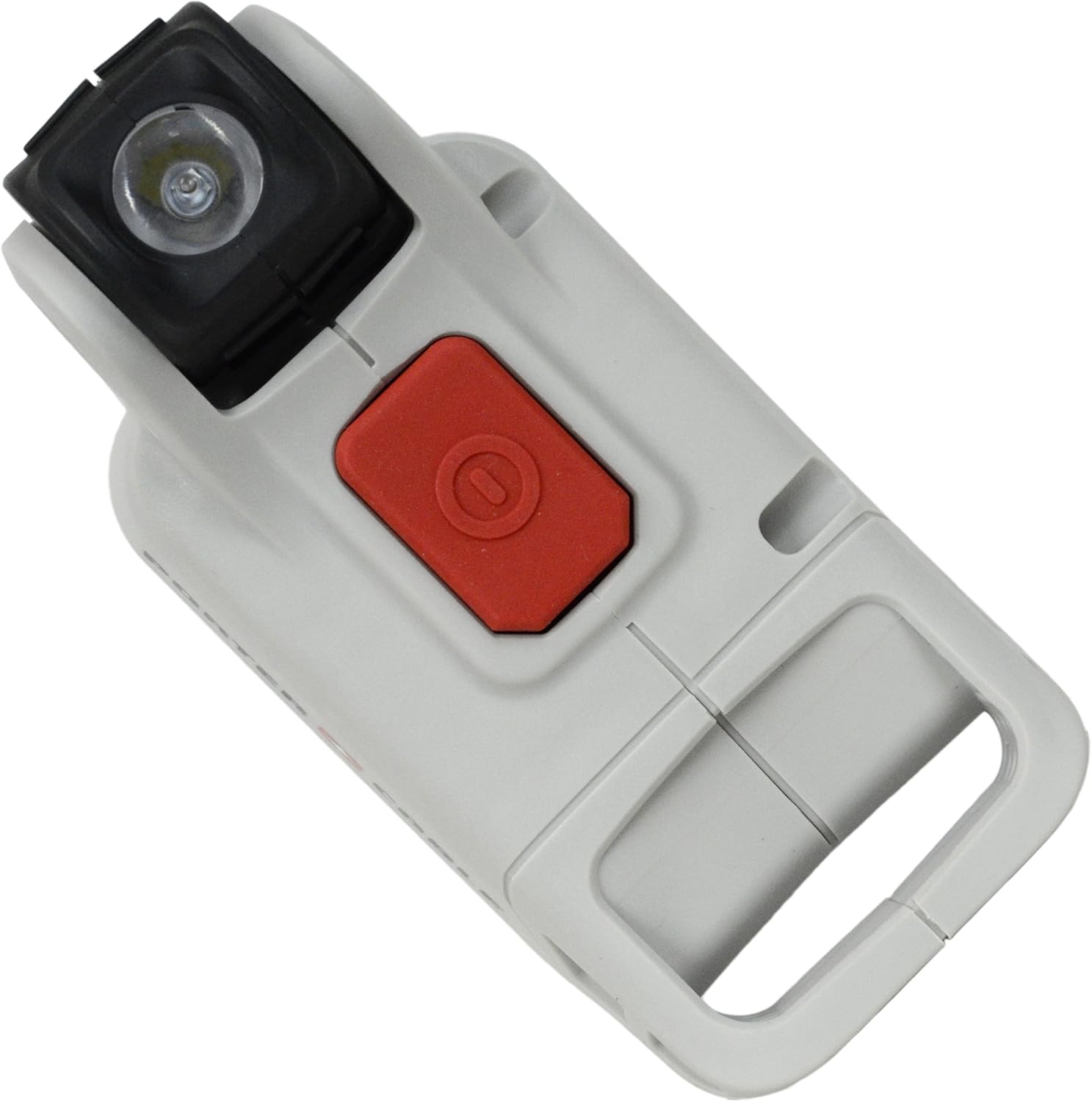
Familiarize yourself with the parts of your PORTER-CABLE PCC701 LED Work Light:
- A. LED Light Head: Contains the LED bulb for illumination.
- B. Pivoting Mechanism: Allows adjustment of the light head angle.
- C. On/Off Switch: Activates and deactivates the light.
- D. Battery Interface: Receptacle for 20V Max battery.
- E. Handle/Base: Provides a comfortable grip and stable base.


Setup
Battery Installation
- Ensure the work light is turned off.
- Align the battery (sold separately) with the battery interface on the base of the work light.
- Slide the battery into the interface until it clicks securely into place.
- To remove the battery, press the battery release button (if present on your battery) and slide the battery out.
Operating Instructions
Turning On/Off
Press the red On/Off switch located on the top of the work light to turn the light on. Press the switch again to turn the light off.
Adjusting the Light Head
The LED light head features a pivoting mechanism, allowing you to adjust the beam direction. Gently pivot the light head to the desired angle to illuminate your work area.

Maintenance
Cleaning
Keep the work light clean to ensure proper operation. Use a soft, damp cloth to wipe down the exterior. Do not use harsh chemicals or abrasive cleaners.
Storage
When not in use, store the work light in a dry, cool place. Remove the battery if storing for extended periods.
LED Bulb Replacement
The LED bulb in this unit is designed for long life and is not user-replaceable. If the LED fails, the entire unit may require servicing.
Troubleshooting
| Problem | Possible Cause | Solution |
|---|---|---|
| Light does not turn on. | Battery not installed correctly. | Ensure the battery is fully seated and clicked into place. |
| Light does not turn on. | Battery is discharged. | Charge the battery using a compatible PORTER-CABLE 20V Max charger. |
| Light is dim. | Battery is low on charge. | Charge the battery. |
| Light flickers. | Loose battery connection. | Remove and re-insert the battery to ensure a secure connection. |
Specifications
| Feature | Detail |
|---|---|
| Model Number | PCC701 |
| Voltage | 20V Max |
| Power Source | Battery Powered (Lithium Ion) |
| Light Source Type | LED |
| Material | Plastic |
| Item Weight | 5.6 ounces (0.16 Kilograms) |
| Product Dimensions | 6 x 2 x 3 inches |
| Special Feature | Requires Battery (Sold Separately) |
| Water Resistance Level | Not Water Resistant |
| Mounting Type | Handheld |
| Light Direction | Adjustable |

Warranty and Support
Information regarding warranty coverage and customer support for the PORTER-CABLE PCC701 20V Max LED Work Light was not available in the provided product data. Please refer to the official PORTER-CABLE website or contact their customer service for detailed warranty information and support options.
For further assistance, visit the official PORTER-CABLE Store.


