
1. Introduction
The Oral-B PRO 700 WaterJet Dental Care System is designed to provide comprehensive oral hygiene. This system combines a high-performance rechargeable electric toothbrush with a WaterJet flosser to deliver superior cleaning, gentle gum care, and improved overall oral health. This manual provides essential information for the safe and effective use of your device.
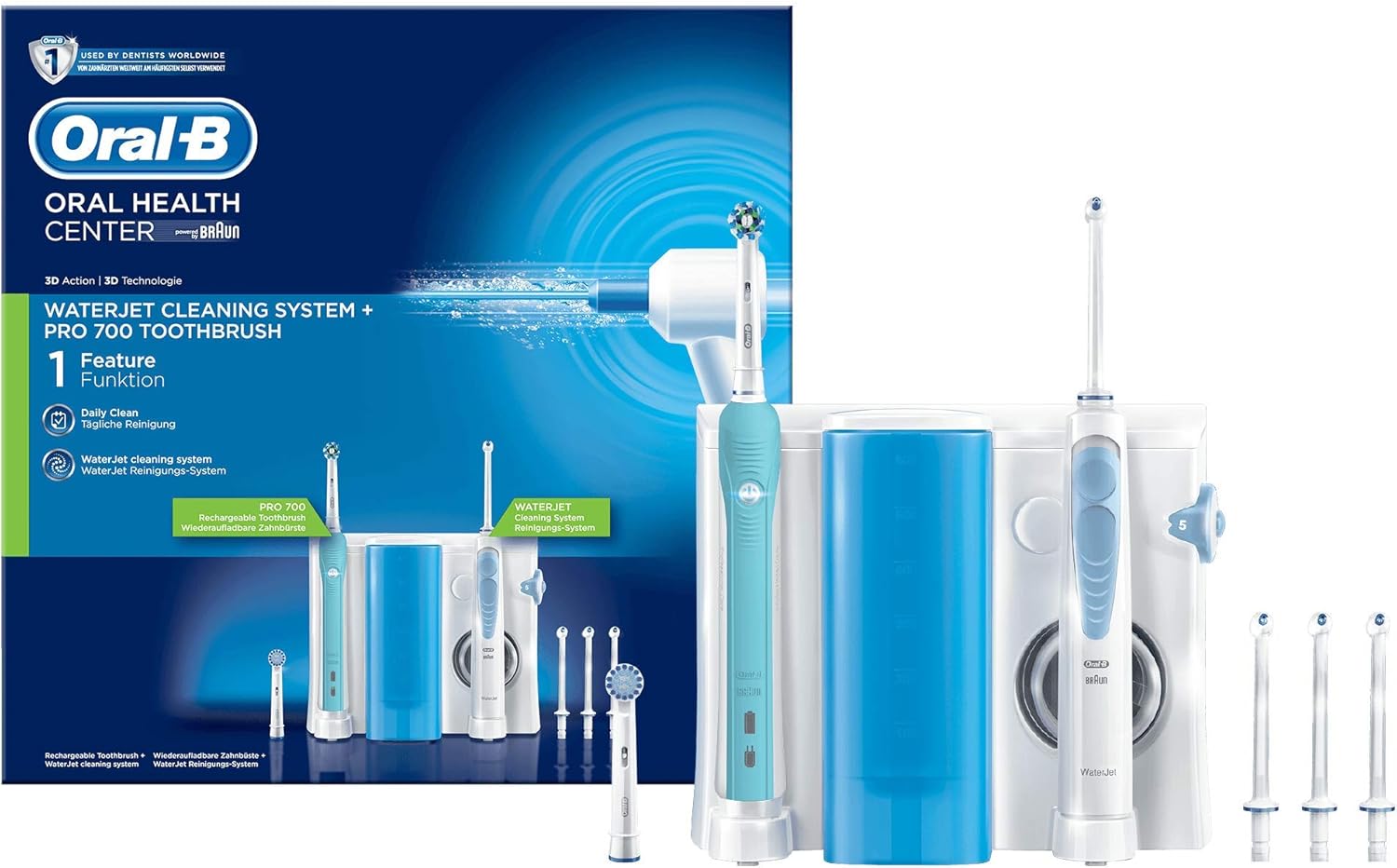
Figure 1: Oral-B PRO 700 WaterJet Dental Care System, showing the electric toothbrush, water flosser unit, and various accessories.
2. Package Contents
Please check that all items listed below are present in your package:
- Oral-B WaterJet Dental Flosser unit
- Oral-B Electric Toothbrush handle
- Charging Station for electric toothbrush
- 4 WaterJet Nozzles
- 2 CrossAction Brush Heads
- Instruction Manual
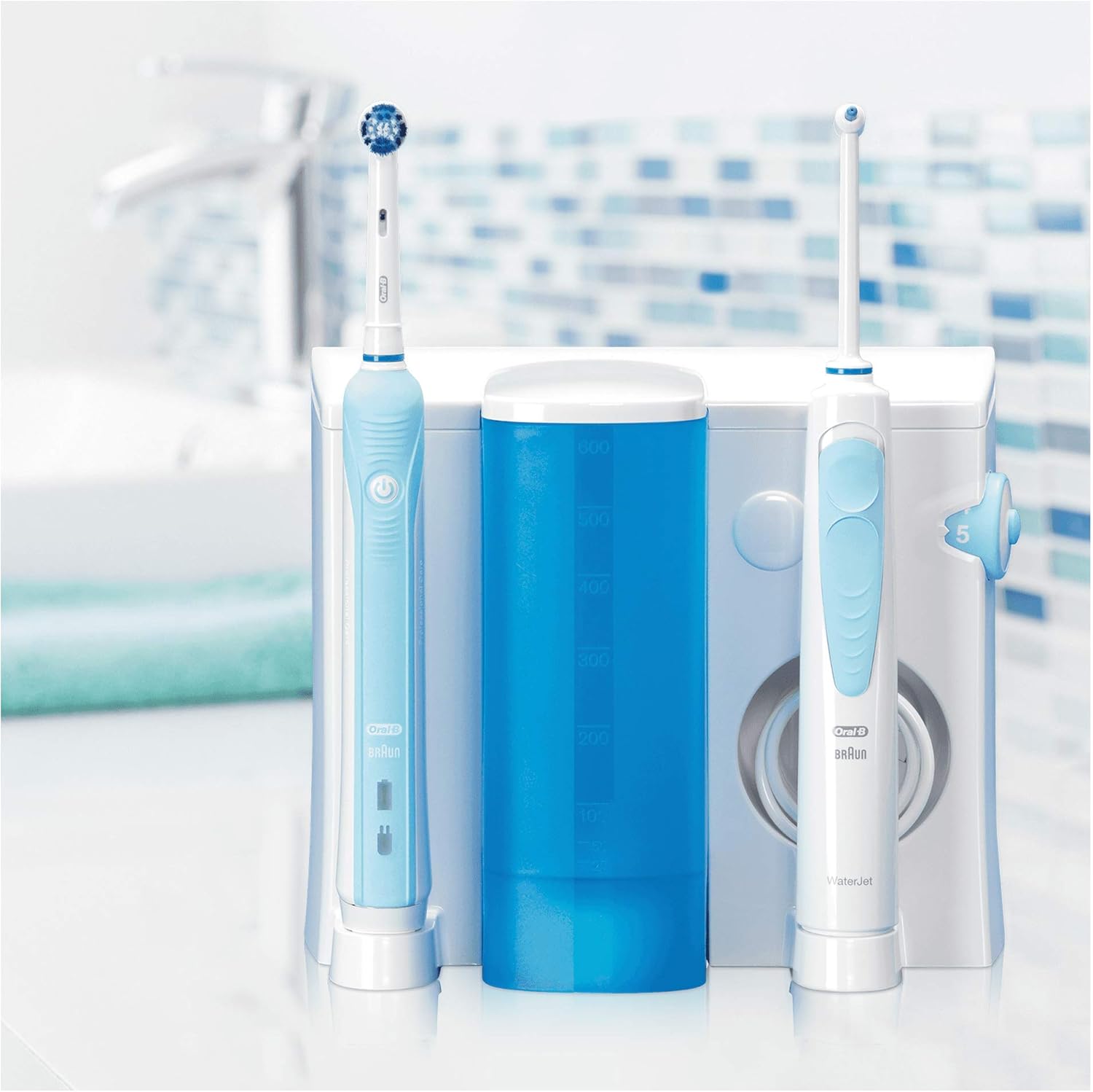
Figure 2: All components of the Oral-B PRO 700 WaterJet Dental Care System, including the main unit, toothbrush, flosser, and various attachments.
3. Setup
- Unpack Components: Carefully remove all items from the packaging.
- Position the Unit: Place the Oral-B WaterJet Dental Care System on a stable, flat surface near an electrical outlet and a sink.
- Connect to Power: Plug the power cord into an electrical outlet. The unit is designed for 240V operation.
- Charge the Toothbrush: Place the electric toothbrush handle onto the charging station. Allow it to charge for at least 24 hours before first use to ensure full battery capacity.
- Fill Water Tank: Open the water tank lid on the WaterJet flosser unit. Fill the tank with lukewarm water. Close the lid securely.
- Attach Nozzle/Brush Head: For the water flosser, select a WaterJet nozzle and firmly insert it into the handle until it clicks. For the electric toothbrush, firmly push a CrossAction brush head onto the toothbrush handle.
4. Operating Instructions: Electric Toothbrush
Follow these steps for effective brushing:
- Wet Brush Head: Wet the brush head and apply a small amount of toothpaste.
- Power On: Press the On/Off button to activate the toothbrush.
- Guide the Brush: Guide the brush head slowly from tooth to tooth. Hold the brush head in place for a few seconds on each tooth before moving to the next.
- Brushing Technique: Brush the outer surfaces, inner surfaces, and chewing surfaces of your teeth. Do not scrub aggressively; allow the brush to do the work.
- Pressure Sensor: The toothbrush features a pressure sensor. If you press too hard, the pulsating movement will stop, and the visible pressure sensor (if equipped) will light up. Reduce pressure to resume normal operation.
- Built-in Timer: The integrated timer signals every 30 seconds to indicate when to move to the next quadrant of your mouth. A longer signal indicates the completion of the dentist-recommended 2-minute brushing time.
- Power Off: After two minutes, or when finished, press the On/Off button to turn off the toothbrush.

Figure 3: Illustration of proper brushing technique with the electric toothbrush, showing how to guide the brush head along the gumline and tooth surfaces.

Figure 4: Close-up view of the CrossAction round brush head in action, demonstrating its oscillating-rotating and pulsating movements for effective plaque removal.
5. Operating Instructions: Water Flosser
The WaterJet flosser provides targeted cleaning and gum massage:
- Select Pressure: Use the pressure dial on the unit to select your desired water pressure level (1-5). Start with a lower setting and gradually increase as comfortable.
- Choose Jet Mode: The WaterJet nozzle allows for two jet modes: a single jet for targeted cleaning between teeth and a multiple jet for gentle gum massage. Adjust by rotating the nozzle collar.
- Position Nozzle: Lean over the sink and place the nozzle tip into your mouth, aiming at the gumline.
- Activate Water Flow: Press the On/Off button on the flosser handle to start the water flow.
- Floss: Guide the water jet along the gumline and between your teeth. Allow the water to flow into the sink.
- Power Off: When finished, press the On/Off button to stop the water flow.
- Empty Tank: After each use, empty any remaining water from the tank to prevent bacterial growth.
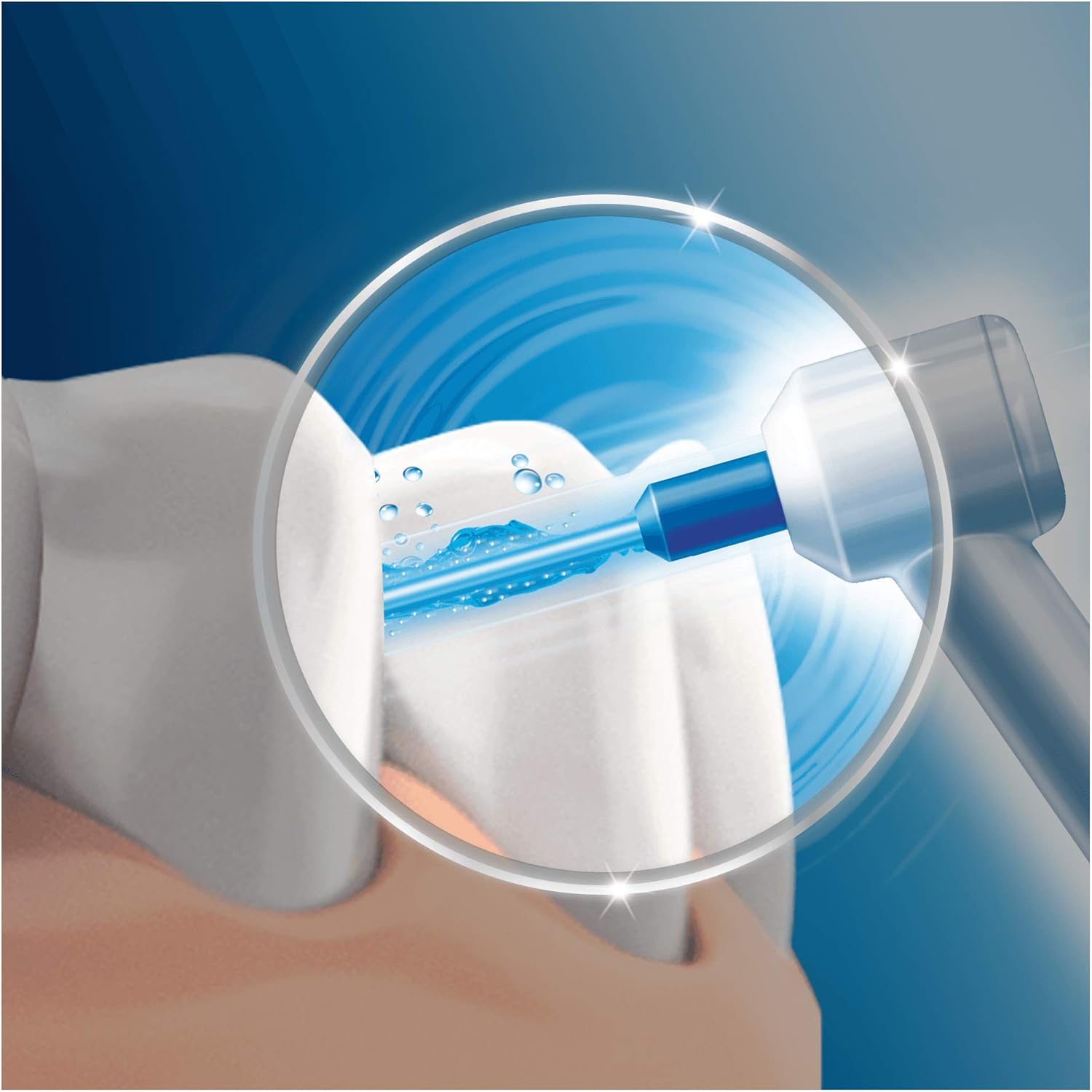
Figure 5: Depiction of the WaterJet flosser in use, showing the targeted water stream cleaning between teeth and along the gumline.
6. Maintenance and Cleaning
Regular cleaning ensures optimal performance and hygiene:
- After Each Use: Rinse the brush head and WaterJet nozzle thoroughly under running water.
- Clean Water Tank: Remove the water tank and rinse it with warm water. For a more thorough cleaning, you can use a mild detergent. Ensure it is completely dry before reassembling.
- Clean Unit Exterior: Wipe the exterior of the main unit and toothbrush handle with a damp cloth. Do not immerse the main unit or charging station in water.
- Replace Brush Heads: Dentists recommend replacing your brush head every 3 months, or sooner if the bristles are splayed or worn.
- Replace Nozzles: Replace WaterJet nozzles every 3-6 months, or as needed.
7. Safety Warnings
Please read and follow all safety instructions to prevent injury or damage:
- Do not use this product on infants or persons with limited physical, sensory, or mental capabilities unless supervised by a responsible adult.
- Ensure the power cord is not damaged. If the cord is damaged, the appliance must be replaced by the manufacturer, its service agent, or similarly qualified persons to avoid a hazard.
- Do not reach for a product that has fallen into water. Unplug immediately.
- Do not use while bathing or in the shower.
- Do not modify or repair the product yourself. Contact authorized service personnel for repairs.
- This product is intended for oral cleaning only. Do not use for any other purpose.
- If you have had oral surgery or gum surgery in the previous two months, consult your dentist before using the WaterJet flosser.
8. Troubleshooting
If you encounter issues with your Oral-B PRO 700 WaterJet Dental Care System, refer to the following common solutions:
- No Power: Ensure the unit is properly plugged into a working electrical outlet. Check for tripped circuit breakers.
- Toothbrush Not Charging: Verify the toothbrush handle is correctly seated on the charging station. Ensure the charging station is powered.
- Weak Water Jet: Check if the water tank is sufficiently filled. Ensure the nozzle is securely attached. Clean the nozzle for any blockages. Adjust the water pressure dial to a higher setting.
- Water Leakage: Ensure the water tank is correctly seated and its lid is closed tightly. Check if the nozzle is properly inserted into the handle.
- Excessive Noise: Some operational noise is normal. If the noise is unusually loud or accompanied by other issues, contact customer support.
If the problem persists after attempting these solutions, please contact Oral-B customer support.
9. Product Specifications
| Specification | Detail |
|---|---|
| Product Name | Rechargeable Electric Toothbrush, Cleaning System with Water Flosser |
| Brand | Oral-B |
| Model Name | Oral-B PRO 700 WaterJet Dental Care System |
| Model Number | WaterJet |
| Net Product Weight | 1484 Grams |
| Dimensions (L x W x H) | 10 x 11 x 12 cm |
| Power Source | Electric Cable |
| Operating Voltage | 240 V |
| Special Features | Pressure Sensor, Brushing Timer |
| Recommended Use | Improve oral hygiene and teeth cleaning |
| Manufacturer | Procter & Gamble |
10. Warranty and Support
This Oral-B product is manufactured to high-quality standards. For detailed warranty information, please refer to the warranty card included in your product packaging or visit the official Oral-B website for your region. For technical support, replacement parts, or further assistance, please contact Oral-B customer service through their official channels.