1. Introduction
The iHome iM29SC is a versatile clock radio designed to enhance your daily routine with its dual alarm functionality, FM radio, vibrant color-changing display, and convenient USB charging port. This manual provides detailed instructions for setting up and operating your device, ensuring you can fully utilize all its features.
2. Package Contents
Please verify that all items are present in your package:
- 1 x iHome iM29SC Dual Alarm Clock Radio
- 1 x AC Power Adapter
- 1 x Audio Cable (for Aux-in)
3. Controls and Indicators
Familiarize yourself with the buttons and display elements on your iM29SC unit. Specific button locations may vary slightly, but their functions are generally consistent.

Figure 3.1: Front view of the iHome iM29SC clock radio. The display shows the current time, PM indicator, and alarm icons. The unit features a blue and white spherical design with a subtle glow around the display.
3.1. Top Panel Controls
- Power/Alarm Reset Button: Turns the unit on/off, resets active alarms.
- Volume +/- Buttons: Adjusts audio output level.
- Time Set Button: Initiates time setting mode.
- Alarm 1/Alarm 2 Set Buttons: Initiates alarm setting mode for respective alarms.
- Snooze Button: Temporarily silences an active alarm.
- Display/Color Mode Button: Cycles through display brightness and color modes.
3.2. Rear Panel Controls
- FM Antenna: For improved radio reception.
- DC In Jack: Connects to the AC power adapter.
- Aux-in Jack: Connects external audio devices.
- USB Charging Port: For charging mobile devices.
- Battery Compartment: For backup battery installation.
3.3. LCD Display Indicators
- Time Display: Shows current time and alarm time.
- PM Indicator: Lights up when the time is PM.
- Alarm 1 Icon: Indicates Alarm 1 is active.
- Alarm 2 Icon: Indicates Alarm 2 is active.
- FM Indicator: Lights up when FM radio is active.
4. Setup
4.1. Powering the Unit
- Connect the supplied AC power adapter to the DC In jack on the back of the unit.
- Plug the adapter into a standard wall outlet.
- For battery backup (to maintain time settings during power outages), open the battery compartment and insert 1 product-specific battery (not included). Ensure correct polarity.
4.2. Setting the Time
- Press and hold the Time Set button until the time display flashes.
- Use the +/- buttons (or dedicated Hour/Minute buttons if available) to adjust the hour. Observe the PM indicator for correct AM/PM setting.
- Press the Time Set button again to confirm the hour and move to minute adjustment.
- Use the +/- buttons to adjust the minutes.
- Press the Time Set button one last time to save the current time.
5. Operating Instructions
5.1. Setting Alarms
The iM29SC features dual alarms, allowing you to set two separate wake-up times.
- Press and hold either the Alarm 1 Set or Alarm 2 Set button until the alarm time flashes.
- Use the +/- buttons to adjust the alarm hour. Ensure the correct AM/PM setting.
- Press the respective Alarm Set button again to confirm the hour and move to minute adjustment.
- Use the +/- buttons to adjust the alarm minutes.
- Press the Alarm Set button again to select the wake source (FM radio or tone).
- Press the Alarm Set button again to select the alarm schedule (e.g., everyday, weekdays, weekends).
- Press the Alarm Set button one last time to save the alarm settings. The corresponding alarm icon will appear on the display.
5.2. FM Radio Operation
The unit includes an FM radio with 6 programmable presets.
- Press the Power button to turn on the unit.
- Press the FM button (if available, or cycle through modes) to switch to FM radio mode.
- Use the Tune +/- buttons to manually tune to a desired station, or press and hold to auto-scan for the next available station.
- To set a preset: Tune to the desired station, then press and hold a Preset (1-6) button until the preset number flashes on the display. Release the button to save.
- To recall a preset: Briefly press the desired Preset (1-6) button.
5.3. Color Changing Modes
The iM29SC features dynamic color-changing capabilities for both the cabinet and display.

Figure 5.1: Multiple iHome iM29SC units showcasing various color options and the illuminated ring feature.
- Color Selection Modes: Press the Display/Color Mode button repeatedly to cycle through:
- Slow Color Fade: Colors transition smoothly.
- Fast Color Change: Colors switch rapidly.
- Favorite Color: Stays on a single selected color.
- No Color (Off): Turns off the color illumination.
- LED Wake-to Modes: When setting an alarm, you can choose from 4 LED wake-to modes:
- Dawn: Gradual light increase.
- Flash: Pulsating light.
- Glow: Constant light.
- None: No light effect.
5.4. USB Charging
The 1 Amp USB charging port allows you to charge most mobile devices.
- Connect your device's USB charging cable to the USB port on the back of the iM29SC.
- Connect the other end of the cable to your mobile device.
- Charging will begin automatically.
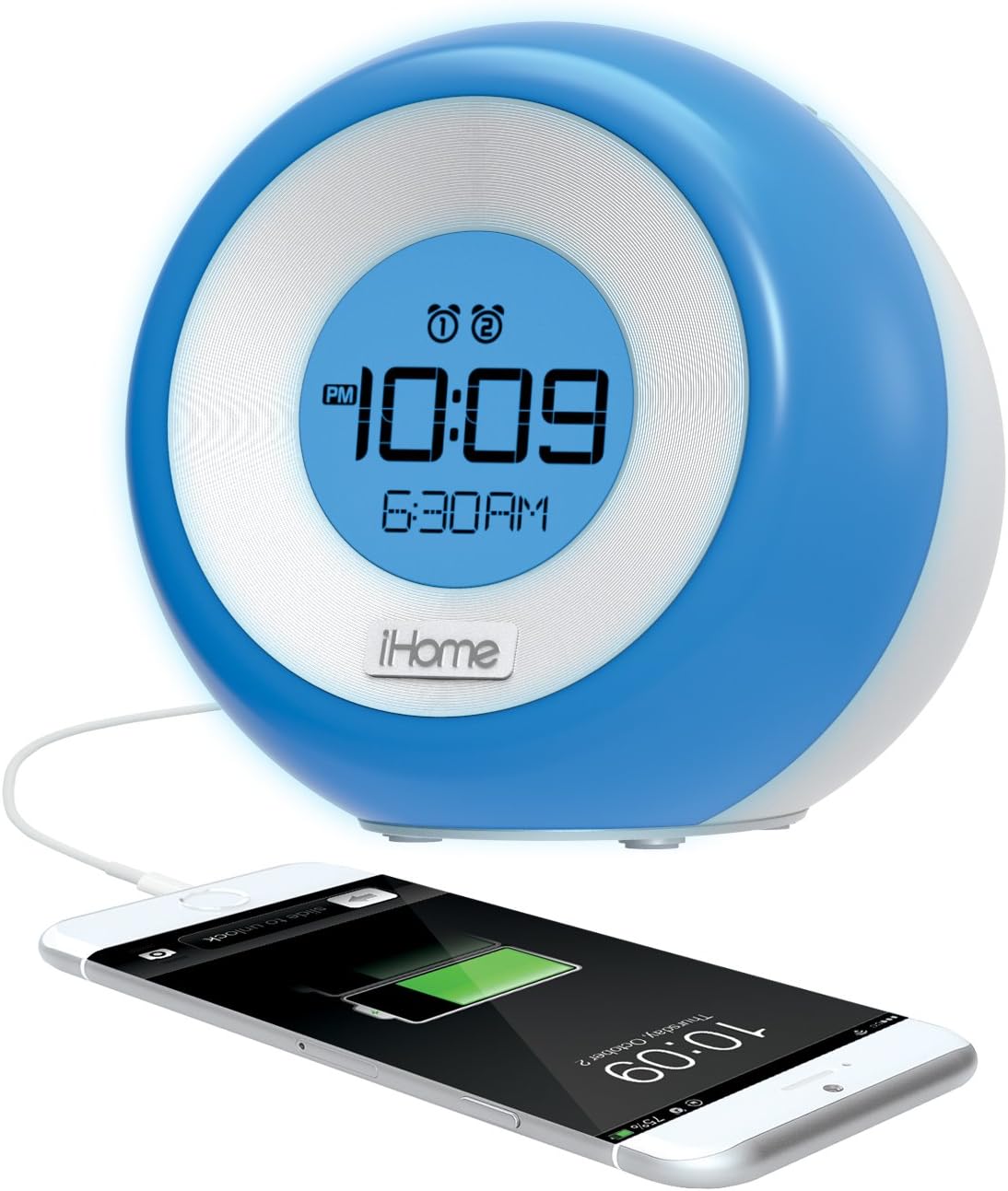
Figure 5.2: The iHome iM29SC unit charging a smartphone via its integrated USB port.
5.5. Auxiliary Input
Use the Aux-in jack to play audio from external devices.
- Connect one end of the supplied audio cable to the Aux-in jack on the back of the iM29SC.
- Connect the other end of the audio cable to the headphone jack or line-out port of your external audio device (e.g., MP3 player, smartphone).
- Press the Power button to turn on the unit, then select Aux mode (if available, or it may auto-detect).
- Start playback on your external device and adjust its volume, as well as the volume on the iM29SC.
6. Maintenance
6.1. Cleaning
To clean the unit, use a soft, dry cloth. Do not use liquid cleaners or abrasive materials.
6.2. Battery Replacement (Backup)
If the backup battery is depleted, the time and alarm settings may be lost during a power outage. Replace the battery as follows:
- Ensure the unit is connected to AC power or unplugged.
- Open the battery compartment cover on the rear of the unit.
- Remove the old battery and insert a new product-specific battery, observing correct polarity (+/-).
- Close the battery compartment cover securely.
7. Troubleshooting
If you encounter issues with your iM29SC, refer to the following common problems and solutions:
| Problem | Possible Cause | Solution |
|---|---|---|
| Unit does not power on. | AC adapter not connected or faulty. | Ensure AC adapter is securely plugged into the unit and a working wall outlet. |
| Alarm does not sound. | Alarm not activated, volume too low, or incorrect alarm time. | Verify alarm icon is displayed, check alarm volume, and re-set alarm time. |
| Poor FM radio reception. | Antenna not extended or interference. | Fully extend the FM antenna and reposition the unit for better reception. Avoid placing near other electronic devices. |
| USB charging not working. | Cable issue or device incompatibility. | Try a different USB cable. Ensure your device is compatible with 1 Amp charging. |
| Time/settings lost after power outage. | Backup battery is dead or missing. | Install or replace the backup battery. |
8. Specifications
- Brand: iHome
- Model: iM29SC
- Product Dimensions: 4.96 x 5 x 4.77 inches
- Item Weight: 1.3 pounds
- Display Type: LCD
- Power Source: Electrical (AC Adapter), Battery Powered (for backup)
- Special Features: Dual Alarm, Color Changing Display, FM Radio, USB Charging Port, Aux-in
- Number of Batteries: 1 Product Specific battery required (for backup)
- Manufacturer: SDI Technologies, Inc.
9. Warranty and Support
For detailed warranty information, please refer to the documentation included with your product packaging or visit the official iHome website. If you require technical assistance or customer support, please contact iHome directly through their official support channels.
Online Support: www.ihomeaudio.com/support/