
DÖRR, K&S Snapshot Limited 5.0 MP Black
Dörr Snapshot Limited 5.0 MP Black Wildlife Camera Set
User Manual
Introduction
Thank you for choosing the Dörr Snapshot Limited 5.0 MP Black Wildlife Camera Set. This camera is designed for reliable wildlife monitoring and surveillance, offering high-quality image and video capture with a non-visible infrared flash. This manual provides detailed instructions for setting up, operating, maintaining, and troubleshooting your camera to ensure optimal performance.

Image: The Dörr Snapshot Limited 5.0 MP Black Wildlife Camera Set, showing the camera unit, its packaging, included AA batteries, and an SD card.
Setup
1. Battery and SD Card Installation
Open the camera housing by unlatching the side clasps. Inside, you will find compartments for batteries and the SD card. Ensure the camera is switched OFF before installation.
- Batteries: Insert 8 AA batteries into the designated slots, observing the correct polarity (+/-). High-quality batteries are recommended for extended standby time (up to 1 year).
- SD Card: Insert the SD card (up to 32 GB supported) into the SD card slot until it clicks into place. Ensure the card is formatted before first use (refer to the Operating section for formatting instructions).
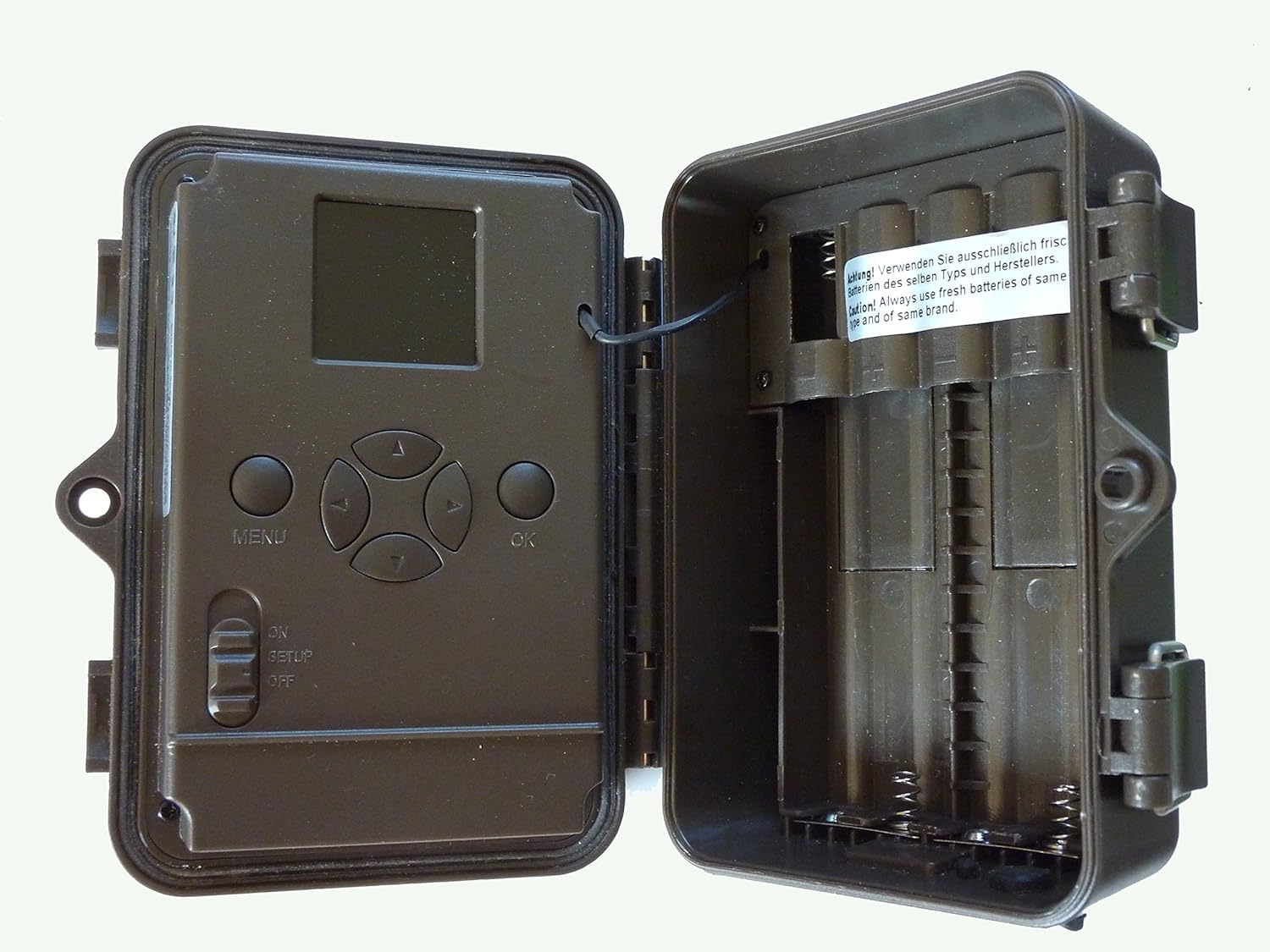
Image: The camera opened, revealing the battery compartments on the right and the display and control buttons on the left, along with the SD card slot.
2. Mounting the Camera
The camera comes with a tree strap for easy mounting. Choose a stable location, such as a tree or post, that provides a clear view of the area you wish to monitor. Secure the camera firmly to prevent movement.
- Thread the provided tree strap through the mounting slots on the back of the camera.
- Wrap the strap around the desired mounting surface and tighten securely.
- Ensure the camera is level and pointed correctly.
- An external 6V power connection is also possible for continuous operation.

Image: The camera securely mounted to a tree trunk using the black nylon strap.
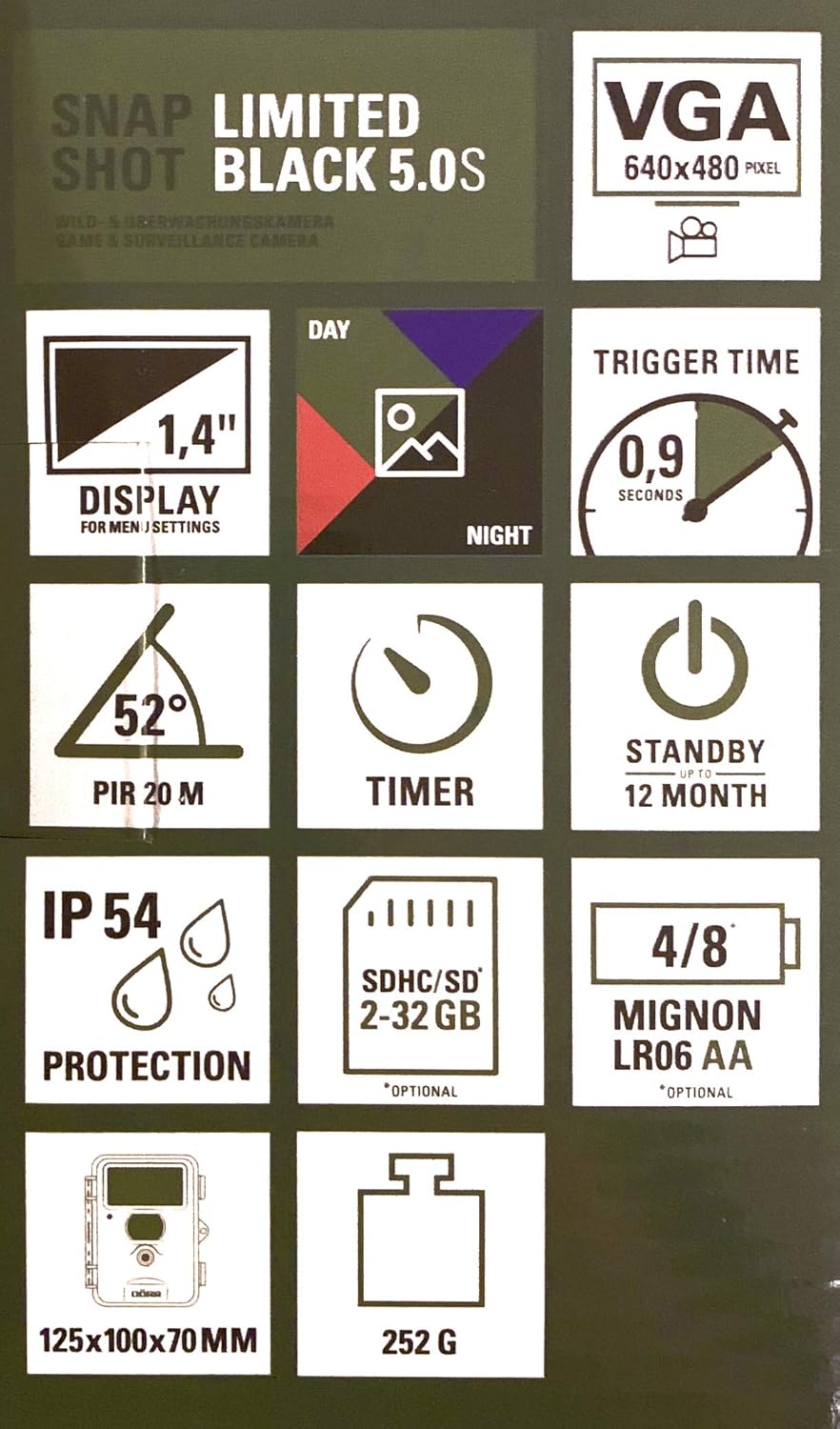
Image: The camera mounted on a tree, additionally secured with a metal cable for theft prevention.
Operating Instructions
1. Powering On and Menu Navigation
After installing batteries and the SD card, switch the camera to SETUP mode using the switch located inside the housing. The 1.4-inch display will activate, allowing you to access the menu.
- Use the MENU button to enter the main menu.
- Navigate through options using the arrow buttons (Up, Down, Left, Right).
- Press OK to confirm selections.
- The menu is available in both German and English.
2. Basic Settings
- Date and Time: Set the current date and time. This information will be stamped on every captured image.
- Mode: Select between Photo, Video, or Photo + Video mode.
- Resolution: Adjust image resolution (5.0 Megapixel) and video resolution (480p).
- PIR Sensitivity: Set the Passive Infrared (PIR) sensor sensitivity to High, Medium, or Low. This determines how easily the camera is triggered by motion. The detection range is up to 10 meters.
- Number of Photos: In photo mode, set the number of consecutive photos per trigger (1-3 shots).
- Video Length: In video mode, set the duration of video sequences (e.g., 10 seconds).
- Timer/Time Window: Configure the camera to operate only during specific time periods (e.g., 8 PM to 6 AM).
- SD Card Format: It is recommended to format the SD card periodically to ensure optimal performance and prevent data corruption. Select the "Format" option in the menu and confirm.
3. Starting Operation
Once all settings are configured, switch the camera to ON mode. The display will turn off, and the camera will enter monitoring mode. It will now automatically capture images or videos when motion is detected within its PIR sensor range.
Maintenance
- Battery Replacement: When the battery indicator shows low power, replace all 8 AA batteries with fresh ones. Using high-quality batteries ensures long operational periods.
- SD Card Management: Regularly check the SD card capacity. Transfer captured media to a computer and format the card to free up space and maintain performance.
- Cleaning: Gently clean the camera lens and the PIR sensor window with a soft, lint-free cloth. Do not use abrasive cleaners.
- Housing Integrity: Periodically inspect the weather-resistant housing and clasps for any signs of damage or wear. Ensure the clasps are securely closed to maintain the camera's waterproof rating (IP54).
- Storage: If storing the camera for an extended period, remove the batteries to prevent leakage and damage. Store in a cool, dry place.
Troubleshooting
| Problem | Possible Cause | Solution |
|---|---|---|
| Camera not powering on / Black screen | Low or dead batteries; Incorrect battery polarity; SD card issue; Internal malfunction. | Replace all batteries with fresh ones, ensuring correct polarity. Remove and reinsert SD card. If problem persists, contact support. |
| No images/videos captured | PIR sensitivity too low; SD card full or corrupted; Camera in wrong mode; Obstruction in front of PIR sensor; Batteries low. | Increase PIR sensitivity. Format or replace SD card. Check camera mode (Photo/Video). Ensure clear line of sight for PIR. Replace batteries. |
| Blurry images, especially at night | Subject too close or moving too fast; Lens dirty; Insufficient IR illumination. | Ensure subjects are within optimal range (approx. 5m+). Clean the lens. Verify IR LEDs are not obstructed. |
| Excessive number of empty images | PIR sensitivity too high; Environmental factors (e.g., swaying branches, small animals). | Decrease PIR sensitivity. Adjust camera placement to avoid false triggers. |
| Plastic clasps breaking | Wear and tear; Material fatigue. | While the product description mentions a weather-resistant plastic housing, some users reported issues with plastic clasps. Handle with care. If clasps break, consider using additional straps or contacting support for replacement parts if available. |
Specifications
- Model: Dörr Snapshot Limited 5.0 MP Black
- Image Resolution: 5.0 Megapixel
- Video Resolution: 480p
- IR LEDs: 40 Black Vision LEDs (non-visible)
- Flash Range: Approx. 10 meters
- PIR Detection Range: Up to 10 meters
- Reaction Time: Approx. 1 second
- Display: 1.4-inch for menu settings
- Storage: SD card, up to 32 GB (optional)
- Power Source: 8x AA batteries (included), or external 6V power supply
- Standby Time: Up to 1 year (with quality batteries)
- Water Resistance: IP54 (weather-resistant housing)
- Material: Weather-resistant plastic
- Dimensions (L x W x H): 12.5 x 10 x 7 cm
- Weight: 252 g (approx.)
- Included Components: Camera, SD card, 8 AA batteries, USB cable, tree strap, German manual.
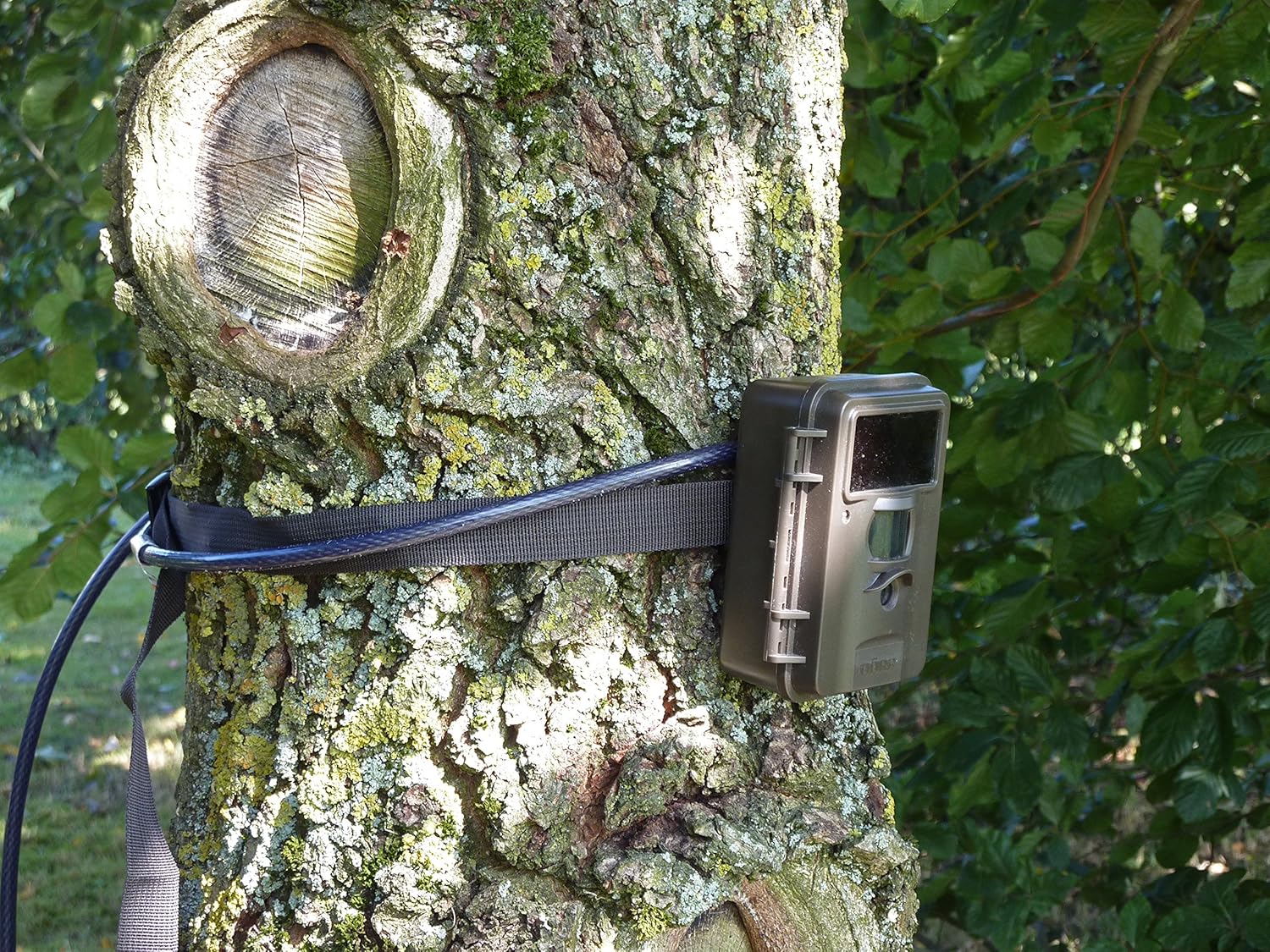
Image: The product packaging displaying key specifications such as VGA resolution, 1.4" display, 0.9s trigger time, 52° PIR, timer, 12-month standby, IP54 protection, SDHC/SD support, AA battery type, and dimensions.
Warranty and Support
Your Dörr Snapshot Limited 5.0 MP Black Wildlife Camera Set comes with a 2-year warranty from the date of purchase. This warranty covers manufacturing defects and ensures the product functions as intended under normal use.
For technical assistance, warranty claims, or any questions regarding your product, please contact the manufacturer or your point of purchase. Keep your proof of purchase for warranty validation.
For further information, you may refer to the official DÖRR website or contact K&S Wildkameras directly.
Ask a question about this manual
Ask about setup, troubleshooting, compatibility, parts, safety, or missing instructions. Manuals+ will review the question and use this page’s manual context to help answer it.