
SKMEI AD1063
SKMEI AD1063 Analog-Digital Watch User Manual
Model: AD1063
Introduction
Thank you for purchasing the SKMEI AD1063 Analog-Digital Watch. This manual provides detailed instructions for setting up, operating, and maintaining your watch. Please read this manual carefully to ensure proper use and to fully utilize all features of your new timepiece.
Important Safety Information: Do not press any button under water.
Product Overview
The SKMEI AD1063 is a versatile analog-digital watch designed for various activities, featuring a quartz movement, chronograph, alarm, and water resistance up to 50 meters.
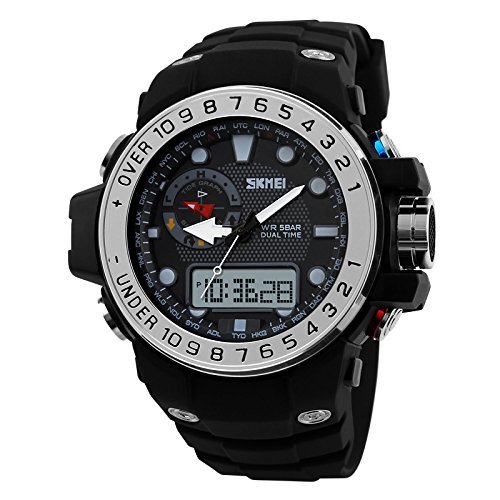
Figure 1: Front view of the SKMEI AD1063 Analog-Digital Watch. This image displays the round black dial with both analog hands and a digital display, surrounded by a silver bezel with numerical markings. The watch features multiple buttons on its sides.

Figure 2: Side view of the SKMEI AD1063 Analog-Digital Watch. This image highlights the watch's profile and the four control buttons located on the left and right sides of the watch case, used for mode selection and adjustments.
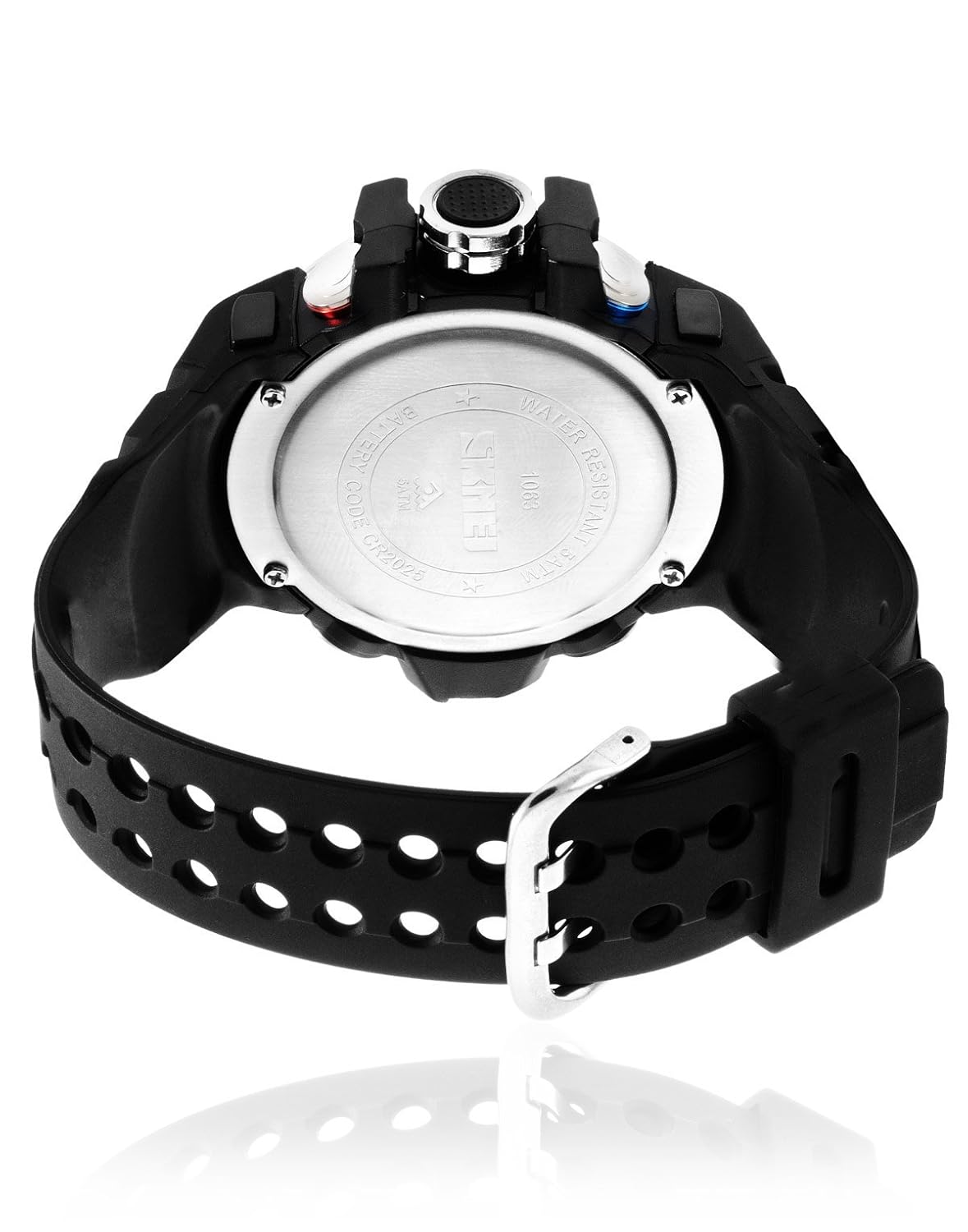
Figure 3: Back view of the SKMEI AD1063 Analog-Digital Watch. This image shows the stainless steel case back, which is engraved with the SKMEI logo, water resistance rating (5ATM), and model number. The black plastic strap is also visible.

Figure 4: SKMEI Watch Box Packaging. This image displays the black metal box with the SKMEI logo, in which the watch is typically packaged.
Key Features:
- Analog and Digital Time Display
- Chronograph (Stopwatch)
- Alarm Function
- Date and Day Display
- Backlight for low-light conditions
- Luminous hands for analog display
- Water Resistance: 50 meters (5 ATM)
Setup
1. Initial Power On
Your watch comes with a pre-installed battery. If the digital display is blank, it may be in power-saving mode or require a battery check. For initial use, ensure all protective films are removed from the watch face and case back.
2. Setting Analog Time
- Pull out the crown (the knob on the right side of the watch, typically between the buttons) to the first or second click position.
- Rotate the crown to move the analog hands to the desired time.
- Push the crown back in to its original position to start the analog timekeeping.
3. Setting Digital Time and Date
The digital display typically has multiple modes (Time, Alarm, Stopwatch). Refer to Figure 2 for button identification (A, B, C, D usually from top-left, bottom-left, top-right, bottom-right).
- Press the MODE button (typically bottom-left) repeatedly until the digital display shows the normal timekeeping mode.
- Press and hold the ADJUST button (typically top-left) until the seconds start flashing. This indicates setting mode.
- Press the MODE button to cycle through the settings: Seconds → Hour → Minute → Year → Month → Day.
- Use the START/STOP button (typically top-right) or RESET button (typically bottom-right) to increase or decrease the flashing value.
- Once all settings are correct, press the ADJUST button again to exit the setting mode.
Operating Instructions
1. Mode Selection
Press the MODE button (typically bottom-left) to cycle through the different functions:
- Timekeeping Mode (displays current time, day, date)
- Chronograph Mode (stopwatch)
- Alarm Mode
- Dual Time Mode (if available)
2. Using the Chronograph (Stopwatch)
- Enter Chronograph Mode by pressing the MODE button. The digital display will show "00:00:00".
- Press the START/STOP button (typically top-right) to start the stopwatch.
- Press the START/STOP button again to stop the stopwatch.
- To reset the stopwatch to zero, press the RESET button (typically bottom-right) while the stopwatch is stopped.
- For split time, press the RESET button while the stopwatch is running. The display will show the split time. Press RESET again to return to normal stopwatch timing.
3. Setting and Using the Alarm
- Enter Alarm Mode by pressing the MODE button. The digital display will show the alarm time.
- Press and hold the ADJUST button (typically top-left) until the alarm hour starts flashing.
- Press the MODE button to select between hour and minute settings.
- Use the START/STOP button to adjust the flashing value.
- Press the ADJUST button to confirm and exit the alarm setting mode.
- To turn the alarm ON/OFF, press the START/STOP button while in Alarm Mode (without holding ADJUST). An alarm icon will appear/disappear.
- To activate the hourly chime, press the RESET button while in Alarm Mode. A chime icon will appear/disappear.
4. Using the Backlight
Press the LIGHT button (typically top-left or top-right, depending on model) to illuminate the digital display for a few seconds in low-light conditions.
5. Luminous Hands
The analog hands are coated with luminous material. Expose the watch to light for a period to charge the luminous elements, allowing them to glow in the dark.
Maintenance
1. Cleaning
Wipe the watch case and strap regularly with a soft, dry cloth. For stubborn dirt, a slightly damp cloth can be used, followed by drying. Avoid using chemical cleaners, as they may damage the watch's finish or seals.
2. Water Resistance (50 meters / 5 ATM)
- This watch is water resistant up to 50 meters, suitable for short periods of recreational swimming or showering.
- WARNING: Do not press any buttons while the watch is submerged in water or wet. This can compromise the water resistance and lead to internal damage.
- Avoid exposing the watch to hot water or steam, as this can also affect the water-resistant seals.
3. Battery Replacement
The watch is powered by a battery. When the digital display becomes dim or the watch stops functioning, it's time for a battery replacement. It is recommended to have the battery replaced by a qualified watch technician to ensure the water resistance seal is properly re-installed.
4. Storage
When not in use for extended periods, store the watch in a cool, dry place away from direct sunlight and extreme temperatures.
Troubleshooting
1. Digital Display is Blank or Dim
- Possible Cause: Low battery.
- Solution: Replace the battery.
2. Analog Hands Not Moving
- Possible Cause: Crown is pulled out, or low battery.
- Solution: Push the crown back in. If still not moving, replace the battery.
3. Water Inside the Watch
- Possible Cause: Buttons pressed underwater, crown not fully pushed in, or damaged water seals.
- Solution: Immediately take the watch to a professional watch repair service. Do not attempt to dry it yourself.
4. Incorrect Time/Date
- Possible Cause: Time/date not set correctly or accidentally changed.
- Solution: Refer to the "Setting Analog Time" and "Setting Digital Time and Date" sections to re-adjust.
Specifications
| Model Number | AD1063 |
| Mechanism | Quartz |
| Display Type | Analog-Digital |
| Case Material | Metal (Box Material) |
| Strap Material | Plastic |
| Dial Color | Black |
| Strap Color | Black |
| Water Resistance Depth | 50 meters (5 ATM) |
| Functions | Chronograph, Date Display (Day, Date), Alarm, Light, Calendar, Luminous, Stopwatch |
| Item Weight | 100 g |
| Package Dimensions | 9 x 9 x 9 cm |
Warranty and Support
Warranty Information
This SKMEI AD1063 watch comes with a 1 Year Skmei India Warranty from the date of purchase. The warranty covers manufacturing defects under normal use. It does not cover damage resulting from misuse, accidents, unauthorized repairs, or normal wear and tear.
For warranty claims or service, please contact your authorized SKMEI dealer or service center.
Customer Support
For further assistance or inquiries regarding your SKMEI AD1063 watch, please refer to the official SKMEI website or contact their customer support channels.
Legal Disclaimer: The customer is responsible for checking local laws before purchasing this product.