
1. Introduction
This manual provides instructions for the proper use and care of your Hermitshell EVA Hard Travel Case. This protective case is specifically designed to safeguard your TeckNet Pro M003, 2.4G Nano M002, or BM306 wireless mouse during transport and storage. Its durable construction helps protect against impacts, scratches, and dust.
2. Product Features
- Custom Fit: Designed to precisely fit TeckNet Pro M003, 2.4G Nano M002, and BM306 wireless mice.
- Durable Material: Constructed from high-quality EVA for robust protection.
- Soft Interior Lining: Features a soft inner lining to prevent scratches and absorb minor shocks.
- Compact Size: Maintains a compact form factor for easy portability.
- Secure Closure: Equipped with a reliable zipper closure to keep your device secure.
- Carabiner Attachment: Includes a carabiner for convenient attachment to bags or backpacks.
3. Setup and Use
3.1 Placing Your Mouse in the Case
- Unzip the Hermitshell EVA Hard Travel Case completely.
- Gently place your TeckNet wireless mouse into the molded interior of the case. Ensure the mouse sits snugly within the designated space.
- Verify that no parts of the mouse are protruding or being compressed excessively.

Image: The Hermitshell case open, showing a TeckNet wireless mouse securely placed inside. The interior is designed to cradle the mouse, preventing movement during transit.
3.2 Closing and Securing the Case
- Once the mouse is properly seated, carefully close the zipper around the case. Ensure the zipper operates smoothly without snagging.
- Confirm that the case is fully zipped to provide complete protection.
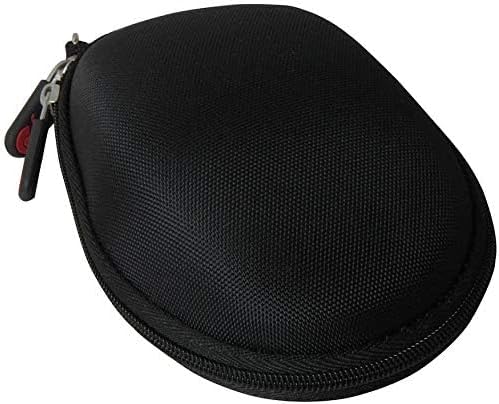
Image: The Hermitshell case in its closed state, showcasing its compact and protective design. The zipper is fully engaged, securing the contents.
3.3 Using the Carabiner
The included carabiner allows for convenient attachment. Clip it to a backpack, laptop bag, or belt loop for easy access and hands-free carrying.
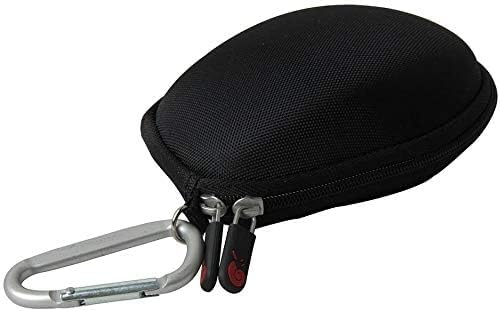
Image: The Hermitshell case with a carabiner attached to its zipper pull, demonstrating a portable carrying option.
4. Maintenance
4.1 Cleaning Instructions
To clean your Hermitshell EVA Hard Travel Case, follow these steps:
- Wipe the exterior surface with a soft, damp cloth. For stubborn dirt, a mild soap solution can be used, followed by wiping with a clean, damp cloth.
- Allow the case to air dry completely before closing or storing.
- For the interior lining, use a soft, dry brush or a lint roller to remove dust and debris. Avoid using harsh chemicals or abrasive materials, as these can damage the EVA material and the soft lining.

Image: A close-up view of the case's interior, highlighting the soft, protective lining designed to prevent scratches on the stored mouse.
4.2 Storage
Store the case in a cool, dry place away from direct sunlight and extreme temperatures to prolong its lifespan.
5. Troubleshooting
- Mouse does not fit: Ensure your mouse model is one of the compatible TeckNet models (M003, M002, BM306). This case is designed for specific dimensions. If your mouse is a different model, it may not fit correctly.
- Zipper is stiff: If the zipper is stiff, apply a small amount of zipper lubricant or a graphite pencil lead along the teeth. Operate the zipper back and forth gently to distribute the lubricant.
- Case deformed: The EVA material is designed to be rigid. If the case appears deformed, check for any heavy objects that may have been placed on it. Minor deformations may self-correct over time, but significant damage may indicate a need for replacement.
6. Specifications
| Specification | Detail |
|---|---|
| Brand | Hermitshell |
| Model Number | 4328353205 |
| Material | EVA |
| Color | Black Nylon |
| Dimensions (L x W x H) | 9.1 x 9.1 x 4.6 centimeters |
| UPC | 701304686951 |
7. Warranty and Support
For information regarding warranty coverage or product support, please refer to the retailer where the product was purchased or visit the official Hermitshell website. Keep your proof of purchase for any warranty claims.