
1. Introduction
The Jim Dunlop DVP4 Volume (X) Mini Pedal is a compact and versatile pedal designed for controlling volume and effects parameters on your pedalboard. Its robust construction and adjustable features ensure reliable performance in a small footprint.
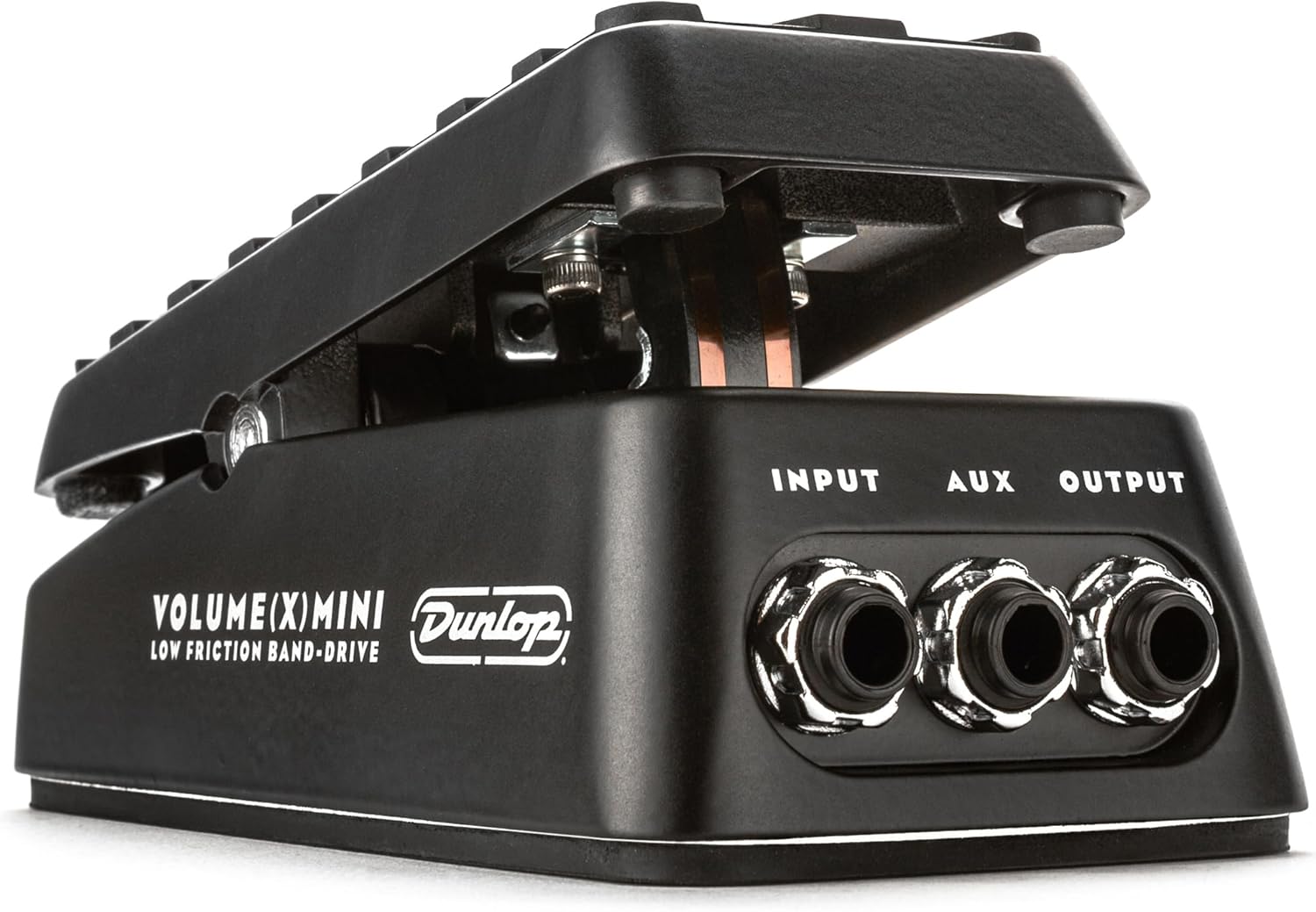
Image: The Jim Dunlop DVP4 Volume (X) Mini Pedal, showcasing its compact design and durable construction.
2. Key Features
- Mini Footprint, Full Control: Delivers smooth swells and pro-grade expression control in a compact size.
- Expression Functionality: Unlocks dynamic control over delay, modulation, and other effects.
- Low Friction Band-Drive: Tested for over one million cycles, providing smooth, consistent action.
- Internal Controls: Allows adjustment of heel/toe polarity, minimum heel-down FX levels, and Aux jack mode (tuner or expression).
- Aux Output: Connects to a tuner or can be used as an additional expression output.
- Rugged Tread: Non-slip rubber surface ensures precise foot control.
- No External Power Required: Operates passively for simple, hassle-free use.
- Adjustable Torque: Customize the rocker's resistance for personalized feel.
3. Setup
Follow these steps to integrate your DVP4 Volume (X) Mini Pedal into your audio setup:
- Input Connection: Connect your instrument or the output of a preceding effect pedal to the INPUT jack on the DVP4.
- Output Connection: Connect the OUTPUT jack of the DVP4 to your amplifier or the input of the next effect pedal in your chain.
- Auxiliary Connection (Optional): The AUX jack can be used for a tuner or as an expression output. Refer to the 'Operating Instructions' section for details on configuring this jack.

Image: Detail of the input, aux, and output jacks, showing typical cable connections for the DVP4 pedal.
The DVP4 operates passively and does not require external power for basic volume pedal functionality.
4. Operating Instructions
4.1. Volume Pedal Functionality
When used as a volume pedal, rocking the pedal forward (toe-down) increases the volume, while rocking it backward (heel-down) decreases the volume. The smooth band-drive mechanism ensures precise control over your signal's amplitude.
4.2. Expression Pedal Functionality
To use the DVP4 as an expression pedal, connect the AUX jack to the expression input of a compatible effects unit using a TRS cable. The internal switch for the AUX jack must be set to 'Expression' mode. Rocking the pedal will then control the assigned parameter on your effects unit.
4.3. Internal Adjustments
The DVP4 features internal switches and potentiometers for fine-tuning its operation. To access these, carefully remove the bottom plate of the pedal.
- Rocker Tension: A screw located on the side of the rocker mechanism allows you to adjust the pedal's resistance. Tighten for a stiffer feel, loosen for a smoother, easier sweep.
- Heel/Toe Polarity Switch: An internal switch allows you to reverse the function of the heel-down and toe-down positions, useful for specific expression pedal applications.
- Minimum FX Level Pot: When used as an expression pedal, an internal potentiometer lets you set the minimum level of the parameter being controlled when the pedal is in the heel-down position.
- AUX Jack Mode Switch: This switch toggles the function of the AUX jack between 'Tuner Out' and 'Expression Out'.
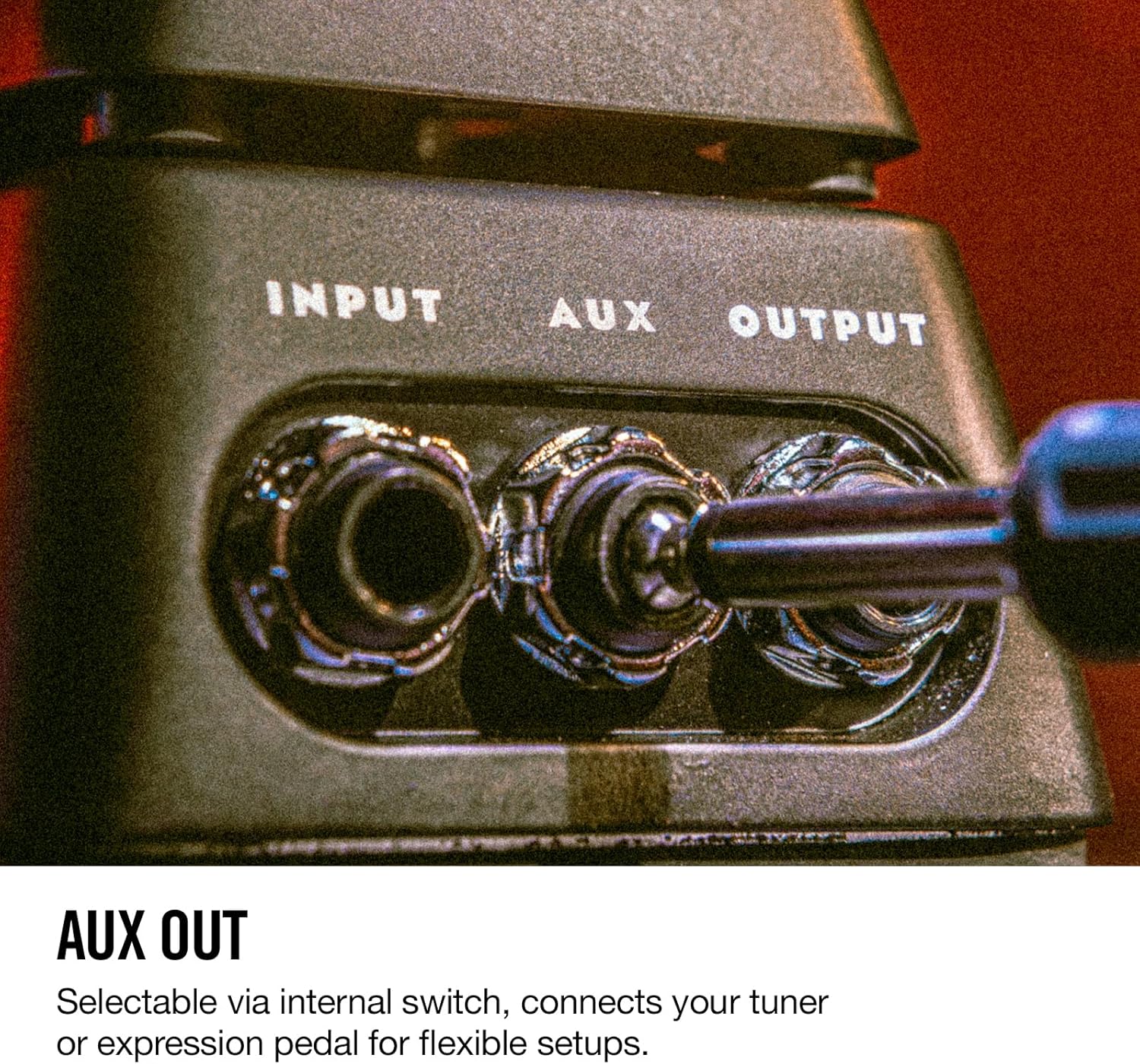
Image: Internal view of the DVP4 circuit board, highlighting the switches for polarity and AUX mode, and the potentiometer for minimum FX level.

Image: The adjustable torque mechanism, allowing users to customize the pedal's rocker resistance.
5. Maintenance
The DVP4 Volume (X) Mini Pedal is built with a durable aluminum chassis and a robust band-drive system designed for longevity. Minimal maintenance is required:
- Cleaning: Wipe the pedal with a soft, dry cloth to remove dust and grime. Avoid using harsh chemicals or abrasive cleaners.
- Band-Drive: The Low Friction Band-Drive is designed for consistent performance. Avoid applying lubricants unless specifically recommended by the manufacturer, as this may affect its operation.
- Storage: Store the pedal in a dry environment, away from extreme temperatures and humidity.

Image: The textured rubber tread on the pedal's surface, designed for secure foot placement and control.
6. Troubleshooting
If you encounter issues with your DVP4 pedal, consider the following:
- No Sound/Inconsistent Volume:
- Check all cable connections (input, output). Ensure cables are fully inserted and in good condition.
- Verify that the pedal is correctly placed in your signal chain.
- Expression Pedal Not Working:
- Ensure you are using a TRS (Tip-Ring-Sleeve) cable for expression functionality. Standard TS (Tip-Sleeve) instrument cables will not work for expression.
- Check the internal AUX jack mode switch is set to 'Expression'.
- Confirm your effects unit is configured to receive expression pedal input from the correct jack.
- Check the internal heel/toe polarity switch and minimum FX level pot for desired settings.
- Pedal Feels Too Loose/Stiff:
- Adjust the rocker tension screw as described in the 'Internal Adjustments' section.
7. Specifications
| Specification | Detail |
|---|---|
| Model Number | DVP4 |
| Item Weight | 1.42 pounds (0.64 kg) |
| Product Dimensions | 6"L x 3.5"W x 3.5"H (15.24 x 8.89 x 8.89 cm) |
| Color | Black |
| Hardware Interface | 1/4-inch Audio Jacks |
| Signal Format | Analog |
| Power Source | Passive (No external power required) |
8. What's in the Box
- Dunlop DVP4 Volume X Mini Pedal
9. Warranty and Support
Jim Dunlop products are manufactured to high standards. For specific warranty information or technical support, please refer to the official Jim Dunlop website or contact their customer service directly. Keep your proof of purchase for warranty claims.
For additional resources, you may visit the Jim Dunlop Store on Amazon.

