1. Important Safety Instructions
Please read and save these instructions before installing your new ceiling fan. Failure to follow these instructions may result in electric shock, fire, or serious personal injury.
- Always disconnect power at the main circuit breaker before installation or servicing.
- All wiring must be in accordance with national and local electrical codes. If you are unfamiliar with wiring, consult a qualified electrician.
- Ensure the installation site allows the fan blades to rotate without obstruction. A minimum clearance of 7 feet from the floor to the blade trailing edge is recommended.
- The outlet box and support structure must be securely mounted and capable of reliably supporting a minimum of 35 lbs (15.9 kg). Use only UL Listed outlet boxes marked "FOR FAN SUPPORT."
- Do not operate the fan with damaged blades. Replace all blades if any are damaged.
- Avoid placing objects in the path of the fan blades.
2. What's in the Box
Verify that all components are present before beginning installation:
- 34" Ceiling Fan with Light
- 5 Blades
- 60W Swirled Marble Bowl Light Kit
- Instruction Manual

Image 2.1: Hunter Watson 34-inch Ceiling Fan, Brushed Nickel finish, with five dark wood-grain blades and a swirled marble bowl light kit. Two pull chains are visible.
3. Tools Required
Before you begin, ensure you have the following tools:
- Phillips screwdriver
- Flat-blade screwdriver
- Adjustable wrench
- Pliers
- Wire strippers
- Electrical tape
- Step ladder
4. Setup and Installation
Follow these steps for proper installation of your Hunter Watson ceiling fan.
4.1 Mounting Options
The Hunter Watson fan supports various mounting types. Refer to the diagram below for dimensions related to Low Profile, Standard, and Angled mounts.

Image 4.1: Diagram illustrating the dimensions for Low Profile (17.23 inches total height, 10.8 inches blade clearance), Standard (18.23 inches total height, 11.8 inches blade clearance), and Angled (51.23 inches total height, 44.8 inches blade clearance) mounting options for the 34-inch Hunter Watson fan.
4.2 Wiring
Connect the fan's electrical wires to your household wiring according to the provided wiring diagram in the full manual. Ensure all connections are secure and insulated with wire nuts and electrical tape.
4.3 Blade Attachment
Attach the five fan blades to the motor housing using the provided screws. The blades are reversible, offering two distinct wood-grain finishes (dark and light) to match your decor.
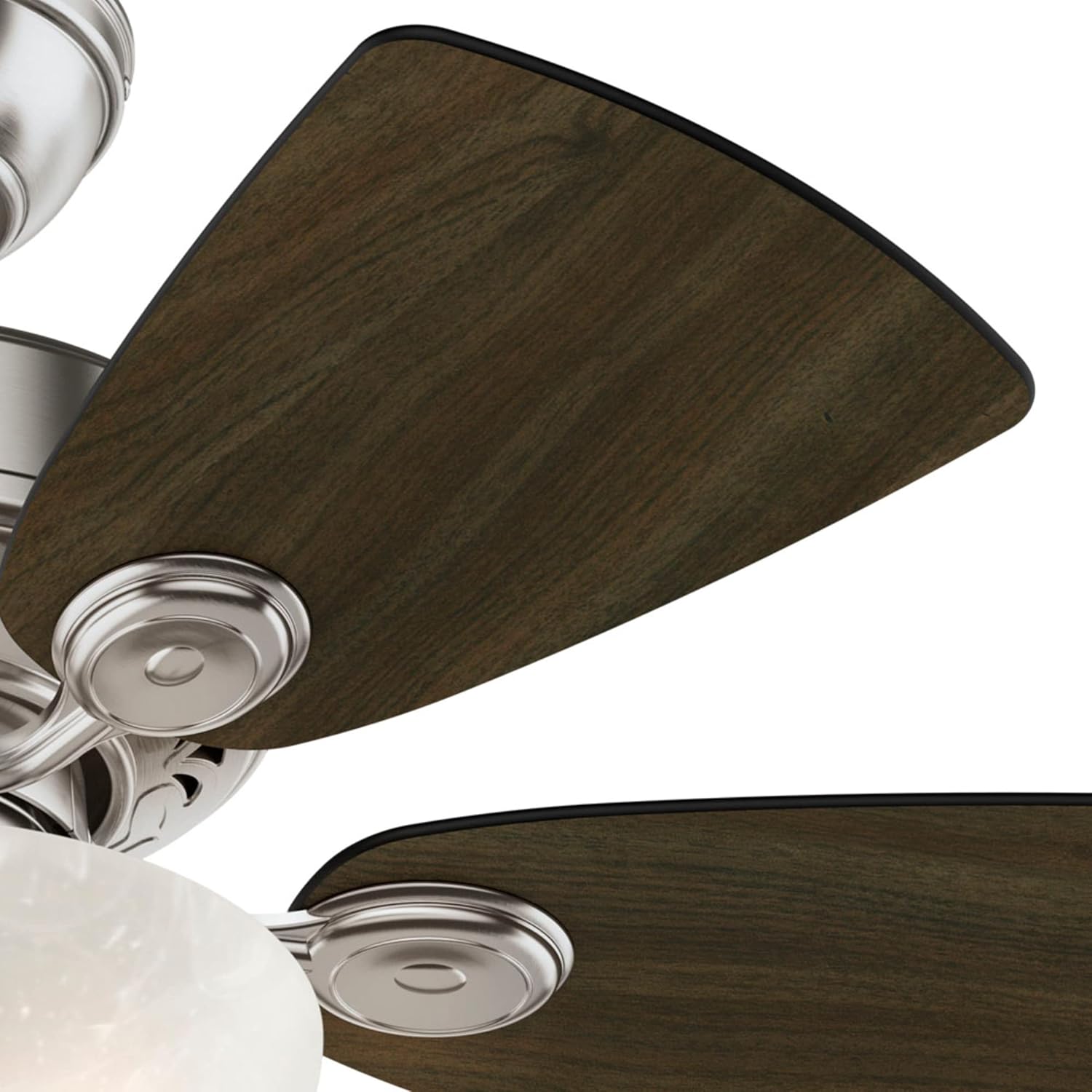

Image 4.2: Close-up views of the reversible fan blades, showcasing both the dark and light wood-grain finishes.
4.4 Light Kit Installation
Install the 60W Swirled Marble Bowl Light Kit by connecting the light kit wires to the fan motor wires and securing the bowl to the fan housing. Ensure the pull chains pass through the designated holes for proper operation.

Image 4.3: Detailed view of the swirled marble bowl light kit attached to the fan, with the pull chains visible.
5. Operating Instructions
Your Hunter Watson ceiling fan is designed for ease of use with traditional pull chain controls and reversible settings for year-round comfort.
5.1 Pull Chain Control
The fan features two pull chains: one for fan speed control and one for light operation. Pull the fan chain to cycle through the three available speeds (High, Medium, Low) and Off. Pull the light chain to turn the light On or Off.
5.2 Reversible Settings
A small switch on the fan motor housing allows you to reverse the direction of the fan blades. In warmer weather, set the fan to rotate counter-clockwise to create a downdraft that produces a cooling effect. In cooler weather, set the fan to rotate clockwise to create an updraft that circulates warm air near the ceiling, helping to warm the room.
Video 5.1: A brief overview of the Hunter Watson Indoor Ceiling Fan, 34-inch, Brushed Nickel, demonstrating its design and functionality.
6. Maintenance
Regular maintenance ensures optimal performance and longevity of your ceiling fan.
6.1 Cleaning
Clean the fan periodically with a soft, damp cloth. Do not use abrasive cleaners or solvents, as these can damage the finish. Ensure the fan is turned off and power is disconnected before cleaning.
6.2 Bulb Replacement
The integrated LED bulbs are designed for long life. If replacement is ever needed, ensure the fan is turned off and power is disconnected. Refer to the full product manual for specific bulb type and replacement instructions.
7. Troubleshooting
If you experience issues with your Hunter Watson ceiling fan, consult the following common troubleshooting tips:
- Fan does not start: Check circuit breakers and wall switches. Ensure all wire connections are secure.
- Fan is noisy: Verify all screws on the motor housing and blade attachments are tight. Check for proper blade balance.
- Fan wobbles: Ensure all blades are securely attached and balanced. Check that the mounting bracket is tightly secured to the outlet box.
- Light does not work: Check the light pull chain. Ensure wire connections to the light kit are secure.
For more detailed troubleshooting or persistent issues, please contact Hunter customer support.
8. Specifications
| Feature | Specification |
|---|---|
| Brand | Hunter |
| Model Name | 52092 |
| Color | Brushed Nickel |
| Product Dimensions | 34"D x 34"W x 34"H |
| Electric Fan Design | Ceiling Fan |
| Power Source | AC/DC |
| Number of Blades | 5 |
| Air Flow Capacity | 3515 Cubic Feet Per Minute |
| Speed | 3 RPM (3 Speeds) |
| Voltage | 120 Volts |
| Switch Type | Pull Chain |
| Item Weight | 15.43 pounds (7000 Grams) |
| Included Components | 34" Ceiling Fan with Light, 5 blades, 60W Swirled Marble Bowl Light Kit, and manual |
| Indoor/Outdoor Usage | Indoor |
| Specification Met | ETL, certified frustration-free |
| Motor Type | AC Motor |
| UPC | 049694520920 |
9. Quality and Testing
Hunter is committed to producing high-quality, reliable ceiling fans. Our products undergo rigorous testing to ensure safety and performance.
Video 9.1: Learn about Hunter's extensive testing and certification processes, ensuring product safety and durability.
Video 9.2: Discover the Hunter SureSpeed Innovation, designed to deliver faster airflow you can feel.
Video 9.3: An explanation of SureSpeed Technology for Hunter Ceiling Fans.
Video 9.4: Testimonials from users experiencing the benefits of Hunter's SureSpeed Technology.
10. Warranty and Support
Hunter Fan Company stands behind the quality of its products. For warranty information, product registration, or technical support, please visit the official Hunter Fan Company website or contact their customer service department. Keep your purchase receipt as proof of purchase.
You can visit the Hunter Store for more information: Hunter Store on Amazon


