
Electraline 92283
Electraline 92283 Outdoor Dusk-to-Dawn Switch Instruction Manual
Model: 92283 | Brand: Electraline
1. Introduction
This manual provides essential information for the safe and effective installation, operation, and maintenance of your Electraline 92283 Outdoor Dusk-to-Dawn Switch. This device is designed to automatically control outdoor lighting based on ambient light levels, providing convenience and energy efficiency. Please read this manual thoroughly before installation and retain it for future reference.

Figure 1: Electraline 92283 Outdoor Dusk-to-Dawn Switches (Pack of 2)
This image displays two white Electraline 92283 dusk-to-dawn switches, each featuring a conical light sensor top and a sturdy metal mounting bracket. These units are designed for outdoor use to automate lighting.
2. Safety Information
WARNING: Electrical shock hazard. Improper installation can lead to serious injury or death. Always follow these safety guidelines:
- Always disconnect power at the circuit breaker or fuse box before installing, servicing, or removing the device.
- Installation should be performed by a qualified electrician or competent person in accordance with all local and national electrical codes.
- Do not exceed the specified electrical ratings (Voltage: 220-240V/AC 50Hz, Max Power: 1000W).
- Ensure all wire connections are secure and properly insulated.
- This device is rated IP44 for outdoor use, meaning it is protected against solid objects larger than 1mm and splashing water from any direction. Do not submerge or expose to high-pressure water jets.
- Do not open or attempt to repair the device. There are no user-serviceable parts inside.
- Keep children away from electrical installations.
3. Product Overview
3.1. Package Contents
- 2 x Electraline 92283 Outdoor Dusk-to-Dawn Switch IP44
3.2. Key Features
- Automatic light control: Turns lights ON at dusk and OFF at dawn.
- IP44 rated for outdoor use, providing protection against splashing water and solid objects.
- Adjustable sensitivity: Lux level can be set from 5 lux (very dark) to 300 lux (dim light).
- High power capacity: Supports loads up to 1000W.
- Operates on standard household voltage: 220-240V/AC 50Hz.
4. Specifications
| Specification | Value |
|---|---|
| Manufacturer | Electraline |
| Item Code | 92283 |
| Product Dimensions (LxWxH) | 20 x 15 x 9 cm |
| Model Number | 92283 |
| Size | Pack of 2 |
| Color | White |
| Wattage | 1000 W (Max) |
| Number of Items | 1 (per unit) |
| Switch Type | 1-way |
| Included Components | 2 x Outdoor Dusk-to-Dawn Switch IP44 |
| Batteries Included? | No |
| Item Weight | 41 g |
| Operating Mode | Automatic |
| Rated Current | 1 Ampere |
| Operating Voltage | 220-240V/AC 50Hz |
| Contact Type | Normally Open |
| Terminal | Screw |
| Circuit Type | 1-way |
| Actuator Type | Light Cell |
| Contact Material | Copper, Brass, Silver |
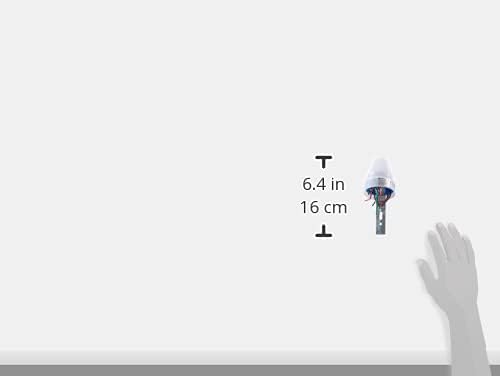
Figure 2: Product Dimensions
This image provides a visual representation of the product's height, indicating it is approximately 6.4 inches or 16 cm tall.
5. Setup and Installation
IMPORTANT: Ensure power is disconnected before beginning installation. If you are unsure about any steps, consult a qualified electrician.
- Choose Location: Select an outdoor location for the switch that receives natural ambient light and is not obstructed by artificial light sources (e.g., streetlights, porch lights) that could interfere with its operation. The sensor should face the open sky if possible.
- Mounting: Use the integrated metal bracket to securely mount the switch to a wall or suitable surface. Ensure it is stable and will not be easily dislodged.
- Wiring:
- Identify the wires: The switch typically has three wires:
- Black (Live/Line In): Connect to the incoming live power supply.
- White (Neutral): Connect to the neutral power supply and the neutral wire of the load (light fixture).
- Red (Load Out): Connect to the live wire of the light fixture or load you wish to control.
- Make secure electrical connections using appropriate connectors (e.g., wire nuts). Ensure all connections are tight and insulated.
- Refer to the wiring diagram on the product label for precise connections.

Figure 3: Wiring Connections
This image shows the underside of the switch, clearly indicating the three color-coded wires for electrical connection: black for source/line, white for common/neutral, and red for the load output.

Figure 4: Product Label with Specifications
This close-up image displays the product label, detailing important electrical specifications such as the model number (LXP-02), power source (220-240VAC 50Hz), and maximum current (10A).
- Identify the wires: The switch typically has three wires:
- Restore Power: Once all connections are secure and the device is mounted, restore power at the circuit breaker.
- Test Operation: The light should turn on when it's dark and turn off when it's bright. Allow a few minutes for the sensor to stabilize.
6. Operating Instructions
The Electraline 92283 Dusk-to-Dawn Switch operates automatically based on ambient light levels. There is no manual ON/OFF switch on the unit itself.
6.1. Automatic Operation
- The integrated light sensor detects the amount of natural light.
- When the ambient light falls below the set lux level (dusk), the switch will activate, turning on the connected light fixture.
- When the ambient light rises above the set lux level (dawn), the switch will deactivate, turning off the connected light fixture.
- There is a built-in time delay to prevent false triggering due to temporary light changes (e.g., car headlights, lightning).
6.2. Adjusting Lux Sensitivity
The sensitivity of the light sensor can be adjusted to suit your specific needs, from 5 lux (very dark, for lights to come on only in deep darkness) to 300 lux (dim light, for lights to come on earlier in the evening or on cloudy days).
- Locate the adjustment screw on the underside of the unit (refer to Figure 3).
- Using a small screwdriver, carefully turn the screw:
- Turn towards 'MIN' (or '5 lux') for the light to turn on only when it's very dark.
- Turn towards 'MAX' (or '300 lux') for the light to turn on when it's still relatively dim.
- Test the setting over a 24-hour cycle to ensure it meets your requirements.

Figure 5: Installed Product in Use
This image shows the Electraline 92283 switch mounted on an outdoor brick wall, effectively illuminating a section of a garage or outdoor area, demonstrating its function in a real-world setting.
7. Maintenance
The Electraline 92283 switch requires minimal maintenance.
- Cleaning: Periodically wipe the sensor lens with a soft, damp cloth to remove dust, dirt, or debris that may accumulate and affect its performance. Do not use abrasive cleaners or solvents.
- Inspection: Annually inspect the wiring and mounting for any signs of wear, damage, or loose connections. Ensure the unit remains securely mounted.
- Obstructions: Ensure no new obstructions (e.g., growing foliage, new structures) are blocking the sensor's view of natural light.
8. Troubleshooting
| Problem | Possible Cause | Solution |
|---|---|---|
| Light does not turn ON at dusk. |
|
|
| Light does not turn OFF at dawn. |
|
|
| Light flickers or cycles rapidly. |
|
|
9. Warranty and Support
For warranty information, please refer to the terms and conditions provided at the time of purchase or visit the official Electraline website. Keep your proof of purchase for any warranty claims.
If you encounter issues not covered in this troubleshooting guide or require further assistance, please contact Electraline customer support through their official channels. Do not attempt to repair the device yourself.
For more information, you may visit the Electraline Store on Amazon.
Ask a question about this manual
Ask about setup, troubleshooting, compatibility, parts, safety, or missing instructions. Manuals+ will review the question and use this page’s manual context to help answer it.