
Victron Energy ORI122408020
Victron Energy Orion 12/24-Volt 8 amp DC-DC Converter Instruction Manual
Model: ORI122408020 | Brand: Victron Energy
Product Overview
The Victron Energy Orion Non-Isolated DC-DC Converter is designed to efficiently convert a DC 12-Volt input (ranging from 9-Volt to 18-Volt) to a stable DC 24-Volt output with an 8 amp capacity. This high-efficiency converter is suitable for a wide range of applications, including motor vehicles, marine systems, and various electronic setups.

Figure 1: Front view of the Victron Energy Orion 12/24-Volt 8 amp DC-DC Converter.
Key Features
- Voltage Conversion: Converts DC 12-Volt (9-Volt - 18-Volt) to DC 24-Volt with an 8 amp output.
- Remote On-Off Connector: Features a remote on-off connector that eliminates the need for a high current switch in the input wiring. This connector can be operated with a low power switch or by the engine run/stop switch.
- High Efficiency: Achieves 95% high conversion efficiency, minimizing energy loss.
- Versatile Application: Easy to install and widely used in various systems such as motor, marine, electronic systems, dashcams, cars, boats, RVs, trucks, golf carts, LCD TVs, advertising screens, LED strip lights, monitoring systems, and solar pads.
Setup and Installation
Proper installation is crucial for the safe and efficient operation of your Victron Energy Orion DC-DC Converter. Always ensure the power source is disconnected before beginning any wiring.
Dimensions and Mounting
The compact size of the converter allows for flexible installation. It can be mounted using chassis or panel mounting methods.

Figure 2: Product dimensions showing length, width, and height in millimeters and inches.
Wiring Connections
Connect the input voltage (9-18V DC) to the designated input terminals and the 24V DC output to your load. Pay close attention to polarity. The remote on-off connector provides a convenient way to control the converter without high current switching.
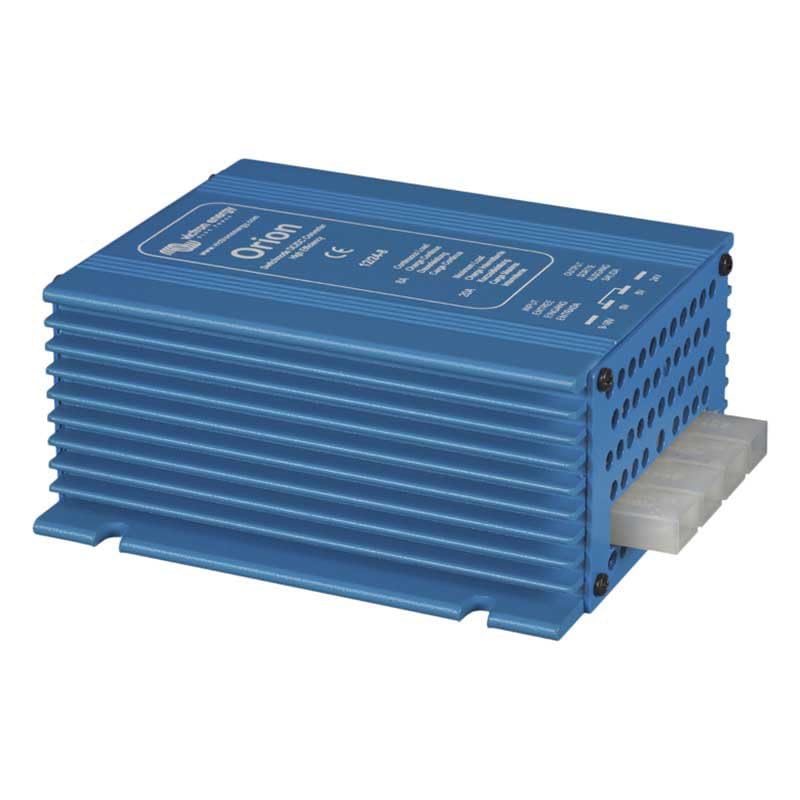
Figure 3: Side view of the converter, illustrating the input and output terminals for wiring.
Operation
Once properly installed and wired, the Victron Energy Orion DC-DC Converter operates automatically to provide a stable 24V output from a 12V input. Its high efficiency ensures minimal power loss during conversion.
Monitoring with VictronConnect App
For enhanced monitoring and configuration, the VictronConnect App can be used with compatible Victron products. This app allows you to check key monitoring data, manage devices with simple controls, and perform firmware updates.
Video 1: An overview of the VictronConnect App, demonstrating its capabilities for monitoring performance, simple controls, and easy configuration including firmware updates. This app allows users to interact with their Victron products via Bluetooth, USB, and Wi-Fi/LAN/Internet.
Maintenance
The Victron Energy Orion DC-DC Converter is designed for minimal maintenance. Regularly inspect the wiring connections to ensure they are secure and free from corrosion. Keep the unit clean and free from dust and debris to ensure proper heat dissipation.
Temperature Protection
The unit is designed with high temperature protection, operating reliably within a range of -20 to +55 degrees Celsius. Ensure adequate ventilation around the converter to prevent overheating, especially in enclosed spaces.

Figure 4: The converter is built to withstand high temperatures, ensuring reliable operation in various environments.
Troubleshooting
Should you encounter any issues with your Victron Energy Orion DC-DC Converter, consider the following common troubleshooting steps:
- No Output Voltage: Check input voltage and ensure it is within the 9-18V range. Verify all wiring connections for proper polarity and secure contact. Ensure the remote on-off function is correctly activated.
- Overheating: Confirm adequate ventilation around the unit. Reduce the load if it exceeds the specified 8 amp continuous output.
- Unstable Output: Check for loose connections or fluctuating input voltage.
For detailed troubleshooting guides and error codes, please refer to the comprehensive user manual available in PDF format.
Specifications
| Specification | Detail |
|---|---|
| Brand | Victron Energy |
| Model Number | ORI122408020 |
| Product Dimensions | 1.77 x 4.53 x 3.54 inches; 6.35 ounces |
| Power Source | Battery Powered |
| Mounting Type | Chassis Mount or Panel Mount |
| Current Rating | 8 Amps |
| Specification Met | CE, UL, RoHS |
| Manufacturer | Victron Energy |
Additional Resources
For comprehensive details, diagrams, and advanced configurations, please download the official user manual:
VRM: Victron Remote Management Portal
The Victron Remote Management (VRM) portal allows you to monitor and manage your Victron systems remotely. This is particularly useful for larger or more complex installations, providing detailed insights and control from anywhere.
Video 2: An introduction to the VRM portal, showcasing its features for checking remote systems at a glance, managing devices, monitoring system performance in detail, and setting up programmable alerts and alarms for comprehensive remote management.
Warranty and Support
Victron Energy products are manufactured to high standards and come with a manufacturer's warranty. For specific warranty terms and conditions, please refer to the documentation included with your product or visit the official Victron Energy website. For technical support, contact Victron Energy customer service or an authorized dealer.
You can also visit the official Victron Energy Store on Amazon for more products and information.
Ask a question about this manual
Ask about setup, troubleshooting, compatibility, parts, safety, or missing instructions. Manuals+ will review the question and use this page’s manual context to help answer it.