
Halo Optics XL450-7
Halo Optics XL 450 Rangefinder User Manual
Model: XL450-7
1. Introduction
The Halo Optics XL 450 Rangefinder is a precision optical instrument designed to measure distances accurately. This manual provides essential information for the safe and effective use, setup, operation, and maintenance of your device. Please read these instructions thoroughly before using the rangefinder.
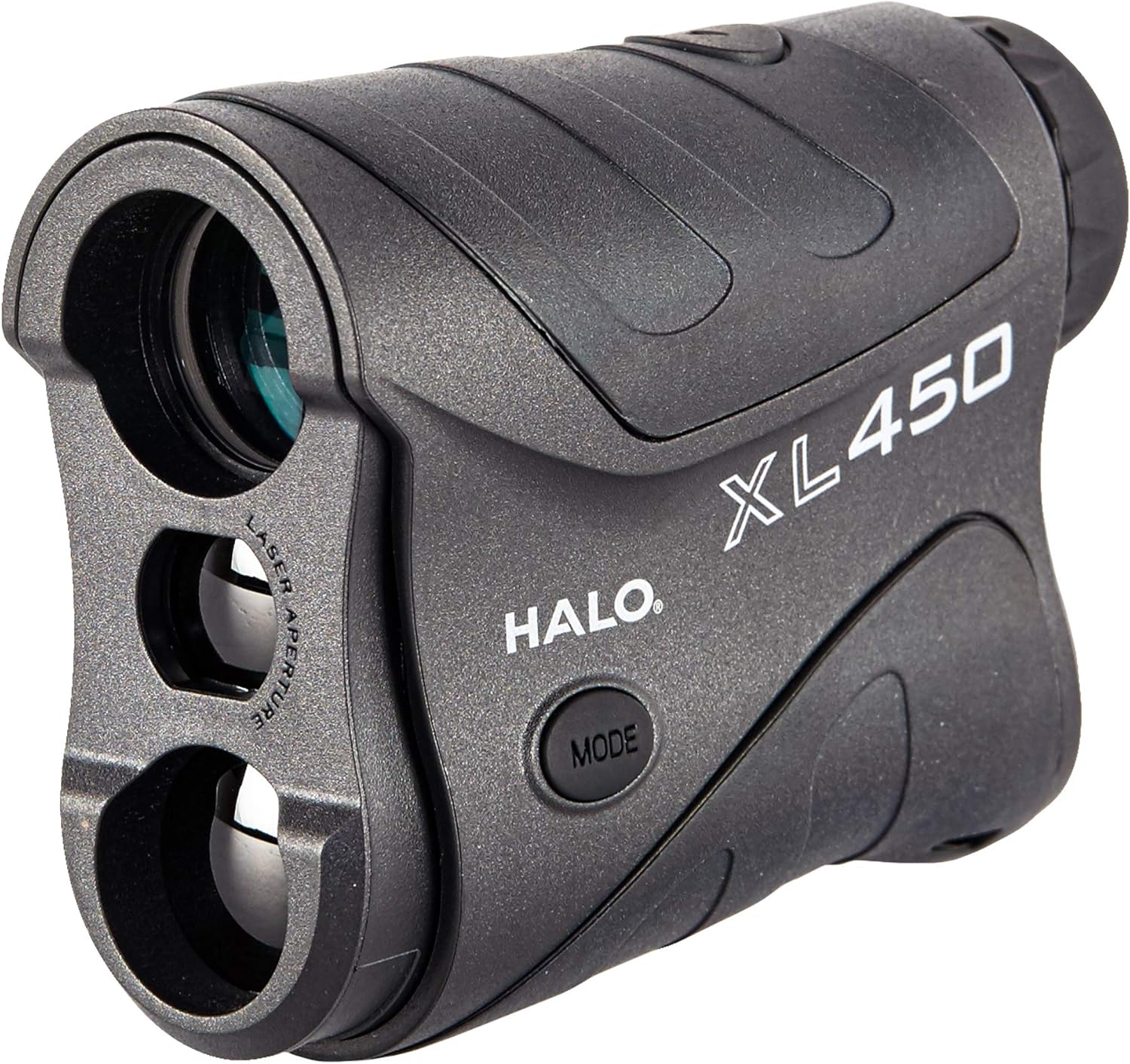
Image 1.1: The Halo Optics XL 450 Rangefinder, showcasing its compact design and primary controls.
2. Product Overview and Features
The XL 450 Rangefinder offers reliable distance measurement with a focus on user-friendly operation and durability.
Key Features:
- Maximum Range: Measures up to 450 yards to reflective targets.
- Magnification: 6x optical magnification for clear viewing.
- Angle Intelligence: Calculates true horizontal distance to the target, compensating for uphill or downhill angles.
- Auto Acquisition: Provides fast distance readings.
- Scan Mode: Provides continuous distance readings as you pan across multiple targets.
- Accuracy: Precise measurements to +/- 1 yard.
- Water Resistance: Designed to withstand exposure to moisture.
- Ergonomic Design: Comfortable and secure grip for extended use.

Angle Intelligence

Auto Acquisition

Scan Mode

Ergonomic Design
3. Setup
3.1 Battery Installation
- Locate the battery compartment cover, typically on the underside or side of the unit.
- Twist or slide the cover to open.
- Insert one CR2 Lithium-Ion battery, ensuring correct polarity (+/-) as indicated inside the compartment.
- Replace the battery compartment cover securely.
Note: A new battery is typically included with your rangefinder.
3.2 Focusing the Eyepiece
To ensure a clear view of the display and target, adjust the eyepiece focus:
- Look through the eyepiece.
- Rotate the diopter adjustment ring (located around the eyepiece) until the display reticle and target appear sharp and clear.

Image 3.1: Rear view of the rangefinder, showing the eyepiece and diopter adjustment ring.
4. Operating Instructions
The XL 450 Rangefinder features two primary buttons: Power/Fire and Mode.
4.1 Power On/Off
- To Power On: Press and release the Power/Fire button. The display will activate.
- Auto Shut-off: The unit will automatically power off after approximately 20 seconds of inactivity to conserve battery life.
4.2 Selecting Measurement Modes
Press the MODE button to cycle through available measurement modes:
- Standard Mode: Displays line-of-sight distance.
- Angle Intelligence (AI) Mode: Displays both line-of-sight distance and angle-compensated distance (true horizontal distance).
- Scan Mode: Allows for continuous scanning of multiple targets.
4.3 Taking a Measurement
- Power on the rangefinder by pressing the Power/Fire button.
- Aim the reticle at your desired target.
- Press and hold the Power/Fire button. The distance will be displayed almost instantly.
- For Scan Mode, press and hold the Power/Fire button while panning across targets. The display will update continuously.

Image 4.1: User demonstrating the rangefinder in an outdoor setting.
5. Maintenance
5.1 Cleaning
- Use a soft, lint-free cloth to clean the lenses. Avoid abrasive materials.
- For stubborn dirt, use a lens cleaning solution specifically designed for optics.
- Wipe the exterior housing with a damp cloth. Do not use harsh chemicals.
5.2 Storage
- Store the rangefinder in a cool, dry place when not in use.
- Remove the battery if storing for extended periods to prevent leakage.
5.3 Water Resistance
The XL 450 Rangefinder is water-resistant (IP54 rated), meaning it is protected against dust ingress and splashing water from any direction. It is not designed for submersion.
6. Troubleshooting
| Problem | Possible Cause | Solution |
|---|---|---|
| No display or dim display | Low or dead battery; incorrect battery installation. | Replace battery with a new CR2 Lithium-Ion battery; ensure correct polarity. |
| Inaccurate or inconsistent readings | Target too small or non-reflective; environmental factors (fog, heavy rain); user movement. | Aim at a larger, more reflective target; use in clearer conditions; hold steady. |
| Cannot focus image | Diopter adjustment needed. | Rotate the diopter adjustment ring until the image is clear. |
7. Specifications
| Feature | Detail |
|---|---|
| Brand | Halo Optics |
| Model Name | XL450-7 |
| Measuring Range | Up to 450 yards |
| Magnification | 6x |
| Accuracy | +/- 1 yard |
| Water Resistance Level | Water Resistant (IP54) |
| Battery Type | CR2 Lithium-Ion |
| Item Weight | 0.24 Kilograms (approx. 8.4 ounces) |
| UPC | 616376509469 |
8. Warranty and Support
The Halo Optics XL 450 Rangefinder comes with a 1-Year Manufacturer's Warranty. This warranty covers defects in materials and workmanship under normal use.
For warranty claims, technical support, or further inquiries, please visit the official Halo Optics store or contact their customer service department.