
1. Introduction
Thank you for choosing the Acctim 74314 Parona Radio Controlled Wall Clock. This clock is designed for precise timekeeping, automatically synchronizing with the UK's atomic clock transmitter (MSF signal) for accurate time and automatic adjustment for daylight saving changes. This manual provides essential information for setting up, operating, and maintaining your new clock.
2. Safety Information
- Use only the specified battery type (1 x AA Alkaline battery).
- Do not mix old and new batteries, or different types of batteries.
- Remove exhausted batteries promptly to prevent leakage and damage.
- Keep batteries out of reach of children.
- Do not expose the clock to extreme temperatures, direct sunlight, or high humidity.
- Avoid dropping or subjecting the clock to strong impacts.
3. Package Contents
Please check that your package contains the following items:
- Acctim 74314 Parona Radio Controlled Wall Clock
- User Manual (this document)
Note: 1 x AA battery is required and not included in the package.
4. Setup Instructions
Follow these steps to set up your Acctim Radio Controlled Wall Clock:
- Insert Battery: Locate the battery compartment on the back of the clock. Insert one new AA Alkaline battery, ensuring the correct polarity (+/-). We recommend using Energizer or Panasonic batteries for optimal performance.
- Initial Hand Movement: Upon battery insertion, the second hand will begin to turn clockwise and stop at the 12 o'clock position. Within a few minutes, the minute and hour hands will also move to the 12 o'clock position.
- Signal Reception: The clock will then enter receiving mode to search for the MSF radio signal. This process can take some time. For best results, place the clock near a window and away from electronic devices that might cause interference.
- Overnight Synchronization: It is highly recommended to leave the clock undisturbed overnight for signal reception. The MSF signal transmission is generally stronger and more reliable during nighttime hours.
- Automatic Time Setting: Once the clock successfully receives the signal, it will automatically set itself to the correct time, including adjusting for summer/winter time changes.

Figure 1: Rear view of the clock, highlighting the battery compartment.
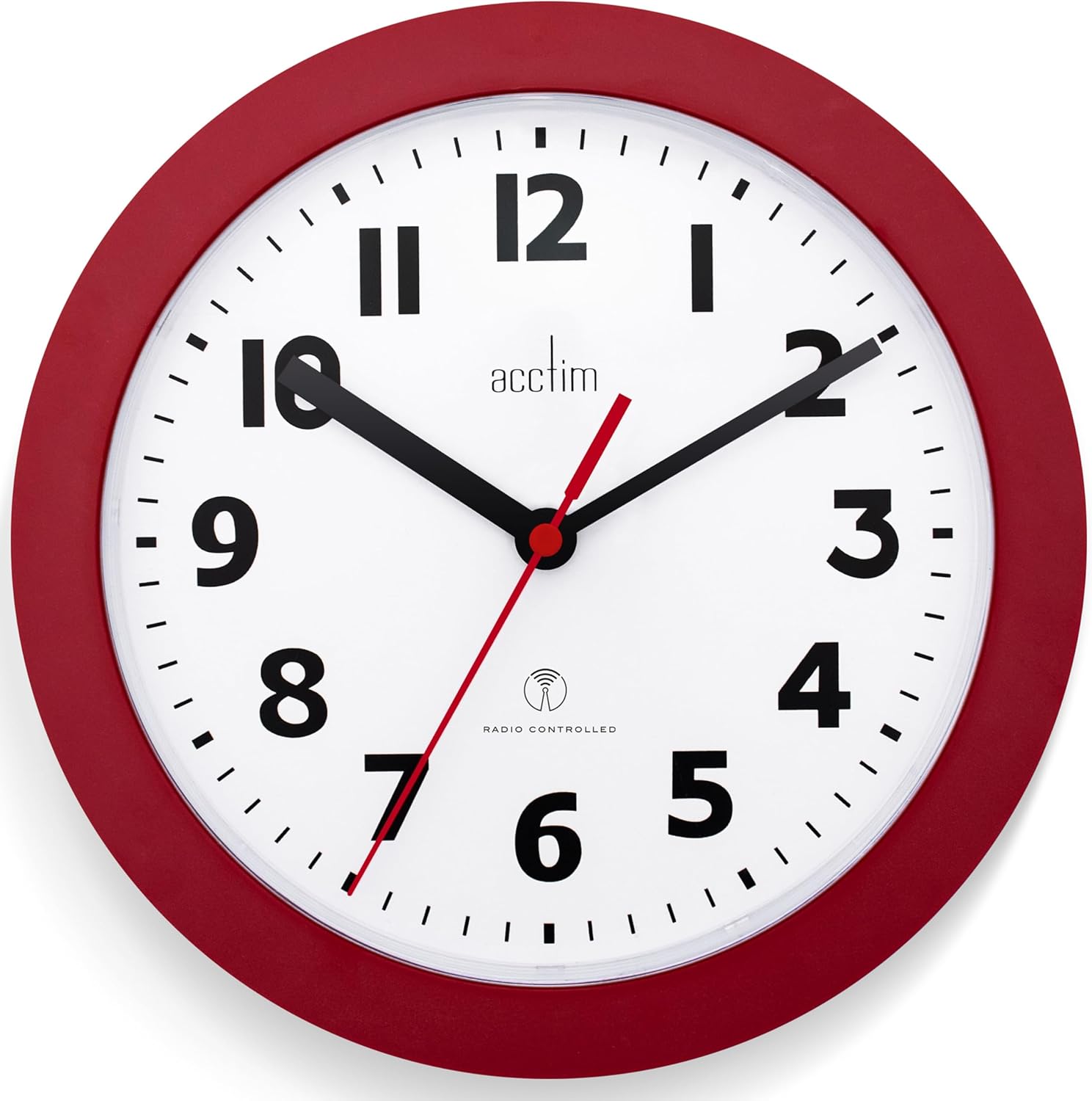
Figure 2: Front view of the Acctim 74314 Parona Wall Clock.
5. Operating Instructions
Once successfully set up, your Acctim Radio Controlled Wall Clock operates automatically:
- Automatic Time Synchronization: The clock continuously monitors the MSF radio signal to maintain accurate time.
- Daylight Saving Time (DST) Adjustment: The clock will automatically adjust for summer and winter time changes, eliminating the need for manual adjustments.
- Regular Signal Checks: To ensure ongoing accuracy, the clock will search for the time signal every second hour, starting at 1 o'clock, 3 o'clock, 5 o'clock, and so on.
6. Maintenance
- Cleaning: Wipe the clock with a soft, dry cloth. Do not use abrasive cleaners or solvents, as these may damage the finish.
- Battery Replacement: When the clock stops or the hands move erratically, it is time to replace the battery. Follow the battery insertion steps in the "Setup Instructions" section. Always use a new AA Alkaline battery.
- Storage: If the clock will not be used for an extended period, remove the battery to prevent potential leakage.
7. Troubleshooting
| Problem | Possible Cause | Solution |
|---|---|---|
| Clock does not set to the correct time. |
|
|
| Hands are stuck or moving erratically. |
|
|
| Clock loses time or is inaccurate. |
|
|
Important Note: The Radio Controlled signal will be off-air due to scheduled annual maintenance between 3rd and 21st September (8am - 6pm). During this period, the clock may not be able to receive the signal and set itself automatically.
8. Specifications
| Brand | Acctim |
| Model Number | 74314 |
| Product Name | Parona Radio Controlled Wall Clock |
| Color | Red |
| Display Type | Analog |
| Special Feature | Atomic (Radio Controlled) |
| Product Dimensions | 23cm Diameter (9.06"W x 9.06"H) |
| Power Source | Battery Powered (1 x AA battery, not included) |
| Material | Plastic |
| Mounting Type | Wall Mount |
| Item Weight | 0.28 Kilograms (9.9 ounces) |
9. Warranty and Support
For warranty information or technical support, please refer to the documentation provided with your purchase or contact Acctim customer service directly. Contact details can typically be found on the manufacturer's official website or on the product packaging.


