
Introduction
This manual provides essential information for the safe and efficient operation of your Whynter UIM-502SS Built-in Ice Maker Machine. Please read all instructions carefully before installation and use to ensure proper function and longevity of the appliance. Keep this manual for future reference.

Image: Whynter UIM-502SS Ice Maker with an ice scoop, water hoses, and an inline water filter.
Safety Information
To reduce the risk of fire, electric shock, or injury when using your appliance, follow these basic precautions:
- Read all instructions before using the appliance.
- Do not touch cold surfaces with wet or damp hands. Skin may stick to these extremely cold surfaces.
- Never clean appliance parts with flammable fluids. The fumes can create a fire hazard or explosion.
- Do not store or use gasoline or other flammable vapors and liquids in the vicinity of this or any other appliance.
- Before performing any maintenance or cleaning, ensure the appliance is unplugged from the power outlet.
- This appliance is not intended for use by persons (including children) with reduced physical, sensory or mental capabilities, or lack of experience and knowledge, unless they have been given supervision or instruction concerning use of the appliance by a person responsible for their safety.
- Children should be supervised to ensure that they do not play with the appliance.
Setup
Unpacking
Carefully remove all packaging materials. Retain the packaging for potential future transport of the appliance. Ensure all components listed in the 'What's in the Box' section are present.
Placement
The Whynter UIM-502SS is designed for both freestanding and built-in installation. Ensure adequate ventilation around the unit, especially for the front-venting design. Maintain proper clearances as specified in the dimensions below.
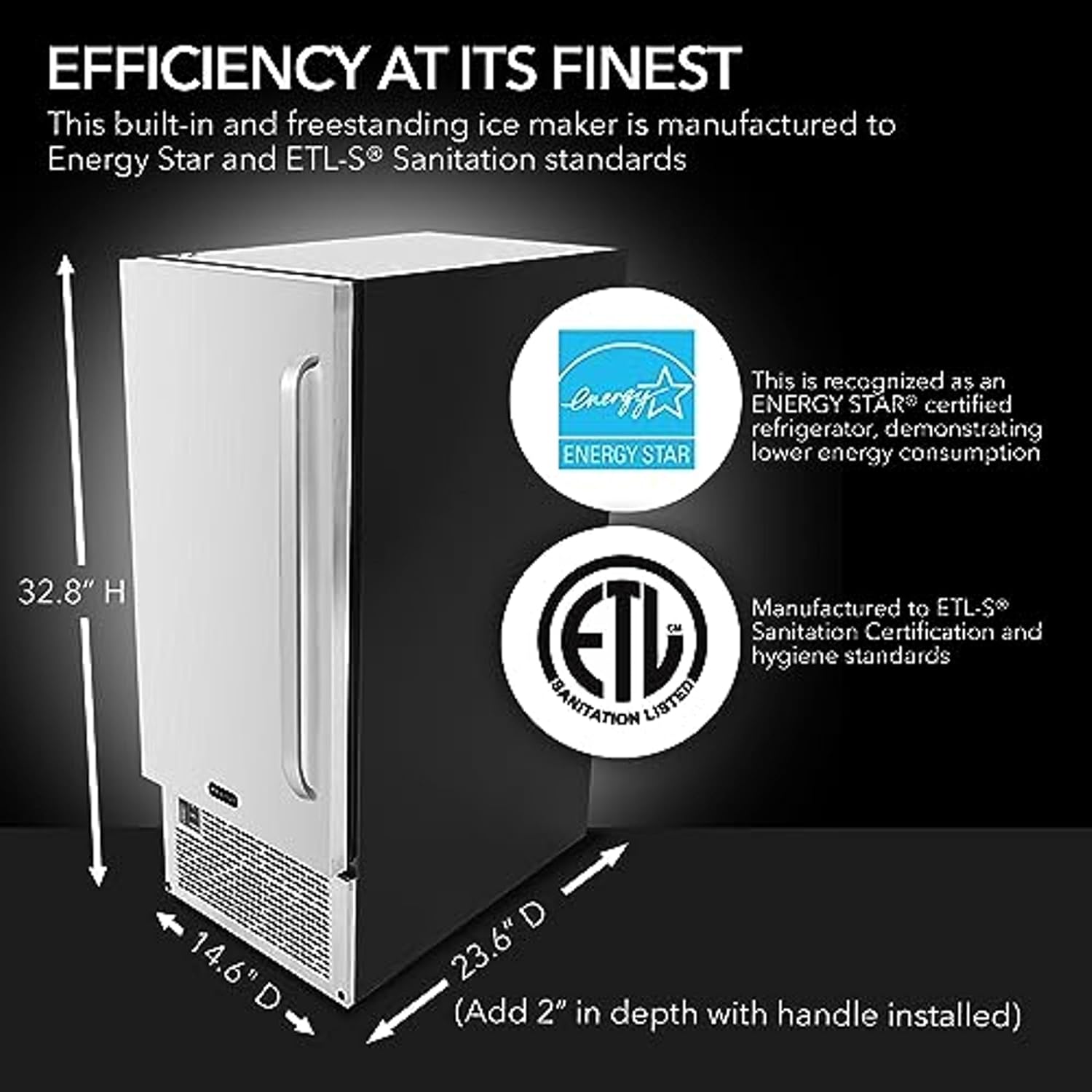
Image: The Whynter UIM-502SS ice maker showing its dimensions: 32.8" H, 14.6" W, 23.6" D (add 2" for handle).
The unit should be placed on a level, stable surface capable of supporting its weight when full of ice and water. Avoid direct sunlight or heat sources.
Water Connection
This ice maker requires a direct water connection. It is strongly recommended that a licensed plumber perform the water supply connection to prevent leaks or damage. The unit includes an NSF-certified inline water filter to ensure clean water for ice production. Install the filter according to the separate filter instructions.
Drainage
The unit features a built-in gravity drain system to effectively remove melted ice and excess water. Ensure the drain hose is properly connected and routed to a suitable drain point, following local plumbing codes.

Image: Rear view of the ice maker, highlighting the water inlet and drain hose connections.
Electrical Connection
Connect the appliance to a dedicated, grounded 120V/60Hz electrical outlet. Do not use extension cords or adapter plugs.
Initial Cleaning
Before first use, clean the interior of the ice maker and the ice bin with a mild detergent and warm water. Rinse thoroughly and dry.
Operating Instructions
Control Panel
The control panel is located on the front of the unit, featuring a simple one-switch operation for ICE, OFF, and WASH modes.

Image: A close-up view of the ice maker's control panel, showing the 'ICE', 'OFF', and 'WASH' switch.
Making Ice
To begin ice production, set the switch to 'ICE'. The unit will automatically start the ice-making cycle. Water is recirculated, and minerals are removed as clean water freezes to the ice grid, producing clear ice cubes. The unit can produce up to 80 lbs of ice in 24 hours.
Ice Storage
The ice maker has a storage capacity of up to 25 lbs. The ice bin is designed to hold the produced ice. Use the provided ice scoop to retrieve ice.

Image: The ice maker with its door open, revealing the internal ice storage bin.
Maintenance
Cleaning
Regular cleaning is crucial for optimal performance and hygiene. The unit features a 'WASH' mode for automated cleaning. Refer to the detailed cleaning instructions in the full manual for specific steps on descaling and sanitizing the unit. Always unplug the unit before manual cleaning.
Water Filter Replacement
The inline water filter should be replaced periodically, typically every 6 months or as indicated by water quality and usage, to maintain optimal ice quality and prevent mineral buildup. Consult the filter's specific instructions for replacement procedures.
Troubleshooting
If the ice maker is not functioning correctly, review the following common issues before contacting support:
- No Ice Production: Check power connection, water supply, and ensure the unit is in 'ICE' mode.
- Poor Ice Quality: Ensure the water filter is not clogged and is replaced regularly. Perform a cleaning cycle.
- Water Leaks: Verify all water connections and drain hose are securely fastened.
- Unusual Noise: Some operational noise is normal. Excessive or new noises may indicate an issue; consult the full manual or support.
For more detailed troubleshooting steps, refer to the comprehensive troubleshooting guide in the complete product manual.
Specifications
| Feature | Specification |
|---|---|
| Brand | Whynter |
| Model Name | Built-In/ Freestanding Ice Maker - 80lb capacity Clear Ice Cube |
| Model Number | UIM-502SS |
| Product Dimensions (D x W x H) | 23.6" x 14.6" x 32.8" |
| Ice Production Capacity | 80 lbs per 24 hours |
| Ice Storage Capacity | 25 lbs |
| Wattage | 1000 watts |
| Voltage | 120 Volts |
| Material | Stainless Steel |
| Installation Type | Freestanding / Built-in |
| Included Components | Ice Maker, Ice Scoop, Water Hose, Drain Hose |
Warranty Information
This Whynter appliance is warranted against defects in materials and workmanship for a period of one year from the date of original purchase. For full warranty terms and conditions, please refer to the warranty card included with your product or visit the official Whynter website.
Customer Support
For technical assistance, troubleshooting, or to order replacement parts, please contact Whynter Customer Support. Contact information can be found on the official Whynter website or on your product's warranty card.


