
Introduction
The Pyle PDMIC59 is a professional dynamic vocal microphone designed for clear and robust audio capture. Featuring a cardioid pickup pattern, it effectively isolates the main sound source while minimizing background noise. Its durable construction and included accessories make it suitable for various applications, from live performances to studio recordings.

Image: The Pyle PDMIC59 microphone in use, highlighting its clear sound quality for vocal applications.
Setup
- Connect the Cable: Insert the XLR end of the provided 15ft audio cable into the microphone's base. Ensure a secure connection.
- Connect to Audio Device: Plug the 1/4'' audio jack end of the cable into your compatible audio device, such as a mixer, amplifier, karaoke machine, or computer with an appropriate adapter.
- Power On: Locate the ON/OFF switch on the microphone body and slide it to the 'ON' position.

Image: The Pyle PDMIC59 microphone and its 15ft XLR to 1/4'' audio cable, illustrating how to connect it to various audio systems.
Operating Instructions
- Microphone Positioning: Hold the microphone approximately 2-6 inches from your mouth for optimal vocal pickup. The cardioid pickup pattern is designed to capture sound primarily from the front, reducing unwanted noise from the sides and rear.
- ON/OFF Switch: Use the convenient ON/OFF switch on the microphone body to quickly mute or unmute the microphone as needed during use. Ensure it is in the 'ON' position for sound transmission.
- Volume Adjustment: Adjust the input volume (gain) on your connected audio device to achieve the desired sound level without distortion. Start with a lower volume and gradually increase it.
- Feedback Prevention: To minimize audio feedback, avoid pointing the microphone directly at speakers and maintain a reasonable distance from them. The cardioid pattern helps in this regard by focusing on the sound source.
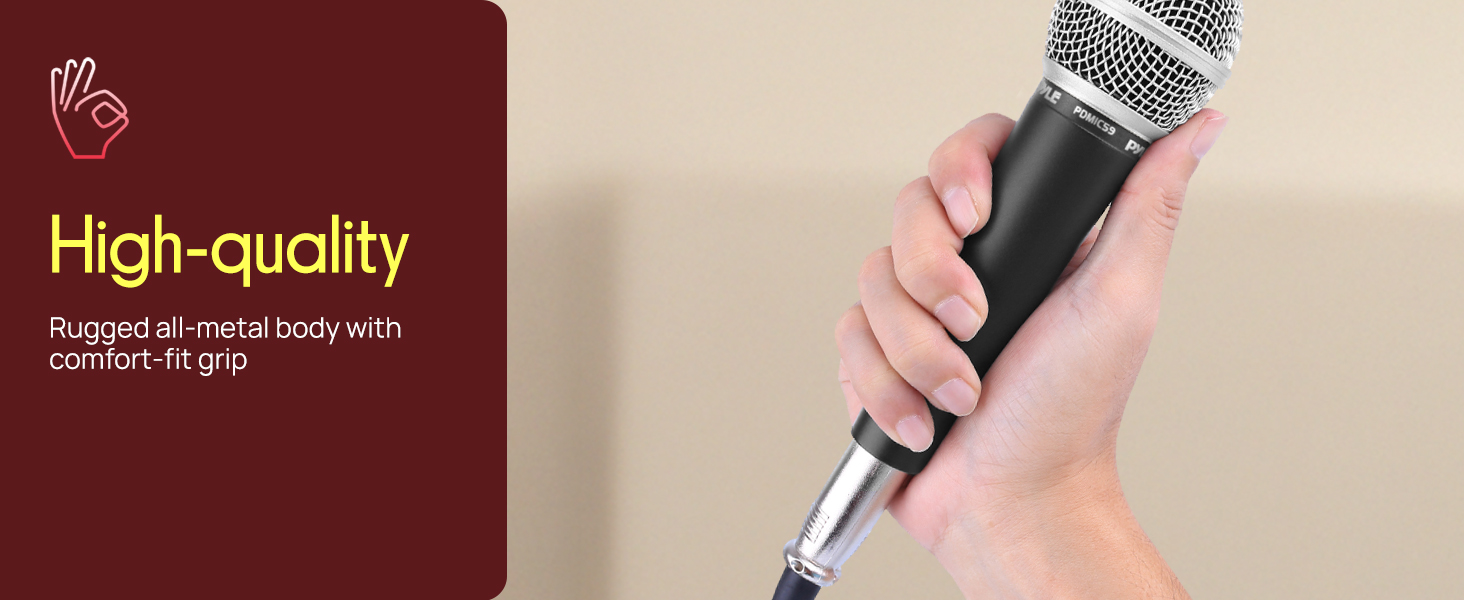
Image: A user actively performing with the Pyle PDMIC59, illustrating proper microphone handling for optimal sound.
Maintenance
- Cleaning: Use a soft, dry cloth to clean the microphone body. For the mesh grille, a slightly damp cloth can be used, ensuring no moisture enters the microphone capsule. Do not use harsh chemicals or abrasive cleaners.
- Storage: Store the microphone in a dry, cool place away from direct sunlight and extreme temperatures. Protect it from dust and physical impact when not in use.
- Cable Care: Avoid sharp bends or kinks in the audio cable. Coil the cable loosely when storing to prevent damage and extend its lifespan.

Image: Detailed view of the PDMIC59's construction, emphasizing its robust design which contributes to its longevity and ease of maintenance.
Troubleshooting
| Problem | Possible Cause | Solution |
|---|---|---|
| No sound output | Microphone switch is OFF; Cable not connected properly; Audio device input volume too low. | Slide the ON/OFF switch to 'ON'; Ensure cable is fully inserted at both ends; Increase input volume on audio device. |
| Distorted sound | Input volume (gain) is too high; Microphone too close to sound source. | Decrease input volume on audio device; Maintain appropriate distance from sound source. |
| Excessive feedback | Microphone too close to speakers; Speakers too loud. | Move microphone further from speakers; Reduce speaker volume; Adjust microphone angle away from speakers. |
Specifications
- Microphone Form Factor: Handheld
- Polar Pattern: Unidirectional (Cardioid)
- Connectivity Technology: XLR
- Connector Type: XLR
- Audio Sensitivity: 59 Decibels
- Impedance: 600 Ohms
- Frequency Response: 15 KHz
- Signal-to-Noise Ratio: 76
- Material: Plastic, Zinc
- Item Weight: 1 Pounds
- Product Dimensions (L x W x H): 10 x 3.5 x 5 inches
- Power Source: Corded Electric
- Special Feature: ON/OFF Switch
- Recommended Uses: Gaming, Karaoke, Singing, Streaming, Video Conference
What's in the Box
- Handheld Microphone (PDMIC59)
- 15ft XLR to 1/4" Audio Cable

Image: The Pyle PDMIC59 microphone and its accompanying cable, as typically found in the product packaging.
Warranty and Support
Pyle products are designed for reliability and performance. For specific warranty information and customer support, please refer to the documentation included with your purchase or visit the official Pyle USA website. Keep your purchase receipt for warranty claims.
For further assistance, you may contact Pyle customer service through their official channels.


