
1. Introduction
This manual provides essential instructions for the installation, usage, and maintenance of your ZIONOR Lagopus X4 Replacement Lens. This lens is specifically designed for ZIONOR Lagopus X4 ski goggles and is not compatible with other goggle models. The VLT (Visible Light Transmission) of 54% makes this bright lens ideal for low light conditions, enhancing visibility during overcast weather or nighttime skiing.

Image 1.1: The ZIONOR Lagopus X4 Bright Replacement Lens, designed for optimal visibility in low light conditions.
2. Compatibility
The ZIONOR Lagopus X4 Replacement Lens is exclusively designed for use with ZIONOR Lagopus X4 ski goggles. Attempting to install this lens on other goggle models may result in improper fit, reduced performance, or damage to the lens or goggle frame.
3. Key Features
- VLT 54% (S1 Category): This bright lens allows 54% of visible light to pass through, making it highly effective for low light conditions such as overcast days, snowy weather, or night skiing.
- 100% UV400 Protection: Provides complete protection against harmful UVA and UVB rays, safeguarding your eyes from sun exposure.
- Magnetic Quick-Change System: Equipped with 8 strong magnets for secure attachment and rapid lens replacement, allowing for quick adaptation to changing light conditions.
- Unique Anti-Fog Treatment: Features an enhanced anti-fog coating and a double-layer lens design with a wide ventilation system to minimize fogging.

Image 3.1: Illustration of 100% UV400 protection and optimal clarity features of ZIONOR lenses, demonstrating VLT and grade categories.
4. Setup: Lens Installation
The ZIONOR Lagopus X4 goggle system utilizes a magnetic quick-change mechanism for easy lens replacement. Follow these steps to install or replace your lens:
- Prepare the Goggles: Hold the goggle frame firmly with one hand.
- Remove Existing Lens (if applicable): Gently pull the existing lens away from the goggle frame. The magnets will release the lens with minimal effort. Avoid touching the inner surface of the lens to prevent smudges or damage to the anti-fog coating.
- Align the New Lens: Take your new ZIONOR Lagopus X4 Replacement Lens. Align the edges of the lens with the goggle frame. The magnetic points on the lens and frame will naturally guide the lens into the correct position.
- Secure the Lens: Once aligned, gently press the lens onto the frame. The magnets will snap the lens securely into place. Ensure all edges of the lens are flush with the frame and that there are no gaps.
- Verify Installation: Lightly tug on the edges of the lens to confirm it is firmly attached and will not detach during use.

Image 4.1: Diagram illustrating the magnetic quick-change lens system, highlighting the 8 stable magnets for rapid replacement.
5. Operating: Optimal Usage Conditions
The ZIONOR Lagopus X4 Bright Lens (VLT 54%) is specifically engineered for conditions where light is limited. Its high VLT allows more light to reach your eyes, improving contrast and depth perception in challenging environments.
- Overcast Days: Ideal for cloudy or heavily overcast conditions where natural light is diffused.
- Snowy Weather: Enhances visibility during snowfall, reducing flat light effects.
- Night Skiing/Snowboarding: Provides necessary brightness for illuminated slopes after dark.
- Foggy Conditions: Helps to cut through fog and haze, offering clearer vision.
For bright, sunny conditions, it is recommended to use a lens with a lower VLT (e.g., 10-25%) to reduce glare and eye strain.
6. Maintenance and Care
Proper care extends the life and performance of your ZIONOR replacement lens.
- Cleaning the Outer Lens: Use a soft, non-abrasive cloth (preferably a microfiber goggle bag) to gently wipe away snow, water, or smudges. For stubborn dirt, lightly dampen the cloth with water. Avoid harsh chemicals or abrasive materials.
- Cleaning the Inner Lens: The inner lens has an anti-fog coating that is delicate. Do not wipe the inner surface. If moisture or dirt accumulates, gently shake off excess water and allow the lens to air dry naturally. If absolutely necessary, lightly dab with a clean, soft cloth without rubbing.
- Drying: After use, allow the lens to air dry completely before storing. Avoid direct heat sources like radiators or hair dryers, as this can damage the lens coatings.
- Storage: Store the lens in a protective goggle bag or case when not in use to prevent scratches. Keep it away from sharp objects and extreme temperatures.

Image 6.1: Visual comparison demonstrating the effectiveness of ZIONOR's unique anti-fog treatment and double-layer lens design.
7. Troubleshooting
| Issue | Possible Cause | Solution |
|---|---|---|
| Lens Fogging | Lack of airflow, excessive moisture, damaged anti-fog coating. | Ensure goggle vents are clear. Avoid wiping the inner lens. Allow goggles to air dry completely. If fogging persists, the anti-fog coating may be compromised. |
| Lens Detaches Easily | Improper installation, debris on magnetic points, damaged magnets. | Re-install the lens, ensuring it snaps securely into place. Check magnetic points on both lens and frame for obstructions. If magnets are damaged, contact customer support. |
| Scratches on Lens | Improper cleaning, abrasive contact during storage or use. | Always use a soft microfiber cloth for cleaning. Store the lens in its protective bag or case when not in use. Scratches are generally not repairable. |
8. Specifications
| Feature | Detail |
|---|---|
| Model Number | snow-X4-110-bright-lens |
| Compatibility | ZIONOR Lagopus X4 Ski Goggles only |
| Visible Light Transmission (VLT) | 54% (Category S1) |
| UV Protection | 100% UV400 (UVA & UVB) |
| Lens Type | Double-layer, Magnetic Attachment |
| Anti-Fog Treatment | Yes, enhanced coating |
| Package Dimensions | 21.59 x 12.5 x 5.69 cm |
| Item Weight | 82 g |
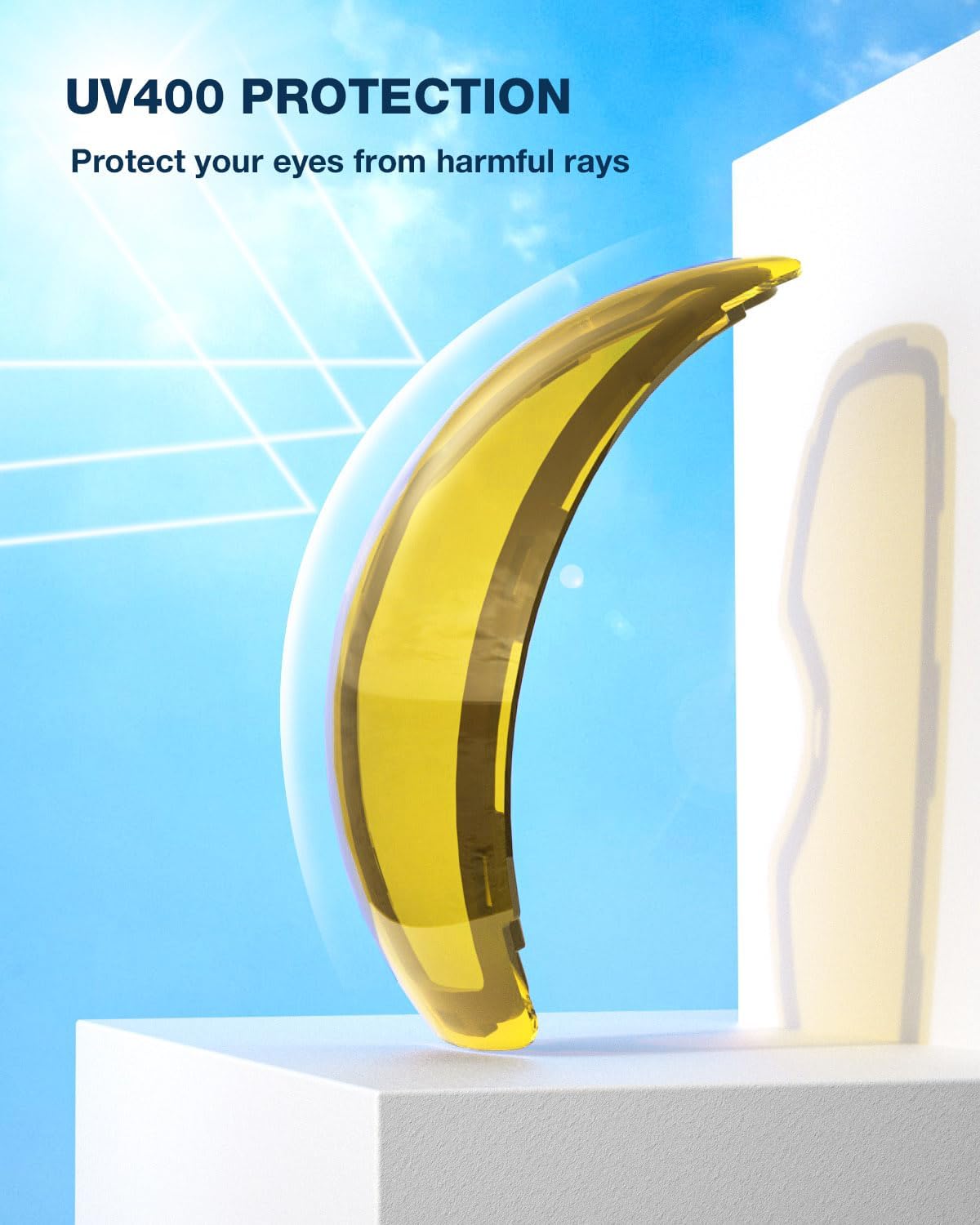
Image 8.1: The ZIONOR lens demonstrating its UV400 protection capabilities against harmful sun rays.
9. Customer Support
ZIONOR is committed to providing excellent customer service. If you have any questions, concerns, or require assistance with your Lagopus X4 Replacement Lens, please contact ZIONOR customer support through the retailer where the product was purchased or visit the official ZIONOR website for contact information.
Please retain your proof of purchase for warranty claims or support inquiries.