
RTA CT-015
RTA Home and Office CT-015 White Tempered Glass Utility Desk User Manual
Model: CT-015
1. Product Overview
This manual provides essential instructions for the assembly, operation, and maintenance of your RTA Home and Office CT-015 White Tempered Glass Utility Desk. Designed for versatility, this desk can serve as a computer desk, laptop station, or a general utility stand in various home and office environments. Its modern design features a tempered glass top and a sturdy frame.
Key Features:
- Computer Desk functionality
- Durable Tempered Glass surface
- Easy Assembly process
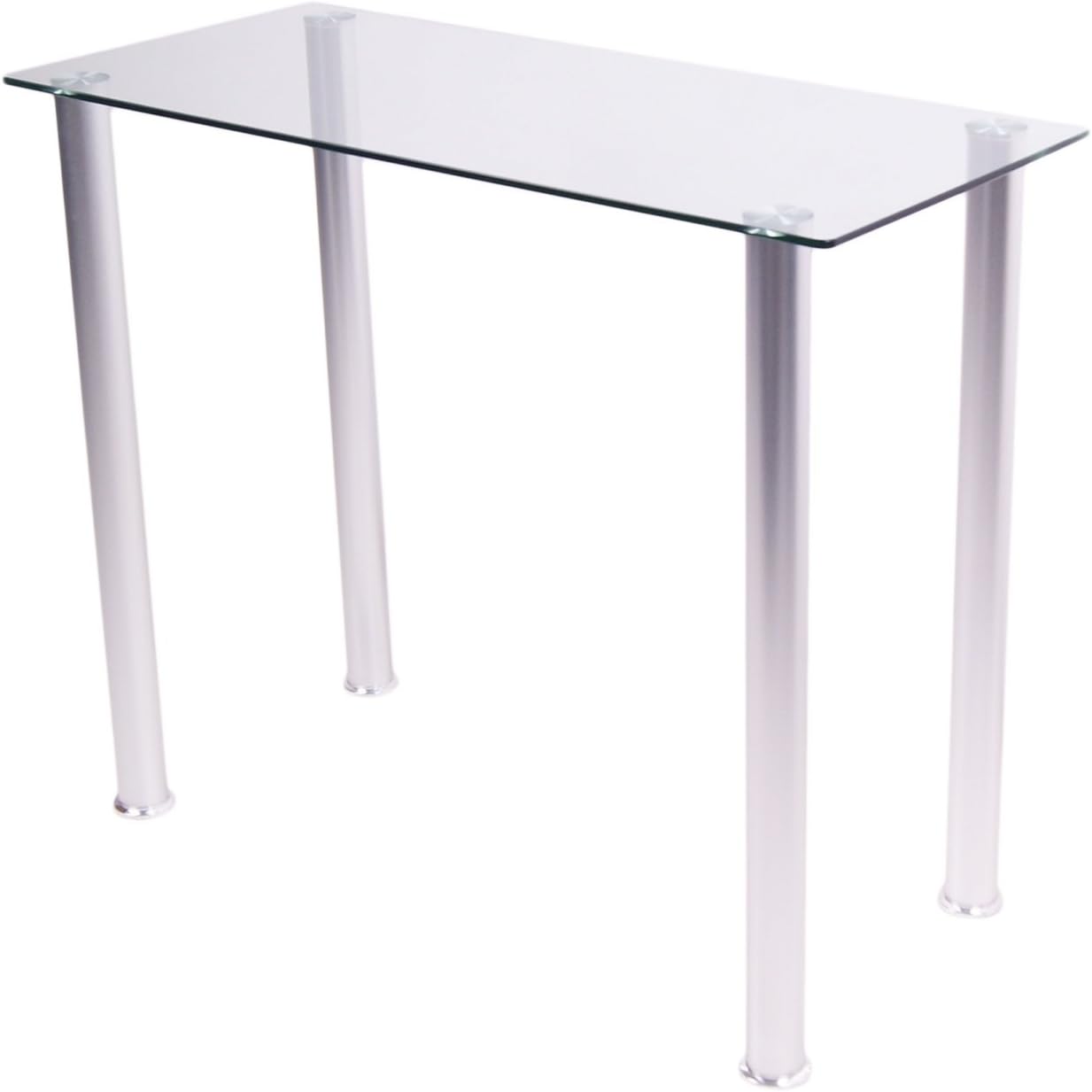
Figure 1: RTA Home and Office CT-015 White Tempered Glass Utility Desk. This image displays the complete desk with its clear tempered glass top and four silver-colored legs.
2. Safety Information
Please read and understand all safety instructions before assembly and use. Failure to follow these instructions may result in injury or product damage.
- Always assemble the desk on a flat, stable surface to ensure proper alignment and stability.
- Exercise caution when handling the tempered glass top to prevent breakage. Tempered glass, while strong, can shatter if struck forcefully at the edges or corners.
- Once assembled, ensure the desk is properly anchored to the wall or floor if there is any risk of tipping, especially in households with children or pets.
- Do not place excessively heavy objects on the desk. Refer to the specifications for weight capacity.
- Keep small parts away from children during assembly to prevent choking hazards.
3. Package Contents
Verify that all components are present before beginning assembly. If any parts are missing or damaged, contact customer support.
- Tempered Glass Top (1)
- Desk Legs (4)
- Assembly Hardware (screws, washers, tools if included)
4. Setup and Assembly Instructions
Follow these steps carefully for proper assembly. It is recommended to have two people for assembly, especially when handling the glass top.
- Unpack Components: Carefully remove all parts from the packaging. Place them on a soft, clean surface to prevent scratches.
- Attach Legs to Glass Top: Identify the attachment points on the underside of the tempered glass top. Secure each leg to the glass top using the provided hardware (screws, washers) as per the diagram. Do not overtighten screws initially.
- Tighten All Connections: Once all legs are loosely attached, gently place the desk upright. Ensure the desk is level, then progressively tighten all screws until secure. Avoid overtightening to prevent damage to the glass or frame.
- Final Placement: Position the assembled desk in its desired location. Ensure it is stable and does not wobble. Adjust leg levelers if present.

Figure 2: Dimensions of the RTA Home and Office CT-015 Utility Desk. The image shows the desk with measurements: 35.5 inches width, 15.75 inches depth, and 29.5 inches height.
5. Operating Instructions
The RTA CT-015 desk is designed for various uses. Observe the following guidelines for optimal performance and longevity.
- Placement: Place the desk on a level surface. Avoid direct exposure to extreme temperatures or prolonged sunlight, which can affect materials over time.
- Weight Capacity: Do not exceed the recommended weight capacity for the desk. Distribute weight evenly across the surface.
- Usage: Suitable for holding computer monitors, laptops, office supplies, or as a general display surface.
6. Maintenance
Regular cleaning and care will help maintain the appearance and integrity of your desk.
- Glass Top: Clean the tempered glass surface with a soft, lint-free cloth and a glass cleaner. Avoid abrasive cleaners or scouring pads that can scratch the glass.
- Frame and Legs: Wipe the metal legs with a soft, damp cloth. For stubborn marks, a mild soap solution can be used, followed by drying thoroughly.
- Hardware: Periodically check all screws and connections to ensure they remain tight. Retighten if necessary.
- Spills: Clean up spills immediately to prevent potential staining or damage to the frame.
7. Troubleshooting
Refer to these common issues and solutions before contacting customer support.
- Desk Wobbles:
- Ensure all screws are securely tightened.
- Verify the desk is on a level surface. Adjust leg levelers if available.
- Scratches on Glass:
- Tempered glass is scratch-resistant but not scratch-proof. Use coasters or protective mats under items to prevent scratches.
- Avoid dragging sharp or heavy objects across the surface.
- Difficulty Assembling:
- Review the assembly steps carefully.
- Ensure all parts are correctly oriented.
- Do not force components; if parts do not fit, recheck the instructions.
8. Specifications
| Feature | Detail |
|---|---|
| Model Number | CT-015 |
| Brand | RTA |
| Product Dimensions (D x W x H) | 15.75"D x 35.5"W x 29.5"H |
| Color | White |
| Top Material Type | Tempered Glass |
| Base Material | Glass |
| Item Weight | 30 Pounds |
| UPC | 892139001009 |
| Required Assembly | Yes |
9. Warranty and Support
This RTA Home and Office product comes with a Limited Warranty. For specific warranty terms and conditions, please refer to the documentation included with your purchase or contact RTA Home and Office customer support.
If you require assistance with assembly, have questions about product functionality, or need to report missing/damaged parts, please contact RTA Home and Office customer service through their official website or the contact information provided at the point of purchase.
Related documentsCT-015


Ask a question about this manual
Ask about setup, troubleshooting, compatibility, parts, safety, or missing instructions. Manuals+ will review the question and use this page’s manual context to help answer it.