
1. Introduction and Overview
Thank you for choosing the MTX Marine WET8CWB 8" Tower Speaker. This speaker is engineered for high-performance audio in marine and off-road environments, featuring robust construction and integrated white LED lighting. This manual provides essential information for proper installation, operation, and maintenance to ensure optimal performance and longevity of your speaker.

Figure 1.1: Front angled view of the MTX Marine WET8CWB Tower Speaker, showcasing its black finish and robust design.
2. Product Features
- Power Handling: 200 Watts Max Each, 100 Watts RMS Each.
- Midwoofer: 8" Polypropylene Midwoofer Cone for clear mid-bass.
- Compression Driver: 1" high compression driver for crisp highs.
- Impedance: 4 Ohm Impedance for versatile amplifier compatibility.
- Sensitivity: 97.34dB for efficient power conversion.
- Durability: Designed for marine and UTV environments, featuring waterproof construction.
- Integrated Lighting: White LEDs for aesthetic enhancement.
3. Safety Information
Always observe the following safety precautions to prevent injury or damage to the speaker or vehicle:
- Ensure all wiring is correctly connected and insulated to prevent short circuits.
- Do not operate the speaker beyond its rated power handling to avoid damage.
- Mount the speaker securely to a stable surface to prevent detachment during vehicle movement.
- Disconnect power before making any electrical connections or performing maintenance.
- Consult a professional installer if you are unsure about any installation steps.
4. Setup and Installation
Proper installation is crucial for the performance and longevity of your WET8CWB speaker. Follow these guidelines carefully.
4.1 Mounting the Speaker
The WET8CWB speaker is designed for tower mounting on boats or UTVs. The integrated mounting bracket allows for secure attachment to various bar sizes. Ensure the mounting location is structurally sound and can support the speaker's weight (approximately 13 pounds).
- Select a mounting location that provides optimal sound dispersion and does not obstruct visibility or movement.
- Securely attach the speaker's mounting clamp to the tower bar. Use appropriate tools to tighten the clamp firmly, but do not overtighten.
- Adjust the speaker's angle for desired sound projection.

Figure 4.1: Side view of the speaker, highlighting the adjustable mounting bracket for tower installation.
4.2 Wiring Connections
The WET8CWB speaker has a 4 Ohm impedance and requires connection to an appropriate amplifier. Ensure your amplifier can safely handle a 4 Ohm load and provides sufficient power (100W RMS per speaker is recommended).
- Identify the positive (+) and negative (-) terminals on the speaker and your amplifier.
- Run appropriate gauge speaker wire from the amplifier to the speaker. Ensure wires are protected from abrasion and moisture.
- Connect the positive terminal of the speaker to the positive output of the amplifier.
- Connect the negative terminal of the speaker to the negative output of the amplifier.
- If connecting multiple speakers, ensure the total impedance presented to the amplifier is within its safe operating range.
- Connect the white LED wires to a 12V DC power source, ensuring proper polarity, to illuminate the speaker's LEDs.
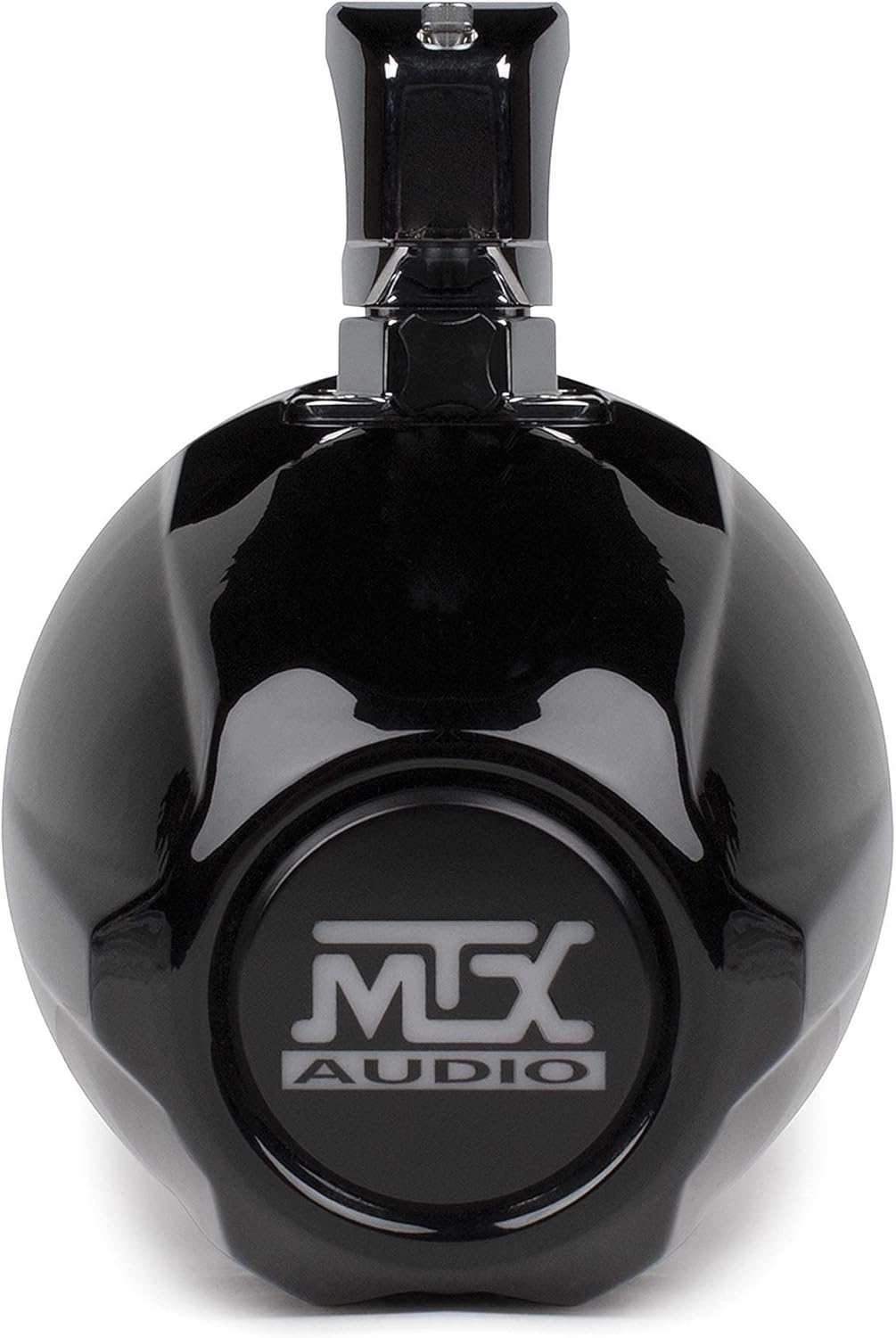
Figure 4.2: Rear view of the speaker, illustrating the location of the wiring terminals for audio and LED connections.
5. Operating Instructions
Once properly installed and connected to an amplifier, the WET8CWB speaker will reproduce audio from your source unit.
- Power On: Ensure your amplifier and audio source unit are powered on.
- Volume Control: Adjust the volume level through your audio source unit or amplifier. Start with a low volume and gradually increase it to a comfortable listening level.
- LED Operation: The integrated white LEDs will illuminate when connected to a 12V DC power source. Ensure the LED wiring is correctly connected and fused.
- Sound Quality: For optimal sound quality, ensure your amplifier's gain settings are properly adjusted to match the output of your source unit, avoiding distortion.
6. Maintenance
Regular maintenance will help preserve the appearance and performance of your marine tower speaker.
- Cleaning: Clean the speaker enclosure with a soft, damp cloth. For stubborn dirt, use a mild soap solution. Avoid abrasive cleaners or solvents that could damage the finish.
- Inspection: Periodically inspect all mounting hardware and wiring connections for tightness and corrosion. Re-tighten any loose fasteners and clean any corroded terminals.
- Protection: While waterproof, it is advisable to cover the speakers when not in use for extended periods, especially in harsh marine environments, to protect against UV exposure and salt spray buildup.
7. Troubleshooting
If you experience issues with your WET8CWB speaker, refer to the following common troubleshooting steps:
| Problem | Possible Cause | Solution |
|---|---|---|
| No sound from speaker | Loose or incorrect wiring; Amplifier off or faulty; Source unit off or muted. | Check all speaker and power connections; Verify amplifier and source unit are on and functioning. |
| Distorted sound | Amplifier gain set too high; Speaker overdriven; Damaged speaker cone. | Reduce amplifier gain; Lower volume; Inspect speaker for physical damage. |
| LEDs not illuminating | Incorrect LED wiring; No 12V power to LEDs; Blown fuse on LED circuit. | Check LED power connections and polarity; Verify 12V power supply; Check and replace fuse if necessary. |
| Speaker cuts out intermittently | Loose connections; Amplifier overheating; Short circuit in wiring. | Inspect and secure all wiring; Ensure amplifier has adequate ventilation; Check for frayed wires. |
If the problem persists after attempting these solutions, contact MTX customer support or a qualified audio technician.
8. Specifications
| Feature | Specification |
|---|---|
| Model Name | WET8CWB |
| Speaker Type | Tower |
| Speaker Size | 8 Inches (Woofer), 1 Inch (Tweeter) |
| Peak Power Handling | 200 Watts (Each) |
| RMS Power Handling | 100 Watts (Each) |
| Impedance | 4 Ohm |
| Sensitivity | 97.34dB |
| Product Dimensions (D x W x H) | 13"D x 12"W x 12"H |
| Item Weight | 13 Pounds |
| Waterproof | Yes |
| Compatible Devices | Boats, UTV's |
| UPC | 715442660223 |
9. Warranty and Support
MTX Audio products are designed and manufactured to the highest quality standards. For information regarding warranty coverage, terms, and conditions, please refer to the warranty card included with your product or visit the official MTX Audio website. For technical support or service inquiries, please contact MTX Audio customer service directly.
MTX Audio Contact Information:
Please refer to the official MTX Audio website for the most current contact details and support resources.


