
Retekess V115 (FAUF9205A)
Retekess V115 Shortwave Radio Instruction Manual
Model: V115 (FAUF9205A)
Brand: Retekess
1. Introduction
This manual provides detailed instructions for the operation and maintenance of your Retekess V115 Shortwave Radio. Please read this manual thoroughly before using the product to ensure proper function and longevity. The Retekess V115 is a versatile digital radio offering AM, FM, and Shortwave reception, along with MP3 playback, recording capabilities, and a bass speaker, making it suitable for various uses from camping to daily listening.
2. What's in the Box
Upon opening your Retekess V115 package, you should find the following items:
- 1 x Retekess V115 radio
- 1 x BL-5C battery
- 1 x Type-C charging cable
- 1 x Hand strip with bracket
- 1 x Multilingual manual

Components included with the radio: Retekess V115 radio, BL-5C battery, power cord, packaging box, and user manual.
3. Safety Information
This product can be charged using the USB port of a computer or laptop. If you use an adapter to charge, please use a 5V 500mA-1000mA adapter, otherwise it will cause battery or product problems. Always ensure the device is used in a dry environment and avoid exposure to extreme temperatures or direct sunlight.
4. Product Overview
The Retekess V115 is designed for portability and ease of use, featuring a compact design with intuitive controls.

Front view of the Retekess V115 radio, showing the display, speaker, and control buttons.
4.1. Controls and Ports
- Front Panel: LCD display, Speaker, Numeric Keypad (0-9), Play/Pause, Fast Forward, Rewind, REC (Record), DEL (Delete), REC FILE, MEMO, MENU, Volume rocker.
- Top Panel: Telescopic Antenna, Microphone.
- Right Side Panel: POWER button, MODE button, FM/AM button, SW button, TF Card Slot, AUX In port, USB Charging/Data port, Headphone Jack.

The compact Retekess V115 radio fitting into a shirt pocket, demonstrating its portability.
5. Setup
5.1. Battery Installation
The Retekess V115 uses a rechargeable BL-5C lithium battery. Open the battery compartment cover on the back of the radio and insert the BL-5C battery, ensuring the correct polarity. Close the cover securely.
5.2. Charging the Battery
Connect the provided Type-C charging cable to the USB port on the side of the radio and the other end to a USB power source (e.g., computer USB port, USB wall adapter). The charging indicator will illuminate. A full charge typically takes a few hours. The radio can be used while charging.
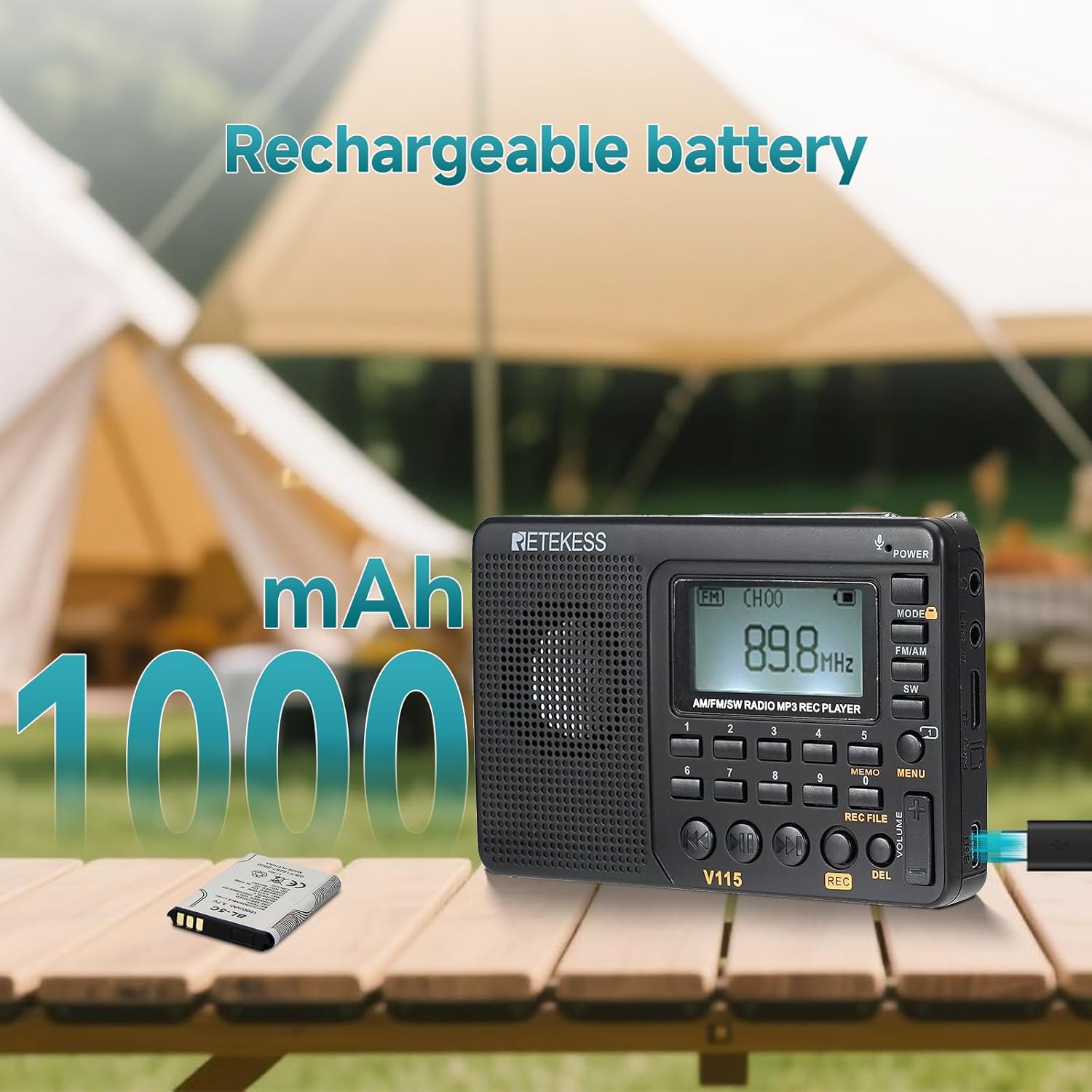
The Retekess V115 radio on a table outdoors, with a 1000mAh battery next to it, emphasizing its rechargeable battery capacity.
6. Operating Instructions
6.1. Power On/Off
Press and hold the POWER button on the right side of the radio to turn it on or off.
6.2. Switching Radio Modes (AM/FM/SW)
Press the FM/AM button to cycle between FM and AM bands. Press the SW button to enter Shortwave mode. The current band will be displayed on the LCD screen.

Diagram illustrating the AM, FM, and SW frequency bands supported by the radio.
6.3. Tuning Radio Stations
The Retekess V115 offers multiple tuning methods:
- Automatic Search: In radio mode, long press the PLAY/PAUSE button to initiate an automatic scan. The radio will search for and store available stations.
- Manual Tuning: Use the Fast Forward or Rewind buttons to manually adjust the frequency step by step.
- Direct Frequency Input: Use the numeric keypad (0-9) to directly enter the desired frequency. Press MEMO or PLAY/PAUSE to confirm the input.

Image showing options for automatic, manual, and memory station search, with an elderly person listening to the radio in the background.
6.4. MP3 Music Player
Insert a TF card (Micro SD card) with your audio files into the TF card slot. The radio will automatically switch to MP3 playback mode. You can navigate tracks using the Fast Forward/Rewind buttons, or directly input track numbers using the numeric keypad. The radio supports various repeat modes (all repeat, single repeat, directory repeat) and random play.
You can also connect an external audio device (like a smartphone) to the AUX In port to use the radio as a speaker.

The side of the radio highlighting its expansion jacks, including headphone, AUX in, and USB ports, with a person wearing headphones in the background.
6.4.1. How to Play MP3 in Micro SD Card
This video provides instructions on how to play MP3 files from a Micro SD card using the Retekess V115 radio.
6.4.2. How to switch between FM1 and FM2
This video demonstrates the procedure for switching between FM1 and FM2 bands on the Retekess V115 radio.
6.5. Recording Function
With a TF card inserted, the V115 can record external sound (via built-in microphone), radio broadcasts, or computer audio (when connected via USB). Press the REC button to start recording. There are three recording quality settings available for optimal audio capture.

Illustration of the radio's multiple recording capabilities: external sound, radio broadcast, and computer audio.
6.6. Sleep Timer
The sleep timer function allows the radio to automatically turn off after a set period (0-90 minutes). This is useful for falling asleep to music or radio programs. Consult the full manual for specific steps to set the sleep timer.

The radio on a bedside table with musical notes floating, indicating the sleep timer function, and a person sleeping in the background.
6.7. Sound Effects
The V115 offers 6 sound effects to enhance your listening experience: NATURAL, POP, ROCK, JAZZ, COUNTRY, and HEAVY BASS. These can be selected via the menu options.
6.8. Antenna Usage
For optimal reception, especially for FM and Shortwave bands, extend the telescopic antenna fully. When listening to local FM radio, adjust the angle of the antenna. For AM band, signal strength is often better at night; try rotating the radio to find a clearer signal. For Shortwave, position the antenna vertically for clearer sound.
7. Maintenance
- Cleaning: Use a soft, dry cloth to clean the radio's exterior. Do not use abrasive cleaners or solvents.
- Storage: Store the radio in a cool, dry place away from direct sunlight and extreme temperatures when not in use for extended periods.
- Battery Care: To prolong battery life, avoid fully discharging the battery frequently. Charge the battery regularly, even if the radio is not in constant use.
8. Troubleshooting
- No Power: Ensure the battery is correctly installed and charged. Connect the radio to a power source to check if it powers on while charging.
- Poor Reception: Extend the telescopic antenna fully. Try rotating the radio or moving to a different location to improve signal strength. Check for sources of interference.
- No Sound: Check the volume level. Ensure headphones are not plugged in if you intend to use the speaker. If headphones are used, ensure they are fully inserted.
- MP3 Playback Issues: Ensure the TF card is properly inserted and contains compatible audio files (MP3 format). Check if the TF card is corrupted or full.
- Recording Not Working: Verify that a TF card is inserted and has sufficient free space. Check recording quality settings.
9. Specifications
| Product Dimensions | 4.7 x 3.1 x 0.9 inches (4.73"L x 0.8"W x 3.15"H) |
| Item Weight | 5.6 ounces |
| Model Number | FAUF9205A |
| Batteries | 1 Lithium Ion battery required (BL-5C, 1000mAh) |
| Brand | Retekess |
| Color | Black |
| Special Features | Bass speaker, MP3 player, Preset radio stations, Recording, Sleep timer |
| Connectivity Technology | Auxiliary, USB |
| Tuner Technology | AM/FM/SW |
| Power Source | DC 5V (BL-5C battery) |
| Radio Bands Supported | SW, FM, AM |
10. Warranty and Customer Support
Retekess provides a 1-year warranty for the V115 radio and offers a 30-day no-reason return policy. If you encounter any issues or have questions regarding your product, please contact Retekess customer support via Amazon. We aim to reply within 12 hours to assist you.