
1. Introduction
This manual provides detailed instructions for the proper use and maintenance of your Alba LCD32880HDF Remote Control. Please read this manual thoroughly before using the device to ensure optimal performance and longevity. This remote control is designed to provide seamless operation of compatible Alba televisions and other devices.
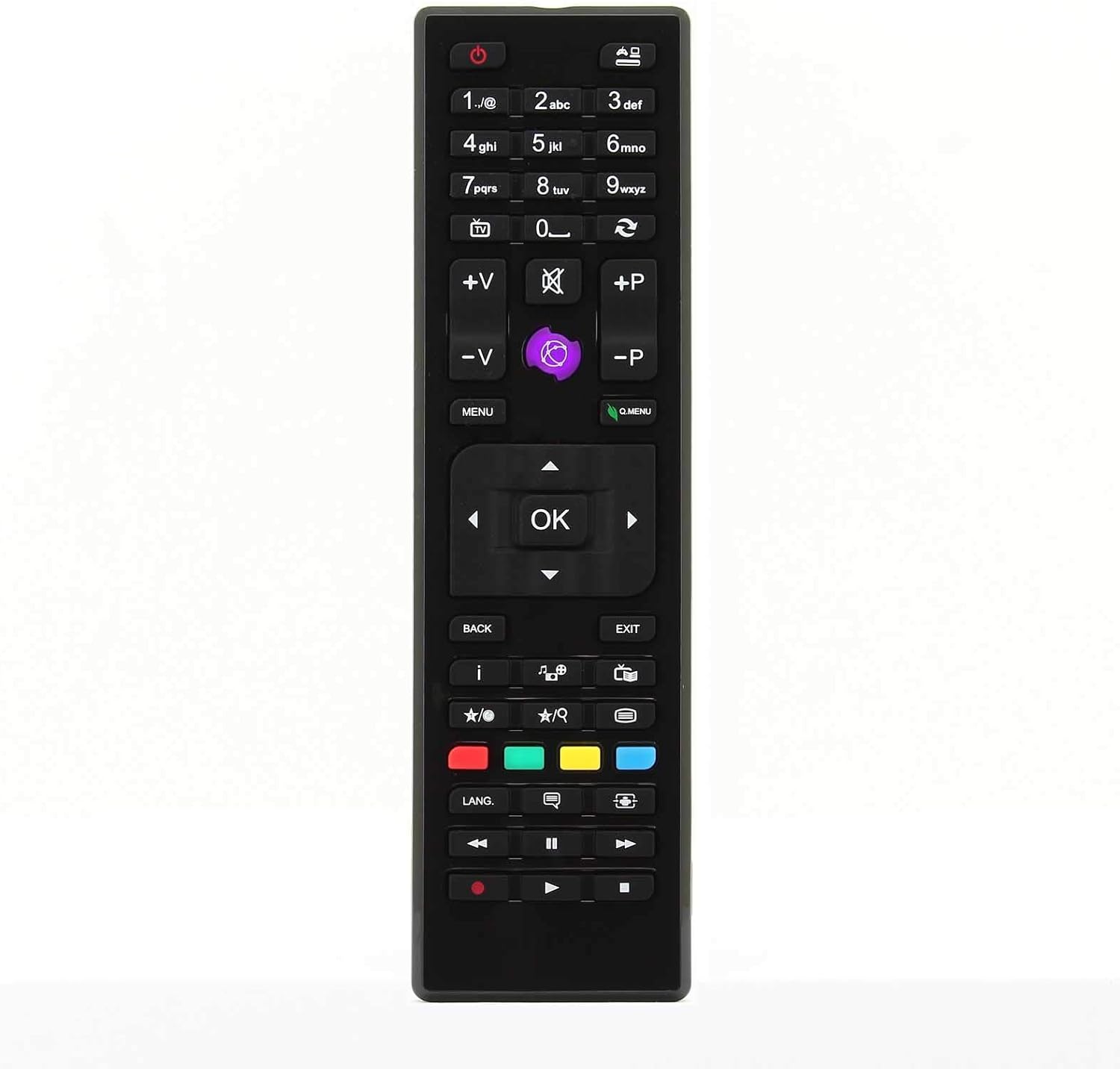
Figure 1: Front view of the Alba LCD32880HDF Remote Control, showing all buttons and their layout.
2. Safety Information
To ensure safe operation and prevent damage, please observe the following precautions:
- Do not expose the remote control to direct sunlight, extreme temperatures, or high humidity.
- Avoid dropping the remote control or subjecting it to strong impacts.
- Do not attempt to disassemble or modify the remote control. This will void the warranty.
- Keep batteries out of reach of children and pets. If swallowed, seek immediate medical attention.
- Dispose of used batteries properly according to local regulations.
- Clean the remote control with a soft, dry cloth. Do not use liquid cleaners or abrasive materials.
3. Setup
3.1. Installing Batteries
The remote control requires two AAA batteries (not included). Follow these steps to install them:
- Locate the battery compartment cover on the back of the remote control.
- Press down on the tab and slide the cover downwards to open it.
- Insert two AAA batteries, ensuring the positive (+) and negative (-) terminals align correctly with the markings inside the compartment.
- Slide the battery compartment cover back into place until it clicks securely.

Figure 2: Back view of the remote control, showing the battery compartment with the cover removed and battery slots visible.
3.2. First Use
Once batteries are installed, the remote control is ready for use. Point the remote control directly at your Alba television or compatible device. No programming is typically required for this replacement remote control.
4. Operating Instructions
This section describes the primary functions of the buttons on your remote control.

Figure 3: Angled view of the remote control, highlighting the ergonomic design and button placement.
| Button | Function |
|---|---|
| Power (⏻) | Turns the television or device on/off. |
| Number Buttons (0-9) | Directly select channels or input numerical values. |
| Volume Up/Down (V+/V-) | Adjusts the volume level. |
| Channel Up/Down (P+/P-) | Changes the channel. |
| Mute (🔇) | Mutes or unmutes the audio. |
| Menu | Accesses the main menu of the television or device. |
| OK / Enter | Confirms selections within menus. |
| Navigation Arrows (◀ ▶ ▲ ▼) | Navigates through menus and options. |
| Back / Exit | Returns to the previous screen or exits the current menu. |
| Source / Input | Changes the input source (HDMI, AV, etc.). |
| Colored Buttons (Red, Green, Yellow, Blue) | Functions vary depending on the specific television model or application. Refer to your TV's manual. |
| Playback Controls (Play, Pause, Stop, Rewind, Fast Forward) | Controls media playback on compatible devices or TV functions. |
5. Maintenance
5.1. Cleaning the Remote Control
To keep your remote control in good condition:
- Wipe the surface with a soft, dry, lint-free cloth.
- Do not use liquid cleaners, sprays, or abrasive materials, as these can damage the surface or internal components.
5.2. Battery Replacement
Replace the batteries when the remote control becomes unresponsive or its range decreases significantly. Refer to Section 3.1 for battery installation instructions. Always replace both batteries at the same time with new ones of the same type (AAA).
6. Troubleshooting
If you experience issues with your remote control, try the following solutions:
| Problem | Possible Cause / Solution |
|---|---|
| Remote control is not working. |
|
| Buttons are unresponsive or sticky. |
|
| Remote control range is reduced. |
|
7. Specifications
| Feature | Detail |
|---|---|
| Brand | 121AV |
| Model Number | LCD32880HDF |
| Connectivity Technology | Infrared (IR) |
| Power Source | 2 x AAA Batteries (not included) |
| Compatibility | Designed for Alba LCD32880HDF televisions and compatible models. |
8. Warranty and Support
8.1. Warranty Information
This product comes with a standard manufacturer's warranty. Please refer to the packaging or the seller's website for specific warranty terms and conditions. Keep your proof of purchase for warranty claims.
8.2. Customer Support
For technical assistance, troubleshooting beyond this manual, or warranty inquiries, please contact the retailer or manufacturer's customer support. Contact details can usually be found on the product packaging or the official 121AV website.
Note: As a replacement remote, specific support may be provided by the seller rather than the original TV manufacturer.