
Cricut 2003214
Cricut Signature Script Fonts Cartridge Instruction Manual
Model: 2003214
Introduction
The Cricut Signature Script Fonts Cartridge (Model 2003214) provides a collection of versatile script fonts designed for use with all Cricut cutting machines. This cartridge allows users to create personalized projects with various text elements, including monograms, names, phrases, words, and labels.
The cartridge includes seven distinct font styles: Cabernet, Cantilever, Catamaran, Cigar Box, Fudge, Ginger, and Khaki. These fonts can be used to create a range of crafts, such as home decor items, tote bags, embellished framed art, iron-on fashions, special cards, and invitations. Projects can be designed with a multidimensional layered effect or a clean, simple appearance.

Image: The Cricut Signature Script Fonts Cartridge, a compact gray device with a green label indicating "Cricut Signature Script Fonts."
Setup
To begin using your Cricut Signature Script Fonts Cartridge, follow these steps:
- Unpack the Cartridge: Carefully remove the cartridge and the accompanying handbook from its packaging.
- Locate Cartridge Slot: Identify the cartridge slot on your specific Cricut cutting machine. The location may vary depending on your machine model. Refer to your Cricut machine's user manual for precise instructions on cartridge insertion.
- Insert the Cartridge: Gently insert the Cricut Signature Script Fonts Cartridge into the designated slot until it is securely seated. Ensure it clicks into place if your machine model features a locking mechanism.
- Power On Machine: Turn on your Cricut cutting machine. The machine should recognize the newly inserted cartridge.
- Software Recognition: If using Cricut design software (e.g., Cricut Design Space), ensure the software is updated and recognizes the cartridge. You may need to link the cartridge to your account if prompted.

Image: The Cricut Signature Script Fonts Cartridge shown alongside its spiral-bound handbook, which contains information about the included fonts and designs.
Operating Instructions
Once the cartridge is set up, you can begin creating projects. The operation of the cartridge is integrated with your Cricut cutting machine and its associated design software.
- Accessing Fonts: In your Cricut design software, navigate to the font selection menu. The fonts from the Signature Script cartridge (Cabernet, Cantilever, Catamaran, Cigar Box, Fudge, Ginger, Khaki) should now be available for selection.
- Designing Your Project:
- Select your desired font style from the cartridge.
- Type your text (monograms, names, phrases, words, labels).
- Adjust text size, spacing, and orientation as needed within the software.
- Consider creating a multidimensional layered effect by cutting the same design from different materials or colors and layering them, or opt for a clean and simple single-layer cut.
- Preparing for Cutting:
- Place your chosen material (e.g., paper, vinyl, iron-on) onto the Cricut cutting mat.
- Load the mat into your Cricut machine.
- Ensure the correct cut settings (material type, pressure, speed) are selected in your software for optimal results.
- Initiating Cut: Send the design to your Cricut machine from the software. The machine will then cut your chosen script font design onto the material.
- Finishing Your Project: Once cutting is complete, unload the mat and carefully remove your cut design. Proceed with assembling or applying your project as intended (e.g., adhering to home decor, pressing onto fabric).
For detailed instructions on operating your specific Cricut cutting machine, please refer to its dedicated user manual.

Image: A handcrafted card featuring a layered design with a feather and a banner displaying "I adore you" in script font, created using the cartridge.
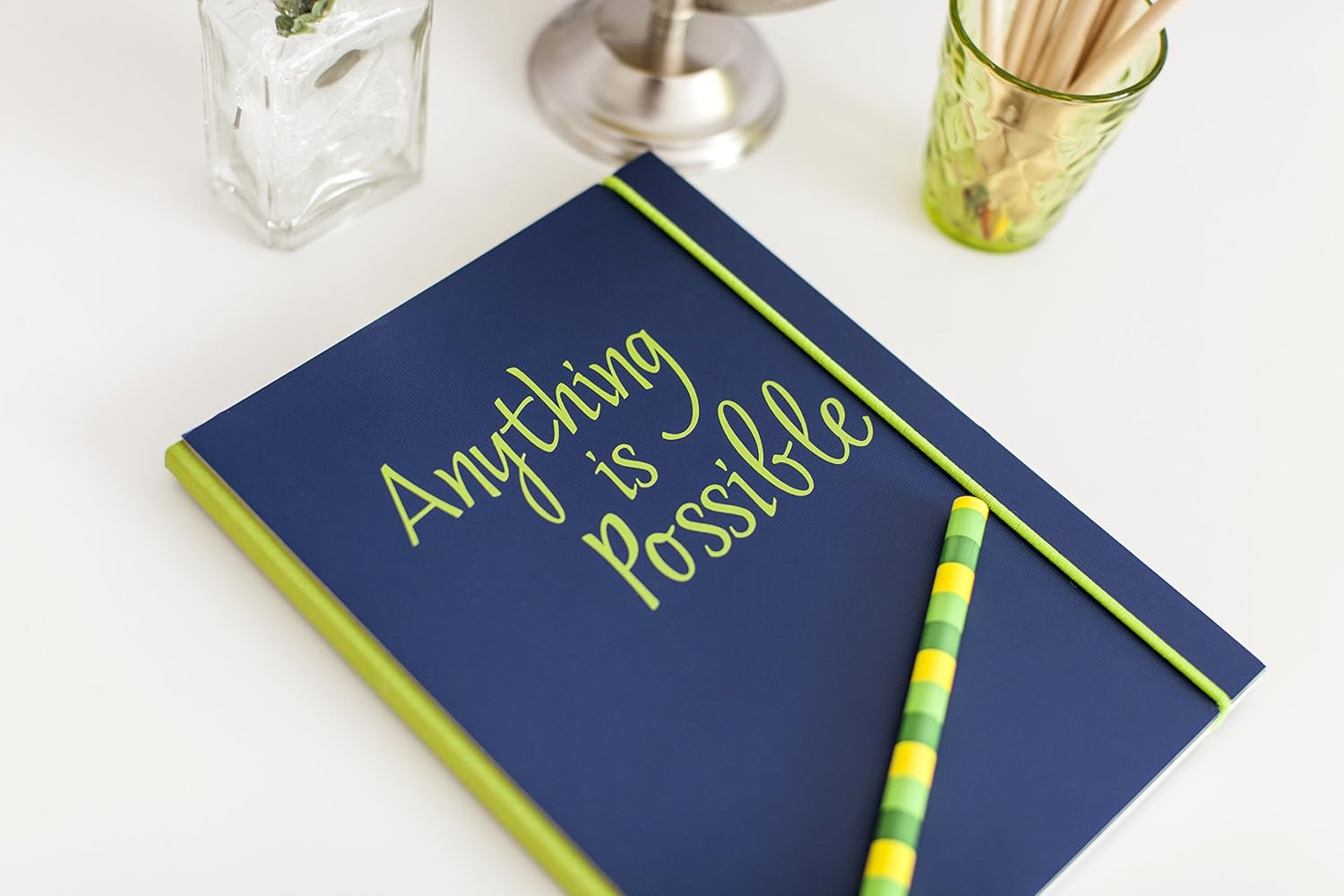
Image: A dark blue notebook with the phrase "Anything is Possible" written on its cover in a bright green script font, demonstrating personalization.

Image: A white framed art piece displaying "ooh la la" in a elegant script font with decorative sunbursts, suitable for home decor.

Image: A framed photograph of a sleeping child, with the words "Sweet Dreams my little darling" in a gentle script font overlaid on the image, showcasing personalized gifts.

Image: The name "ella" cut out in a decorative script font with a patterned fill, presented in a white frame, illustrating custom lettering.

Image: A green wallet personalized with the initials "OKT" in a gold script font, demonstrating iron-on applications.
Maintenance
The Cricut Signature Script Fonts Cartridge requires minimal maintenance to ensure its longevity and proper function.
- Storage: Store the cartridge in its original 4x4x1-1/2 inch storage box or a similar protective container when not in use. Keep it in a cool, dry place away from direct sunlight, extreme temperatures, and excessive dust.
- Cleaning: If the cartridge becomes dusty, gently wipe it with a soft, dry, lint-free cloth. Avoid using liquid cleaners or abrasive materials, as these can damage the cartridge's electronic components or label.
- Handling: Handle the cartridge by its sides to avoid touching the electronic contacts. Do not force the cartridge into or out of the machine slot.
Troubleshooting
If you encounter issues while using your Cricut Signature Script Fonts Cartridge, consider the following common solutions:
| Problem | Possible Cause | Solution |
|---|---|---|
| Cartridge not recognized by machine/software. |
|
|
| Fonts from cartridge not appearing in software. |
|
|
| Cut quality issues (e.g., incomplete cuts, ragged edges). |
|
|
If these steps do not resolve the issue, please consult the comprehensive troubleshooting guide for your specific Cricut cutting machine or contact Cricut customer support.
Specifications
| Brand | Cricut |
| Model Name | Cricut |
| Item Model Number | 2003214 |
| ASIN | B01AKNJQJM |
| UPC | 093573192531 |
| Product Dimensions (L x W x H) | 1.5 x 4 x 4 inches |
| Item Weight | 4 ounces (0.25 Pounds) |
| Included Components | Cricut Font Cartridge-Signature Script, Handbook |
| Number of Pieces | 1 (cartridge) |
| Style | Box |
| Art Craft Kit Type | Calligraphy |
| Manufacturer | Provo Craft & Novelty |
| Date First Available | January 13, 2016 |
Warranty Information
Specific warranty details for the Cricut Signature Script Fonts Cartridge are typically provided by the manufacturer, Provo Craft & Novelty, or by Cricut directly. Please refer to the documentation included with your product or visit the official Cricut website for the most current warranty policy and registration information.
Generally, product warranties cover defects in materials and workmanship under normal use. Keep your proof of purchase for any warranty claims.
Customer Support
For further assistance, technical support, or inquiries regarding your Cricut Signature Script Fonts Cartridge, please contact Cricut customer support through their official channels:
- Official Cricut Website: Visit cricut.com/help for FAQs, troubleshooting guides, and contact options.
- Online Community: Explore the Cricut community forums for tips, project ideas, and peer support.
- Contact Information: Specific phone numbers or email addresses for support can be found on the official Cricut website's support section.
When contacting support, please have your product model number (2003214) and any relevant purchase information ready.
Ask a question about this manual
Ask about setup, troubleshooting, compatibility, parts, safety, or missing instructions. Manuals+ will review the question and use this page’s manual context to help answer it.