
Schumacher Electric BT-175
Schumacher Electric BT-175 Digital Battery Tester User Manual
Model: BT-175
1. Introduction
The Schumacher BT-175 is a 12V Digital Battery Tester, Load Tester, and Voltmeter designed for quick and easy assessment of 12V batteries and vehicle electrical systems. This device provides an analysis of battery health, starter system performance, and charging system operation. It is compatible with 12V SLI, VRLA/AGM, and gel batteries, making it suitable for a wide range of vehicles including motorcycles, ATVs, marine vessels, cars, SUVs, trucks, RVs, and classic cars.
This manual provides essential information for the safe and effective use of your BT-175 tester. Please read it thoroughly before operation.

The Schumacher BT-175 Digital Battery Tester, featuring a digital display and color-coded clamps for easy connection.
2. Important Safety Information
Always observe the following safety precautions when using the BT-175 battery tester:
- Wear eye protection and protective clothing when working near batteries.
- Ensure the work area is well-ventilated.
- Keep sparks, flames, and smoking materials away from batteries.
- Avoid touching battery acid. If contact occurs, flush with water immediately and seek medical attention.
- Do not operate the tester if it is damaged.
- Connect the red clamp to the positive (+) battery terminal and the black clamp to the negative (-) battery terminal. Incorrect connection can damage the tester or battery.
- Ensure vehicle is turned off and all accessories are disconnected before testing.
3. Package Contents
The Schumacher BT-175 package includes:
- Schumacher BT-175 12V Digital Battery Tester, Load Tester, and Voltmeter
- User Manual
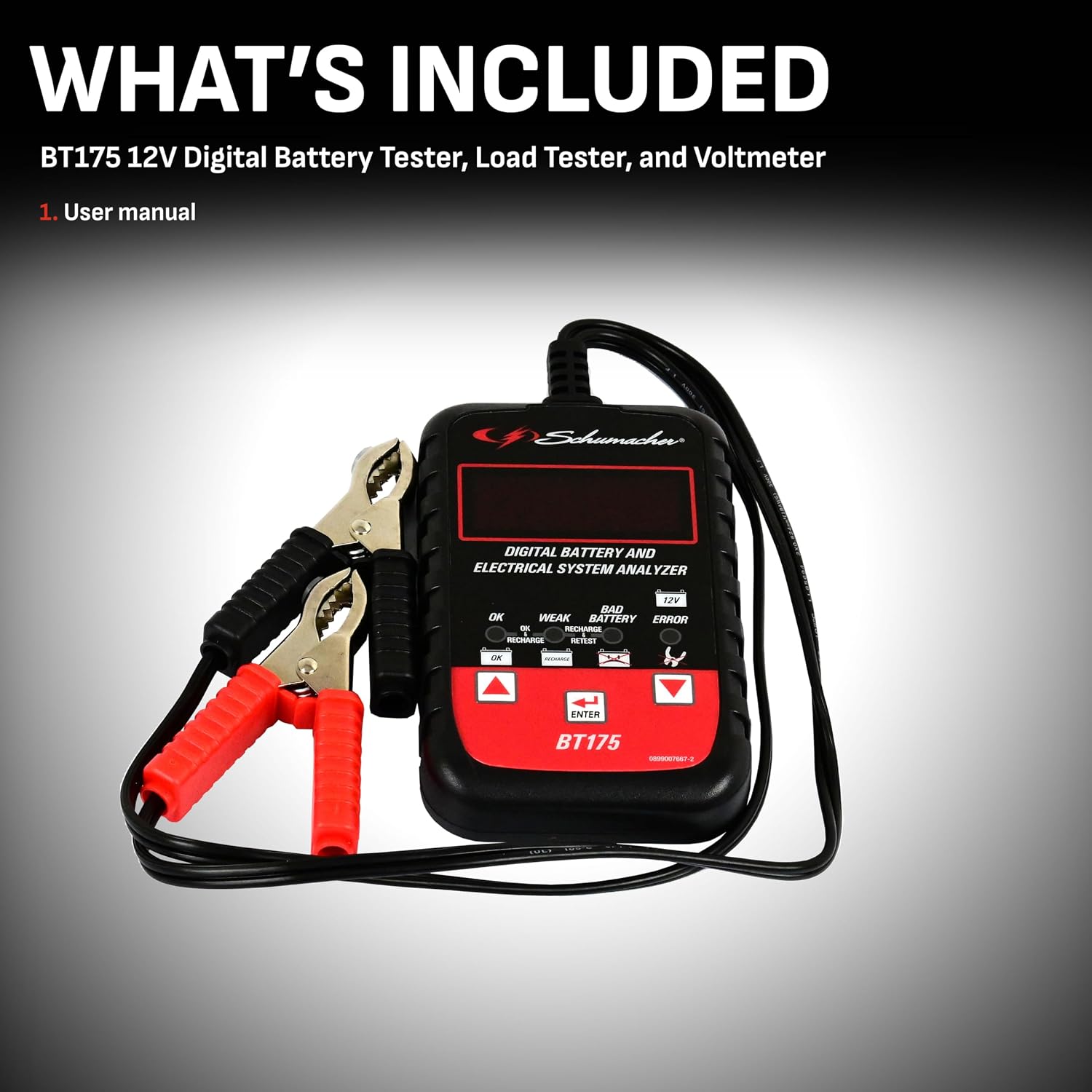
The package includes the Schumacher BT-175 12V Digital Battery Tester, Load Tester, and Voltmeter, along with its user manual.
4. Product Overview
The BT-175 is a versatile 3-in-1 tool designed for comprehensive battery and electrical system diagnostics.
Key Features:
- Quick and Accurate Testing: Provides fast and precise analysis of battery health.
- Multi-System Testing: Capable of checking battery voltage, determining battery condition (good/replace), diagnosing starter system issues, and evaluating charging system operation.
- Digital Display: Features an easy-to-read LED digital display for clear navigation and result viewing.
- Wide Battery Compatibility: Works with 12V SLI and VRLA/AGM/gel batteries.
- International Standard Support: Tests to multiple international standards, allowing selection of the appropriate standard.
- Color-Coded Clamps: Simplifies connection with clearly marked red (positive) and black (negative) clamps.

The BT-175 performs three key functions: battery testing, starter system analysis, and charging system evaluation.
Components:
- Digital Display: Shows test results and menu options.
- Push Buttons: Used for navigation and selection (Up, Down, Enter).
- LED Indicators: Provide quick visual status (OK, Weak, Bad Battery, Error, 12V).
- Color-Coded Clamps: Red for positive (+), Black for negative (-).
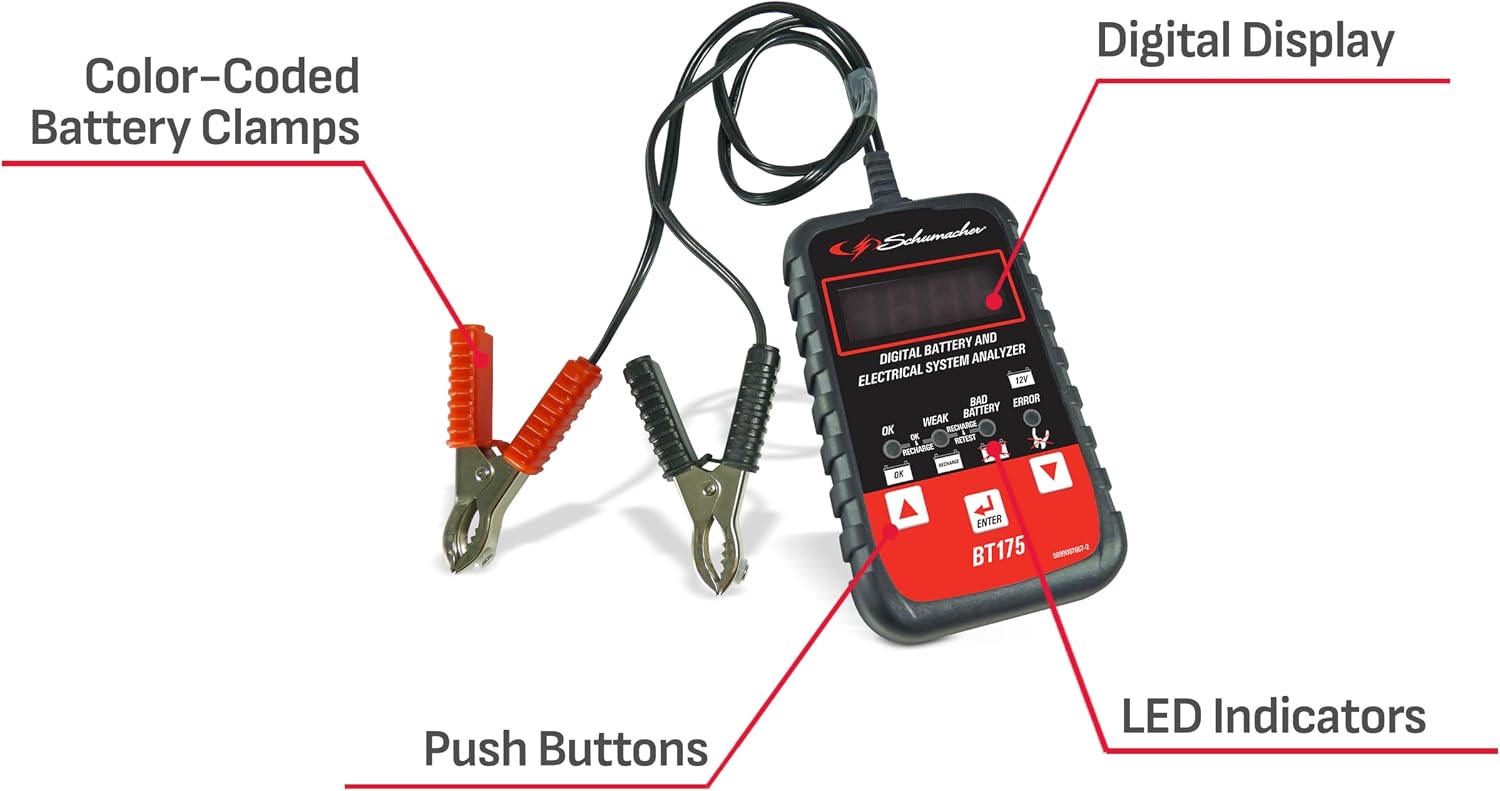
Key components of the BT-175 include color-coded battery clamps, a digital display for readings, push buttons for navigation, and LED indicators for status.
5. Setup
Before performing any tests, ensure the vehicle is turned off and all accessories (lights, radio, etc.) are disconnected. Follow these steps to prepare the tester:
- Ensure the battery terminals are clean and free of corrosion.
- Connect the RED clamp to the positive (+) battery terminal.
- Connect the BLACK clamp to the negative (-) battery terminal.
- The tester will power on automatically once connected correctly.

The BT-175 connected to a vehicle battery, showing a voltage reading on its digital display.
6. Operating Instructions
The BT-175 offers three primary testing functions: Battery Test, Starter System Test, and Charging System Test.
6.1. Battery Test
This test assesses the overall health and charge level of the battery.
- Turn off the vehicle and all electrical loads.
- Attach the red clamp to the positive battery terminal and the black clamp to the negative battery terminal.
- On the tester's display, select Battery Test using the Up/Down buttons and press ENTER.
- Select your battery type (e.g., SLI, AGM, Gel) and press ENTER.
- Select the battery rating standard (e.g., SAE, CA (MCA), EN, IEC, DIN) and press ENTER.
- Enter the battery's Cold Cranking Amps (CCA) rating, typically found on the battery label, and press ENTER.
- Select the battery's current charge status (e.g., Charged, Discharged) and press ENTER.
- The BT-175 will display the CCA and test results (e.g., Good, Weak, Replace, Recharge).

A visual guide outlining the quick steps for performing a battery test using the BT-175.

A user interacting with the BT-175, demonstrating the selection of a test parameter on the digital screen.
6.2. Starter System Test
This test evaluates the performance of the vehicle's starter motor.
- Ensure the BT-175 is connected to the battery as described in Section 5.
- From the main menu, select Starter System Test and press ENTER.
- Follow the on-screen prompts to start the vehicle's engine. The tester will monitor the voltage drop during cranking.
- Once the test is complete, the BT-175 will display the starter system's condition (e.g., Normal, Low Voltage, High Resistance).
6.3. Charging System Test
This test checks the alternator and voltage regulator to ensure the battery is being properly charged.
- Ensure the BT-175 is connected to the battery as described in Section 5.
- From the main menu, select Charging System Test and press ENTER.
- Follow the on-screen prompts to start the vehicle's engine and run it at a specified RPM (if indicated).
- The tester will measure the charging voltage and ripple.
- The BT-175 will display the charging system's condition (e.g., Normal, Low Output, High Output, Diode Ripple).

The BT-175 held by a user, showing a battery voltage reading of 12.67 volts.
7. Maintenance
Proper maintenance ensures the longevity and accuracy of your BT-175 tester.
- Cleaning: Wipe the tester's casing with a soft, dry cloth. Do not use abrasive cleaners or solvents.
- Storage: Store the tester in a clean, dry environment away from extreme temperatures and direct sunlight. Keep the clamps clean and free of debris.
- Cable Care: Avoid sharp bends or kinks in the cables. Do not pull the tester by its cables.
8. Troubleshooting
If you encounter issues with your BT-175, refer to the following common problems and solutions:
| Problem | Possible Cause | Solution |
|---|---|---|
| Tester does not power on | Incorrect clamp connection; Battery completely discharged; Damaged cables/tester. | Ensure clamps are connected correctly (red to +, black to -); Charge battery if completely dead; Inspect cables and tester for damage. |
| Inaccurate readings | Corroded battery terminals; Loose connections; Incorrect battery type/CCA entered. | Clean battery terminals; Securely attach clamps; Verify correct battery parameters are entered. |
| "ERROR" message displayed | Test parameters out of range; Internal fault. | Re-check battery type and CCA settings; Disconnect and reconnect the tester; If error persists, contact customer support. |
9. Specifications
| Model | BT-175 |
| Voltage Compatibility | 12 Volts |
| Battery Types | SLI, VRLA/AGM, Gel |
| Max Cranking Amps | Up to 1200 CCA |
| Measurement Type | Voltmeter |
| Dimensions (L x W x H) | 6.5 x 3.3 x 2.1 inches |
| Item Weight | 8.32 ounces |
| UPC | 026666811286 |
10. Warranty and Support
For warranty information or technical support, please refer to the warranty card included with your product or visit the official Schumacher Electric website. Keep your purchase receipt as proof of purchase for any warranty claims.
Online Resources: For additional support, FAQs, and product registration, please visit the Schumacher Electric Store on Amazon.
Related Documents - BT-175
 |
Schumacher SC1305 Automatic Battery Charger Owner's Manual Comprehensive owner's manual for the Schumacher SC1305 Automatic Battery Charger. Learn how to safely and effectively use the charger for various battery types and applications, including engine starting and maintenance. |
 |
Automatic Battery Charger Owner's Manual Comprehensive user guide for the Automatic Battery Charger. Includes safety instructions, operating procedures, troubleshooting, and maintenance for 6V and 12V lead-acid batteries. |
 |
Schumacher XM1-5-CA Automatic Battery Charger/Maintainer Owner's Manual Owner's manual for the Schumacher XM1-5-CA Automatic Battery Charger/Maintainer, providing safety instructions, operating procedures, maintenance tips, troubleshooting, and warranty information. |
 |
Manual Battery Charger: Safety, Operation, and Maintenance Guide Comprehensive guide to safely operating and maintaining your manual battery charger. Learn about important safety instructions, charging procedures for in-vehicle and out-of-vehicle batteries, troubleshooting tips, and warranty information. |
 |
Schumacher SC1280 Automatic Battery Charger Owners Manual The Schumacher SC1280 Automatic Battery Charger is designed for marine and deep-cycle batteries, offering safe and efficient charging with advanced features like auto-start, multi-stage charging, and error code diagnostics. This owner's manual provides detailed instructions, safety precautions, and troubleshooting for optimal performance. |
 |
Schumacher Electric XC12-CA, XCS15-CA, XCS15W Automatic Battery Charger Owner's Manual This owner's manual provides essential safety, operating, maintenance, and troubleshooting information for Schumacher Electric XC12-CA, XCS15-CA, and XCS15W automatic battery chargers. Learn how to safely charge 6V and 12V lead-acid, AGM, and Gel batteries. |
Ask a question about this manual
Ask about setup, troubleshooting, compatibility, parts, safety, or missing instructions. Manuals+ will review the question and use this page’s manual context to help answer it.