
1. Introduction
The EDECOA 1500W Pure Sine Wave Power Inverter is designed to convert 12V DC power from your battery into stable 220V/230V AC power, suitable for a wide range of electronic devices. This inverter is ideal for mobile applications such as RVs, caravans, boats, and outdoor activities, as well as off-grid power systems. It features high efficiency, comprehensive protection mechanisms, and convenient control options to ensure reliable power supply.

2. What's in the Box
Upon unpacking your EDECOA 1500W Pure Sine Wave Power Inverter, please ensure all the following items are present:
- EDECOA 1500W Pure Sine Wave Power Inverter Unit
- Battery Connection Cables (Red for Positive, Black for Negative)
- Fuses (Spare)
- Remote Control Unit
- Remote Control Cable
- Grounding Cable
- User Manual

3. Setup Instructions
Follow these steps to safely set up your EDECOA 1500W Pure Sine Wave Power Inverter:
- Choose a Location: Place the inverter in a dry, well-ventilated area, away from direct sunlight, heat sources, and flammable materials. Ensure sufficient space around the inverter for proper airflow.
- Connect to Battery:
- Ensure the inverter's power switch is in the "OFF" position.
- Connect the red positive (+) cable to the positive (+) terminal of your 12V battery.
- Connect the other end of the red positive (+) cable to the red positive (+) terminal on the inverter.
- Connect the black negative (-) cable to the negative (-) terminal of your 12V battery.
- Connect the other end of the black negative (-) cable to the black negative (-) terminal on the inverter.
- Ensure all connections are tight and secure to prevent arcing or overheating.
- Grounding: Connect the grounding cable from the inverter's grounding terminal to a proper earth ground.
- Connect Remote Control (Optional): If using the remote control, plug its cable into the "REMOTE" port on the inverter.
- Initial Power On: Once all connections are secure, switch the inverter's power switch to the "ON" position. The LCD display should illuminate, showing input voltage and other parameters.
4. Operating Instructions
The EDECOA 1500W Pure Sine Wave Inverter is designed for user-friendly operation:
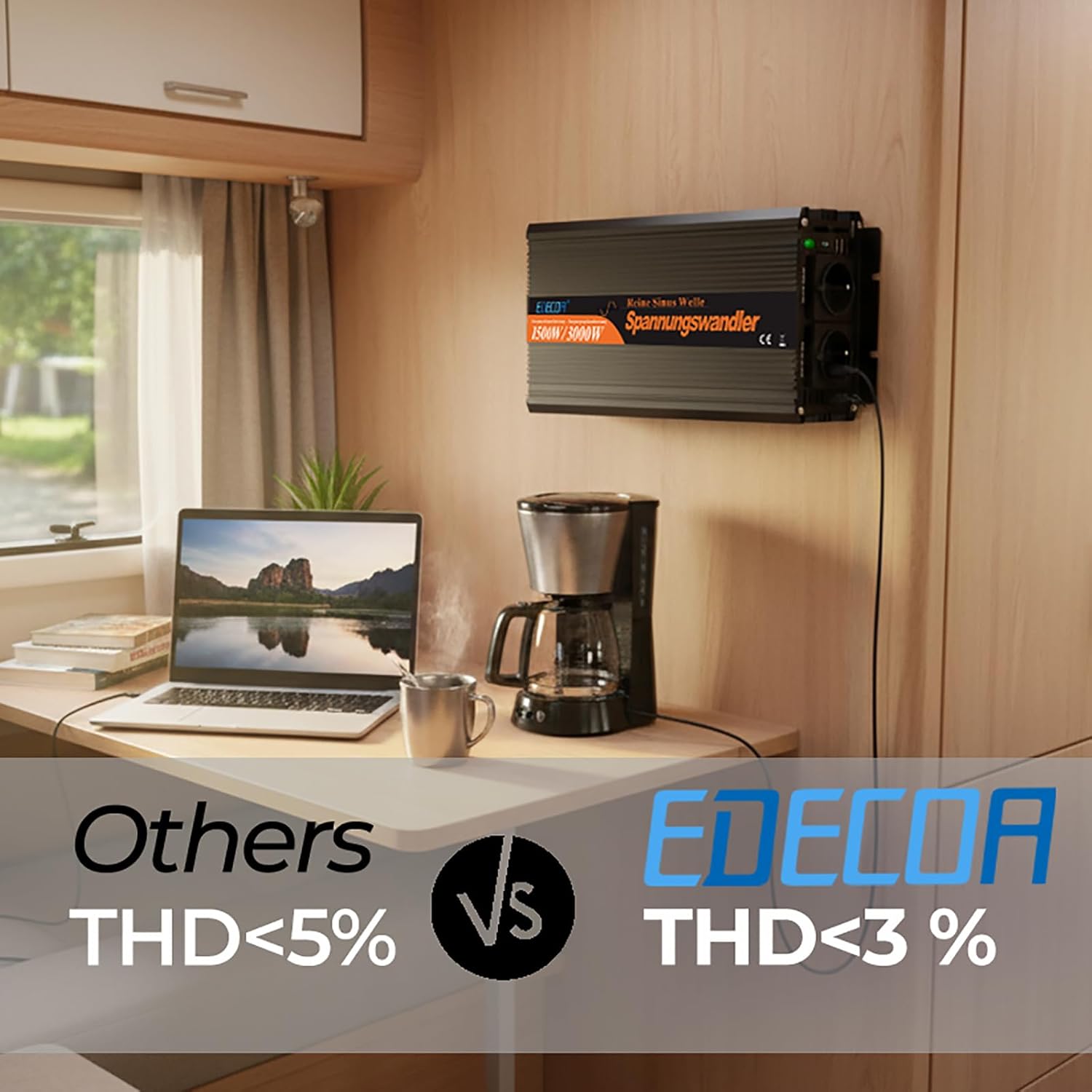
- Pure Sine Wave Output: This inverter provides a pure sine wave output, ensuring compatibility with sensitive electronics and appliances, delivering clean and stable power similar to grid electricity.
- Connecting AC Devices: Plug your 220V/230V AC devices into the AC outlets on the inverter. Ensure the total continuous power consumption of all connected devices does not exceed 1500W. The inverter can handle peak loads up to 3000W for short durations, typically during device startup.
- USB Charging: Utilize the two 5V/2.1A USB ports to charge your smartphones, tablets, and other USB-powered devices.
- Remote Control Functionality: The included remote control allows you to monitor battery percentage and voltage, and to switch the inverter ON/OFF from a distance.
- Intelligent Cooling Fans: The inverter features silent and intelligent cooling fans that activate automatically when the internal temperature reaches 45°C, ensuring optimal performance and preventing overheating.

5. Maintenance
To ensure the longevity and optimal performance of your EDECOA inverter, follow these maintenance guidelines:
- Keep Clean: Regularly clean the exterior of the inverter with a dry, soft cloth. Ensure ventilation openings are free from dust and debris. Do not use liquid cleaners.
- Check Connections: Periodically inspect all cable connections (battery, grounding, and AC output) to ensure they are tight and free from corrosion. Loose connections can cause overheating and damage.
- Environmental Conditions: Operate the inverter within its specified temperature and humidity ranges. Avoid exposing it to extreme temperatures, moisture, or corrosive environments.
- Battery Health: Maintain your 12V battery according to its manufacturer's recommendations. A healthy battery is crucial for inverter performance.
6. Troubleshooting
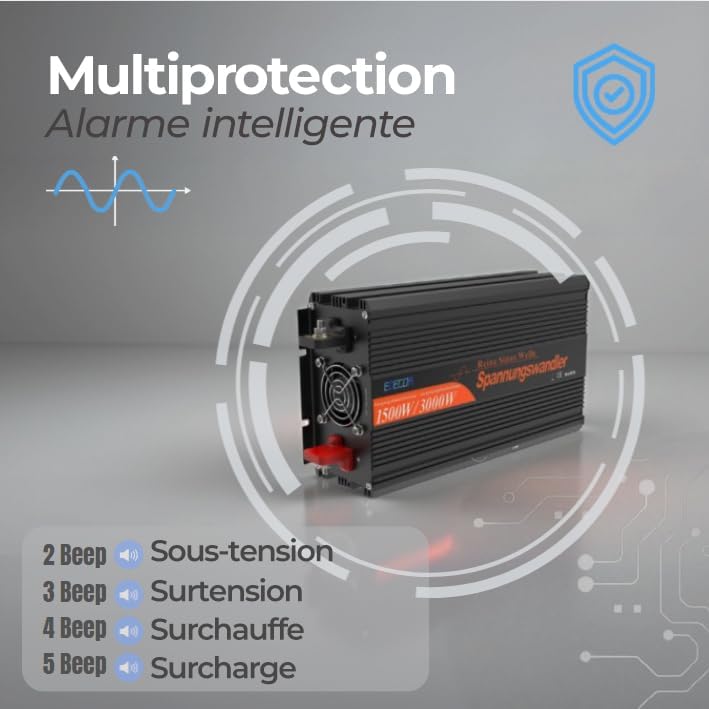
The EDECOA inverter is equipped with a multi-protection system and intelligent alarms to indicate potential issues. When the inverter enters a protection state, an alarm will sound, and the LED will flash to alert you.
Alarm Indicators and Solutions:
| Alarm Signal | Condition | Possible Cause | Solution |
|---|---|---|---|
| 2 Beeps | Low Voltage Protection | Battery voltage is too low. | Recharge or replace the battery. Check battery connections. |
| 3 Beeps | Overvoltage Protection | Battery voltage is too high. | Disconnect the inverter from the power source immediately. Check battery charging system. |
| 4 Beeps | Overheating Protection | Inverter internal temperature is too high. | Reduce load, ensure proper ventilation, allow inverter to cool down. Check cooling fans. |
| 5 Beeps | Overload Protection | Connected devices exceed the inverter's continuous power rating. | Reduce the total load by disconnecting some devices. Ensure total wattage is below 1500W. |
| Continuous Alarm | Short Circuit Protection | A short circuit has occurred at the output. | Immediately disconnect all AC devices. Check for faulty wiring or appliances. |
The inverter also features Automatic Voltage Regulation (AVR) and Intelligent Power Management (IPM) to optimize performance and recovery times, reducing interruptions.
7. Specifications
| Feature | Detail |
|---|---|
| Brand | EDECOA |
| Model Name | 12V Pure Sine Wave Inverter 1500W |
| Model Number | 12v 230v 1500w |
| Power (Continuous) | 1500 Watts |
| Peak Output Power | 3000 Watts |
| Input Voltage | 12 Volts DC |
| Output Voltage | 230 Volts AC |
| Output Waveform | Pure Sine Wave |
| Frequency | 50 Hz |
| Number of AC Outputs | 2 |
| USB Output | 2 ports, 5V/2.1A |
| Display Type | LCD |
| Product Dimensions (L x W x H) | 34L x 16.5W x 8.5H cm |
| Item Weight | 3.35 Kilograms |
| Recommended Uses | Vehicle, Camping, Off-grid installations |
| Power Source | Solar and Battery Powered |
| Battery Capacity (Example) | 145 Amp-hours |
| Country of Origin | China |
| Part Number | E1422101500R |
| UPC | 707273301772 |
8. Warranty and Support
Your EDECOA 1500W Pure Sine Wave Power Inverter comes with a 2 Year Limited Warranty. This warranty covers manufacturing defects and ensures the product meets its specified performance standards under normal use.
For technical support, warranty claims, or any questions regarding your inverter, please refer to the contact information provided in the original packaging or visit the official EDECOA website. Please have your model number (12v 230v 1500w) and purchase details ready when contacting support.
Spare parts availability is also guaranteed for 2 years.