
SKMEI 1068
SKMEI 1068 Digital Sport Watch
User Instruction Manual
1. Product Overview
The SKMEI 1068 is a durable digital sport watch designed for outdoor activities. It features a clear LED display, multiple functions including time, date, alarm, stopwatch, and EL backlight, all housed in a water-resistant case.
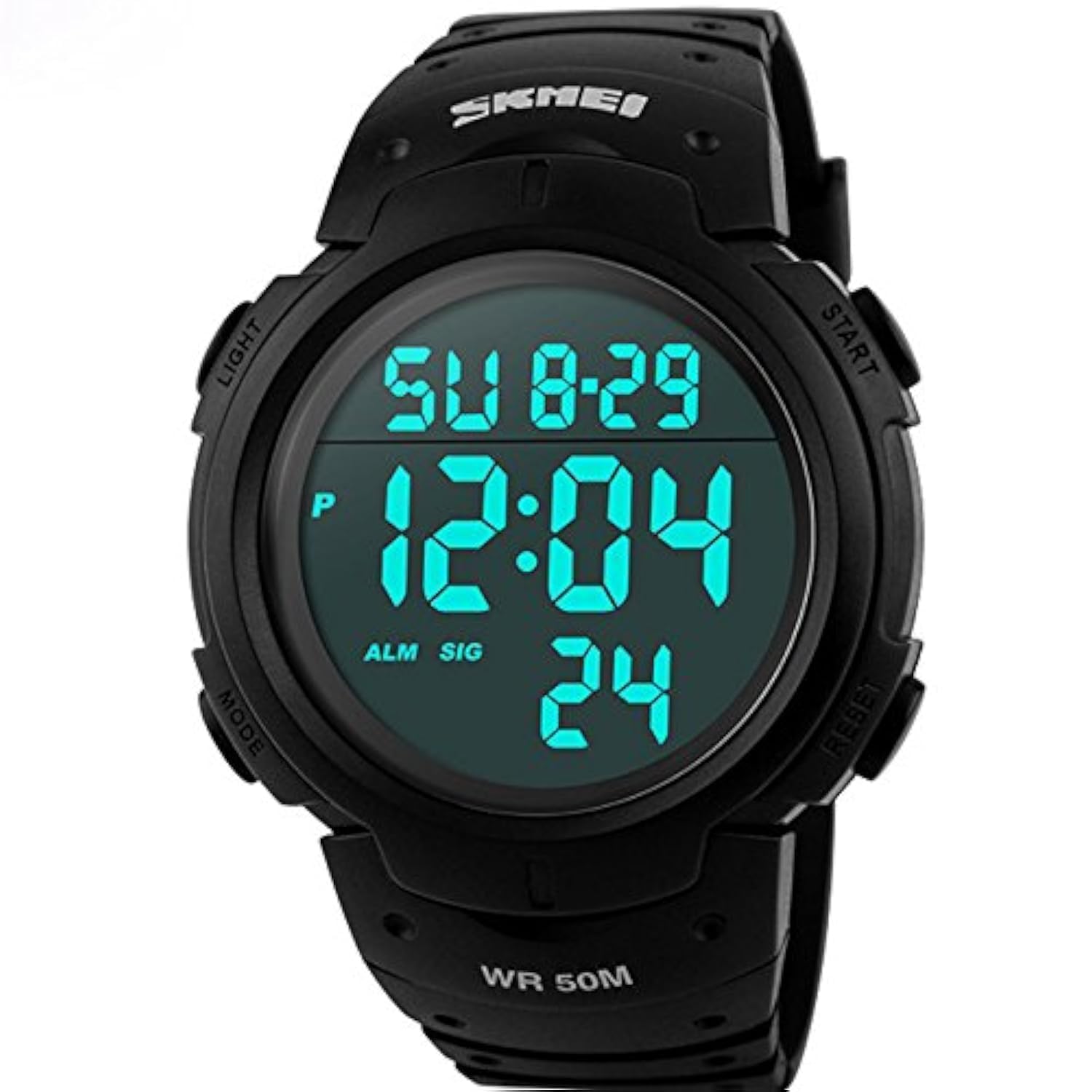
Image 1.1: Front view of the SKMEI 1068 Digital Sport Watch, highlighting its robust design and clear digital display.
2. Key Features
- Digital Display: Clear LED display for time, date, and other functions.
- EL Backlight: Electro-Luminescent backlight for visibility in low-light conditions.
- Stopwatch: Precise timing function for sports and activities.
- Alarm Clock: Daily alarm function.
- Day and Date Display: Shows current day of the week and date.
- Water Resistance: Rated for 50 meters (5ATM), suitable for daily use and short periods of swimming.
- Durable Construction: PC case material and rubber band for enhanced durability.
3. Setup and Basic Operation
The watch features four buttons: LIGHT (top-left), MODE (bottom-left), START (top-right), and RESET (bottom-right).
3.1 Setting Time and Date
- From the normal time display, press the MODE button three times to enter time setting mode. The seconds will begin to flash.
- Press the RESET button to cycle through the setting items: seconds → hour → minute → month → date → day of week.
- Use the START button to adjust the flashing value.
- Once all settings are complete, press the MODE button to return to the normal time display.
3.2 Using the EL Backlight
Press the LIGHT button (top-left) to illuminate the display for a few seconds. This feature is useful in dark environments.
3.3 Alarm Setting
- From the normal time display, press the MODE button twice to enter alarm setting mode. The hour digits will flash.
- Press the START button to adjust the hour.
- Press the RESET button to switch to minute setting.
- Press the START button to adjust the minutes.
- Press the MODE button to exit alarm setting mode.
- To turn the alarm on/off, in alarm mode, press the START button. An alarm icon (ALM) will appear/disappear on the display.
3.4 Stopwatch Function
- From the normal time display, press the MODE button once to enter stopwatch mode.
- Press the START button to begin timing.
- Press the START button again to pause timing.
- Press the RESET button to reset the stopwatch to zero.
- To record split times, press RESET while the stopwatch is running. The display will show the split time while the stopwatch continues to run in the background. Press RESET again to return to the running time.
- Press the MODE button to exit stopwatch mode.
4. Water Resistance Guidelines
The SKMEI 1068 watch is rated for 50 meters (5ATM) water resistance. This means it is suitable for:
- Daily use, such as hand washing and splashes.
- Showering (cold water recommended, avoid hot water and steam).
- Short periods of recreational swimming in shallow water.
Important:
- Do not press any buttons while the watch is submerged in water.
- Avoid exposure to hot water, steam, or extreme temperature changes, as this can compromise the water seals.
- Not suitable for diving, snorkeling, or high-impact water sports.
5. Maintenance and Care
- Cleaning: Wipe the watch regularly with a soft, dry cloth. For stubborn dirt, use a slightly damp cloth and mild soap, then dry thoroughly.
- Storage: Store the watch in a cool, dry place away from direct sunlight and extreme temperatures.
- Chemicals: Avoid contact with solvents, detergents, perfumes, and cosmetics, as these can damage the watch case and band.
- Battery Replacement: When the display dims or functions become erratic, the battery may need replacement. It is recommended to have the battery replaced by a qualified watch technician to ensure water resistance is maintained.
6. Troubleshooting
| Problem | Possible Cause | Solution |
|---|---|---|
| Display is blank or dim. | Low battery. | Replace the battery. |
| Buttons are unresponsive. | Watch may be in a locked mode or internal issue. | Try pressing all buttons firmly. If issue persists, a reset may be needed (consult a technician). |
| Water inside the watch. | Water resistance compromised (e.g., buttons pressed underwater, seal damage). | Immediately take the watch to a professional for inspection and repair to prevent further damage. |
| Time is incorrect. | Time not set correctly or accidental button press. | Re-set the time and date following Section 3.1. |
7. Specifications
- Model: SKMEI 1068
- Display Type: Digital (LED)
- Case Material: PC (Polycarbonate)
- Band Material: Rubber
- Clasp Type: Pin buckle (Tang Buckle)
- Water Resistance: 50 meters (5ATM)
- Dial Diameter: 5.1 cm / 2.00 inches
- Dial Thickness: 1.5 cm / 0.59 inches
- Product Dimensions (L x W x H): Approximately 21 x 5.1 x 1.5 cm / 8.25 x 2.00 x 0.59 inches
- Weight: Approximately 0.101 kg / 2.12 ounces
- Targeted Group: Unisex / Men
8. Warranty and Support
For warranty information and customer support, please refer to the documentation provided at the time of purchase or contact the seller/manufacturer directly. Keep your proof of purchase for any warranty claims.
Manufacturer: skmei
Related Documents - 1068
 |
SKMEI 1251 Digital Wrist Watch User Manual - Features & Operation Comprehensive user manual for the SKMEI 1251 digital wrist watch, detailing features like dual time, chronograph, alarm, countdown timer, and EL backlight. Includes operational instructions and specifications. |
 |
occkic Fashion Men's LED Sports Watch - User Manual and Specifications Detailed information on the occkic Fashion men's LED sports watch, including features, specifications, and operating instructions for time, date, and brightness settings. Features a luxury business style with a durable alloy case and rubber strap. |
 |
SKMEI 6-Digit Digital Watch: Operation Manual and Features This document provides the operation manual for the SKMEI 6-Digit digital watch, detailing its features, functions, and how to use various modes like Real Time, Date, Alarm, Dual Time, and Chronograph. |
 |
KXAITO Men's Watch Operation Manual User guide for KXAITO men's watches, covering features, operation, chronograph, alarm, and time/date settings. Learn to use your KXAITO watch for sports and daily activities. |
 |
SKMEI 1251 Digital Sport Watch - User Manual and Features Comprehensive user manual for the SKMEI 1251 digital sport watch, detailing features, operational modes, time setting, alarm, chronograph, dual time, and timer functions. |
 |
SKMEI 1736 Digital Sport Watch User Manual - Features and Operation Guide Comprehensive user manual for the SKMEI 1736 digital sport watch, detailing features, alarm functions, chronograph, dual time, and countdown timer operations. Learn how to set and use all functions of your SKMEI watch. |
Ask a question about this manual
Ask about setup, troubleshooting, compatibility, parts, safety, or missing instructions. Manuals+ will review the question and use this page’s manual context to help answer it.