
Introduction
This instruction manual provides essential information for the proper installation, maintenance, and use of your LifeSupplyUSA A1001B Replacement Air Filter. This filter is designed to be compatible with Bionaire Air Cleaner Models LC1060 and LE1160. Adhering to these instructions will help ensure optimal performance and longevity of your air purification system.
Product Overview
The LifeSupplyUSA A1001B is a dual filter cartridge designed to capture airborne particles and improve air quality. It is a disposable filter intended for regular replacement to maintain the efficiency of your compatible Bionaire air purifier.

Figure 1: The LifeSupplyUSA A1001B replacement air filter, shown in its packaging.
Specifications
| Feature | Detail |
|---|---|
| Model Number | A1001B |
| Compatibility | Bionaire Air Cleaner Models LC1060, LE1160 |
| Dimensions (L x W x H) | 33.02 cm x 12.7 cm x 10.16 cm (approx. 13 in x 5 in x 4 in) |
| Reusability | Disposable |
| Number of Pieces | 1 (Dual Filter Cartridge) |
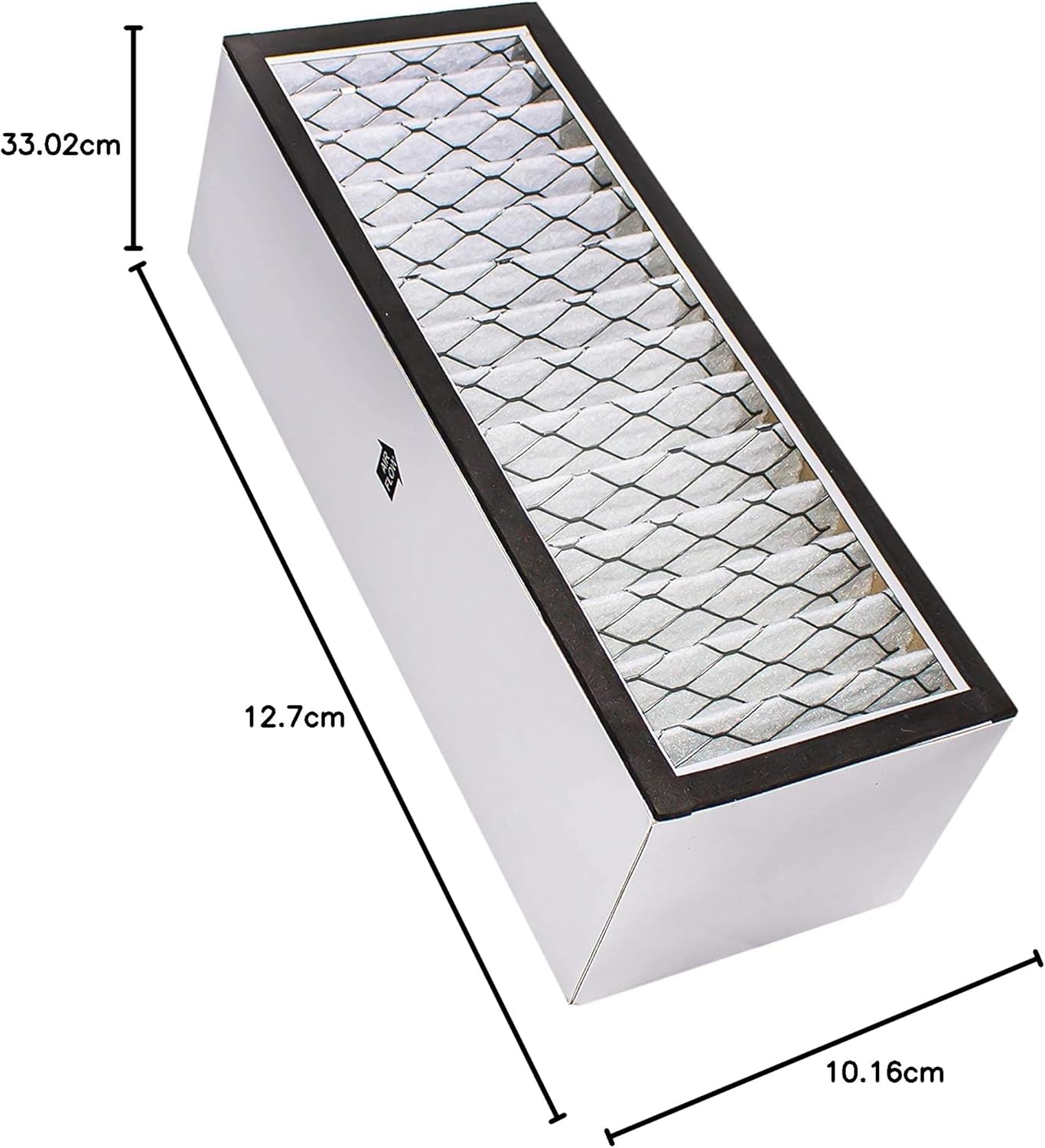
Figure 2: The A1001B filter showing its approximate dimensions: 33.02 cm length, 12.7 cm width, and 10.16 cm height.
Installation: Filter Replacement
Follow these steps to replace the air filter in your Bionaire LC1060 or LE1160 air purifier. Always refer to your air purifier's original manual for specific instructions regarding opening the unit.
- Power Off and Unplug: Before beginning, ensure the air purifier is turned off and unplugged from the electrical outlet to prevent electric shock.
- Access Filter Compartment: Locate and open the filter compartment on your Bionaire air purifier. This usually involves removing a front or back cover. Consult your air purifier's manual if you are unsure.
- Remove Old Filter: Carefully remove the used filter cartridge. Dispose of the old filter according to local regulations.
- Prepare New Filter: Unpack the new LifeSupplyUSA A1001B replacement filter. Observe the "AIR FLOW" indicators on the filter. These arrows indicate the direction air should flow through the filter.
- Insert New Filter: Insert the new filter into the compartment, ensuring the "AIR FLOW" arrows match the airflow direction of your air purifier. Typically, air flows from the intake grill, through the filter, and out the exhaust. The pleated side of the filter is the primary filtration surface.
- Close Compartment: Securely close the filter compartment cover.
- Restore Power: Plug the air purifier back into the electrical outlet and turn it on.
- Reset Filter Indicator (if applicable): If your air purifier has a filter replacement indicator light, follow your unit's instructions to reset it.
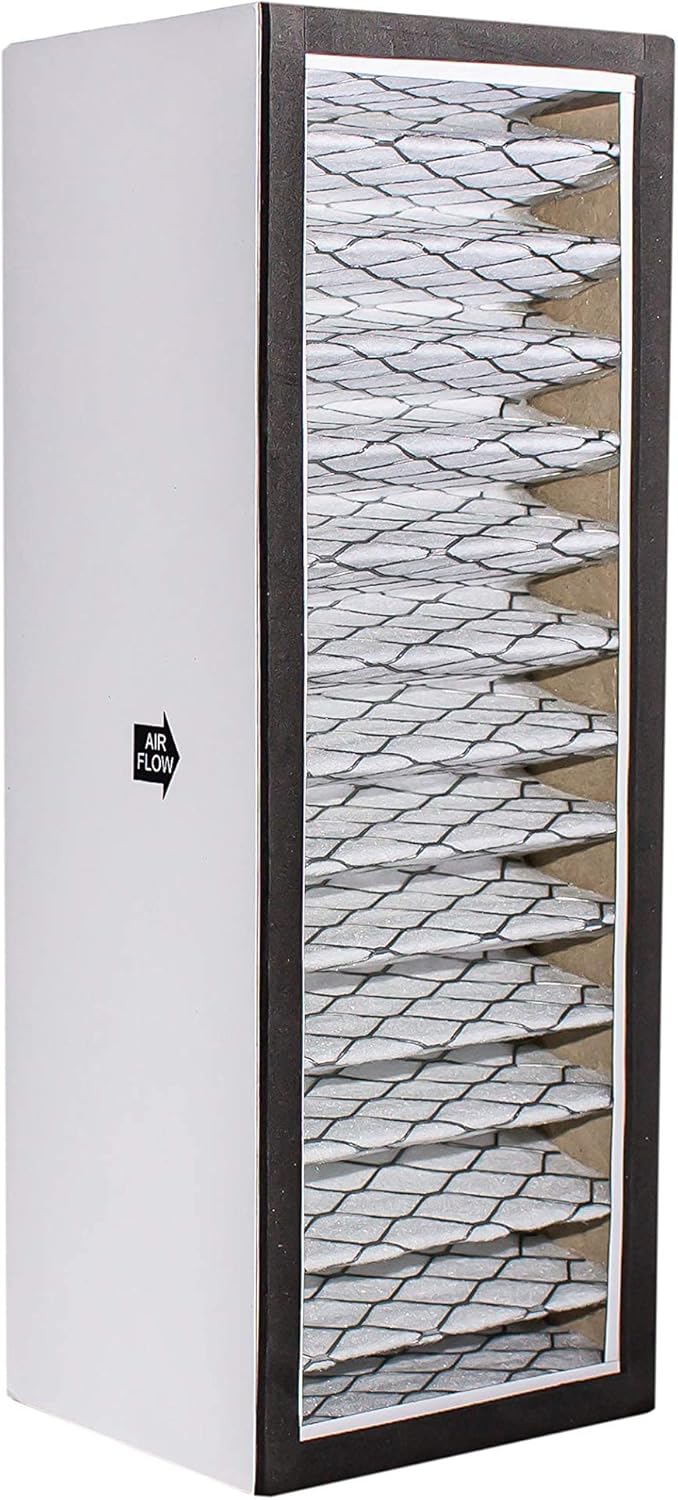
Figure 3: Side view of the filter, highlighting the "AIR FLOW" arrow indicating the correct direction for air passage.

Figure 4: Top view of the filter, also showing the "AIR FLOW" arrow for proper orientation.

Figure 5: Close-up side view of the filter, showing the pleated filtration material.

Figure 6: Top view of the filter, illustrating the uniform pleated structure of the filtration media.
Maintenance
The LifeSupplyUSA A1001B filter is a disposable component and cannot be washed or cleaned for reuse. For optimal performance of your air purifier, it is recommended to replace the filter every 6 to 12 months, or more frequently depending on usage and air quality conditions. Factors such as pet dander, smoke, and high levels of dust can necessitate more frequent replacement.
- Regular Inspection: Periodically check the filter for visible signs of dirt and debris accumulation.
- Replacement Schedule: Mark your calendar or set a reminder for filter replacement based on your usage patterns.
Troubleshooting
If you experience issues after replacing your filter, consider the following:
- Reduced Airflow: Ensure the filter is installed correctly with the "AIR FLOW" arrows pointing in the proper direction. A clogged filter (if it's been in use for a while) will also reduce airflow.
- Unusual Odors: A new filter may have a slight initial odor that dissipates quickly. If persistent, ensure the filter is correctly seated and that there are no other sources of odor within the air purifier or its environment.
- Filter Indicator Light Remains On: If your air purifier has a filter reset button, ensure you have followed the manufacturer's instructions to reset it after installing the new filter.
Support
For further assistance or inquiries regarding the LifeSupplyUSA A1001B Replacement Air Filter, please contact LifeSupplyUSA customer support through their official website or the retailer where the product was purchased. Please have your product model number (A1001B) and compatible air purifier model (Bionaire LC1060 or LE1160) available when contacting support.