
OFFICE FACTOR OF-2002
OFFICE FACTOR Executive Ergonomic Office Chair OF-2002 User Manual
Model: OF-2002
Introduction
This manual provides instructions for the assembly, operation, maintenance, and troubleshooting of your OFFICE FACTOR Executive Ergonomic Office Chair, Model OF-2002. Please read this manual thoroughly before assembly and use to ensure proper function and safety.
Safety Information
For safe use, please follow these instructions:
- Ensure proper assembly for chair stability.
- This chair has a weight capacity of 250 lbs (115 kg) and is recommended for adult use only.
- Use on stable, even surfaces to prevent tipping.
- Be cautious when using adjustable features such as height, tilt, and flip-up arms to avoid injury.
- Refer to the assembly instructions and user manual for detailed safety information.
Setup and Assembly
The OFFICE FACTOR Executive Ergonomic Office Chair is designed for straightforward assembly. It is recommended to assemble the chair on a soft, clean surface to prevent damage.
Components Checklist:
- Chair Back (Mesh)
- Seat Cushion (Bonded Leather)
- Armrests (Flip-up)
- Gas Lift Cylinder
- Star Base (5-pronged, chrome plated)
- Casters (Wheels)
- Mechanism Plate
- Hardware (Screws, Allen Wrench)
Assembly Steps:
- Attach Casters to Base: Insert each caster into the holes at the end of each leg of the star base until securely seated.
- Insert Gas Lift: Place the gas lift cylinder into the center hole of the star base.
- Attach Mechanism Plate to Seat: Align the mechanism plate with the pre-drilled holes on the underside of the seat cushion. Secure with screws using the provided Allen wrench. Ensure the front of the mechanism faces the front of the seat.
- Attach Armrests to Seat and Back: Secure the armrests to the sides of the seat cushion and then to the chair back using the appropriate screws. Ensure they are firmly attached.
- Connect Seat Assembly to Gas Lift: Carefully place the assembled seat and back onto the gas lift cylinder, ensuring the tapered end of the gas lift fits securely into the mechanism plate.

Image: Exploded view of chair components, illustrating the assembly process.
Operating Instructions
Your OFFICE FACTOR Executive Ergonomic Office Chair features several adjustments to customize your seating experience.
1. Height Adjustment
To adjust the chair's height:
- To raise: While seated, lift the height adjustment lever (typically on the right side, under the seat) and slightly lift your weight off the seat. The chair will rise. Release the lever at the desired height.
- To lower: While seated, lift the height adjustment lever and apply your weight to the seat. The chair will lower. Release the lever at the desired height.
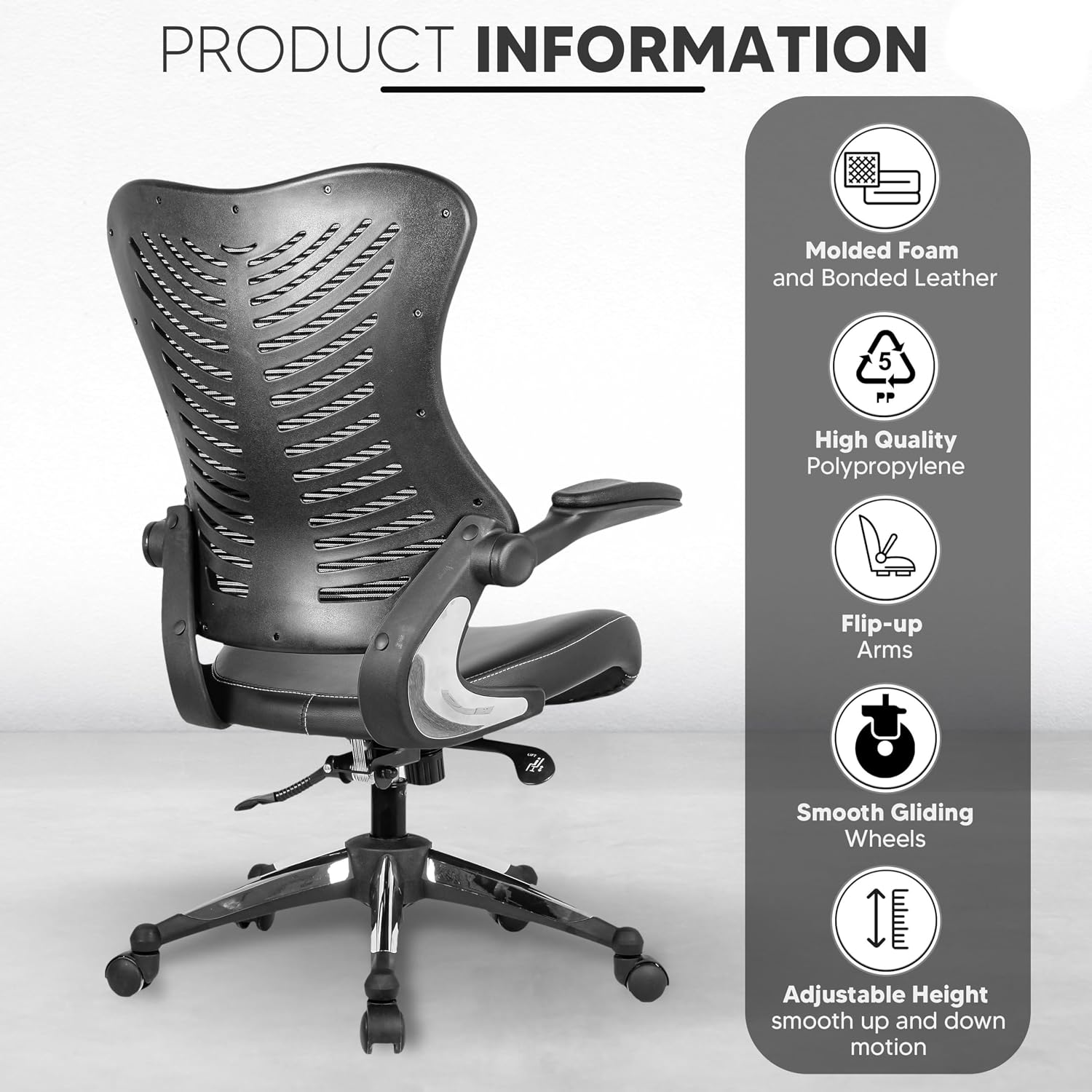
Image: Illustration of the height adjustment lever and its function.
2. Tilt and Tilt Lock
The chair features a back tilt adjustment with four lockable positions.
- To recline: Pull out the tilt lock lever (often the same lever as height adjustment, or a separate one on the left). Lean back to recline.
- To lock tilt: Once at the desired recline angle, push the tilt lock lever in to lock the backrest in position.
- To unlock tilt: Pull the tilt lock lever out. The backrest will return to its upright position or allow free reclining.
3. Flip-Up Armrests
The armrests can be flipped up to allow closer access to your desk or to provide more space when not in use.
- To flip up the armrests, simply lift them upwards until they lock into a vertical position.
- To return them to the down position, gently pull them down.
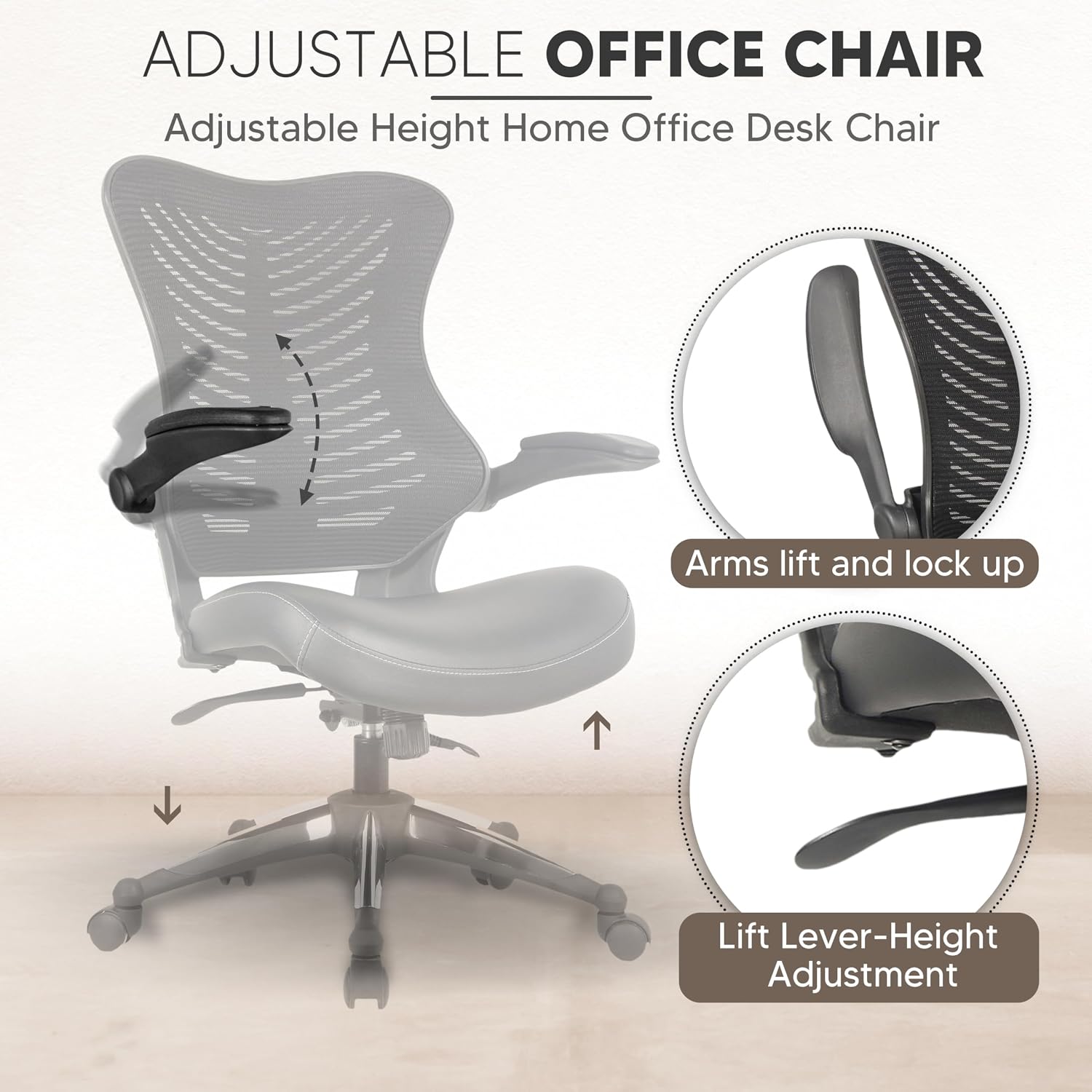
Image: The chair demonstrating its flip-up armrest feature.
4. Lumbar Support
The chair features an integrated lumbar support curve designed to promote proper spinal alignment.

Image: Close-up of the chair's mesh backrest highlighting the lumbar support curve.
Maintenance
Proper care will extend the life and appearance of your OFFICE FACTOR chair.
- Cleaning: Wipe clean with a damp cloth. Avoid harsh chemicals or abrasive cleaners, especially on bonded leather and mesh surfaces.
- Inspection: Periodically check all screws and bolts to ensure they are tight. Re-tighten if necessary to maintain stability and prevent squeaking.
- Casters: Keep casters free of debris (hair, dust) to ensure smooth movement.
Troubleshooting
If you encounter any issues with your chair, refer to the following common solutions:
| Problem | Possible Cause | Solution |
|---|---|---|
| Chair wobbles or is unstable. | Loose screws or uneven assembly. | Check and tighten all assembly screws. Ensure the chair is on a flat surface. |
| Chair does not adjust height. | Gas lift cylinder malfunction or lever not engaged. | Ensure the height adjustment lever is fully engaged. If the issue persists, the gas lift may need replacement. Contact customer support. |
| Squeaking noises. | Loose connections or friction between parts. | Tighten all screws. Apply a small amount of silicone lubricant to moving parts if necessary, avoiding contact with upholstery. |
| Casters do not roll smoothly. | Debris caught in casters. | Remove any hair, dust, or debris from the caster wheels. |
Specifications
| Brand | OFFICE FACTOR |
| Model Name | OF-2002 |
| Color | Black Leather Seat |
| Product Dimensions (D x W x H) | 25"D x 28"W x 39"H (63.5D x 71.12W x 111.76H cm) |
| Item Weight | 34 pounds (15.4 kg) |
| Maximum Weight Recommendation | 250 Pounds (115 kg) |
| Back Style | Mesh lumbar support |
| Special Features | Adjustable Height, Flip-Up Armrests, 4-Position Tilt Lock |
| Seat Material | Bonded Leather, Molded Foam (55 Kg density) |
| Base Movement | Swivel |
| Recommended Uses | Office, Home Office |

Image: Detailed product dimensions for the OfficeFactor Executive Ergonomic Office Chair.
Warranty and Support
For warranty information or technical support, please contact OFFICE FACTOR customer service. Details are typically provided with your purchase documentation or on the official OFFICE FACTOR website.
Contact Information: Refer to your purchase receipt or the manufacturer's website for the most current contact details.
Ask a question about this manual
Ask about setup, troubleshooting, compatibility, parts, safety, or missing instructions. Manuals+ will review the question and use this page’s manual context to help answer it.