
1. Introduction
The Glide Gear TMP 100 Teleprompter is designed to assist users in delivering presentations, videos, and live streams with confidence and natural eye contact. This device reflects text from a tablet or smartphone onto a specialized beam splitter glass, allowing the speaker to read a script while looking directly into the camera lens. Its robust construction and versatile compatibility make it suitable for various production environments.
2. Package Contents
Verify that all components are present in the package:
- Glide Gear TMP 100 Teleprompter Unit
- Protective Hood
- 70/30 Beam Splitter Glass
- Camera Mounting Plate
- Tablet/Smartphone Tray
- Lens Adapter Rings (various sizes)
- Carry Case
- Instruction Manual

Image: The Glide Gear TMP 100 Teleprompter components, including the main unit and its dedicated carry case, laid out for inspection.
3. Setup Instructions
Follow these steps to assemble and prepare your teleprompter for use:
- Attach to Tripod: Secure the teleprompter base to a sturdy tripod using the 1/4"-20 or 3/8"-16 mounting threads. Ensure the connection is tight and stable.
- Install Camera: Mount your DSLR, mirrorless, or webcam camera onto the camera mounting plate. Adjust the plate's position to align the camera lens with the opening in the teleprompter's hood. Use the provided lens adapter rings if necessary to prevent light leakage around the lens.
- Insert Tablet/Smartphone: Extend the adjustable tablet/smartphone tray and securely place your device (up to 10.5"x 8") onto it. Ensure the screen is facing upwards towards the beam splitter glass.
- Position Beam Splitter Glass: Carefully position the 70/30 beam splitter glass within the teleprompter unit. Ensure it is clean and free of smudges for optimal clarity.
- Attach Protective Hood: Secure the protective hood around the teleprompter unit and camera lens. This minimizes glare and external light interference, enhancing script visibility.

Image: A fully assembled Glide Gear TMP 100 Teleprompter mounted on a tripod, with a camera and tablet in position.
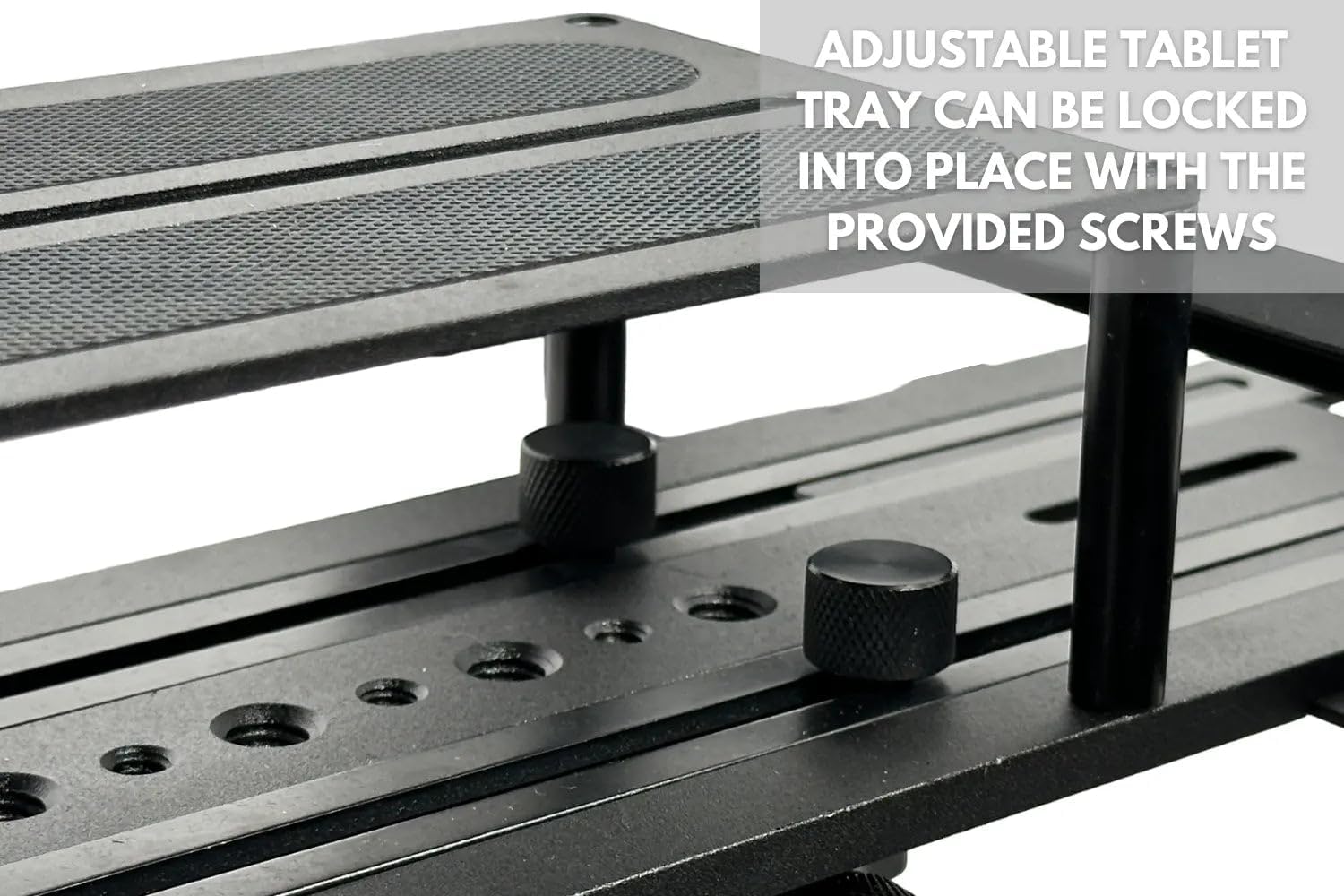
Image: A detailed view of the adjustable tablet tray, showing how a tablet can be securely placed for script display.
4. Operating Instructions
To operate your Glide Gear TMP 100 Teleprompter:
- Prepare Your Script: Use any teleprompter application on your tablet or smartphone that supports a "Mirror Text" function. Input or import your script into the app.
- Activate Mirror Mode: Within your chosen teleprompter app, activate the "Mirror Text" function. This will flip the text horizontally so it appears correctly when reflected by the beam splitter glass.
- Adjust Text Speed and Size: Start the script scrolling in your app. Adjust the scrolling speed and text size to match your reading pace and comfort level. This ensures a natural delivery while maintaining eye contact with the camera.
- Monitor Performance: Record your video while reading the script. Review the footage to fine-tune your reading speed, inflection, and overall presentation.

Image: A person demonstrating the use of the teleprompter with a smartphone acting as the camera, showing the reflected script.
5. Compatibility
The TMP 100 Teleprompter offers wide device compatibility:
- Tablets & Smartphones: Accommodates devices up to 10.5"x 8". This includes iPad Air, iPad Mini, and original iPad (all generations). Note: It does not fit the iPad Pro.
- Cameras: Compatible with DSLR, mirrorless, and most webcam cameras.
- Apps: Works with any teleprompter app featuring a "Mirror Text" function (app not included).

Image: A visual guide illustrating the compatible tablet sizes for the teleprompter, highlighting that iPad Pro is not supported.
6. Features & Components
Key features and components of the TMP 100 Teleprompter include:
- Professional-Grade Beam Splitter Glass: 70/30 beam splitter glass provides a clear reflection of your script while maintaining excellent camera clarity.
- Durable Construction: Constructed with robust 6061 aluminum for longevity and stability.
- Collapsible Design: Allows for easy transport and storage, fitting conveniently into the included carry bag.
- Versatile Mounting Options: Includes tripod mounting threads (1/4"-20, 3/8"-16) and accessory mounting options for lights and microphones (sold separately).
- Protective Hood: Shields your screen from glare and external factors, ensuring optimal visibility of the script.
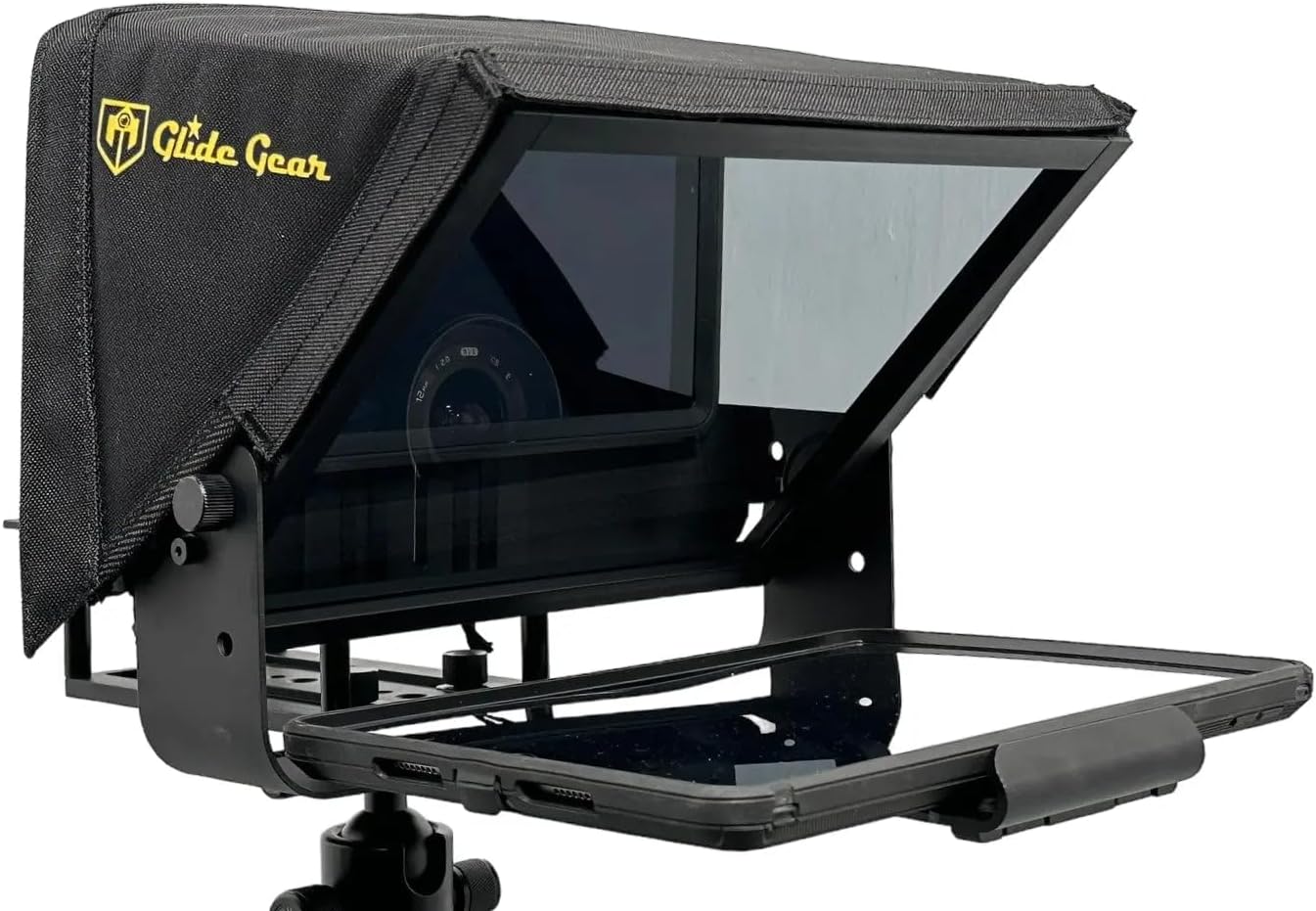
Image: The front view of the teleprompter, highlighting the transparent beam splitter glass where the script is reflected.
7. Specifications
| Specification | Detail |
|---|---|
| Model Number | TMP100 |
| Product Dimensions | 14.6 x 14.2 x 4.7 inches (37.1 x 36.1 x 11.9 cm) |
| Item Weight | 5 pounds (2.27 kg) |
| Folded Size | 60cm x 60cm x 20cm |
| Beam Splitter Glass | 70/30 (Transparency/Reflection) |
| Material | 6061 Aluminum |
| Tripod Mounting Threads | 1/4"-20, 3/8"-16 |
| Compatible Tablet/Smartphone Size | Up to 10.5"x 8" (excluding iPad Pro) |
8. Maintenance
Proper maintenance ensures the longevity and optimal performance of your teleprompter:
- Cleaning the Glass: Use a microfiber cloth and a specialized glass cleaning solution (or distilled water) to gently wipe the beam splitter glass. Avoid abrasive materials that could scratch the surface.
- Cleaning the Unit: Wipe down the aluminum frame and protective hood with a soft, damp cloth. Ensure all parts are dry before storage.
- Storage: When not in use, store the teleprompter in its provided carry case to protect it from dust, scratches, and impacts. Ensure the unit is fully collapsed and secured within the foam inserts.
- Handling: Always handle the teleprompter with care, especially the glass component, to prevent damage.
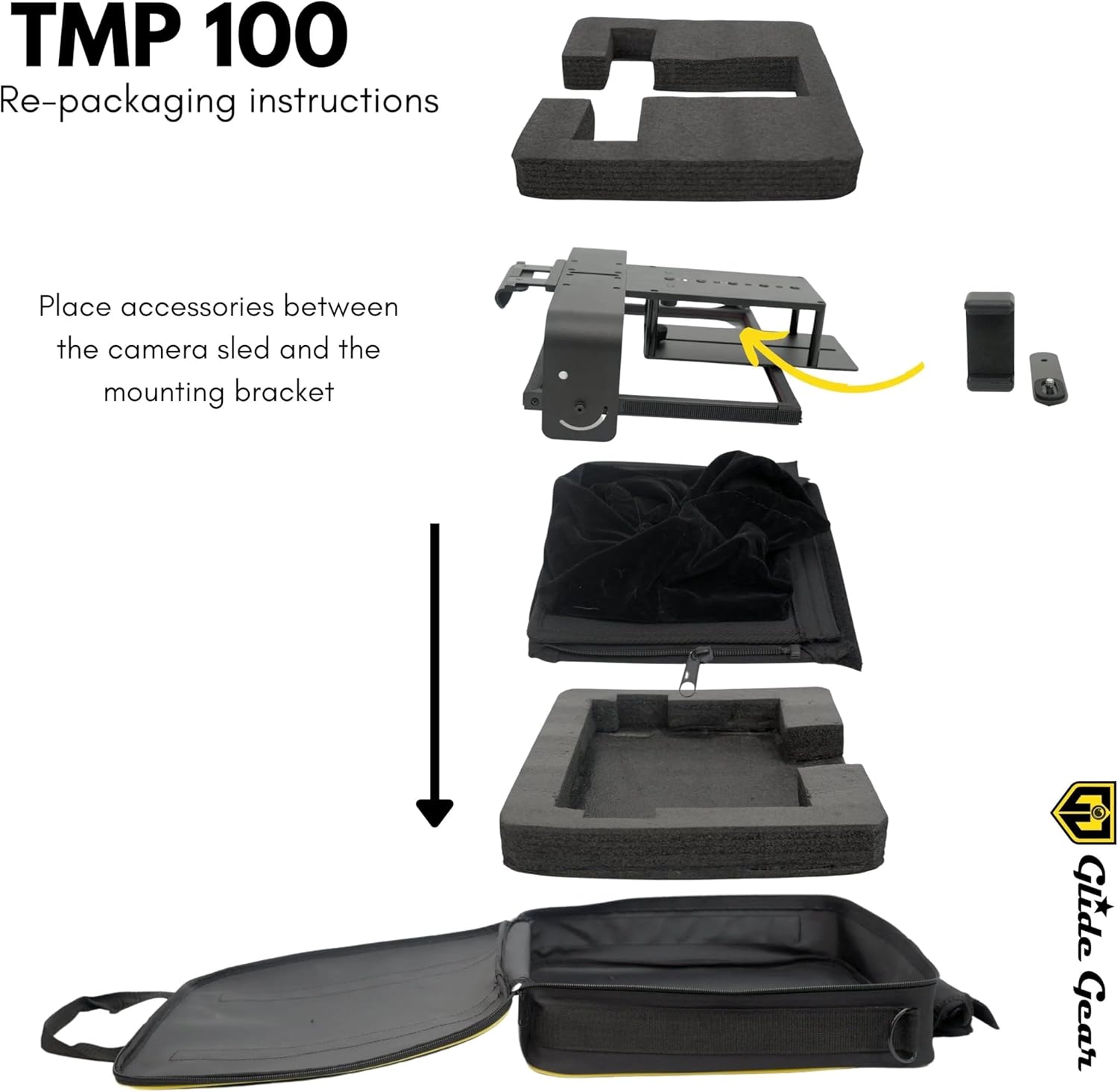
Image: A visual guide demonstrating the correct method for disassembling and repacking the teleprompter components into its carry case for safe storage.
9. Troubleshooting
If you encounter issues with your teleprompter, refer to the following common solutions:
- Text Appears Backwards: Ensure the "Mirror Text" function is activated within your teleprompter application. This flips the text horizontally for correct reflection.
- Glare on Screen: Verify that the protective hood is properly installed and adjusted. Minimize direct light sources hitting the beam splitter glass.
- Camera View Obscured: Check that the camera lens is correctly aligned with the opening in the hood and that no part of the teleprompter frame or tablet is blocking the lens. Adjust the camera mounting plate as needed.
- Unstable Setup: Ensure the teleprompter is securely mounted to a sturdy tripod and all locking mechanisms are tightened.
- Tablet/Smartphone Not Fitting: Confirm your device's dimensions are within the specified compatibility (up to 10.5"x 8"). Adjust the tablet tray's extendable arms to fit your device snugly.
10. Warranty and Support
For warranty information, technical support, or service inquiries, please refer to the contact details provided by Glide Gear at the time of purchase or visit their official website. Keep your proof of purchase for any warranty claims.


