
Introduction
Thank you for choosing the Bally Total Fitness BLS-7302 BLK Digital Bathroom Scale. This scale is designed to provide accurate weight measurements with ease of use. Featuring high-precision sensors and a durable tempered glass platform, it offers a reliable way to monitor your weight. Please read this manual thoroughly before use to ensure proper operation and maintenance.

Image: The Bally Total Fitness BLS-7302 BLK Digital Bathroom Scale, showcasing its black tempered glass platform with a geometric pattern and the digital display.
Product Features
- High-Precision Sensors: Equipped with advanced sensors for accurate weight readings.
- Large Capacity: Supports weights up to 400 pounds (approximately 180 kg).
- Easy-to-Read LCD Display: Features a 2.6-inch LCD display with a backlight for clear visibility.
- Durable Platform: Constructed with a tempered glass platform for safety and longevity.
- Step-On Technology: Automatically turns on and measures weight upon stepping on the scale.
Setup
- Unpack the Scale: Carefully remove the scale from its packaging.
- Battery Installation: Locate the battery compartment on the underside of the scale. If present, remove any plastic insulation strip from the battery contacts. Ensure batteries (typically AAA, not always included) are inserted with correct polarity (+/-).
- Placement: Place the scale on a hard, flat, and stable surface. Avoid carpets or uneven flooring, as this can affect accuracy.
- Initial Calibration (First Use): For the first use or after moving the scale, step on the scale briefly until a reading appears, then step off. The scale will display '0.0' or 'CAL' and then turn off. This calibrates the scale for accurate subsequent readings.
Operating Instructions
- Step On: Gently step onto the center of the scale with bare feet. The scale will automatically turn on due to its 'Step-On' technology.
- Stand Still: Stand still and centered on the scale. Your weight will be displayed on the LCD screen.
- Read Measurement: Wait for the reading to stabilize and flash a few times before stepping off. This indicates the final measurement.
- Automatic Shut-off: The scale will automatically turn off after a few seconds of inactivity to conserve battery life.
Important Notes for Accurate Readings:
- Always use the scale on a firm, flat surface.
- Weigh yourself at the same time each day, preferably in the morning before breakfast and after using the restroom.
- Remove heavy clothing and footwear for the most accurate results.
Maintenance and Care
- Cleaning: Clean the scale's surface with a soft, damp cloth and mild detergent. Do not use abrasive cleaners or immerse the scale in water.
- Storage: Store the scale in a cool, dry place. Avoid extreme temperatures or high humidity.
- Battery Replacement: If the display shows 'Lo' or becomes dim, it's time to replace the batteries. Always replace all batteries at the same time with new ones of the same type.
- Avoid Impact: Do not drop the scale or subject it to strong impacts, as this can damage the sensors or the glass platform.
Troubleshooting
- 'Lo' Display: Indicates low battery. Replace the batteries.
- 'Err' Display: Indicates overload (weight exceeds 400 lbs) or a measurement error. Step off the scale, wait a few seconds, and try again. Ensure the scale is on a flat, stable surface.
- Inaccurate Readings:
- Ensure the scale is on a hard, flat surface, not carpet.
- Perform initial calibration by stepping on and off the scale once.
- Ensure you are standing still and centered on the scale.
- Check for any obstructions under the scale.
- No Display: Check if batteries are correctly installed and not depleted. If the issue persists, try new batteries.
Specifications
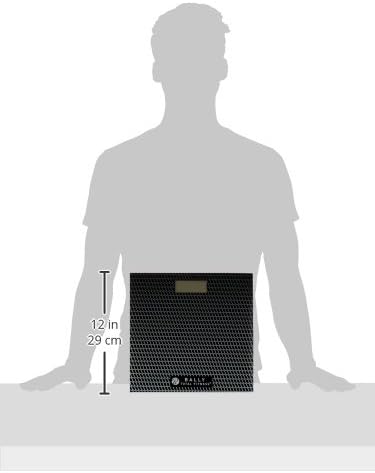
Image: The Bally Total Fitness BLS-7302 BLK Digital Bathroom Scale with measurement markings indicating its dimensions.
| Feature | Detail |
|---|---|
| Brand | Bally Total Fitness |
| Model Number | BLS-7302 BLK |
| Colour | Black |
| Product Dimensions | 33.02 x 5.08 x 34.29 cm |
| Maximum Weight Capacity | 400 Pounds (approx. 180 kg) |
| Material | Tempered Glass |
| Special Features | Backlit Display, Step On technology, High-precision sensors |
| Item Weight | 1.72 kg |
| Display Type | LCD |
Warranty and Support
This product is typically covered by a manufacturer's warranty. Please refer to the packaging or contact Bally Total Fitness customer support for specific warranty details and terms.
For technical assistance, troubleshooting beyond this manual, or to inquire about replacement parts, please contact Bally Total Fitness customer service. Contact information can usually be found on the product packaging or the official Bally Total Fitness website.


