
Introduction
The Westek SW103CT Outdoor Swivel Photo Control is designed to automate your outdoor lighting. This device utilizes a photocell sensor to detect ambient light levels, automatically turning connected lights on at dusk and off at dawn. This manual provides essential information for safe installation, proper operation, and maintenance of your photo control unit.
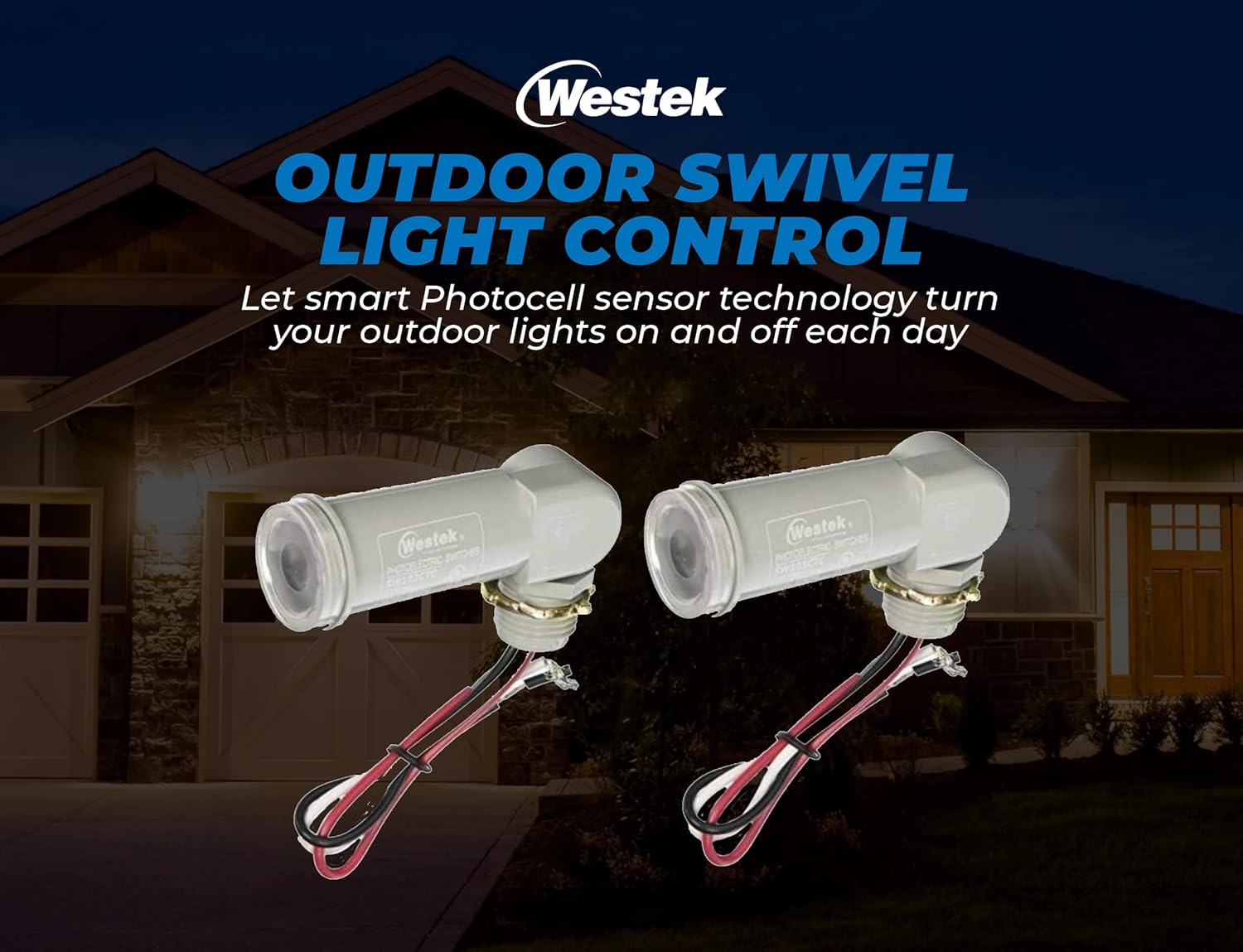
Image: Two Westek SW103CT Outdoor Swivel Photo Controls, illustrating the product's appearance and wiring.
Safety Information
- WARNING: Risk of Electric Shock. Disconnect power at the circuit breaker or fuse box before installation or servicing.
- Installation should be performed by a qualified electrician or a person with electrical knowledge.
- Ensure all wiring connections are secure and comply with local electrical codes.
- This product is designed for outdoor use. While the sensor itself is described as weather-proof, ensure all electrical connections are properly sealed and protected from direct water exposure to prevent damage and ensure safety. The product is not submersible.
- Do not exceed the maximum wattage rating of 150 watts for connected lighting.
- Operate only within the specified voltage range (2 Volts, typically 120V AC for household applications, please verify your specific application voltage).
Package Contents
Verify that all components are present before beginning installation:
- Westek SW103CT Outdoor Swivel Photo Control (2 units)
- Mounting Hardware
Specifications
| Brand | Westek |
| Model Number | SW103CT |
| Material | Plastic |
| Indoor/Outdoor Usage | Outdoor |
| Power Source | Corded Electric |
| Voltage | 2 Volts (Note: This typically refers to the control voltage, not line voltage. Standard line voltage for such devices is 120V AC. Consult product packaging for exact operating voltage.) |
| Wattage | 150 watts (Maximum) |
| Light Source Compatibility | Fluorescent, LED, Incandescent, Halogen |
| Item Dimensions (L x W x H) | 6.75"L x 4"W x 2.5"H |
| Item Weight | 5.6 ounces |

Image: Key features of the Westek SW103CT, highlighting the photocell sensor, swivel adjustment, and weatherproof construction.
Installation
Before you begin: Ensure power is disconnected at the circuit breaker. Failure to do so may result in serious injury or death.
- Prepare Wiring: The photo control unit comes with 6-inch pre-stripped leads for easy connection.
- Mounting: The unit connects directly to a standard 1/2-inch pipe thread electrical box. Secure the photo control to the electrical box using the provided mounting hardware.
- Wiring Connections: Connect the photo control wires to your electrical system as follows:
- Black Wire: Connect to the incoming Line (Hot) wire from your power source.
- White Wire: Connect to the Neutral wire from your power source and to the neutral wire of your light fixture.
- Red Wire: Connect to the Load (Hot) wire of your outdoor light fixture.
- Positioning: The swivel feature allows for optimal light positioning of the photocell sensor. Aim the sensor away from direct artificial light sources (e.g., porch lights, streetlights) that could interfere with its operation. Ensure it has clear exposure to natural daylight.
- Restore Power: Once installation is complete and all connections are secure, restore power at the circuit breaker.

Image: Westek SW103CT photo control with visible wiring for electrical connection.

Image: Installation details for the Westek SW103CT, showing connection to an electrical box and maximum wattage.
Operation
The Westek SW103CT Photo Control operates automatically based on ambient light levels:
- Dusk Activation: When natural light diminishes to a certain level (dusk), the photocell sensor will activate, turning on the connected outdoor lights.
- Dawn Deactivation: As natural light increases to a sufficient level (dawn), the photocell sensor will deactivate, turning off the connected outdoor lights.
- Time Delay: The unit incorporates a time delay feature to prevent nuisance flickering or false activation/deactivation due to transient light changes (e.g., car headlights, lightning).
Maintenance
To ensure optimal performance and longevity of your photo control unit:
- Clean Sensor: Periodically inspect the photocell sensor lens for dirt, dust, or debris. Gently wipe it clean with a soft, damp cloth. Do not use abrasive cleaners.
- Inspect Connections: Annually, or if issues arise, inspect all electrical connections for corrosion or looseness. Ensure they remain secure and properly insulated.
- Clear Obstructions: Ensure no new obstructions (e.g., growing foliage, new structures) are blocking the sensor's exposure to natural light.
Troubleshooting
| Problem | Possible Cause | Solution |
|---|---|---|
| Lights do not turn on at dusk. |
|
|
| Lights do not turn off at dawn. |
|
|
| Lights flicker or cycle on/off rapidly. |
|
|
Warranty and Support
For warranty information, technical support, or replacement parts, please contact Westek customer service. Keep your purchase receipt as proof of purchase.
Manufacturer: American Tack
Website: Visit the Westek Store on Amazon