
Introduction
The Lady-Comp Fertility Monitor Model 4002 is a non-invasive, hormone-free device designed to help you understand your menstrual cycle and identify fertile and non-fertile days. By tracking your daily basal body temperature (BBT), the device provides accurate insights into your reproductive health. This manual provides essential information for the proper setup, operation, maintenance, and understanding of your Lady-Comp device.
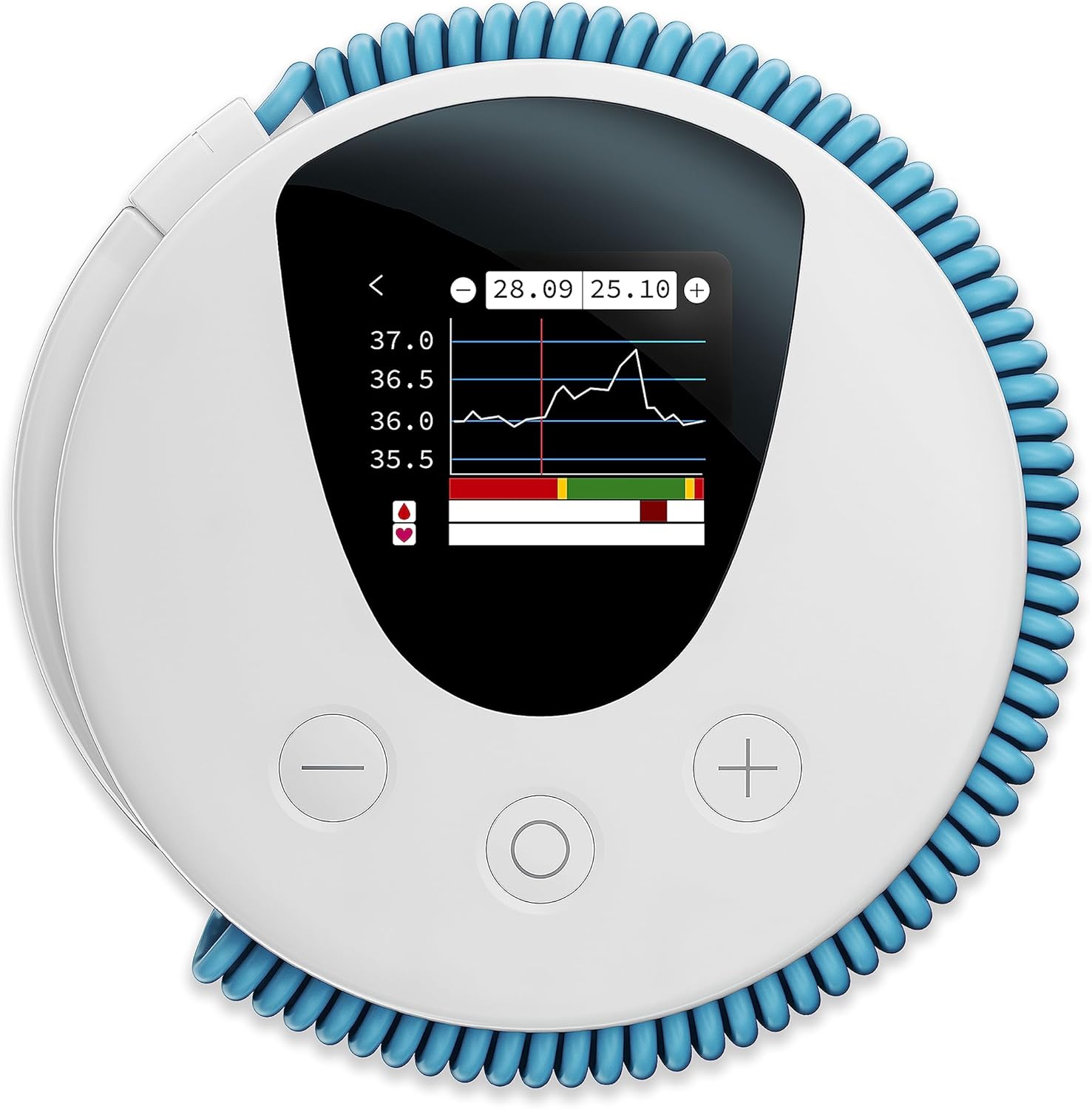
Image: The Lady-Comp Fertility Monitor Model 4002, a white circular device with a blue coiled temperature probe, displaying a digital graph of temperature readings.
Setup
Unpacking and Initial Inspection
Upon receiving your Lady-Comp, carefully unpack all components. Inspect the device for any visible damage. The package should contain the Lady-Comp unit and a CR2032 battery (pre-installed or included separately).
Battery Installation
The Lady-Comp Model 4002 requires one CR2032 battery. If the battery is not pre-installed or needs replacement, locate the battery compartment, typically on the back of the device. Insert the CR2032 battery, ensuring correct polarity (+/-). The device should power on automatically or upon pressing the main button.
First Use and Personalization
When you first power on the device, you may be prompted to set the date, time, and your cycle start date. Follow the on-screen instructions using the navigation buttons. The device enters a "learning phase" (indicated by a yellow light) during which it collects data to understand your unique cycle patterns. This phase typically lasts for a few cycles.

Image: A woman holding the Lady-Comp device, demonstrating its compact size and ease of handling.
Operating Instructions
Daily Temperature Measurement
To obtain accurate readings, measure your basal body temperature every morning immediately upon waking, before getting out of bed, eating, or drinking. The measurement should be taken orally, under the tongue, for approximately 60 seconds.
- Step 1: Wake up and remain still.
- Step 2: Place the temperature probe under your tongue.
- Step 3: Wait for the device to complete the measurement (approximately 60 seconds). The device will signal completion, often with a beep.
- Step 4: The device will display your fertility status for the day:
- Red Light: Indicates a fertile day.
- Green Light: Indicates a non-fertile day.
- Yellow Light: Indicates a learning phase or uncertain fertility status (e.g., due to illness, late measurement).

Image: A woman lying in bed, using the Lady-Comp device to take her basal body temperature orally.
Understanding Your Cycle Data
The Lady-Comp provides precise information directly on its display, including your cycle length, fertile window, and estimated ovulation time. It learns your unique cycle over time, offering a personalized 6-month fertility forecast and tracking key pregnancy milestones if applicable. No external apps or internet connection are required for its core functionality.

Image: The Lady-Comp device displaying detailed cycle information and temperature graphs on its screen.
Maintenance
Cleaning Instructions
To ensure hygiene and proper function, wipe the temperature probe and the device body with a soft, damp cloth after each use. For disinfection, you may use a mild antiseptic wipe. Do not immerse the device in water or use harsh chemical cleaners.
Battery Replacement
The device will indicate when the battery level is low. Replace the CR2032 battery as described in the "Setup" section. Ensure proper disposal of used batteries according to local regulations.
Storage
Store your Lady-Comp in a clean, dry place at room temperature, away from direct sunlight and extreme temperatures. Keep it out of reach of children.
Troubleshooting
This section addresses common issues you might encounter with your Lady-Comp Fertility Monitor. For more detailed troubleshooting or issues not covered here, please refer to the official Lady-Comp support resources.
- Device Not Turning On:
Check the battery. Ensure it is correctly inserted and has sufficient charge. Replace the CR2032 battery if necessary.
- Inaccurate Readings / Yellow Light Display:
A yellow light indicates the device is in a learning phase or has encountered an unusual reading. This can be due to:
- Measurement taken too late after waking.
- Illness, fever, or medication affecting body temperature.
- Insufficient sleep before measurement.
- Incorrect placement of the probe under the tongue.
- Display Issues:
If the display is dim or flickering, replace the battery. If the display remains blank or shows error messages after a battery change, contact customer support.
Specifications
| Model Name | 4002 |
| Brand | Lady-comp |
| Power Source | Battery Powered (1 CR2032 battery included) |
| Display Type | Digital |
| Special Feature | High Accuracy (99.4% in detecting fertile/non-fertile days) |
| Material | Plastic |
| Color | White |
| Manufacturer | VE Valley Electronics GmbH |
| FDA Clearance | Cleared as an ovulation predictor (not as a contraceptive device) |
Important Information
Indications
Lady-Comp fertility computers are cleared by the FDA as an ovulation predictor. Lady-Comps are not FDA cleared as a contraceptive device.
Legal Disclaimer
Statements regarding dietary supplements have not been evaluated by the FDA and are not intended to diagnose, treat, cure, or prevent any disease or health condition. This device is intended for fertility awareness and tracking, not for medical diagnosis or treatment.
Warranty and Support
Warranty Information
Specific warranty details are typically provided with your purchase documentation. Please retain your proof of purchase for warranty claims. Protection plans may be available for extended coverage; refer to your retailer for details.
Customer Support
For any questions, technical assistance, or further guidance, please contact Lady-Comp customer support. Expert guidance is available. Refer to the official Lady-Comp website or your product packaging for contact information.


