
Important Safety Information
Please read this instruction manual thoroughly before using the LotFancy Blood Pressure Monitor. Retain this manual for future reference.
- This device is intended for adult use only.
- Consult your physician for interpretation of blood pressure measurements. Self-diagnosis and treatment based on measurements can be dangerous.
- Do not use this device on infants, children, or individuals unable to express consent.
- Avoid taking measurements in a moving vehicle or during physical activity.
- Do not use the device in areas with strong electromagnetic fields.
- Keep the device and cuff away from water and moisture.
Product Overview
The LotFancy DBP-1314 Blood Pressure Monitor is designed for accurate and convenient blood pressure measurement at home. It features a large LCD display, memory for multiple users, and an irregular heartbeat detector.

Image: Front view of the LotFancy Blood Pressure Monitor, highlighting the display, buttons, and various indicators such as Systolic, Diastolic, Pulse Rate, WHO Indicator, Memory, and Power/Memory buttons.
Package Contents:
- 1 x Blood Pressure Monitor (Model DBP-1314)
- 1 x Large Upper Arm Cuff (fits arm circumference 11.8-16.5 inches)
- 1 x AC Power Adapter
- 1 x User Manual (this document)
- 1 x Storage Pouch

Image: A black drawstring storage pouch, included for convenient storage and transport of the blood pressure monitor.
Setup
1. Power Supply
The monitor can be powered by either 4 AA batteries (not included) or the included AC power adapter.
- Using Batteries: Open the battery compartment on the back of the monitor and insert 4 AA batteries, ensuring correct polarity (+/-).
- Using AC Adapter: Plug the AC adapter into the power jack on the side of the monitor and then into a standard electrical outlet.

Image: The included AC power adapter, used to power the blood pressure monitor from a wall outlet.
2. Cuff Attachment
The monitor comes with a large D-Ring cuff designed for arm circumferences between 11.8 and 16.5 inches.
- Ensure your arm is exposed (no tight clothing).
- Place the cuff on your upper arm, approximately 1 finger-width (2 cm) above the elbow joint.
- Position the tubing at the center of your arm, facing the front. The artery mark on the cuff should align with your brachial artery.
- Wrap the cuff evenly and firmly around your arm. The "INDEX" mark on the cuff should fall within the "OK" range indicated on the cuff.
- Connect the cuff's air tube securely into the air jack on the side of the monitor.
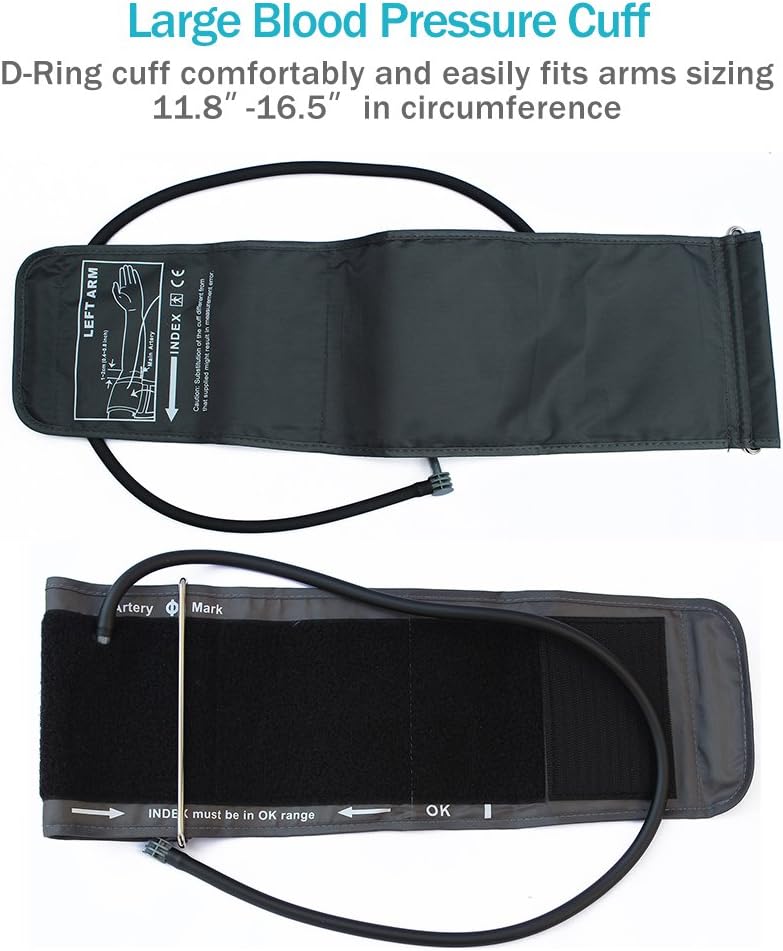
Image: A visual guide demonstrating the correct placement of the D-Ring cuff on the upper arm, indicating the position relative to the elbow and the alignment of the artery mark and index range.
Operating Instructions
Before Taking a Measurement:
- Rest for at least 5 minutes before taking a measurement.
- Avoid eating, drinking alcohol, smoking, or exercising for 30 minutes prior to measurement.
- Sit in a comfortable position with your back supported and feet flat on the floor. Your arm should be resting on a table so the cuff is at heart level.
- Take measurements at approximately the same time each day for consistent results.
Taking a Measurement:
- Ensure the cuff is correctly placed and the air tube is connected.
- Press the Start/Stop button (labeled with a power symbol and 'M' for memory) to turn on the monitor. The cuff will automatically inflate.
- Remain still and silent during the measurement.
- Once the measurement is complete (approximately 30 seconds), the cuff will deflate, and your Systolic, Diastolic, and Pulse Rate readings will be displayed on the large LCD screen.
- The monitor will automatically store the reading with a date and time stamp.
- Press the Start/Stop button again to turn off the monitor, or it will automatically shut off after a period of inactivity.
Understanding Your Readings:
- SYS (Systolic Pressure): The top number, indicating the pressure in your arteries when your heart beats.
- DIA (Diastolic Pressure): The bottom number, indicating the pressure in your arteries between beats.
- PUL (Pulse Rate): Your heart rate, measured in beats per minute.
- WHO Indicator: A color-coded bar on the left side of the display helps categorize your blood pressure reading according to World Health Organization (WHO) guidelines.
- Irregular Heartbeat Detector: If an irregular heartbeat is detected during the measurement, a heart symbol will appear on the display. Consult your physician if this symbol appears frequently.
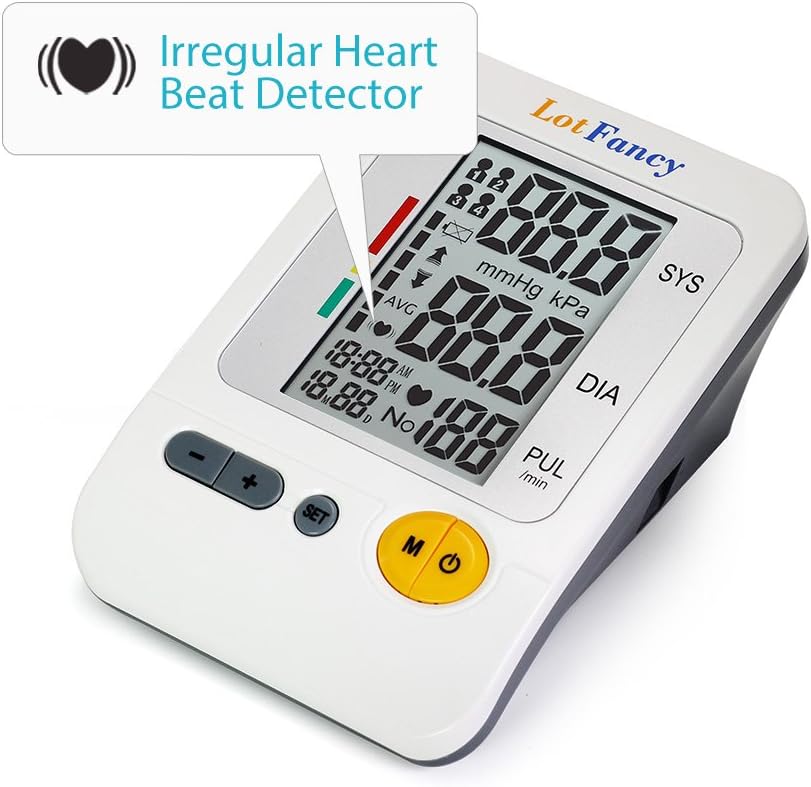
Image: The blood pressure monitor display showing the irregular heartbeat detector symbol (a pulsating heart icon), indicating a detected arrhythmia during measurement.
Memory Function (4 User Mode):
The monitor supports up to 4 individual users, each with 30 reading memories, totaling 120 readings. Each reading is stored with a date and time stamp.
- To select a user, press the SET button when the monitor is off. Repeatedly press SET to cycle through User 1, 2, 3, and 4. Confirm your selection by pressing the Start/Stop button.
- To view past readings, press the Memory (M) button when the monitor is off. The display will show the average of the last three readings for the current user.
- Press the Memory (M) button repeatedly to scroll through individual past readings, from most recent to oldest.
- The monitor automatically displays the average of the last three readings for your reference upon entering memory mode.
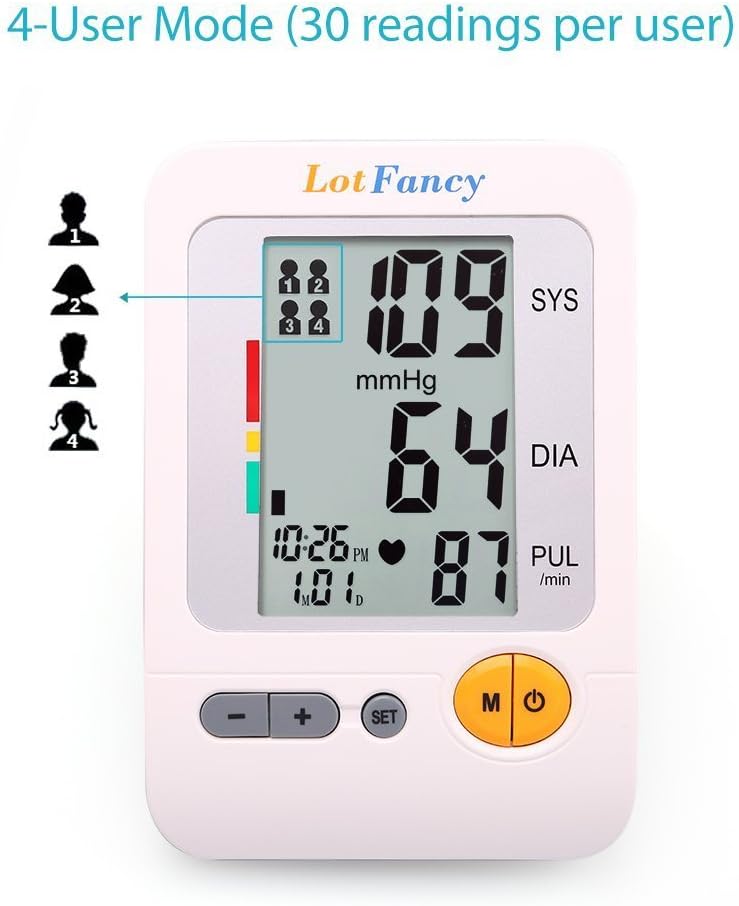
Image: The blood pressure monitor display illustrating the 4-user mode, with indicators for each user profile and the current reading displayed.
Maintenance
- Cleaning: Wipe the monitor and cuff with a soft, dry cloth. Do not use abrasive cleaners or immerse the device in water.
- Storage: Store the device in the provided storage pouch in a cool, dry place, away from direct sunlight and extreme temperatures.
- Battery Replacement: If the low battery indicator appears on the display, replace all four AA batteries simultaneously. Do not mix old and new batteries.
- Cuff Care: Ensure the cuff is clean and free from damage. Do not wash the cuff in a washing machine.
Troubleshooting
| Problem | Possible Cause | Solution |
|---|---|---|
| Monitor does not power on. | Batteries are depleted or incorrectly inserted; AC adapter not connected properly. | Replace batteries, ensuring correct polarity. Check AC adapter connection. |
| Inaccurate or inconsistent readings. | Incorrect cuff placement; movement or talking during measurement; not resting before measurement; cuff size mismatch. | Review cuff placement instructions. Remain still and silent. Rest for 5 minutes prior. Ensure cuff fits arm circumference (11.8-16.5 inches). |
| Cuff does not inflate or inflates too little/much. | Air tube not securely connected; cuff leakage; device malfunction. | Check air tube connection to monitor and cuff. Inspect cuff for damage. If problem persists, contact customer support. |
| Irregular Heartbeat symbol appears frequently. | Actual irregular heartbeat detected. | Consult a physician for medical advice. This device is for monitoring, not diagnosis. |
| Error message on display. | Various operational errors. | Refer to the full user manual for specific error codes (if applicable) or try restarting the device. Ensure proper usage as per instructions. |
Specifications
| Feature | Detail |
|---|---|
| Model Number | DBP-1314 |
| Measurement Method | Oscillometric |
| Measurement Range (Pressure) | 20 mmHg - 300 mmHg (2.7 KPa - 40 KPa) |
| Measurement Range (Pulse) | 30-180 Beats/Minute |
| Accuracy (Pressure) | ±3 mmHg (±0.4 KPa) |
| Accuracy (Pulse) | ±5% of reading |
| Cuff Size | Large, fits arm circumference 11.8-16.5 inches |
| Memory | 4 users, 30 readings per user (120 total) with date/time stamp |
| Power Source | 4 x AA batteries or AC adapter (included) |
| Battery Life | Approximately two months (at 3 min/day usage) |
| Display Type | Large LCD |
| Dimensions (L x W x H) | 6.7 x 4.5 x 2.5 inches |
| Weight (excluding batteries) | Approximately 1 pound |
| Manufacturer | JOYTECH HEALTHCARE CO.,LTD |
Warranty and Support
The LotFancy DBP-1314 Blood Pressure Monitor typically comes with a 1-Year Limited Warranty from the date of purchase. Please refer to your purchase documentation for specific warranty terms and conditions.
For technical support, troubleshooting assistance, or warranty claims, please contact LotFancy customer service through the retailer where the product was purchased or visit the official LotFancy website for contact information.
Please have your model number (DBP-1314) and purchase date available when contacting support.