
1. Introduction
This manual provides essential information for the proper installation, operation, and maintenance of the Honeywell FIRE-LITE BG-12 Dual Action Manual Fire Alarm Pull Station. This device is designed to initiate a fire alarm signal manually in emergency situations. Please read this manual thoroughly before installation and use to ensure safe and effective operation.
2. Safety Information
- Installation must be performed by qualified personnel in accordance with all local and national electrical and fire codes.
- Always disconnect power to the fire alarm control panel before installing, servicing, or replacing the pull station.
- Do not paint over the pull station or obstruct its visibility.
- Test the pull station regularly as part of a comprehensive fire alarm system maintenance schedule.
- This device is intended for emergency use only. Avoid false alarms.
3. Product Overview
The Honeywell FIRE-LITE BG-12 is a red, dual-action manual fire alarm pull station. Its design ensures clear visibility and reliable operation. Key features include:
- Dual Action Mechanism: Requires two distinct actions (push in, then pull down) to activate, reducing the likelihood of accidental activation.
- Hex Lock Reset: The unit can be reset using a hex key after activation.
- High Visibility: Aesthetically pleasing and highly visible red color for easy identification in emergencies.
- Latching Handle: The PUSH IN/PULL DOWN handle latches in the down position, providing a clear visual indication that the station has been operated.
- Standard Backplate: The backplate is designed to overlap a single-gang backbox cutout by 1/2 inch (1.27 cm), facilitating installation.
- SPST N/O Switch: Equipped with a Single-Pole, Single-Throw, Normally Open switch.
- Screw Terminal Connections: Provides secure and straightforward wiring.
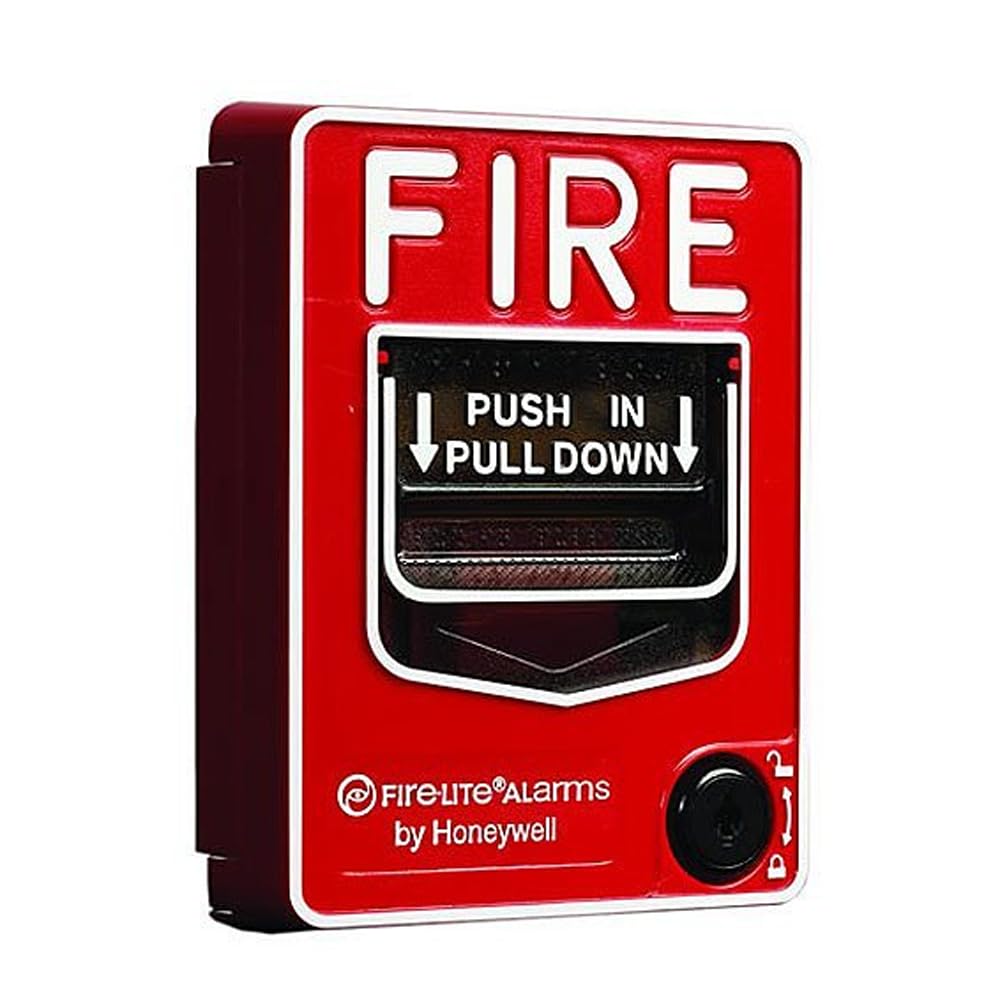
Image: The Honeywell FIRE-LITE BG-12 Dual Action Manual Fire Alarm Pull Station in red, showing the "PUSH IN THEN PULL DOWN" instructions.
4. Setup and Installation
Proper installation is critical for the reliable operation of the fire alarm pull station. Refer to the detailed wiring diagrams provided with the product packaging and adhere to all applicable local and national codes.
- Mounting Location: Select a visible and accessible location, typically near exits, in accordance with fire safety regulations. Ensure the backplate can properly overlap a standard single-gang backbox cutout.
- Power Disconnection: Before beginning installation, ensure that all power to the fire alarm control panel and associated circuits is disconnected.
- Wiring: Connect the fire alarm circuit wiring to the screw terminal connections on the back of the pull station. Ensure correct polarity and secure connections. The device features an SPST N/O (Normally Open) switch.
- Mounting: Secure the pull station to the wall or electrical box using appropriate screws. Ensure it is firmly mounted and level.
- Testing: After installation, restore power to the fire alarm control panel. Conduct a functional test of the pull station to verify proper operation and communication with the control panel. Refer to the "Operating Instructions" section for activation and reset procedures.
5. Operating Instructions
5.1. Activating the Alarm
In the event of a fire or other emergency requiring an alarm:
- Push In: Firmly push the handle inward.
- Pull Down: Once pushed in, pull the handle down. The handle will latch in the down position, indicating activation.
This dual action ensures that the alarm is not triggered accidentally.
5.2. Resetting the Pull Station
After the fire alarm system has been reset at the control panel, the pull station must also be reset manually:
- Insert Hex Key: Locate the hex lock on the side or front of the pull station. Insert the appropriate hex key into the lock.
- Twist and Reset: Twist the hex key to release the latched handle. The handle will return to its original, non-alarm position.
- Remove Key: Remove the hex key.
Ensure the pull station is fully reset before leaving the area.
6. Maintenance
Regular maintenance ensures the longevity and reliability of your fire alarm pull station.
- Visual Inspection: Periodically inspect the pull station for any signs of damage, tampering, or obstruction. Ensure it is clean and clearly visible.
- Functional Testing: Test the pull station at least annually, or as required by local codes, to ensure it activates and resets correctly. This should be done in conjunction with testing the entire fire alarm system.
- Cleaning: Clean the exterior of the pull station with a soft, damp cloth. Do not use abrasive cleaners or solvents.
- Professional Servicing: Any repairs or internal servicing should only be performed by certified fire alarm technicians.
7. Troubleshooting
If you encounter issues with your FIRE-LITE BG-12 pull station, refer to the following common problems and solutions:
| Problem | Possible Cause | Solution |
|---|---|---|
| Pull station does not activate alarm. |
|
|
| Pull station cannot be reset. |
|
|
| False alarms. |
|
|
For issues not listed here or if troubleshooting steps do not resolve the problem, contact a qualified fire alarm system technician.
8. Specifications
| Brand: | Honeywell (Fire Lite Alarms) |
| Model Number: | BG-12 (H13007) |
| Product Dimensions (L x W x H): | 4.5" x 13" x 1" |
| Item Weight: | 6.4 ounces |
| Included Components: | Pull Station |
| Switch Type: | SPST N/O (Single-Pole, Single-Throw, Normally Open) |
| Reset Mechanism: | Hex Lock |
| UPC: | 783008103910 |
9. Warranty and Support
For specific warranty information, please refer to the documentation provided with your purchase or contact the seller or Honeywell directly. Warranty terms typically cover manufacturing defects for a specified period.
For technical support, installation assistance, or service, please contact your authorized Honeywell distributor or a certified fire alarm system technician. Do not attempt to repair the device yourself, as this may void the warranty and compromise safety.
You can often find additional resources and contact information on the official Honeywell website or through your product supplier.