
1. Introduction
Thank you for choosing the ENO MUSIC ET-3000A Clip-on Tuner. This device is designed to provide accurate and easy tuning for a variety of string instruments, including acoustic and electric guitars, bass guitars, ukuleles, and violins. Its compact design and clear LCD display make it an essential tool for musicians of all levels. Please read this manual carefully to ensure proper use and optimal performance.
2. Product Overview
The ET-3000A tuner features a large LCD display, intuitive controls, and a robust clip for secure attachment to your instrument's headstock or scroll.
2.1 Components
- LCD Display: Shows tuning information, note name, and pitch deviation.
- Clip: Securely attaches the tuner to the instrument.
- ON/OFF Button: Powers the tuner on or off.
- MODE Button: Cycles through tuning modes (Chromatic, Guitar, Bass, Ukulele, Violin).
- Up/Down Buttons: Adjust A4 calibration frequency.
- Microphone (MIC): For acoustic tuning when not clipped.
- Battery Compartment: Holds one CR2032 battery.
2.2 Visual Reference

Figure 1: Front view of the ENO MUSIC ET-3000A Clip-on Tuner, showing the LCD display and control buttons.
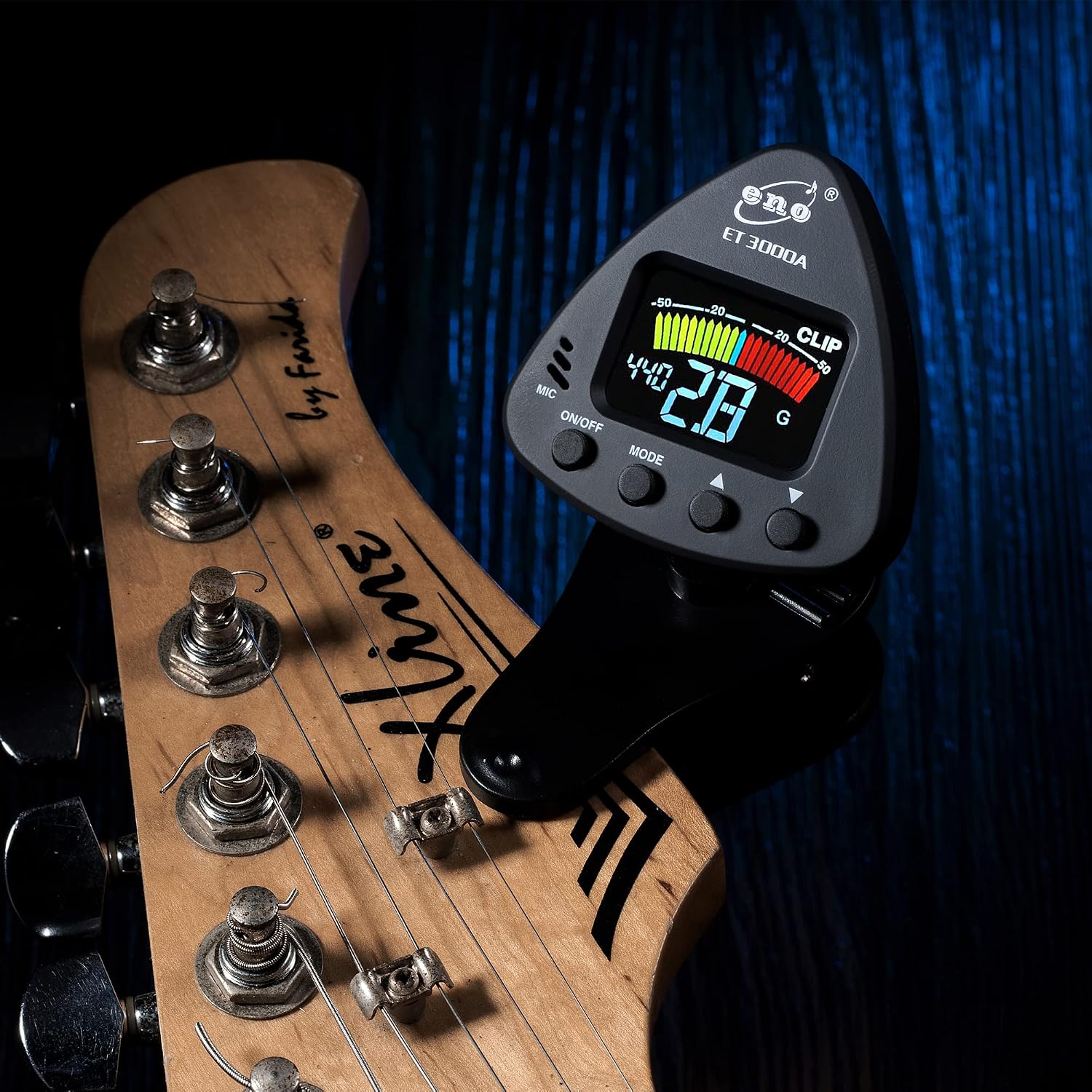
Figure 2: The ET-3000A tuner held in a hand, illustrating its compact size and the clip mechanism.
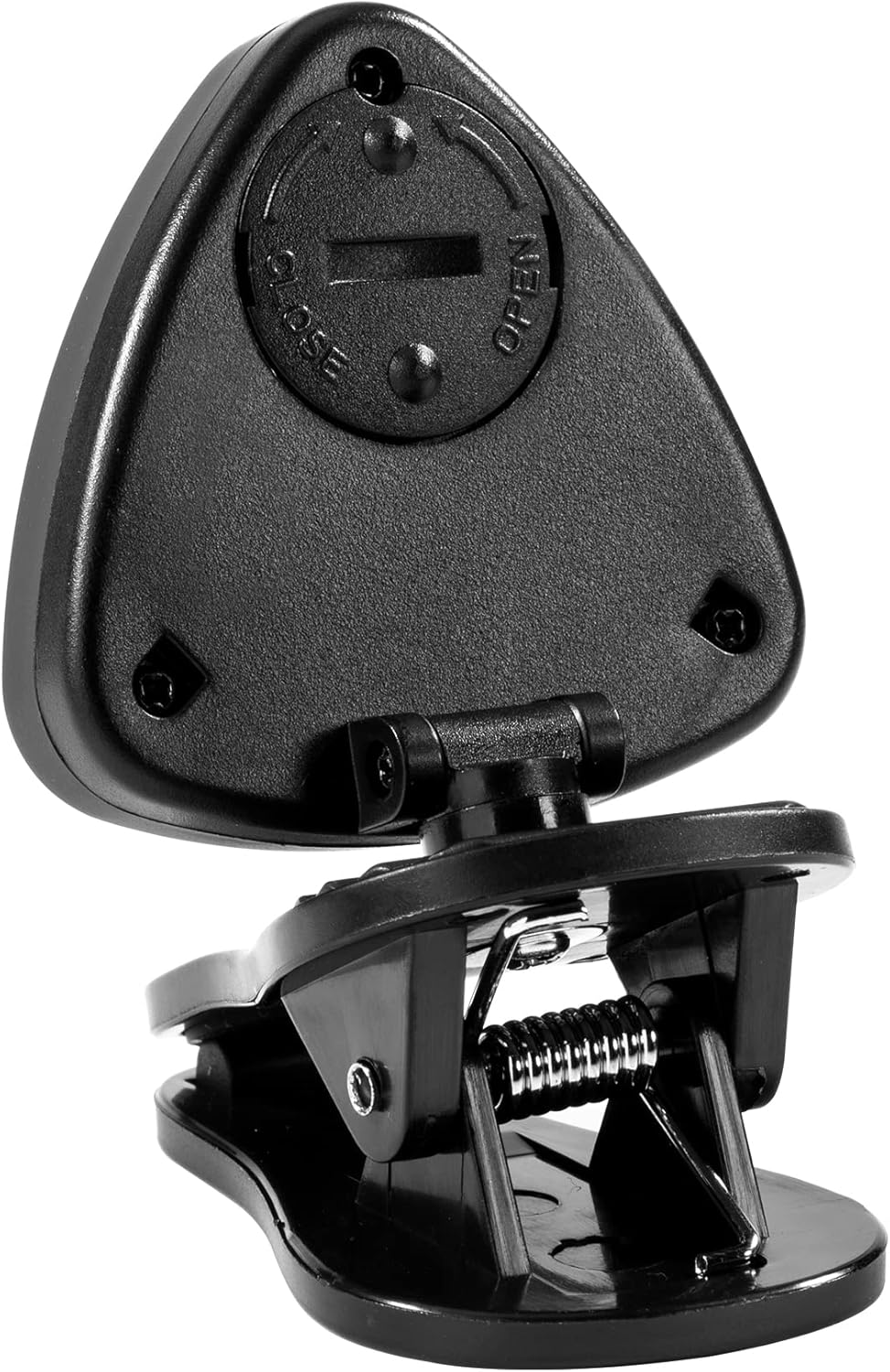
Figure 3: Rear view of the ET-3000A tuner, highlighting the battery compartment with 'OPEN' and 'CLOSE' indicators.
3. Setup
3.1 Battery Installation
- Locate the battery compartment on the back of the tuner (refer to Figure 3).
- Twist the battery cover counter-clockwise to open.
- Insert one CR2032 battery with the positive (+) side facing up.
- Replace the battery cover and twist clockwise to secure it.
3.2 Attaching the Tuner to Your Instrument
The ET-3000A uses a vibration sensor for accurate tuning. For best results, attach it securely to a part of your instrument that vibrates clearly.
- For Guitars (Acoustic/Electric) and Bass: Clip the tuner onto the headstock of your instrument. Ensure it is firmly attached but does not obstruct tuning pegs or strings.
- For Ukulele: Clip the tuner onto the headstock.
- For Violin: Clip the tuner onto the scroll or pegbox.
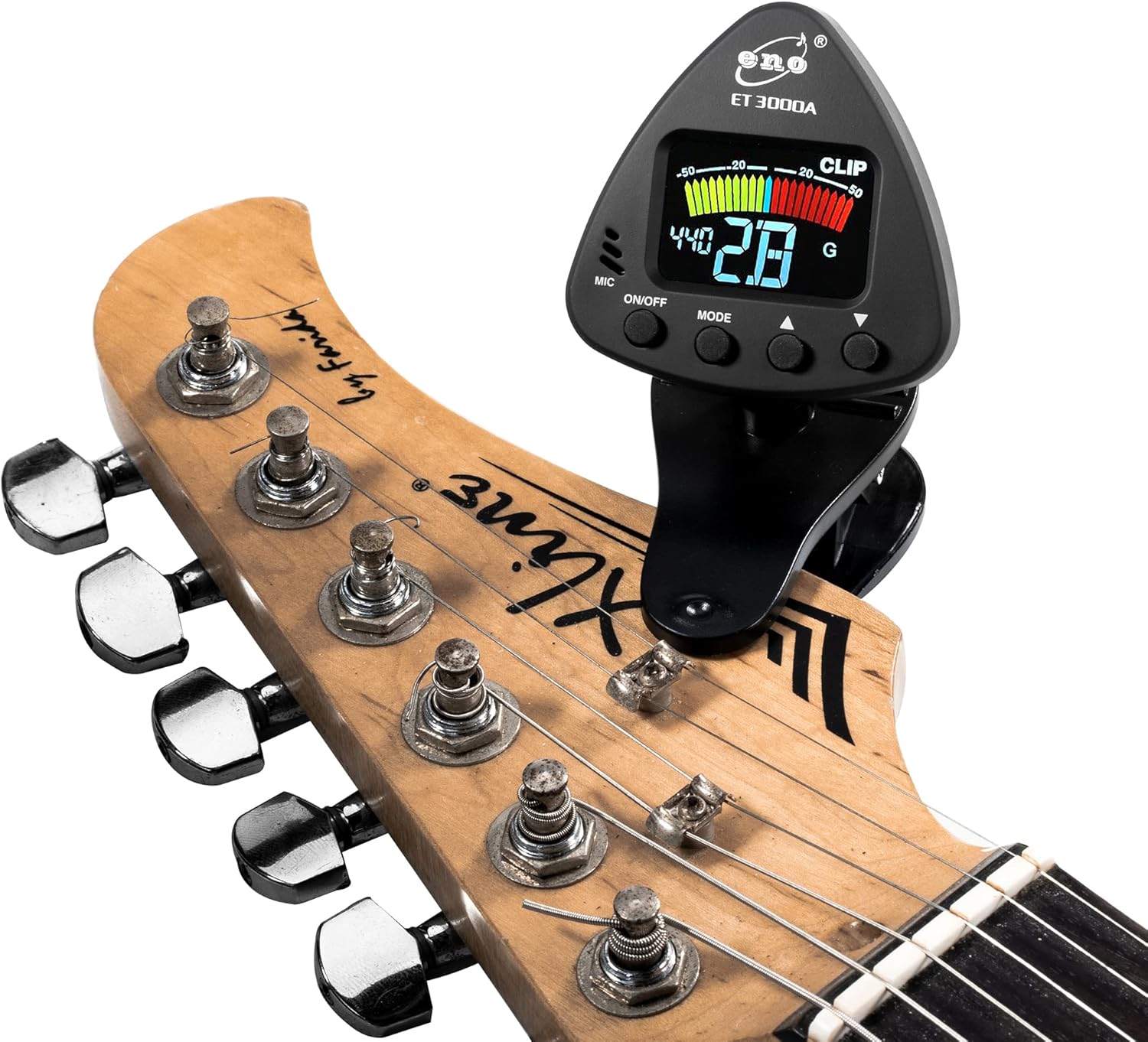
Figure 4: The ET-3000A tuner clipped onto the headstock of an electric guitar.
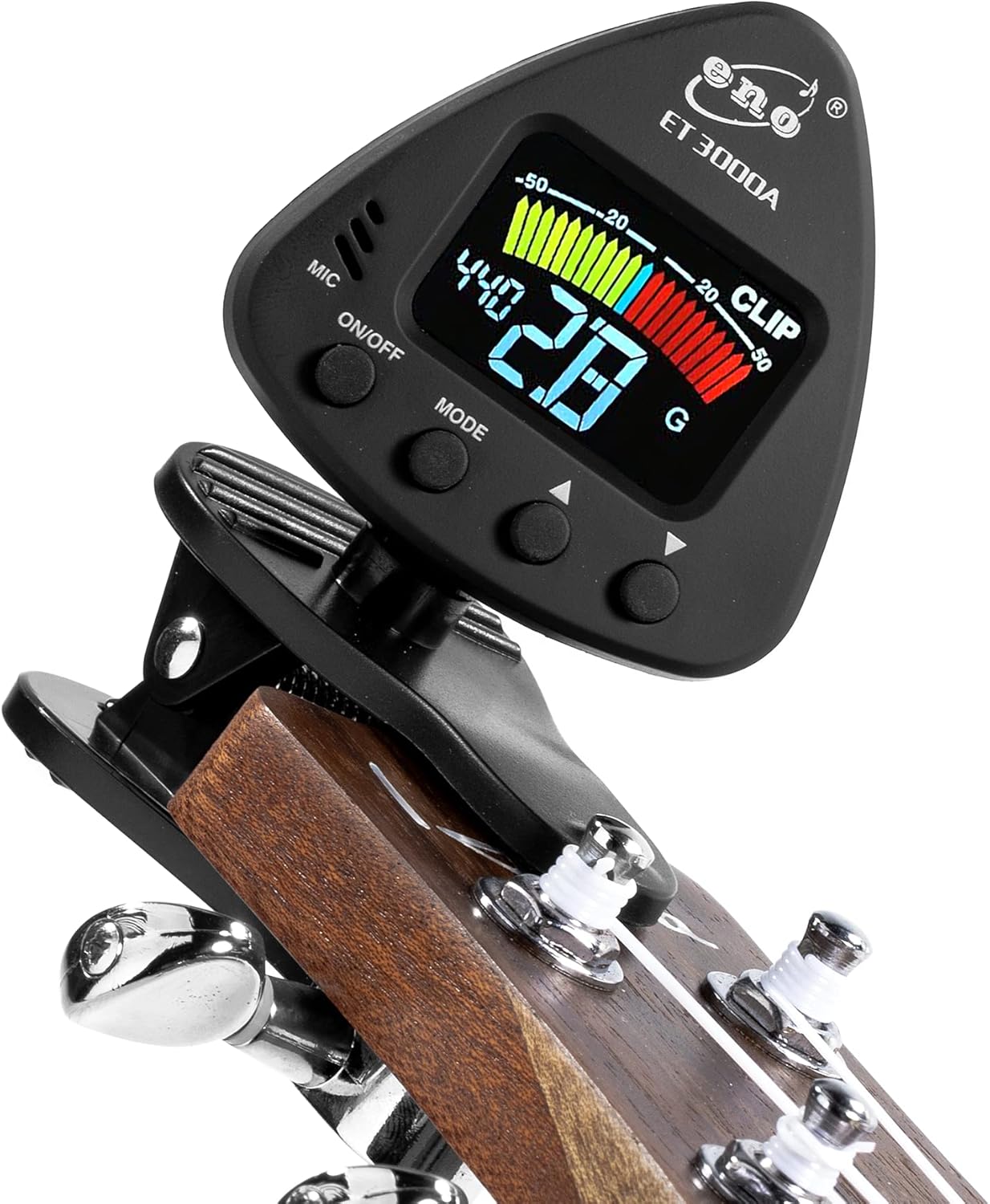
Figure 5: The ET-3000A tuner clipped onto the headstock of a ukulele.

Figure 6: The ET-3000A tuner clipped onto the scroll of a violin.
4. Operating Instructions
4.1 Power On/Off
- Press the ON/OFF button to turn the tuner on.
- Press and hold the ON/OFF button for 2 seconds to turn the tuner off.
- The tuner will automatically power off after 3 minutes of no signal input to conserve battery life.
4.2 Mode Selection
Press the MODE button repeatedly to cycle through the available tuning modes:
- C (Chromatic): Tunes all notes.
- G (Guitar): Standard guitar tuning (E, A, D, G, B, E).
- B (Bass): Standard bass tuning (E, A, D, G).
- U (Ukulele): Standard ukulele tuning (G, C, E, A).
- V (Violin): Standard violin tuning (G, D, A, E).
4.3 Tuning Process
Once the tuner is attached and the correct mode is selected:
- Pluck a single open string on your instrument.
- Observe the LCD display:
- The note name will be displayed prominently.
- A meter will indicate pitch deviation.
- If the needle points to the left (yellow/red), the note is flat. Tighten the string slightly.
- If the needle points to the right (red), the note is sharp. Loosen the string slightly.
- When the needle is in the center (green), the note is in tune.
- Repeat for all strings until your instrument is fully tuned.
4.4 A4 Frequency Adjustment
The standard A4 reference frequency is 440Hz. You can adjust this setting if needed:
- Press the Up or Down buttons to change the A4 frequency.
- The adjustable range is typically 430Hz to 450Hz.
5. Maintenance
- Keep the tuner clean by wiping it with a soft, dry cloth. Avoid abrasive cleaners or solvents.
- Store the tuner in a dry place, away from extreme temperatures and direct sunlight.
- Remove the battery if the tuner will not be used for an extended period to prevent leakage.
- Replace the CR2032 battery when the display becomes dim or the tuner fails to power on.
6. Troubleshooting
- Tuner does not power on: Check if the battery is inserted correctly with the positive (+) side up. Replace the CR2032 battery if it is depleted.
- Inaccurate tuning: Ensure the tuner is securely clipped to the instrument's headstock or scroll. Make sure the correct tuning mode (Chromatic, Guitar, Bass, Ukulele, Violin) is selected for your instrument. Pluck strings clearly and individually.
- Display is dim: The battery may be low. Replace the CR2032 battery.
- Tuner not picking up sound (when using MIC): Ensure the microphone is not obstructed and the instrument is played loudly enough for the tuner to detect the vibrations. For best results, use the clip-on vibration mode.
7. Specifications
| Tuning Range | A0 (27.5Hz) - C8 (4186Hz) |
| A4 Frequency | 430Hz - 450Hz |
| Tuning Modes | Chromatic, Guitar, Bass, Ukulele, Violin |
| Power Supply | 1 x CR2032 Lithium Manganese Dioxide Battery |
| Automatic Shut-off | 3 minutes (no signal) |
| Dimensions | 1.38 x 2.13 x 1.89 inches |
| Weight | 1.94 ounces |
8. Warranty and Support
For warranty information or technical support, please refer to the product packaging or contact your retailer. You may also visit the official ENO MUSIC website for further assistance.


