
1. Introduction and Overview
The Siglent SDG2082X is a dual-channel function/arbitrary waveform generator designed for professional applications. It offers an 80MHz bandwidth, a maximum sampling rate of 1.2 GSa/s, and a 16-bit vertical resolution. This device supports waveform lengths from 8 points to 8 Mpts, providing a wide range of signal generation capabilities.
The SDG2082X incorporates proprietary TrueArb and EasyPulse technologies to deliver high-fidelity and low-jitter signals, addressing common limitations found in traditional Direct Digital Synthesis (DDS) generators. This manual provides essential information for setting up, operating, maintaining, and troubleshooting your SDG2082X.
Key Features:
- 2 Channels / 80MHz bandwidth
- 1.2 GSa/s maximum sampling rate
- 16-bit vertical resolution
- 8 points to 8 Mpts waveform length
- Innovative TrueArb technology for user-defined waveforms (8 pts to 8 Mpts) and user-defined sample rates (1 µSa/s to 75 MSa/s)
- EasyPulse technology for low-jitter square/pulse waveforms
2. Setup
This section outlines the basic steps for setting up your Siglent SDG2082X Function/Arbitrary Waveform Generator.
2.1 Unpacking and Inspection
- Carefully remove the instrument from its packaging.
- Inspect the device for any signs of damage during transit. If damage is found, contact your supplier immediately.
- Verify that all included accessories are present. The SDG2082X unit is typically supplied with a power cord, USB cable, and a quick start guide.
2.2 Power Connection
Connect the provided power cord to the AC power input on the rear panel of the instrument. Ensure the power source matches the voltage requirements indicated on the device (100-240V, 50/60Hz or 100-120V, 400Hz).
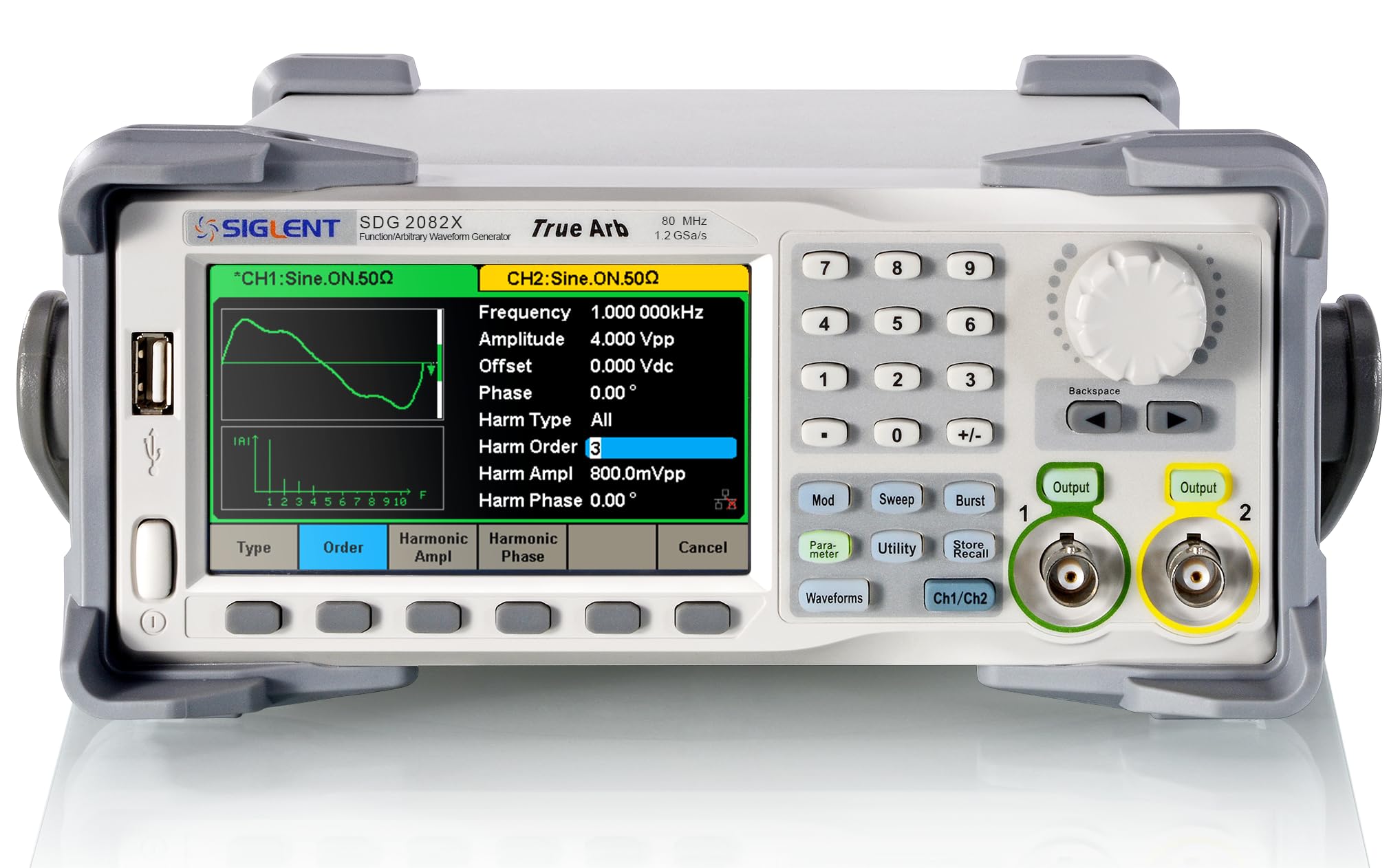
Figure 2.2.1: Rear panel of the Siglent SDG2082X, showing power input, LAN port, USB ports, BNC connectors for Counter, Aux In/Out, and 10MHz In/Out.
2.3 Initial Power On
- Press the power button located on the front panel.
- The instrument will perform a self-test. Wait for the boot-up sequence to complete and the main interface to appear on the display.
2.4 Connecting to a PC (Optional)
The SDG2082X can be connected to a computer via USB or LAN for remote control and data transfer. Use the appropriate cable to connect the instrument to your PC. Refer to the Siglent website for driver installation and software utilities like EasyWave.
3. Operating Principles and Technologies
The SDG2082X utilizes advanced technologies to ensure high-quality signal generation.
3.1 EasyPulse Technology
Traditional DDS generators can exhibit one-clock jitter when generating square or pulse waveforms if the sampling rate is not an integer multiple of the output frequency. Siglent's EasyPulse technology overcomes this limitation, producing low-jitter square and pulse waveforms. This technology allows for fine-tuning of pulse width down to 16.3ns with 100ps steps, and independent adjustment of rise/fall times from 8.4ns to 22.4s with 100ps steps.

Figure 3.1.1: Illustration of EasyPulse technology, demonstrating low cycle-cycle jitter (35 ps RMS) in a pulse waveform. This technology ensures high-quality square and pulse outputs.
3.2 TrueArb Technology
For arbitrary waveforms, TrueArb technology provides advantages over traditional DDS by eliminating potential jitter and distortion. TrueArb generates arbitrary waveforms point-by-point, ensuring that no data points are skipped. This precise generation allows for the accurate reconstruction of all waveform details as defined by the user. It supports arbitrary waveforms with up to 8 Mpts length and user-defined sample rates from 1 µSa/s to 75 MSa/s.

Figure 3.2.1: Illustration of TrueArb technology, showing complex arbitrary waveforms generated with high fidelity and low distortion. This technology ensures accurate reproduction of user-defined signals.
4. Operation
This section provides general guidance on operating the SDG2082X. Refer to the detailed programming manual for specific function settings.
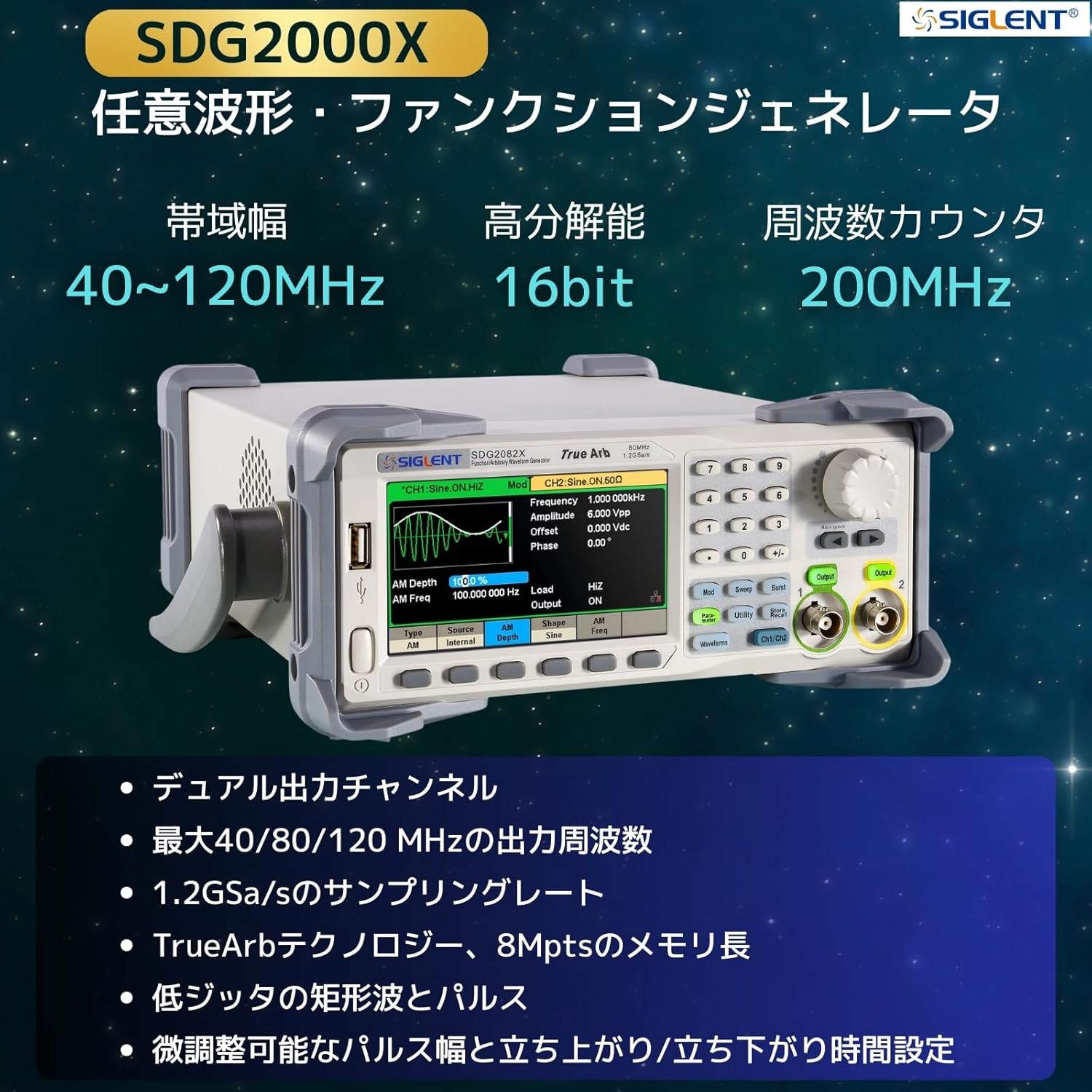
Figure 4.0.1: Front panel of the Siglent SDG2000X series, showing the display, control buttons, and output channels.
4.1 Basic Waveform Generation
- Select Channel: Press the CH1 or CH2 button to select the desired output channel.
- Select Waveform Type: Press the 'Waveform' button and use the navigation keys or rotary knob to select a standard waveform (e.g., Sine, Square, Ramp, Pulse, Noise) or an arbitrary waveform.
- Set Frequency: Use the 'Frequency' button and the numeric keypad or rotary knob to input the desired frequency.
- Set Amplitude/Offset: Use the 'Amplitude' and 'Offset' buttons to adjust the peak-to-peak voltage and DC offset of the waveform.
- Enable Output: Press the 'Output' button for the selected channel to enable the signal output.
4.2 Modulation Functions
The SDG2082X supports various modulation types including AM, FM, PM, FSK, ASK, PSK, DSB-AM, and PWM. To apply modulation:
- Select the desired channel.
- Press the 'Mod' button.
- Choose the modulation type and configure its parameters (e.g., modulation depth, frequency, source) using the on-screen menu and controls.

Figure 4.2.1: Illustration of the SDG2000X's signal generation capability, displaying various modulated waveforms such as AM and pulse modulation.
4.3 Sweep and Burst Functions
The instrument can generate sweep and burst signals. Access these functions via dedicated buttons or menus on the front panel. Configure parameters such as start/stop frequency, sweep time, burst count, and gate mode as required.
5. Maintenance
Proper maintenance ensures the longevity and optimal performance of your SDG2082X.
5.1 Cleaning
- Always disconnect the power cord before cleaning.
- Use a soft, dry cloth to clean the exterior of the instrument.
- For stubborn dirt, use a cloth lightly dampened with mild detergent and water. Avoid abrasive cleaners or solvents.
- Do not allow any liquids to enter the instrument.
5.2 Storage
- Store the instrument in a clean, dry environment, away from direct sunlight and extreme temperatures.
- Ensure the operating environment is within the specified temperature and humidity ranges to prevent damage.
5.3 Calibration
For optimal accuracy, periodic calibration by qualified personnel is recommended. Refer to Siglent's official support channels for calibration services.
6. Troubleshooting
This section provides solutions to common issues you might encounter with your SDG2082X.
6.1 No Power
- Check Power Cord: Ensure the power cord is securely connected to both the instrument and the AC outlet.
- Check Power Outlet: Verify that the AC outlet is functional by plugging in another device.
- Check Fuse: If the instrument still does not power on, the internal fuse might be blown. Contact qualified service personnel for fuse replacement.
6.2 No Output Signal
- Enable Output: Ensure the output for the selected channel is enabled (the 'Output' button LED should be lit).
- Check Cable Connections: Verify that the BNC cables are correctly connected to the output ports and the receiving device.
- Check Amplitude/Offset: Ensure the amplitude and offset settings are appropriate for your measurement device and not set to zero.
- Check Frequency Range: Confirm that the set frequency is within the instrument's and the receiving device's capabilities.
6.3 Incorrect Waveform Displayed
- Verify Settings: Double-check all waveform parameters (type, frequency, amplitude, offset, modulation settings) on the SDG2082X.
- Check Receiving Device: Ensure your oscilloscope or other measurement device is correctly configured (e.g., appropriate vertical and horizontal scales, input impedance).
- Cable Integrity: Inspect BNC cables for damage or loose connections.
7. Specifications
The following table details the technical specifications for the Siglent SDG2082X Function/Arbitrary Waveform Generator.
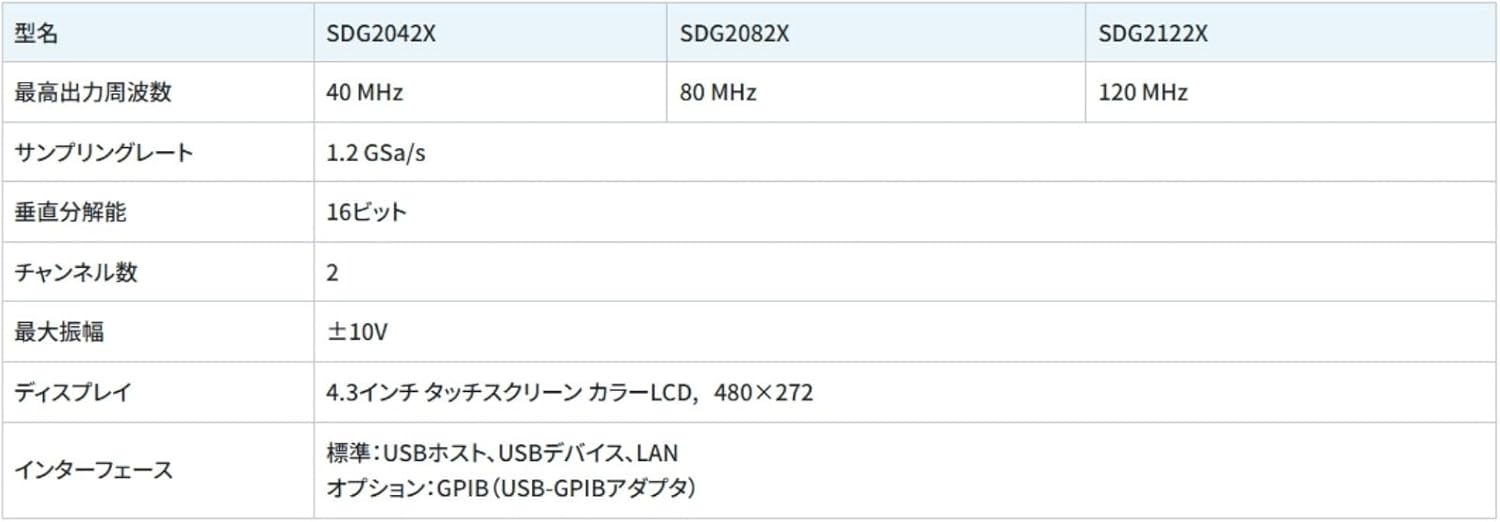
Figure 7.0.1: Comparison table for Siglent SDG2000X series, including SDG2082X, showing key specifications across models.
| Specification | Value |
|---|---|
| Model Number | SDG2082X |
| Manufacturer | Siglent Technologies NA Inc. |
| Channels | 2 |
| Bandwidth | 80 MHz |
| Maximum Sampling Rate | 1.2 GSa/s |
| Vertical Resolution | 16-bit |
| Waveform Length | 8 pts to 8 Mpts |
| Maximum Amplitude | ±10V |
| Display | 4.3-inch touch screen color LCD, 480x272 |
| Interfaces | USB Host, USB Device, LAN (Standard); GPIB (USB-GPIB adapter) (Optional) |
| Item Weight | 8.8 pounds |
| Product Dimensions | 10.2 x 4.2 x 11.6 inches |
| Power Source | 100-240V, 50/60Hz; 100-120V, 400Hz |
| Usage | Professional |
| Date First Available | October 23, 2015 |
8. Warranty and Support
8.1 Warranty Information
Siglent products typically come with a standard manufacturer's warranty. For detailed information regarding the warranty period and terms for your SDG2082X, please refer to the warranty card included with your product or visit the official Siglent website. Keep your proof of purchase for warranty claims.
8.2 Customer Support
For technical assistance, service, or further inquiries, please contact Siglent Technologies customer support. You can find contact information, FAQs, and additional resources on the official Siglent website: www.siglentna.com.


