
Honeywell HHF370B
Honeywell HHF370B 360 Degree Digital Surround Fan Forced Heater User Manual
Model: HHF370B
1. Introduction
Thank you for choosing the Honeywell HHF370B 360 Degree Digital Surround Fan Forced Heater. This portable electric heater is designed to provide efficient and consistent warmth for small to mid-sized rooms. It features 360-degree heat output, two heat settings, an adjustable digital thermostat, and multiple safety features for reliable operation. Please read this manual thoroughly before use to ensure proper setup, operation, and maintenance.

Image: The Honeywell HHF370B Digital Surround Fan Forced Heater shown with its accompanying remote control. The heater is black with a digital display showing '72' degrees Fahrenheit, and control buttons for power, temperature adjustment, heat settings (Hi/Lo), and a timer.
2. Important Safety Information
Always follow basic safety precautions when using electrical appliances to reduce the risk of fire, electric shock, and injury to persons. This heater is for indoor use only.
General Safety Guidelines:
- Read all instructions before using this heater.
- Do not use this heater outdoors or in wet locations.
- Always plug heaters directly into a wall outlet/receptacle. Never use with an extension cord or relocatable power tap (outlet/power strip).
- Do not run power cord under carpeting. Do not cover cord with throw rugs, runners, or similar coverings. Arrange cord away from traffic area and where it will not be tripped over.
- Keep combustible materials, such as furniture, pillows, bedding, papers, clothes, and curtains at least 3 feet (0.9 m) from the front of the heater and keep them away from the sides and rear.
- Do not insert or allow foreign objects to enter any ventilation or exhaust opening as this may cause an electric shock or fire, or damage the heater.
- Do not use in areas where gasoline, paint, or flammable liquids are used or stored.
Integrated Safety Features:
- 360° Tip-Over Protection: The heater automatically shuts off if it is tipped over in any direction.
- Overheat Protection: The heater is equipped with a safety feature that automatically turns off the unit if it overheats.
- Cool Touch Housing: The exterior housing is designed to remain cool to the touch during operation.
- Thermal Insulated Wiring: Internal wiring is insulated for enhanced safety.

Image: An illustration highlighting the safety features of the Honeywell HHF370B heater, including 360-degree tip-over protection, overheat auto shut-off, cool touch housing plastic, and thermal insulated wiring, all protected by a transparent shield graphic.
3. Product Features
- 360 Degree Surround Heat Output: Provides consistent warmth in all directions, ideal for small to mid-sized rooms.
- Two Heat Settings: Choose between High and Low heat output for customized comfort and energy efficiency.
- Adjustable Digital Thermostat: Allows precise temperature control to maintain your desired room temperature.
- Programmable Timer: Set the heater to operate for a specific duration.
- Remote Control: Conveniently adjust settings from a distance.
- Compact and Portable Design: Easy to move and place in various locations.
- Easy-Grab, Cool-Touch Handle: For safe and convenient transportation.

Image: An image illustrating the customizable comfort features of the Honeywell HHF370B heater, including 360-degree all-around heat option, 2 heat settings, auto-off timer option, programmable thermostat, and powerful 1500 Watt output.
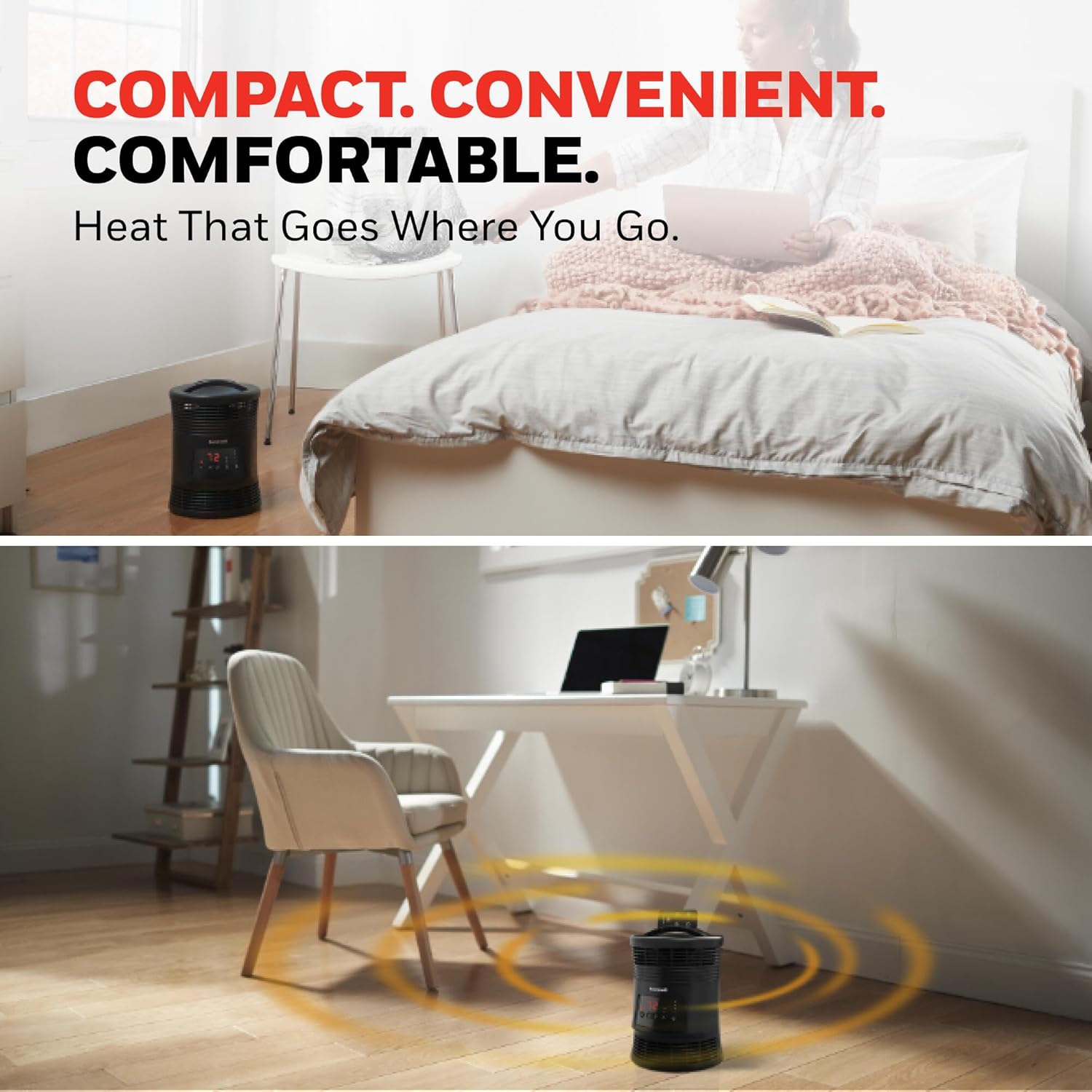
Image: Two scenes showing the Honeywell HHF370B heater in different room settings, emphasizing its compact and convenient design for use in a bedroom or office, providing heat that goes where you go.
4. Setup
- Unpack: Carefully remove the heater from its packaging. Retain packaging for off-season storage.
- Placement: Place the heater on a firm, level surface. Ensure it is at least 3 feet (0.9 m) away from walls, furniture, and other combustible materials. Do not block air intake or exhaust vents.
- Power Connection: Plug the power cord directly into a 120V AC, 60Hz wall outlet. Do not use extension cords or power strips.
5. Operating Instructions
Control Panel and Remote Control:
The heater can be operated using the control panel on the unit or the included remote control. The remote control requires 1 A battery (included).

Image: A person using the remote control to adjust the Honeywell HHF370B heater while relaxing on a couch, demonstrating effortless comfort at your fingertips. An inset shows the remote control stored in the top of the heater.
Basic Operation:
- Power On/Off: Press the Power button (circle with a vertical line) to turn the heater on or off. The digital display will show the current room temperature.
- Set Temperature: Use the Up (triangle pointing up) and Down (triangle pointing down) arrow buttons to adjust the desired temperature. The heater will cycle on and off to maintain this setting.
- Heat Settings: Press the Heat Mode button (wavy lines icon) to toggle between High (HI) and Low (LO) heat settings. Low setting consumes less power and is more energy-efficient.
- Timer Function: Press the Timer button (clock icon) to set an auto-off timer. Each press will cycle through available time increments (e.g., 1, 2, 4, 8 hours). The heater will automatically turn off after the set time.
6. Maintenance
Regular cleaning helps maintain the heater's performance and extends its lifespan.
Cleaning:
- Always turn off the heater and unplug it from the wall outlet before cleaning.
- Allow the heater to cool completely before handling.
- Use a soft, damp cloth to wipe the exterior surfaces of the heater. Do not use abrasive cleaners or solvents.
- Do not immerse the heater in water or allow water to drip into the interior.
- Periodically vacuum the air intake and exhaust grilles to remove dust and lint buildup.
Storage:
- Store the heater in its original packaging in a cool, dry place when not in use.
- Ensure the power cord is neatly wrapped and secured to prevent damage.
7. Troubleshooting
| Problem | Possible Cause | Solution |
|---|---|---|
| Heater does not turn on. |
|
|
| Heater produces no heat. |
|
|
| Unusual odor during initial use. | New appliance odor. | This is normal for new heaters and should dissipate after a few hours of use. Ensure adequate ventilation. |
If the problem persists, please refer to the full user manual PDF or contact customer support.
8. Specifications
| Brand | Honeywell |
| Model Number | HHF370B |
| Color | Black |
| Form Factor | Compact Portable Design |
| Indoor/Outdoor Usage | Indoor |
| Product Dimensions | 8"D x 8"W x 11.5"H |
| Item Weight | 3 pounds |
| Recommended Uses | Home, Office, Bedroom, Study Room |
| Heating Coverage | Small to mid-sized rooms |
| Fuel Type | Electric |
| Number of Speeds | 2 (High, Low) |
| Voltage | 100-120V |
| Special Features | Digital Thermostat, 360° Tip-Over Protection, Overheat Protection, Remote Control, Timer |
| Batteries Required | Yes (1 A battery for remote, included) |

Image: A diagram showing the dimensions of the Honeywell HHF370B heater, indicating a height of 11.5 inches and a width/depth of 8 inches.
9. Warranty and Support
The Honeywell HHF370B heater comes with a 3-year limited warranty from the date of purchase. This warranty covers defects in materials and workmanship under normal use.
For detailed warranty information, troubleshooting beyond this guide, or to contact customer support, please refer to the official user manual PDF:
Download Official User Manual (PDF)
For further assistance, please visit the Honeywell support website or contact their customer service line (contact details typically found in the full PDF manual or on the manufacturer's website).