
1. Introduction
Thank you for choosing the Electroline DEM-125 Dehumidifier. This appliance is designed to reduce excess moisture in your indoor environment, helping to prevent mold, mildew, and other moisture-related issues. Please read this manual thoroughly before operating the unit to ensure safe and efficient use. Keep this manual for future reference.
2. Safety Instructions
Always follow basic safety precautions when using electrical appliances to reduce the risk of fire, electric shock, and injury.
- Ensure the power supply matches the voltage specified on the unit's rating label.
- Do not operate the dehumidifier with a damaged cord or plug.
- Do not place the unit near heat sources or in direct sunlight.
- Always place the unit on a firm, level surface to prevent water spillage.
- Do not block the air intake or exhaust vents. Maintain at least 20 cm (8 inches) clearance around the unit.
- Do not immerse the unit, power cord, or plug in water or other liquids.
- Unplug the unit before cleaning, maintenance, or when not in use.
- Keep out of reach of children and pets.
- Do not attempt to repair or modify the unit yourself. Contact qualified service personnel.
3. Product Components
Familiarize yourself with the main parts of your Electroline DEM-125 dehumidifier.
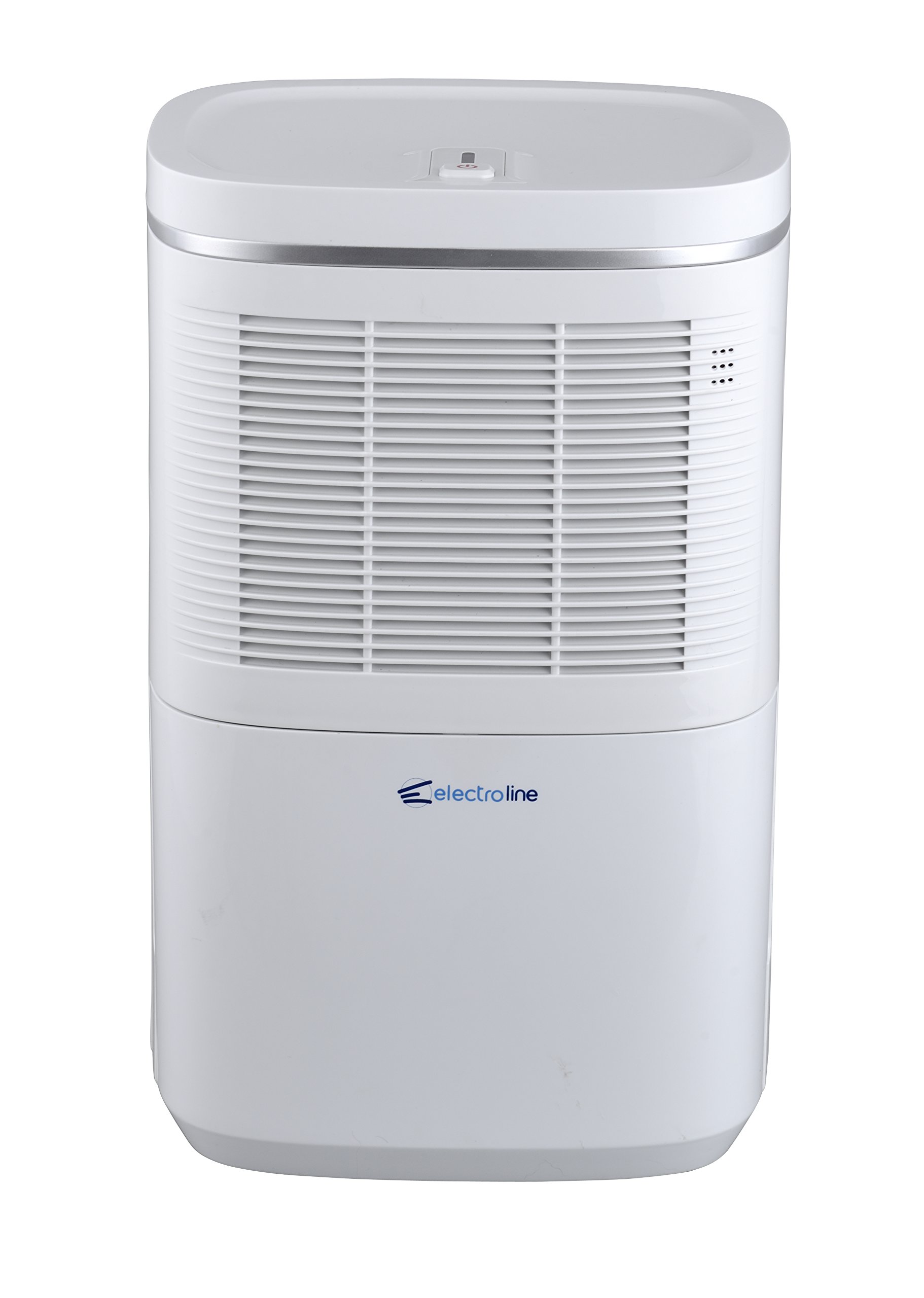
Figure 3.1: Front view of the Electroline DEM-125 dehumidifier, showing the control panel on top, air intake grille, and the brand logo.

Figure 3.2: Detail of the top control panel of the Electroline DEM-125 dehumidifier, featuring the power button and indicator light.
Key Parts:
- Control Panel: Located on the top, includes the power button and indicator light.
- Air Intake Grille: Located on the front/sides, where moist air enters the unit.
- Air Outlet: Where dry air is expelled.
- Water Tank: Removable container for collected moisture (typically located at the bottom or rear).
- Power Cord: For connecting to an electrical outlet.
4. Setup
Follow these steps to set up your dehumidifier for first-time use.
- Unpack: Carefully remove the dehumidifier from its packaging. Retain packaging materials for future storage or transport.
- Placement: Place the unit upright on a firm, level surface in the area where dehumidification is desired. Ensure there is at least 20 cm (8 inches) of clear space around all sides of the unit to allow for proper airflow. Do not place it against a wall or furniture that could obstruct the air vents.
- Power Connection: Plug the power cord into a grounded electrical outlet. Ensure the outlet meets the power requirements of the unit.
- Water Tank: Ensure the water tank is correctly inserted into the unit. The unit will not operate if the tank is full or improperly seated.
5. Operating Instructions
Operating your Electroline DEM-125 dehumidifier is straightforward.
- Power On/Off: Press the power button on the control panel (refer to Figure 3.2) to turn the unit on or off. The indicator light will illuminate when the unit is powered on.
- Dehumidification: Once powered on, the unit will begin to draw in moist air, condense the moisture, and collect it in the water tank. Dry air will be expelled from the air outlet.
- Indicator Light: The indicator light on the control panel typically shows the operating status. A blue light usually indicates normal operation. If the water tank is full or improperly seated, the light may change color or flash, and the unit may stop operating.
- Emptying the Water Tank: When the water tank is full, the unit will automatically shut off, and the indicator light will signal this condition. Carefully remove the water tank, empty the collected water, and reinsert the tank firmly into the unit. The dehumidifier will resume operation once the tank is correctly replaced.
6. Maintenance
Regular maintenance ensures optimal performance and extends the lifespan of your dehumidifier.
6.1. Cleaning the Air Filter
The air filter should be cleaned every two weeks or more frequently depending on usage and air quality.
- Unplug the dehumidifier from the power outlet.
- Locate and remove the air filter (typically behind the air intake grille).
- Gently vacuum any dust or debris from the filter. For heavier dirt, wash the filter with warm, soapy water.
- Rinse the filter thoroughly and allow it to air dry completely before reinserting. Do not use a dryer or direct heat.
- Reinsert the dry filter and plug the unit back in.
6.2. Cleaning the Water Tank
Clean the water tank regularly to prevent mold and mildew growth.
- Remove the water tank and empty any remaining water.
- Wash the tank with mild detergent and warm water.
- Rinse thoroughly and dry before placing it back into the unit.
6.3. Exterior Cleaning
- Wipe the exterior of the unit with a soft, damp cloth.
- Do not use abrasive cleaners, solvents, or harsh chemicals.
6.4. Storage
If storing the unit for an extended period:
- Empty and clean the water tank and air filter.
- Ensure the unit is completely dry before storing.
- Store in a cool, dry place, preferably in its original packaging.
7. Troubleshooting
Before contacting customer support, try these common troubleshooting steps.
| Problem | Possible Cause | Solution |
|---|---|---|
| Unit does not turn on. | No power supply. Water tank full or improperly seated. | Check power cord connection and outlet. Empty and correctly reinsert the water tank. |
| No water collected. | Room temperature too low. Air filter clogged. Humidity level already low. | Dehumidifiers operate best in warmer temperatures. Clean the air filter (Section 6.1). The unit may not collect water if the ambient humidity is below its operating threshold. |
| Unusual noise. | Unit not on a level surface. Obstruction in fan. | Place the unit on a firm, level surface. Unplug and check for any obstructions. |
| Airflow is weak. | Air filter clogged. Air intake/outlet blocked. | Clean the air filter (Section 6.1). Ensure proper clearance around the unit. |
If the problem persists after trying these solutions, please contact customer support.
8. Specifications
Technical specifications for the Electroline DEM-125 Dehumidifier.
| Feature | Specification |
|---|---|
| Model Number | DEM-125 |
| Capacity | 2.2 Liters |
| Wattage | 220 W |
| Noise Level | 45 dB |
| Product Weight | 11500 grams (11.5 kg) |
| ASIN | B017NSVBTK |
9. Warranty and Support
For warranty information or technical support, please refer to the warranty card included with your product or contact the retailer where the product was purchased. You may also visit the official Electroline website for further assistance.