Introduction
This manual provides essential information for the safe and effective use of your vhbw Micro USB Charger Cable. Please read these instructions carefully before using the product and retain them for future reference. This charger is designed to provide power to compatible Sony Handycam DCR-HC series camcorders.
Package Contents
Verify that all items listed below are included in your package:
- 1 x Charging Block
- 1 x USB Cable with Micro-USB connection (40 cm length)
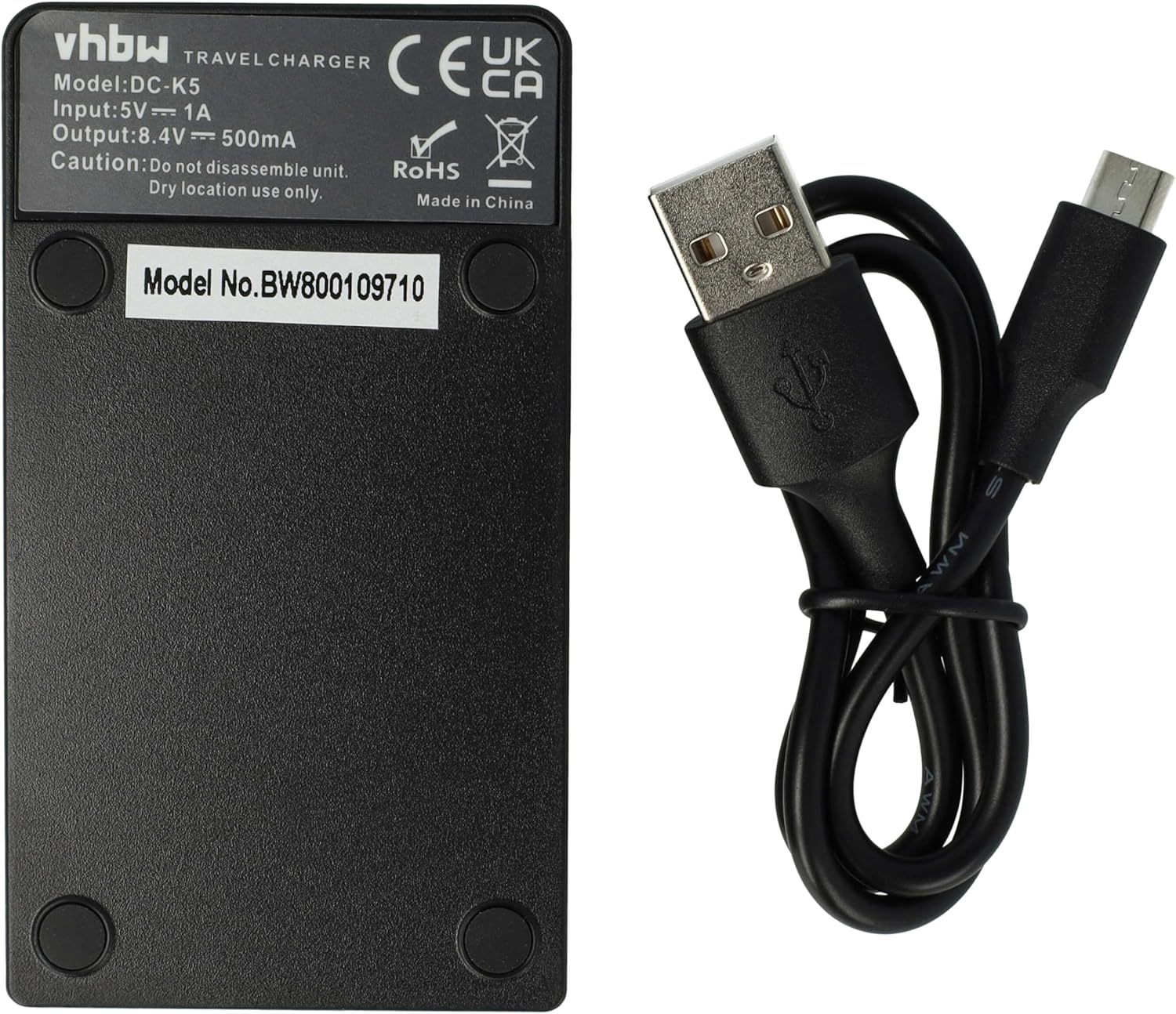
Image: The vhbw charging block and the included micro USB cable.
Setup
Follow these steps to set up your vhbw Micro USB Charger Cable:
- Connect the USB Cable: Insert the micro-USB end of the cable into the corresponding port on the charging block.
- Connect to Power: Insert the standard USB-A end of the cable into a compatible USB power source (e.g., a wall adapter, computer USB port, or power bank).
- Insert Battery: Carefully insert your compatible Sony Handycam battery into the charging slot of the charging block, ensuring correct polarity.

Image: Close-up of the micro-USB and standard USB-A connectors of the cable.

Image: Detailed view of the battery charging slot on the vhbw charging block.
Operating Instructions
Once the charger is set up and the battery is inserted, the charging process will begin automatically. The charging block typically features an indicator light (often an LED) that changes color or state to show the charging status (e.g., red for charging, green for fully charged). Refer to the specific indicator on your charging block for its status.
When the battery is fully charged, remove it from the charging block and disconnect the charger from the power source.
Maintenance
To ensure the longevity and proper functioning of your charger, follow these maintenance guidelines:
- Storage: Store the charger and cable in a dry location when not in use. Avoid humid or excessively hot environments.
- Cleaning: Use a soft, dry cloth to clean the charger and cable. Do not use liquid cleaners or solvents.
- Handling: Do not disassemble the unit. Avoid dropping or subjecting the charger to strong impacts.
- Cable Care: Do not bend or crimp the cable excessively. Always pull by the plug, not the cable, when disconnecting.
Troubleshooting
If you encounter issues with your charger, consider the following common solutions:
- Charger Not Working:
- Ensure the USB cable is securely connected to both the charging block and the power source.
- Try a different USB power source (e.g., another wall adapter or computer port).
- Verify that the power source is active and providing power.
- Battery Not Charging:
- Ensure the battery is correctly inserted into the charging slot with the correct polarity.
- Confirm that the battery is compatible with this charger model.
- Check if the battery itself is damaged or at the end of its lifespan.
- Indicator Light Not On:
- Follow the steps for "Charger Not Working" above.
- Some chargers only illuminate the indicator when a battery is present and charging.
If problems persist, contact customer support for further assistance.
Specifications
| Feature | Detail |
|---|---|
| Brand | vhbw |
| Model Number (Charger) | VHBW4251215303929 |
| Input | 5V ⎯ 1A |
| Output | 8.4V ⎯ 500mA |
| Cable Length | 40 cm |
| Color | Black |
| Weight | 43 Grams |
| Number of Ports | 1 (for battery) |

Image: The back label of the vhbw charging block, displaying input and output specifications.
Compatibility
This vhbw Micro USB Charger Cable is compatible with the following Sony Handycam camcorder models:
- Sony Handycam DCR-HC53E
- Sony Handycam DCR-HC5E
- Sony Handycam DCR-HC62
- Sony Handycam DCR-HC62E
- Sony Handycam DCR-HC65
- Sony Handycam DCR-HC65E
- Sony Handycam DCR-HC7
Please ensure your device model is listed above for proper compatibility.
Warranty and Support
For information regarding warranty coverage or technical support, please refer to the retailer or manufacturer's official website. Keep your purchase receipt as proof of purchase.