1. Introduction
This manual provides essential information for the safe and effective use of your Pioneer AVH-X4800BS 2-DIN Receiver. Please read it thoroughly before installation and operation, and keep it for future reference. This receiver features a 7-inch motorized display, built-in Bluetooth, Siri Eyes Free, and AppRadio compatibility, offering a comprehensive in-car audio and visual experience.
2. Product Overview
The Pioneer AVH-X4800BS is a versatile 2-DIN A/V receiver designed for enhanced in-car entertainment and connectivity. It supports various audio and video sources and integrates seamlessly with smartphones.

Figure 2.1: Front view of the Pioneer AVH-X4800BS receiver with included remote control.

Figure 2.2: Close-up of the 7-inch motorized display showing the main interface.
3. Setup and Installation
Proper installation is crucial for optimal performance. It is recommended that installation be performed by a qualified professional.
3.1 Package Contents
- Pioneer AVH-X4800BS 2-DIN Receiver
- Wiring Harness
- Remote Control
- Microphone
- Mounting Hardware

Figure 3.1: Included accessories: wiring harness, remote control, microphone, and mounting screws.
3.2 Wiring Connections
Connect the wiring harness to your vehicle's electrical system. Ensure all connections are secure and insulated. Refer to the detailed wiring diagram in the separate installation manual for specific connections.
- Power/Ground: Connect to vehicle's power and ground.
- Speaker Outputs: Connect to vehicle's speakers.
- RCA Pre-outs: For external amplifiers (front, rear, subwoofer).
- USB Input: For smartphone connection and media playback.
- Rear Camera Input: For connecting a backup camera.
- Microphone Input: For hands-free calling and voice commands.
- HDMI Ports: Two ports for external video sources.

Figure 3.2: Rear view of the receiver showing various input/output ports for power, speakers, RCA, USB, and camera connections.
4. Basic Operation
4.1 Power On/Off
Press the POWER button on the unit or remote control to turn the receiver on or off.
4.2 Source Selection
Touch the SOURCE icon on the touchscreen or use the remote control to select desired audio/video sources such as Radio, Bluetooth Audio, USB, iPod, AUX, or AppRadio.
4.3 Volume Control
Adjust the volume using the volume buttons on the unit or the remote control.
4.4 Motorized Display
The 7-inch display is motorized. Use the dedicated buttons on the unit to adjust the display angle or eject discs (if applicable).
5. Audio Features
5.1 13-Band Graphic Equalizer
Customize your audio experience with the built-in 13-band graphic equalizer. Adjust frequency bands to fine-tune the sound output to your preference.
5.2 Subwoofer Control
Manage subwoofer output levels and crossover frequencies directly from the receiver's menu for optimized bass performance.
6. Connectivity
6.1 Built-in Bluetooth
Pair your smartphone via Bluetooth for hands-free calling and wireless audio streaming. The included microphone ensures clear voice transmission during calls.
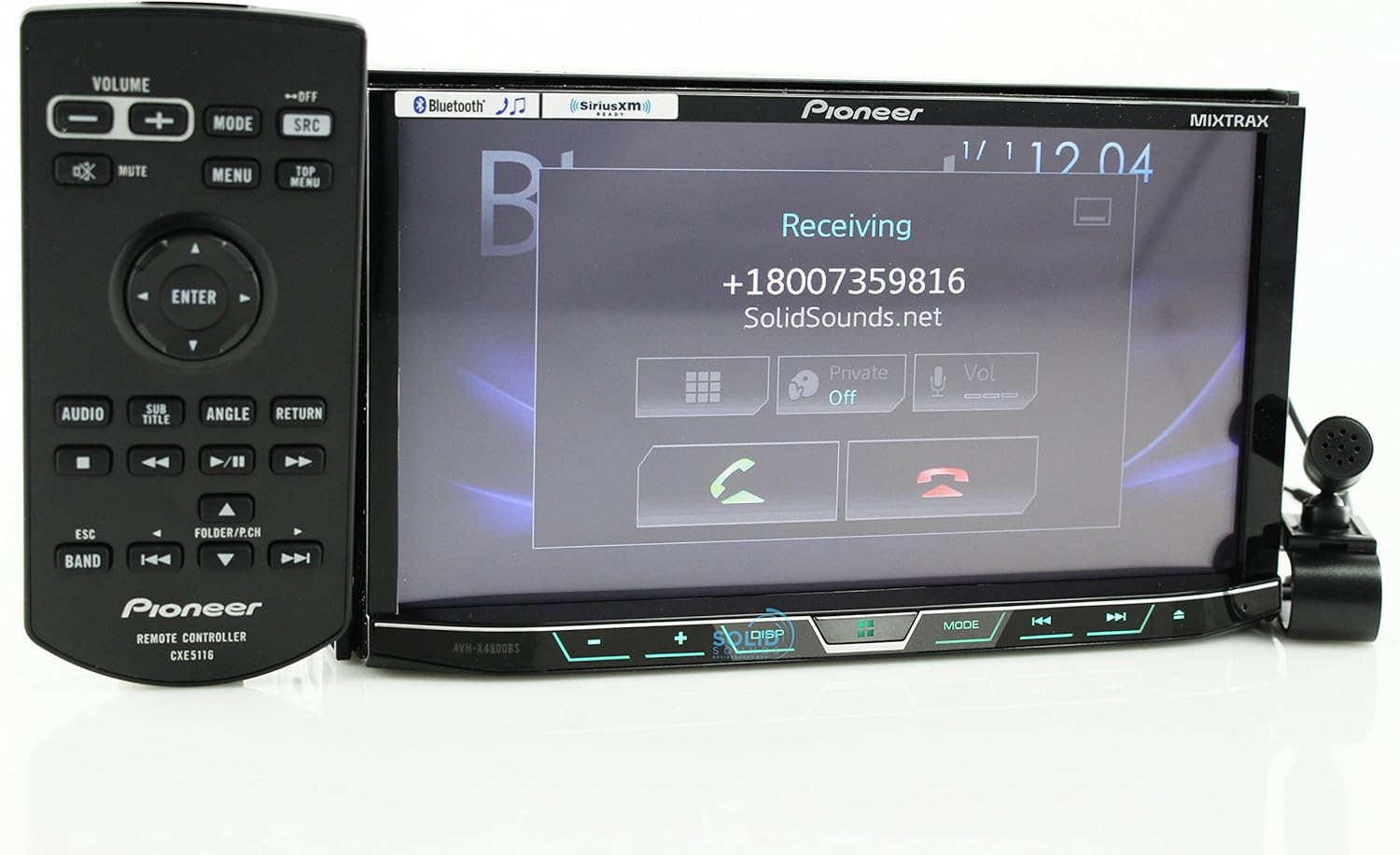
Figure 6.1: Display showing an incoming Bluetooth call.
6.2 Siri Eyes Free & AppRadio
Utilize Siri Eyes Free for voice control of your iPhone functions without taking your eyes off the road. AppRadio Mode allows for seamless integration with compatible smartphone apps directly on the receiver's display.
6.3 Spotify & Pandora Control
Directly control Spotify and Pandora applications from the receiver's touchscreen when your smartphone is connected, providing access to your favorite music and podcasts.
7. Maintenance
7.1 Screen Cleaning
Use a soft, dry cloth to clean the touchscreen. For stubborn smudges, lightly dampen the cloth with water or a screen-safe cleaner. Avoid abrasive materials or harsh chemicals.
7.2 Software Updates
Periodically check the Pioneer website for available firmware updates to ensure optimal performance and access to the latest features. Follow the instructions provided with the update package carefully.
8. Troubleshooting
- No Power: Check power connections and vehicle's fuse box. Ensure the ignition is on.
- No Sound: Verify speaker connections and amplifier status. Check volume levels and mute settings.
- Bluetooth Connectivity Issues: Ensure Bluetooth is enabled on both the receiver and your smartphone. Delete previous pairings and attempt to re-pair.
- Touchscreen Unresponsive: Perform a system reset (refer to the full owner's manual for reset procedure).
- Display Malfunction: Check wiring connections to the display unit. If the issue persists, contact Pioneer support.
9. Specifications
| Product Dimensions | 11 x 9.5 x 6 inches |
| Item Weight | 0.01 ounces |
| Item Model Number | AVH-X4800BS |
| Connectivity Technology | Bluetooth |
| Controller Type | iOS |
| Special Feature | Spotify |
| Compatible Devices | Smartphones (Android, iOS) |
| Total HDMI Ports | 2 |
| Connector Type | 2.5mm Jack |
| Audio Encoding | Stereo |
| Audio Output Mode | Stereo |
| Surround Sound Channel Configuration | 4 channel |
10. Warranty and Support
For warranty information and technical support, please refer to the warranty card included with your product or visit the official Pioneer website. Keep your purchase receipt as proof of purchase.


