Introduction
The Stealth Cam PX14 scouting camera is designed to capture high-quality images and videos of wildlife. Featuring an 8.0MP sensor, it delivers clear photos and high-definition video clips up to 15 seconds in length. Its low-light image sensor ensures sharp images even at night. The camera includes a burst mode for capturing multiple images per triggering and displays time, date, and moon phase on all recordings. This manual provides detailed instructions for setting up, operating, maintaining, and troubleshooting your STC-PX14 camera.
Key Features
- 8.0 Megapixel with 3 resolutions: 8MP, 4MP, and 2MP.
- Integrated 14 IR emitters with a 50-foot range for night vision.
- Capable of operating effectively day and night.
- HD video recording up to 15 seconds at 16:9 wide ratio.
- Burst mode: 1-6 images per triggering.
- Adjustable recovery time out: 5-59 seconds / 5-59 minutes.
- Date, time, and moon phase displayed on each image or video.
Setup Guide
1. Battery Installation
The STC-PX14 requires 8 AA batteries (not included). For optimal performance and battery life, use high-quality alkaline or lithium batteries.
- Open the camera housing latch located on the side.
- Locate the battery compartment.
- Insert 8 AA batteries, ensuring correct polarity (+/-) as indicated inside the compartment.
- Close the battery compartment securely.

Image: Side view of the STC-PX14 camera, highlighting the textured casing and the secure latch mechanism.
2. SD Card Insertion
A Class 4 or higher SD card (up to 32GB, not included) is required to store images and videos.
- With the camera powered off, locate the SD card slot.
- Insert the SD card with the metal contacts facing down until it clicks into place.
- To remove, push the card in until it clicks, then release to eject.
3. Mounting the Camera
Choose a suitable location for your camera, such as a tree or post, ensuring a clear view of the desired area.
- Use the included mounting strap to secure the camera to a tree or post.
- Adjust the camera angle to ensure optimal coverage.
- Ensure the camera is stable and will not move due to wind or animal activity.

Image: Front view of the STC-PX14 camera, showing the main lens, IR emitters, and motion sensor.
Operating Instructions
1. Powering On/Off
- To power on, slide the power switch to the ON position.
- To power off, slide the power switch to the OFF position.
2. Mode Selection
The camera typically offers different modes (e.g., Photo, Video, Burst). Refer to the on-screen menu for specific options.
- Use the navigation buttons to select your desired operating mode.
- Confirm your selection to apply the setting.
3. Capturing Images/Videos
Once set up and powered on, the camera will automatically capture images or videos based on motion detection and your selected settings.
- Ensure the camera is in the desired mode (Photo or Video).
- The camera's motion sensor will trigger recording when movement is detected within its range.
- Images and videos will be saved to the inserted SD card.
4. Data Retrieval
To view or transfer your captured media:
- Remove the SD card from the camera.
- Insert the SD card into a computer's SD card reader or a compatible device.
- Access the files on the SD card to view, copy, or delete them.
- Alternatively, connect the camera directly to a computer using a USB cable (if supported by your model).
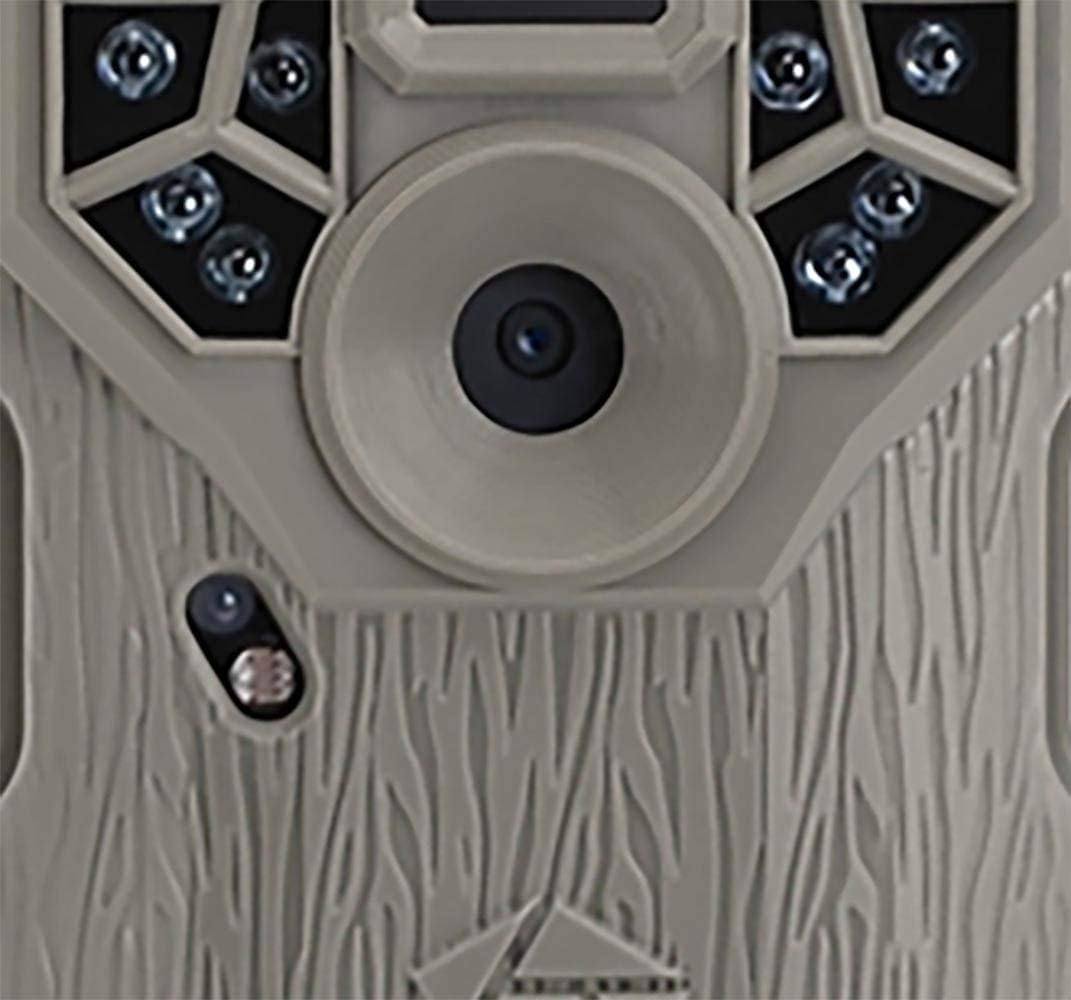
Image: Detailed front view of the STC-PX14 camera, highlighting the central lens and surrounding infrared emitters.
Maintenance
- Cleaning: Use a soft, dry cloth to clean the camera lens and housing. Avoid abrasive cleaners or solvents.
- Battery Care: Remove batteries if the camera will not be used for an extended period to prevent leakage.
- Storage: Store the camera in a cool, dry place away from direct sunlight and extreme temperatures.
- Firmware Updates: Periodically check the Stealth Cam website for any available firmware updates for your model.
Troubleshooting
| Problem | Possible Cause | Solution |
|---|---|---|
| Camera not powering on | Low or dead batteries; incorrect battery polarity. | Replace batteries; ensure correct polarity. |
| Poor image/video quality | Dirty lens; low light conditions; incorrect resolution settings. | Clean lens; ensure adequate lighting or use night mode; adjust resolution settings. |
| Camera not triggering | Motion sensor obstructed; sensitivity setting too low; subject out of range. | Clear sensor area; increase sensitivity; reposition camera. |
| SD card error | Corrupted card; incompatible card; card full. | Format SD card (will erase data); use a compatible card; delete old files. |
| Date/Time incorrect | Settings not saved; battery removed for too long. | Re-enter date/time settings and save; ensure batteries are always present. |
Technical Specifications
| Brand | Stealth Cam |
| Model Name | Stealth Cam 8MP 14 IR Emitter Hunting Game Trail Camera with Video |
| Part Number | STC-PX14 |
| Effective Still Resolution | 8 MP |
| Video Capture Resolution | 4 MP (HD video up to 15 seconds) |
| Low Light Technology | Night Color (14 IR emitters, 50 ft range) |
| Connectivity Technology | Wireless (Wi-Fi) |
| Control Method | App |
| Power Source | Batteries (8 x AA, not included) |
| Voltage | 12 Volts |
| Material | Synthetic |
| Item Weight | 0.45 Kilograms |
| Item Dimensions (LxWxH) | 2.25 x 6.75 x 9.13 inches |
| International Protection Rating | IP54 |
| Suggested Uses | Security, Surveillance |
Warranty and Support
The Stealth Cam STC-PX14 comes with a Manufacturer Warranty. For specific details regarding the warranty period, coverage, and claims process, please refer to the documentation included with your product or visit the official Stealth Cam website.
For technical support, troubleshooting assistance beyond this manual, or warranty inquiries, please contact Stealth Cam customer service:
- Website: www.stealthcam.com
- Customer Service: Refer to the website for contact numbers or support forms.
Please have your model number (STC-PX14) and purchase information ready when contacting support.


