
Introduction
This manual provides comprehensive instructions for the installation, operation, and maintenance of your ZOSI 2K WiFi 6 Security Camera System. This system includes a Network Video Recorder (NVR) and 3MP WiFi cameras designed for both indoor and outdoor surveillance. Please read this manual thoroughly before using the product to ensure proper setup and functionality.
Package Contents
Verify that all items listed below are included in your package. If any items are missing or damaged, please contact ZOSI customer support.

Image: Overview of the ZOSI 2K WiFi 6 Security Camera System package contents, including the NVR, cameras, power adapters, cables, and accessories.
- 1 x 8-Channel 2K WiFi NVR with 1TB Security Grade Hard Drive
- 4 x 2K WiFi Cameras
- 1 x WiFi Antenna Extender
- 1 x Waterproof Lid
- 1 x NVR Power Adapter
- 4 x Camera Power Adapters
- 1 x Ethernet Cable
- 1 x USB Mouse
- 1 x User Manual (this document)
- 1 x HDMI Cable
- 4 x Mounting Screw Kits
Product Overview
The ZOSI 2K WiFi 6 Security Camera System provides comprehensive surveillance with high-resolution cameras and a robust NVR for continuous recording.

Image: The ZOSI NVR unit and four WiFi cameras, along with a 1TB hard drive icon.
NVR and Camera Components

Image: A detailed diagram illustrating the various components and ports of the ZOSI WiFi camera (antenna, speaker, lens, warm lights, microphone, IR-LEDs, power supply, network port) and the NVR (WiFi antenna, VGA, Audio Out, HDMI, Router port, USB 2.0, DC 12V power input).
Camera Features:
- Antenna: For wireless connection to the NVR.
- Speaker: Enables two-way audio communication.
- 3.6mm Lens: Provides a 90-degree viewing angle.
- Warm Lights: For color night vision.
- Microphone: For audio input during two-way communication.
- IR-LEDs: For infrared black and white night vision up to 80ft.
- Power Supply Port: Connects to the camera power adapter.
- Network Port: (Optional) For wired connection.
NVR Features:
- WiFi Antenna: For wireless communication with cameras.
- VGA Output: Connects to a monitor.
- Audio Output: For external audio devices.
- HDMI Output: Connects to a monitor or TV for high-definition display.
- Router Port (Ethernet): Connects the NVR to your internet router.
- USB 2.0 Ports: For USB mouse and backup devices.
- DC 12V Power Input: Connects to the NVR power adapter.
Setup
Follow these steps to set up your ZOSI 2K WiFi 6 Security Camera System.
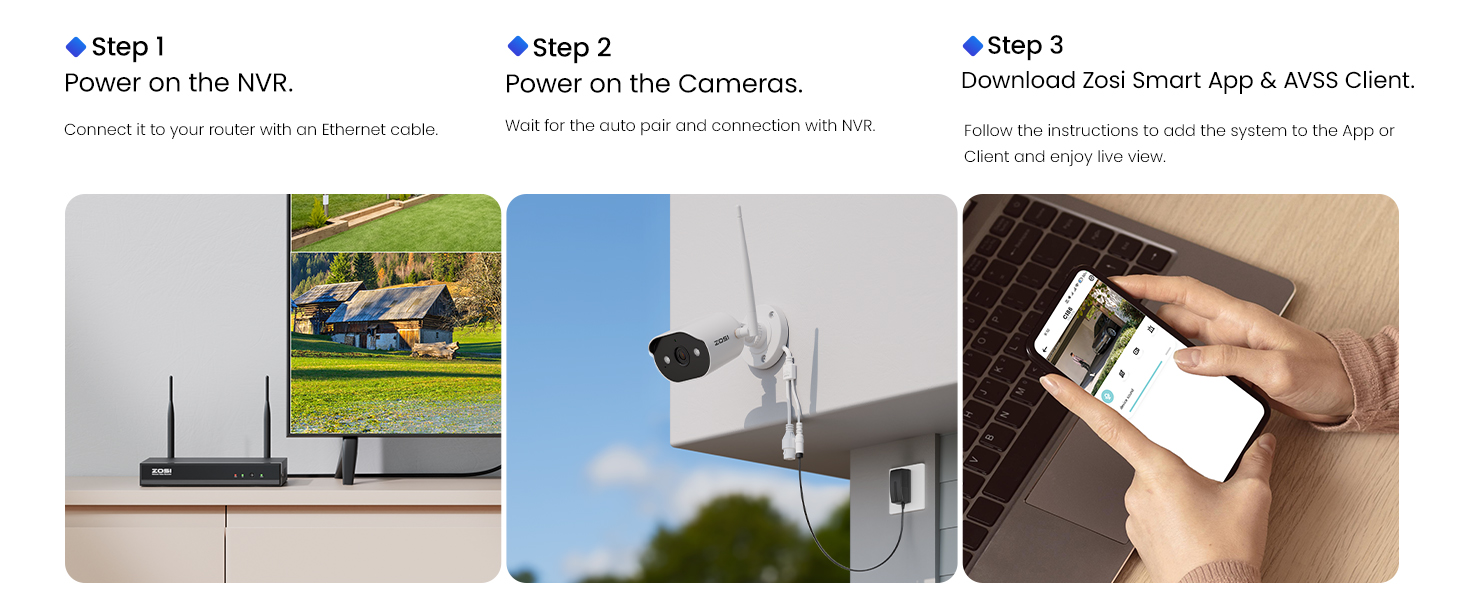
Image: Visual guide for the three main setup steps: powering on NVR, powering on cameras, and downloading the app.
Step 1: NVR Initial Setup
- Connect NVR to Power: Connect the NVR power adapter to the NVR's DC 12V input and plug it into a power outlet.
- Connect NVR to Monitor: Use the provided HDMI cable to connect the NVR to a monitor or TV. Alternatively, use a VGA cable if your monitor supports it.
- Connect USB Mouse: Plug the USB mouse into one of the NVR's USB 2.0 ports.
- Connect NVR to Router: Connect the NVR to your internet router using the provided Ethernet cable. This is essential for remote viewing and alerts on your phone.
Step 2: Camera Installation and Connection
- Mount Cameras: Choose suitable locations for your cameras, ensuring they have a clear view and are within range of the NVR's WiFi signal. Use the mounting screw kits for secure installation.
- Power Cameras: Connect each camera to its respective power adapter and plug them into power outlets. The cameras require a continuous power supply.
- Automatic Pairing: The cameras are pre-linked to the NVR from the factory. Once powered on, they should automatically connect to the NVR. You will see the camera feeds appear on the connected monitor.
- Waterproof Lid: For outdoor camera installations, use the waterproof lid to protect the network cable connection from moisture.

Image: An illustration demonstrating a camera connected to a power outlet and the NVR connected to a router and power, highlighting stable power and WiFi connections.
Step 3: Mobile App Setup
- Download ZOSI Smart App: Download the "ZOSI Smart" app from your smartphone's app store (iOS or Android).
- Register Account: Open the app and register a new account or log in if you already have one.
- Add Device: Follow the in-app instructions to add your NVR system. You will typically scan a QR code on the NVR or manually enter the device ID.
- Live View: Once added, you can view live feeds, receive alerts, and manage your system remotely. Ensure your NVR is connected to your router for full remote functionality.
Operating the System
Your ZOSI security system offers various features for effective surveillance.
Night Vision Capabilities
The cameras are equipped with advanced night vision technology.
- Color Night Vision: With built-in warm lights, the cameras can provide full-color video footage in low-light conditions.
- Infrared B&W Mode: In total darkness, the cameras automatically switch to infrared black and white mode, offering clear vision up to 80 feet.

Image: A comparison showing a house at night with the spotlight off (black and white view) and with the spotlight on (color night vision view).
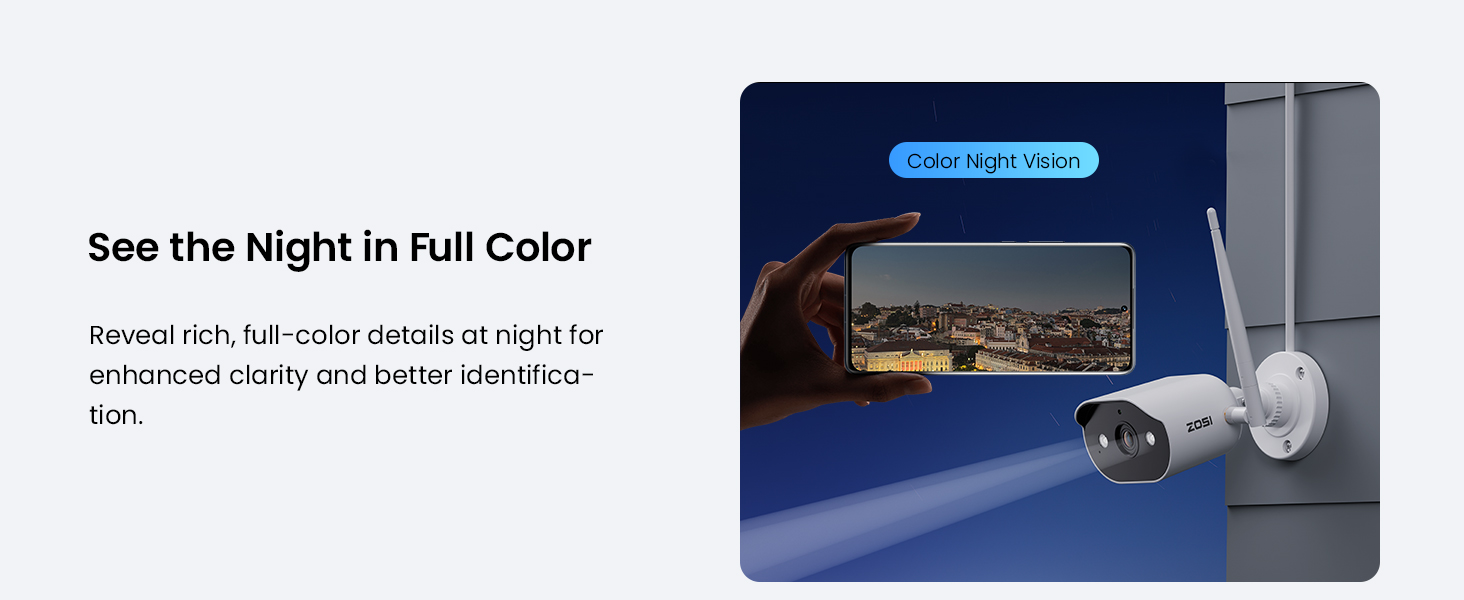
Image: A smartphone screen showing a vibrant, full-color night view captured by the camera.
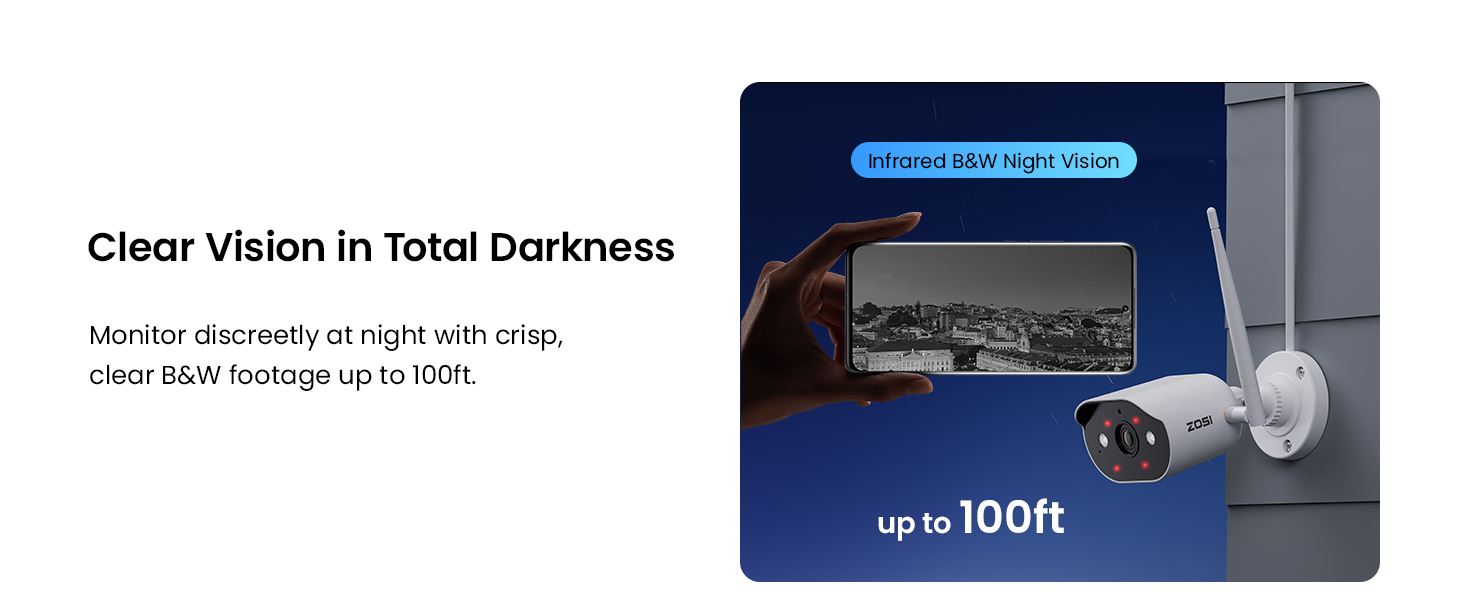
Image: A smartphone screen showing a clear black and white infrared night view captured by the camera, effective up to 100ft.
Smart AI Person Detection & Alerts
The system utilizes AI to accurately detect human figures, minimizing false alarms from pets or other moving objects.
- Instant Alerts: Receive immediate notifications on your phone when a person is detected.
- Spotlight & Siren: Upon detection, the camera can automatically activate a bright spotlight and a siren to deter intruders.
- Custom Detection Zones: Configure specific areas for motion detection to focus on critical zones.

Image: A smartphone displaying an alert for person detection, with an on-device AI highlighting a person in the camera's view. Icons for app push/email and custom detection zone are also shown.

Image: An illustration showing a camera activating its spotlight and siren in response to a detected person, with a smartphone displaying an alert.
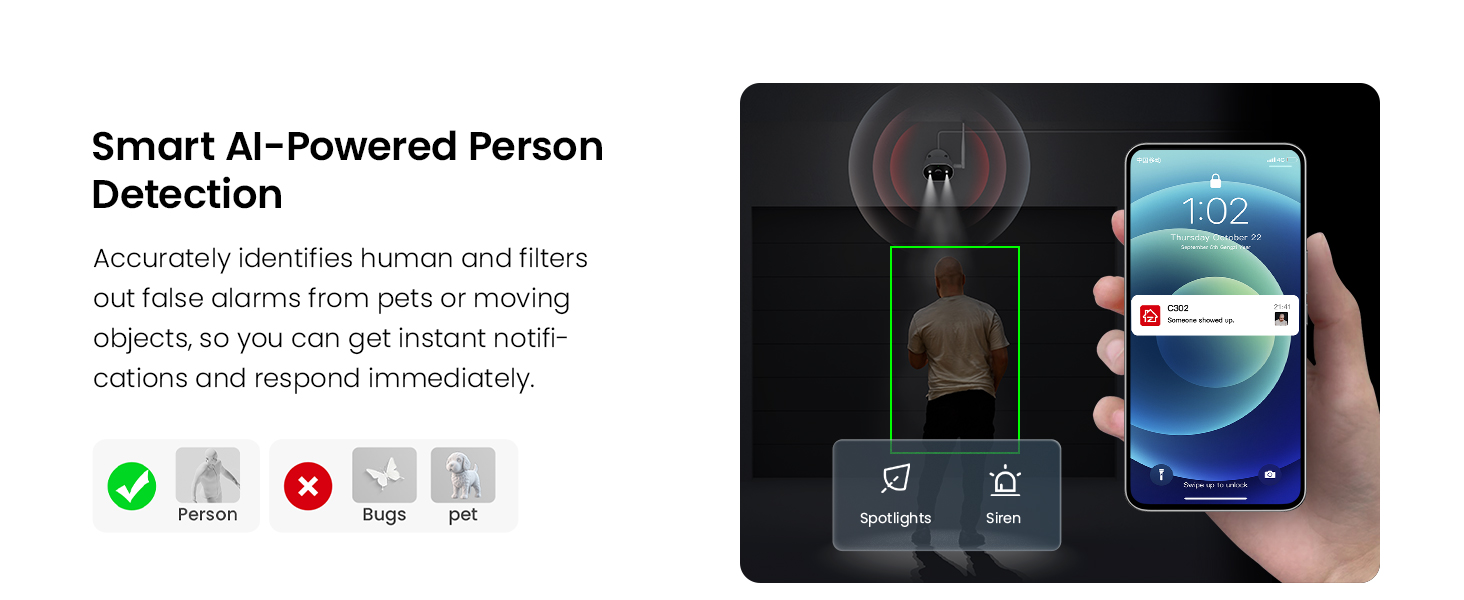
Image: A visual representation of AI-powered person detection, showing how it accurately identifies humans while filtering out non-human triggers like bugs or pets.
Two-Way Audio
Communicate directly through the camera using the built-in microphone and speaker.
- Remote Communication: Speak to visitors or warn off unwanted individuals from anywhere using the ZOSI Smart App.

Image: A person speaking to a delivery driver through the camera, demonstrating the two-way audio feature.
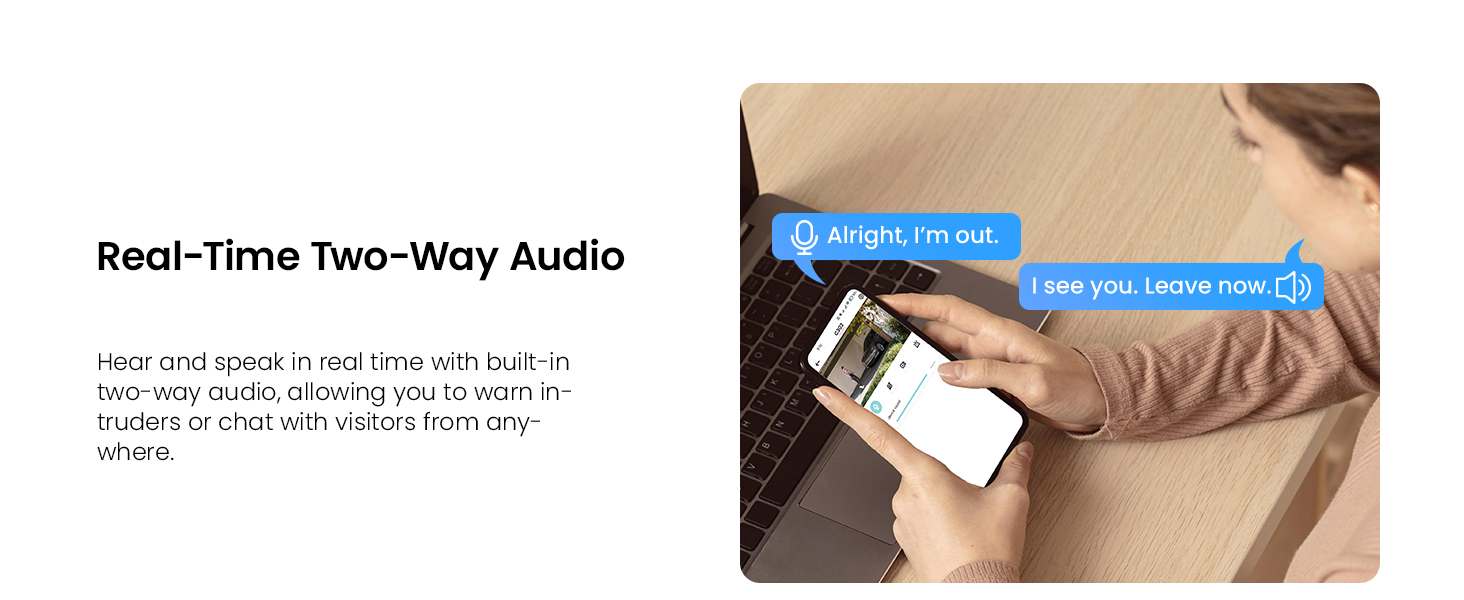
Image: A user engaging in a conversation using the two-way audio feature via a laptop, showing speech bubbles for interaction.
24/7 Recording & Local Storage
The NVR includes a 1TB hard drive for continuous recording without monthly fees.
- Continuous Recording: The system records footage 24/7.
- Automatic Overwrite: When the hard drive is full, the NVR automatically overwrites the oldest recordings. You can also enable "Recycle Record" mode.
- Expandable Storage: The 8-channel NVR supports adding up to 4 more ZOSI WiFi 6 cameras and can support up to 8TB HDD.
- USB Backup: Important clips can be backed up via USB.

Image: The NVR connected to a television, displaying a grid of live feeds from multiple cameras, indicating centralized monitoring and management with 24/7 recording.

Image: A large '0' graphic emphasizing local storage with no monthly fees for recording and storing footage.
Remote Access and Playback
Access your security system from anywhere using the ZOSI Smart App.
- Live View: Monitor your property in real-time.
- Smart Playback: Easily review recorded footage, with highlighted segments for human events.
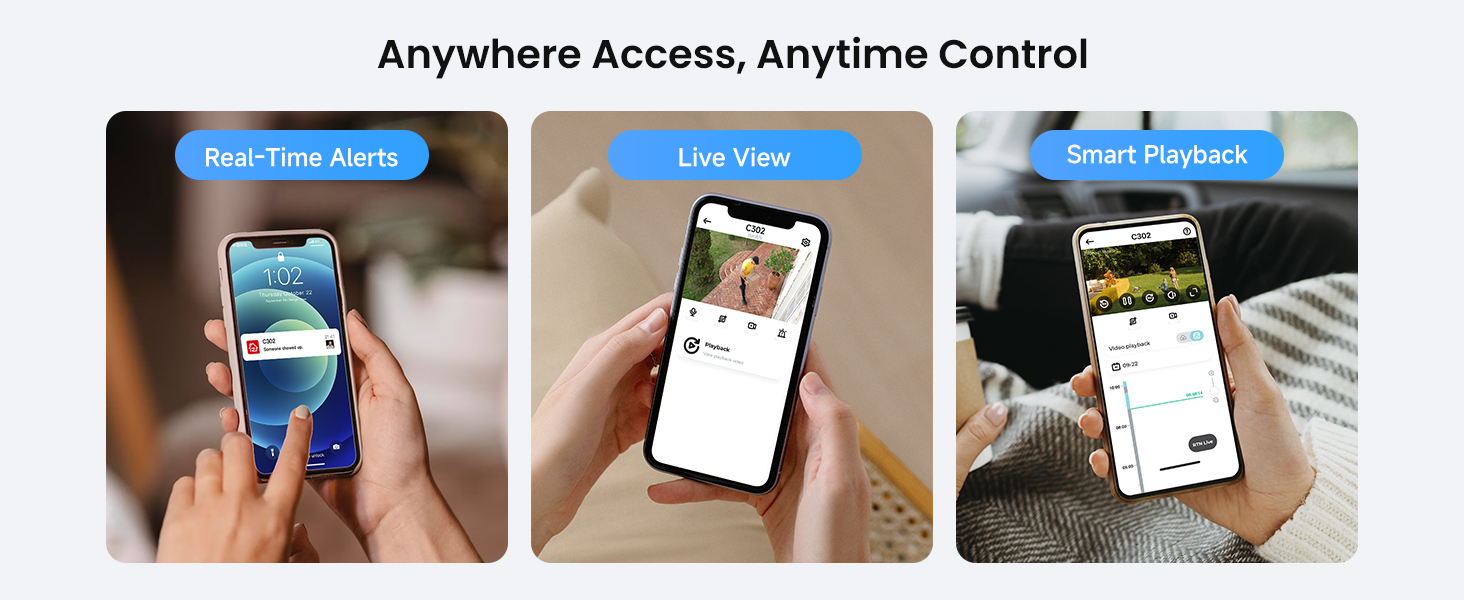
Image: Three smartphone screens illustrating the ZOSI Smart App's features: real-time alerts, live view, and smart playback with a timeline.
Privacy Zones
Mask specific areas within the camera's view to ensure privacy for certain spaces.

Image: A house with black rectangles indicating masked privacy zones within the camera's field of view, ensuring private spaces are not recorded.
Maintenance
Proper maintenance ensures the longevity and optimal performance of your security system.
- Regular Cleaning: Periodically clean camera lenses with a soft, dry cloth to ensure clear image quality.
- Weather Resistance: The cameras feature IP66 weatherproof and rust-resistant metal housing, designed to withstand rain, snow, and extreme temperatures. However, avoid direct high-pressure water jets.
- Firmware Updates: Regularly check for and install firmware updates for your NVR and cameras via the ZOSI Smart App or ZOSI website to ensure optimal performance and security.
- Power Supply: Ensure continuous and stable power supply to both the NVR and cameras.
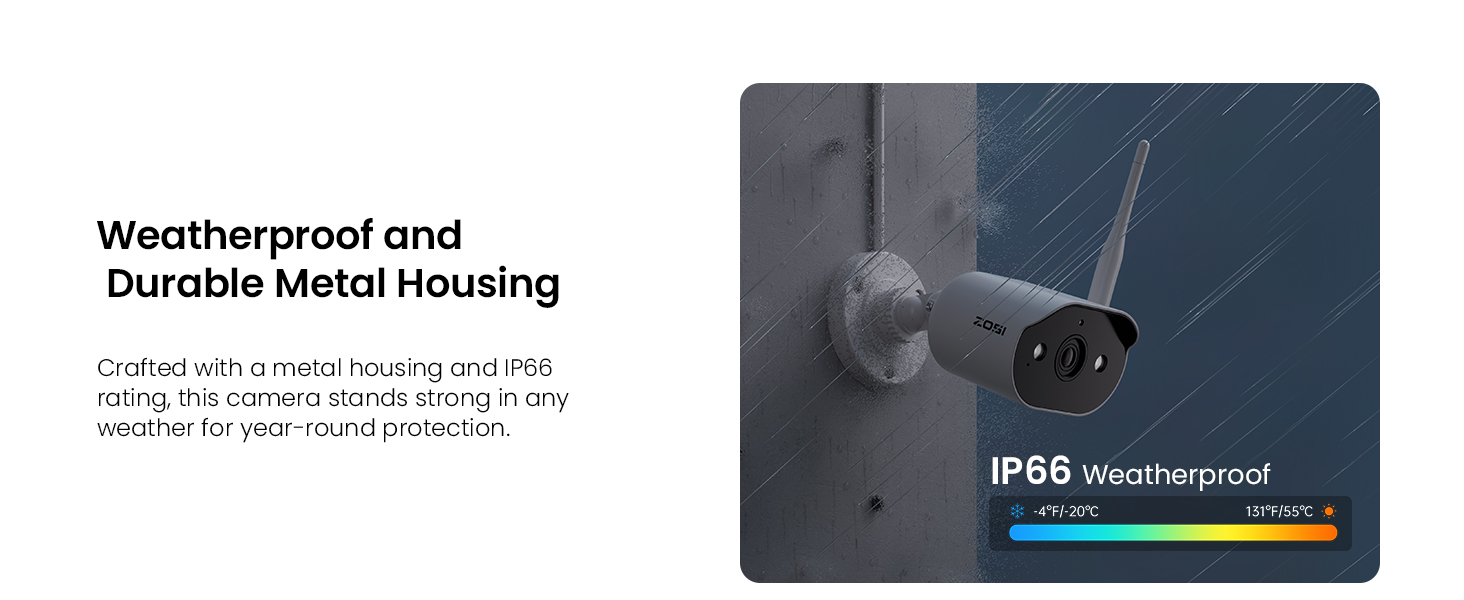
Image: A ZOSI camera mounted outdoors during rainy weather, highlighting its IP66 weatherproof and durable metal housing.
Troubleshooting
This section addresses common issues you might encounter.
- No Camera Feed:
- Ensure cameras are powered on and within WiFi range of the NVR.
- Check if the camera's hardware ID code needs to be reset/re-paired with the NVR. Refer to the ZOSI support website for specific instructions.
- No Remote Viewing/Alerts:
- Verify the NVR is connected to your internet router via Ethernet cable.
- Ensure your smartphone has an active internet connection (Wi-Fi or cellular data).
- Update the ZOSI Smart app and NVR firmware to the latest versions.
- Poor WiFi Signal for Cameras:
- Ensure cameras are not too far from the NVR.
- Minimize obstructions (thick walls, metal objects) between cameras and NVR.
- Consider using a WiFi range extender if necessary, especially for cameras placed at a distance.
- False Motion Alerts:
- Adjust AI person detection sensitivity settings in the app.
- Set up custom detection zones to exclude areas with frequent non-human movement (e.g., swaying trees).
- Hard Drive Full/Recording Issues:
- The NVR automatically overwrites the oldest footage. Ensure "Recycle Record" mode is enabled if desired.
- Check hard drive health in NVR settings.
Specifications
| Feature | Specification |
|---|---|
| Brand | ZOSI |
| Model Number | ZSWNVK-A83041-W-US |
| Connectivity Technology | Wireless |
| Video Capture Resolution | 2K (3MP cameras) |
| Number of Channels | 8 |
| Memory Storage Capacity | 1 TB (expandable up to 8TB) |
| Power Source | Corded Electric |
| Operating System | Linux |
| Recommended Uses | Home Security, Indoor/Outdoor Surveillance |
| Night Vision Range | 80 Feet |
| Frame Rate | 15fps |
| Recording Mode | Event, Schedule |
| Hardware Interface | HDMI, VGA, USB 2.0, Ethernet, 3.5mm Audio |
| Viewing Angle | 90 Degrees |
| Weatherproof Rating | IP66 |
| Dimensions (NVR) | 13 x 12 x 7 inches |
| Item Weight | 8.5 pounds |
Warranty and Support
ZOSI provides after-sales support and services. For technical assistance, warranty information, or further inquiries, please visit the official ZOSI website or contact their customer service.
You can also visit the ZOSI Brand Store on Amazon for more information and support resources.