
Kenwood KMC011
Kenwood Chef Titanium Kitchen Machine User Manual
Model: KMC011
1. Introduction
The Kenwood Chef Titanium Kitchen Machine (Model KMC011) is a powerful and versatile appliance designed for a wide range of food preparation tasks. Since 1947, Kenwood has been a leader in kitchen appliance innovation, and this model continues that tradition with its robust design and advanced features.
This kitchen machine features an 800W motor and Electronic Variable Speed Control, allowing for precise mixing and handling of various ingredients, from delicate batters to heavy doughs. Its large capacity stainless steel work bowl and durable mixing tools make it suitable for both everyday use and larger baking projects.

Figure 1: Kenwood Chef Titanium Kitchen Machine (Model KMC011)
2. Important Safety Instructions
When using electrical appliances, basic safety precautions should always be followed, including the following:
- Read all instructions before operating the appliance.
- Do not immerse the motor unit in water or other liquids.
- Unplug from outlet when not in use, before putting on or taking off parts, and before cleaning.
- Avoid contact with moving parts. Keep hands, hair, and clothing, as well as spatulas and other utensils, away from moving beaters during operation to prevent injury and/or damage to the mixer.
- The use of attachments not recommended or sold by the manufacturer may cause fire, electric shock, or injury.
- Do not use outdoors.
- Do not let cord hang over edge of table or counter.
- Do not let cord contact hot surfaces, including the stove.
- Close supervision is necessary when any appliance is used by or near children.
- Do not operate any appliance with a damaged cord or plug or after the appliance malfunctions, or is dropped or damaged in any manner. Return appliance to the nearest authorized service facility for examination, repair, or electrical or mechanical adjustment.
3. Components and Features
The Kenwood Chef Titanium Kitchen Machine comes equipped with several key components designed for optimal performance:
- Motor Unit: The main body housing the 800W motor and electronic controls.
- Stainless Steel Work Bowl: A durable 5-quart capacity bowl with rugged handles, suitable for large batches.
- Power Whisk: Ideal for whipping cream, egg whites, and light batters.
- Dough Hook: Designed for kneading heavy doughs like bread and pizza dough.
- K-Beater: Kenwood's signature tool, designed for maximum mixing performance across various ingredients.
- Electronic Variable Speed Control: Allows for gradual incorporation of ingredients and precise speed adjustments.
- Integrated Scale: A convenient pop-out scale for weighing ingredients directly in the bowl.
- Attachment Hubs: Four built-in hubs for connecting optional attachments (sold separately), such as pasta cutters, meat grinders, blenders, food processors, and ice cream makers.

Figure 2: Included mixing tools: Power Whisk, Dough Hook, and K-Beater.

Figure 3: The Electronic Variable Speed Control knob for precise adjustments.
4. Setup and Assembly
Before first use, ensure all packaging materials are removed and clean all parts that will come into contact with food.
- Placement: Place the kitchen machine on a clean, dry, and stable surface. Ensure there is adequate space around the unit for ventilation and operation.
- Attaching the Bowl: Place the stainless steel work bowl onto the base of the machine. Rotate it clockwise until it locks securely into place.
- Installing a Mixing Tool:
- Lift the mixer head by pressing the head release lever and raising the head until it clicks into the upright position.
- Align the chosen mixing tool (whisk, dough hook, or K-beater) with the attachment shaft.
- Push the tool upwards onto the shaft and then rotate it slightly until it clicks into place.
- Lowering the Head: Gently lower the mixer head until it locks into the operating position. Do not force it down.
- Power Connection: Plug the power cord into a grounded electrical outlet.

Figure 4: Ensure the machine is placed on a stable surface with sufficient clearance.
5. Operating Instructions
The Kenwood Chef Titanium Kitchen Machine is designed for intuitive operation.
5.1. Adding Ingredients
Ingredients can be added directly to the stainless steel work bowl. For precise measurements, utilize the integrated pop-out scale.
- To use the scale, ensure the mixer head is lowered and the bowl is in place. Press the scale button on the base to activate.
- Add ingredients gradually. The scale will display the weight.
- For larger batches, the 5-quart bowl provides ample capacity.

Figure 5: The 5-quart stainless steel bowl is ideal for batch baking.
5.2. Speed Control
The Electronic Variable Speed Control allows you to select the optimal speed for your mixing task.
- Turn the control knob to the desired speed setting. Start at a low speed to gradually incorporate ingredients, then increase as needed.
- The machine's digitally controlled motor adjusts power to maintain consistent speed, even with heavy loads.
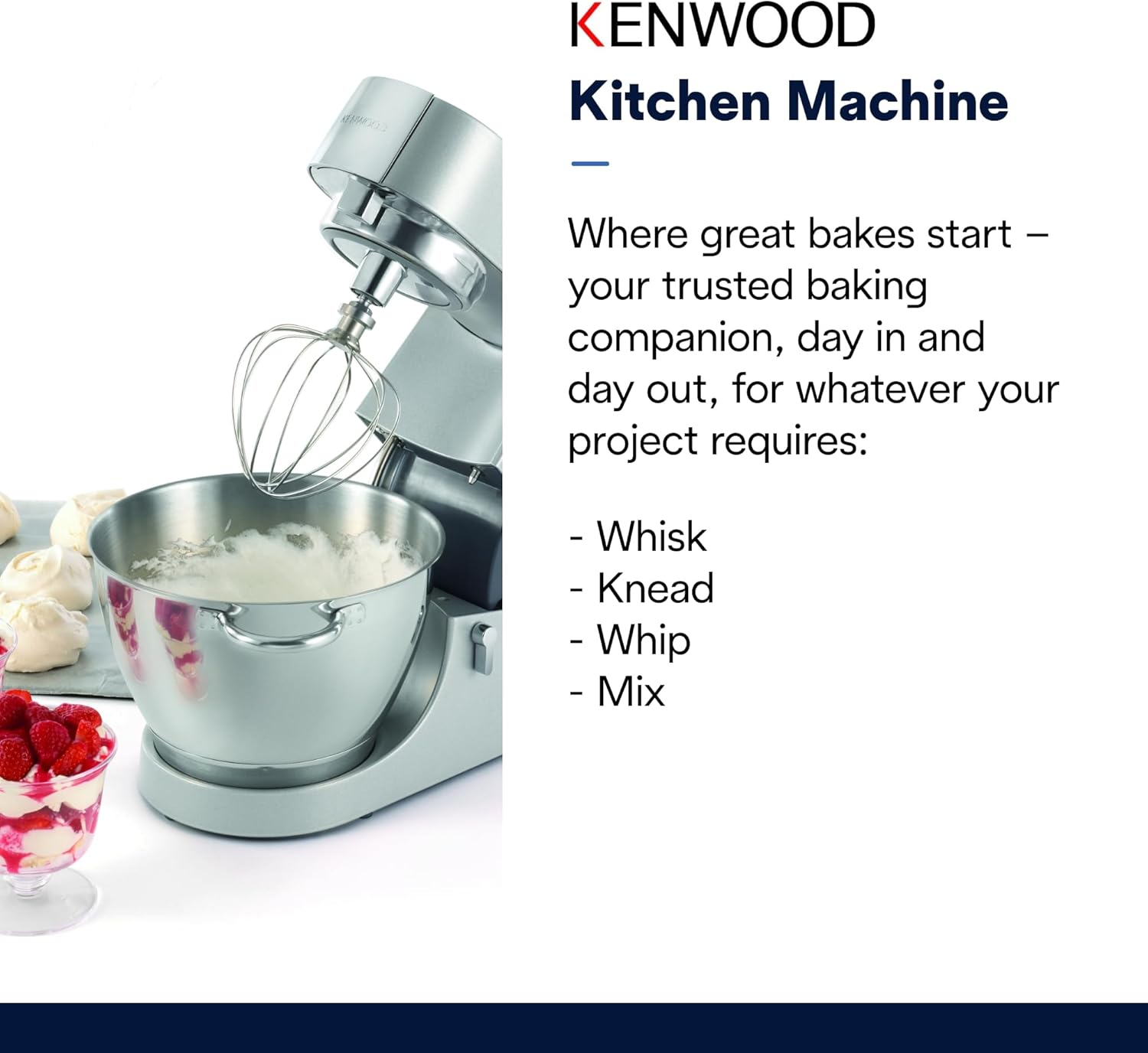
Figure 6: The machine efficiently whisks, kneads, whips, and mixes ingredients.
5.3. Using Attachments (Sold Separately)
The Kenwood Chef Titanium is compatible with a range of optional attachments that connect to the built-in speed hubs. Refer to the specific attachment's manual for detailed installation and operation instructions.
6. Care and Maintenance
Proper care ensures the longevity and optimal performance of your Kenwood Kitchen Machine.
6.1. Cleaning
- Always unplug the appliance before cleaning.
- Work Bowl and Mixing Tools: The stainless steel work bowl, power whisk, dough hook, and K-beater are dishwasher safe. Alternatively, wash them in warm, soapy water, rinse thoroughly, and dry immediately.
- Motor Unit: Wipe the motor unit with a damp cloth. Do not immerse the motor unit in water or any other liquid.
- Do not use abrasive cleaners or scouring pads, as these may scratch surfaces.
6.2. Storage
Store the kitchen machine in a clean, dry place. Ensure all parts are dry before storing.
7. Troubleshooting
If you encounter issues with your Kenwood Chef Titanium Kitchen Machine, refer to the following common problems and solutions:
| Problem | Possible Cause | Solution |
|---|---|---|
| Machine does not turn on. | Not plugged in; power outage; head not fully lowered. | Check power connection; verify power supply; ensure mixer head is securely locked down. |
| Mixing tool not attaching securely. | Incorrect alignment; debris on shaft. | Ensure tool is aligned correctly with the shaft and rotated until it clicks; clean the shaft. |
| Motor overheats or stops during operation. | Overloaded with ingredients; prolonged heavy use. | Reduce batch size; allow machine to cool down (Dual Motor Ventilation helps prevent this). |
| Ingredients not mixing evenly. | Incorrect mixing tool for task; insufficient liquid. | Ensure appropriate tool is used (e.g., K-beater for general mixing); scrape down sides of bowl if necessary. |
If the problem persists after attempting these solutions, please contact Kenwood Customer Support.
8. Specifications
| Feature | Detail |
|---|---|
| Brand | Kenwood |
| Model Name | KMC011 |
| Color | Stainless Steel |
| Product Dimensions (D x W x H) | 8.9"D x 15.7"W x 11.7"H |
| Item Weight | 0.16 ounces (Note: This seems incorrect for a stand mixer, likely a data entry error. Actual weight is closer to 23 lbs as per image.) |
| Motor Power | 800W |
| Capacity | 4.6 Liters (approx. 5 qt) |
| Controls Type | Knob (Electronic Variable Speed Control) |
| Blade Material (Mixing Tools) | Stainless Steel |
| Container Material (Bowl) | Stainless Steel |
| Dishwasher Safe Parts | Work Bowl, Power Whisk, Dough Hook, K-Beater |
| Special Feature | Removable Bowl, Integrated Scale |
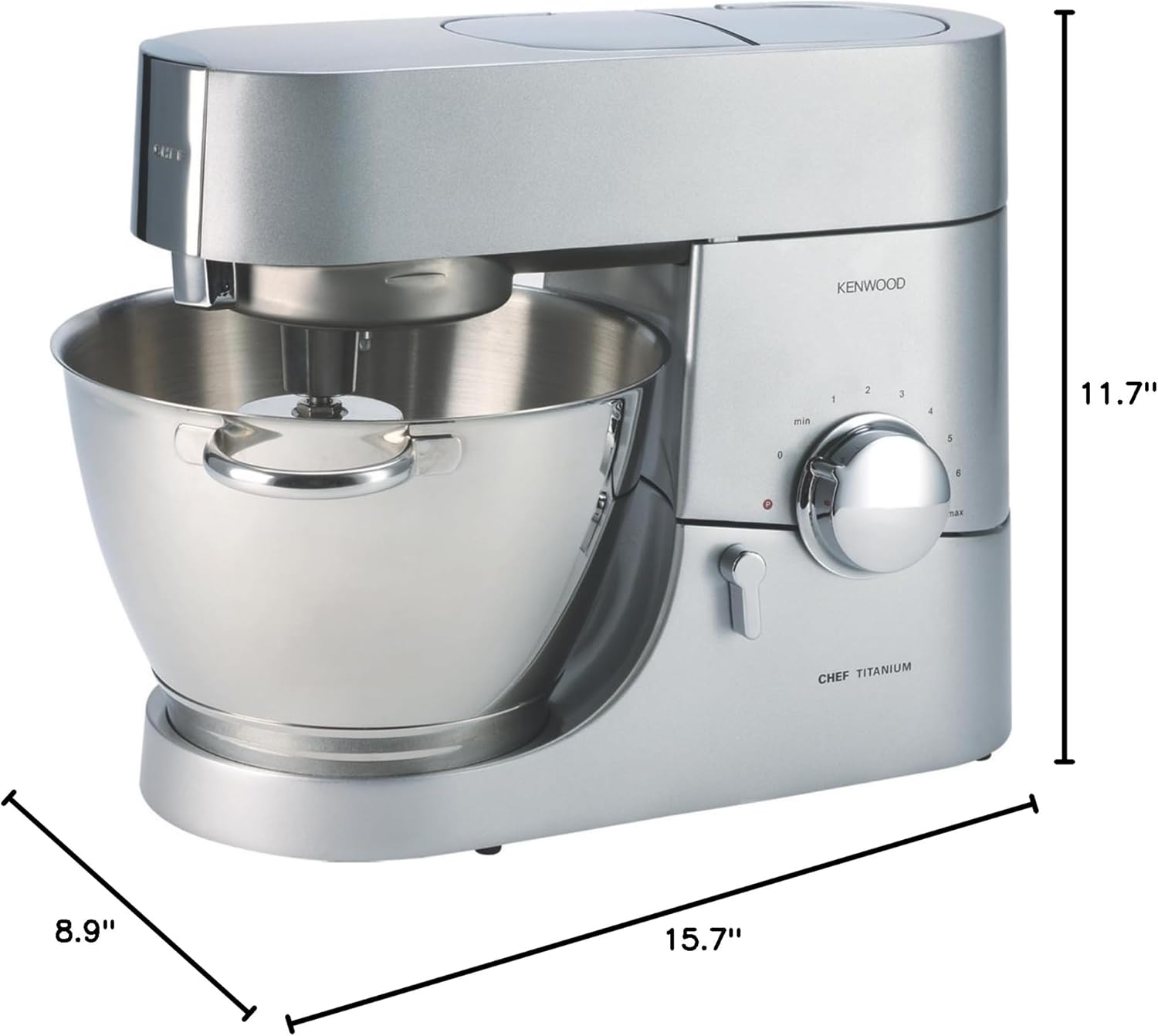
Figure 7: Product dimensions: 8.9"D x 15.7"W x 11.7"H.
9. Warranty and Customer Support
For information regarding the product warranty, please refer to the warranty card included with your purchase or visit the official Kenwood website.
If you require technical assistance, have questions about your product, or need to order replacement parts, please contact Kenwood Customer Support.
- Online Support: Visit the official Kenwood website for FAQs, product registration, and online support resources.
- Phone Support: Refer to your product documentation or the Kenwood website for regional contact numbers.
Please have your model number (KMC011) and purchase date available when contacting support.
Ask a question about this manual
Ask about setup, troubleshooting, compatibility, parts, safety, or missing instructions. Manuals+ will review the question and use this page’s manual context to help answer it.