
Introduction
The C&E CNE467028 2 RCA Male to Male Audio Cable is designed to provide high-quality audio signal transfer between compatible devices. This cable features two RCA male connectors on each end, color-coded red for the right audio channel and white for the left audio channel, ensuring correct stereo sound reproduction. Its robust construction aims to minimize interference and deliver a clear, enjoyable audio experience.
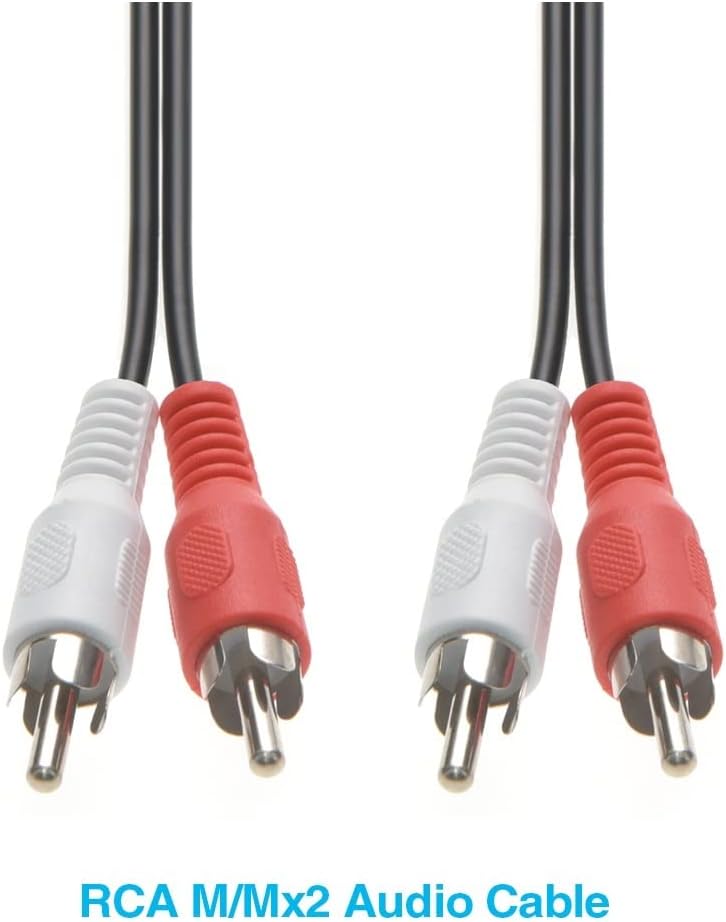
This image displays two C&E 2 RCA Male to Male Audio Cables, featuring black cables and distinct red and white connectors for stereo audio channels.
Product Features
- Premium Audio Quality: Constructed with high-quality copper conductors to ensure excellent conductivity and crystal-clear sound transmission.
- Durable Design: Features ultra-strong PVC jackets and coatings for flexibility and resistance to daily wear. Both braided and spiral shielding are incorporated to reduce external interference and noise.
- Gold-Plated Connectors: Equipped with nickel-plated shell connectors and gold-plated tips for improved audio signal transfer and corrosion resistance.
- High Compatibility: An economical solution for connecting various audio and video devices, including stereo equipment, DVD players, TVs, amplifiers, and more.
- Clear Audio Transmission: Designed to eliminate unwanted noise and feedback, providing pure and consistent audio with minimal signal loss.

A detailed view of the red and white RCA male connectors, showcasing their gold-plated tips designed for optimal signal transfer and corrosion resistance.

This diagram provides a cross-sectional view of the RCA cable, detailing its construction with an outer PVC jacket, an AL-Foil insulator, and insulated copper conductors (red and white) for signal transmission.
Setup Instructions
Follow these steps to correctly connect your C&E 2 RCA Male to Male Audio Cable:
- Identify Ports: Locate the audio input/output ports on your source device (e.g., DVD player, TV, computer) and your destination device (e.g., amplifier, audio speakers). These ports are typically color-coded red for the right channel and white for the left channel.
- Connect Source: Insert the red RCA connector from one end of the cable into the red audio output port of your source device. Insert the white RCA connector into the white audio output port of the same device.
- Connect Destination: Take the other end of the cable. Insert the red RCA connector into the red audio input port of your destination device. Insert the white RCA connector into the white audio input port.
- Secure Connections: Ensure all connectors are firmly seated in their respective ports to prevent loose connections, which can lead to signal loss or interference.

A close-up image illustrating the standard color coding for RCA audio connections, with the white connector designated for the left audio channel and the red connector for the right audio channel.
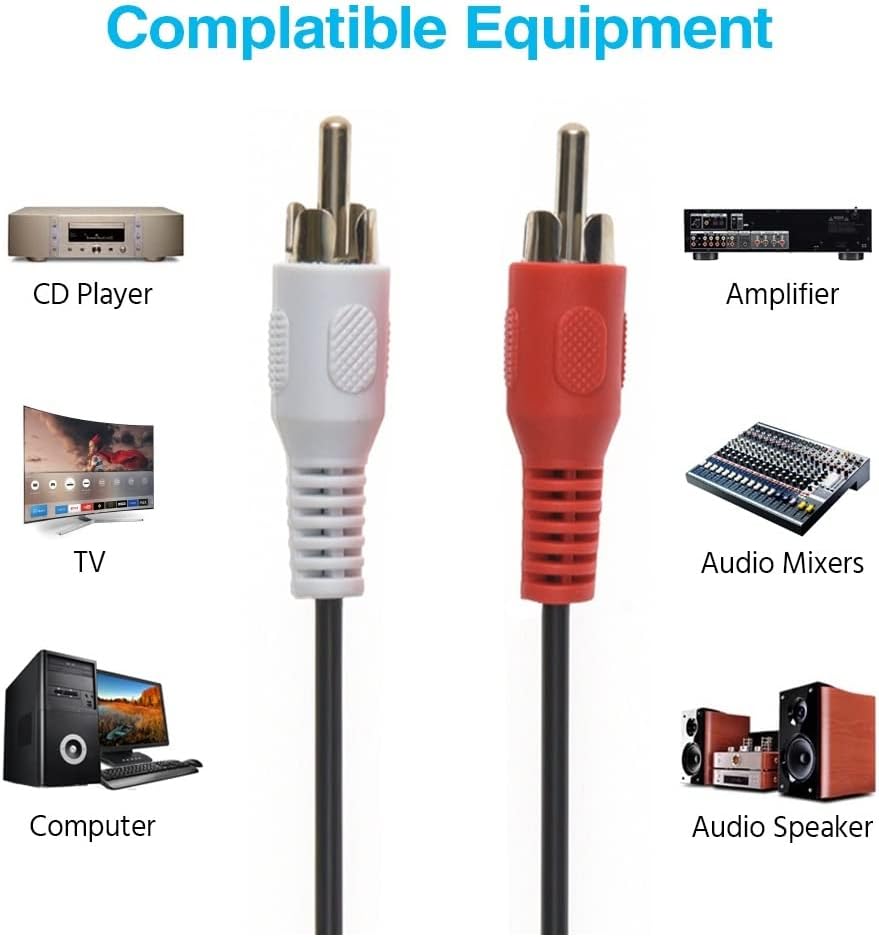
This image shows various devices compatible with RCA cables, such as CD players, televisions, computers, amplifiers, audio mixers, and audio speakers, demonstrating the cable's broad utility.

An image depicting red and white RCA audio cables properly connected to the corresponding input jacks on the rear panel of an audio receiver, illustrating a typical setup.
Operating Instructions
Once the C&E 2 RCA Male to Male Audio Cable is correctly connected between your audio source and destination devices, its operation is passive. The cable facilitates the transfer of audio signals without requiring any user interaction beyond the initial setup.
- Power On Devices: Ensure both your audio source and destination devices are powered on.
- Select Input: On your destination device (e.g., amplifier, TV), select the correct audio input source that corresponds to where the RCA cable is connected.
- Adjust Volume: Adjust the volume on your destination device to your desired listening level.
- Enjoy Clear Audio: The cable will transmit the audio signal, providing clear and consistent sound.

This image features a graphic representation of sound waves and an audio equalizer, conveying the cable's ability to deliver pure, clear audio with a wide frequency response.
Maintenance
Proper care and maintenance will help extend the lifespan and ensure optimal performance of your C&E RCA Audio Cable:
- Handle with Care: Avoid sharp bends, kinks, or excessive pulling on the cable, especially near the connectors.
- Clean Connectors: Periodically inspect the connectors for dust or debris. If necessary, gently clean them with a dry, lint-free cloth. Avoid using liquids or abrasive materials.
- Store Properly: When not in use, coil the cable loosely and store it in a clean, dry place away from extreme temperatures and direct sunlight.
- Avoid Strain: Do not allow the cable to hang freely or be under tension, as this can stress the connectors and internal wiring.
Troubleshooting
If you encounter issues with your C&E RCA Audio Cable, consider the following troubleshooting steps:
- No Sound:
- Ensure both source and destination devices are powered on.
- Verify that the RCA connectors are fully inserted into the correct input/output ports on both devices.
- Check that the correct input source is selected on your destination device (e.g., AV1, CD, Aux).
- Test with another known working cable if available, or test the cable with different devices to isolate the problem.
- Static, Hissing, or Interference:
- Ensure all connections are secure and tight. Loose connections can introduce noise.
- Check if the cable is running too close to power cables or other sources of electromagnetic interference. Try rerouting the cable.
- Verify that the source and destination devices are properly grounded.
- Test with another cable to determine if the issue is with the cable or the connected equipment.
- Poor Sound Quality:
- Ensure the red and white connectors are correctly matched to the right and left audio channels on both devices.
- Check for any damage to the cable or connectors.

An illustration showing a laptop connected to a 2.1 speaker system using RCA cables, accompanied by text emphasizing clear, interference-free signal transmission for optimal audio experience.
Specifications
- Brand: C&E
- Model: CNE467028
- Connector Type: RCA
- Cable Type: Composite
- Connector Gender: Male-to-Male
- Compatible Devices: DVD Player, Stereo Equipment, TVs, Amplifiers, Audio Mixers, Audio Speakers, Computers
- Special Feature: Braided shielding
- Gauge: 26 AWG
- Indoor/Outdoor Usage: Indoor, Outdoor
- Item Weight: Approximately 0.5 Pounds (for the 3-pack, 12 feet variant)
- UPC: 638170467028
- Manufacturer: MarginMart, Inc.
Warranty Information
This product is sold without an explicit manufacturer's warranty. Please refer to the retailer's return policy for details regarding returns or exchanges.
Support
For further assistance or inquiries regarding the C&E CNE467028 2 RCA Male to Male Audio Cable, please contact the retailer or the manufacturer, MarginMart, Inc., through their official support channels.