
Introduction
This manual provides instructions for the proper setup, operation, and maintenance of your Twisted Veins High Speed HDMI Cables. These cables are designed to deliver high-quality audio and video signals, supporting advanced features such as 4K resolution at 60Hz, High Dynamic Range (HDR), Audio Return Channel (ARC), and Ethernet over HDMI.

Image: A set of Twisted Veins HDMI cables, including a right-angle adapter and three cable ties. The cables feature a black and blue braided jacket and gold-plated connectors.
Product Features
- High Speed Performance: Gold-plated connectors ensure maximum throughput for 4K 60Hz on most devices and 4K 30Hz on all compatible devices.
- Durable Construction: Full-length braided jacket provides enhanced durability for various installations. The thick flex neck reduces strain on connectors.
- Advanced Compatibility: Supports HDMI 2.0b, Ethernet, HDCP2.2, High-Dynamic Range (HDR 10), Dolby Vision, 3D, and Audio Return Channel (ARC) for synchronized audio and video.
- Versatile Device Support: Compatible with a wide range of HDMI devices including set-top boxes, Blu-ray players, gaming consoles (Playstation, PS4, PS5, Xbox Series X|S, Wii), TVs, monitors, Fire TV, Roku, Apple TV, computers, and laptops.

Image: A detailed view highlighting the cable's features: 24K gold-plated 19-pin connectors for corrosion protection, a flexible neck base to prevent damage from bending, and a protective braided jacket for increased durability.
Package Contents
Your Twisted Veins HDMI Cable package includes the following items:
- Two (2) Twisted Veins High Speed HDMI Cables (10 ft each)
- One (1) 270-Degree Left Angle HDMI Adapter
- Three (3) Microfiber Cable Ties

Image: The complete package contents, including two coiled HDMI cables, a black right-angle HDMI adapter, and three black cable ties with the "Twisted Veins" logo.
Setup Instructions
- Identify Ports: Locate the HDMI output port on your source device (e.g., gaming console, Blu-ray player, computer) and the HDMI input port on your display device (e.g., TV, monitor, projector).
- Connect Cable: Gently insert one end of the Twisted Veins HDMI cable into the HDMI output port of your source device. Ensure a firm connection.
- Connect to Display: Insert the other end of the HDMI cable into an available HDMI input port on your display device.
- Use Right-Angle Adapter (Optional): If space is limited behind your display or source device, attach the 270-degree left-angle HDMI adapter to the cable end before connecting it to the port. This can help prevent strain on the cable and port.

Image: A black 270-degree left-angle HDMI adapter displayed from three different perspectives, showing its male and female HDMI connectors.
- Secure Cables: Use the included microfiber cable ties to manage and secure your cables, preventing tangles and reducing clutter.

Image: Three black microfiber cable ties, each featuring the "Twisted Veins" logo in blue, designed for cable management.
- Power On Devices: Turn on your display device first, then your source device. Select the correct HDMI input on your display.
Operating Instructions
Once connected, your Twisted Veins HDMI cables operate automatically. They are designed for plug-and-play functionality, transmitting both audio and video signals digitally.
- Resolution and Refresh Rate: The cables support resolutions up to 4K (3840x2160) at 60Hz. Ensure your source device and display are also configured to support these settings for optimal performance.
- High Dynamic Range (HDR): For HDR content, verify that both your source and display devices support HDR10 or Dolby Vision. The cable will transmit the necessary data for enhanced contrast and color.
- Audio Return Channel (ARC): If your TV and audio receiver support ARC, connect the HDMI cable to the designated ARC-enabled HDMI port on both devices. This allows audio from your TV to be sent back to your receiver via the same HDMI cable.
- Ethernet over HDMI: If your devices support HDMI Ethernet Channel (HEC), the cable can transmit network data between connected devices, reducing the need for separate Ethernet cables.
- 3D Content: The cables are 3D-ready. If your source and display support 3D, the cable will transmit 3D video signals.
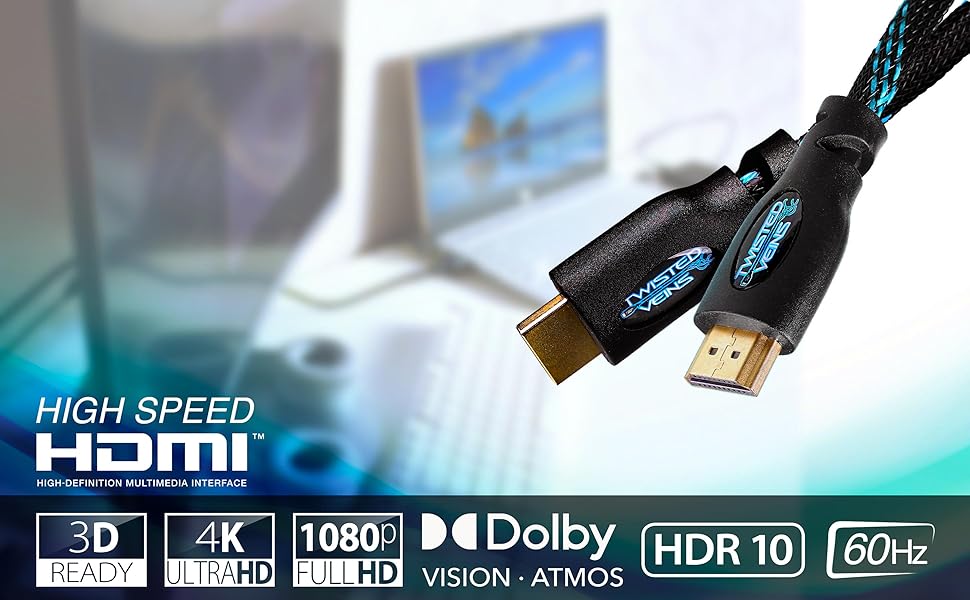
Image: A visual representation of the cable's capabilities, including support for High Speed HDMI, 3D content, 4K Ultra HD, 1080p Full HD, Dolby Vision, HDR 10, and a 60Hz refresh rate.
Maintenance
To ensure the longevity and optimal performance of your Twisted Veins HDMI cables, follow these simple maintenance guidelines:
- Handle with Care: Avoid sharp bends, kinks, or excessive pulling on the cable, especially near the connectors. The flexible neck is designed to reduce strain, but extreme force can still cause damage.
- Keep Clean: Periodically wipe the cable and connectors with a soft, dry cloth to remove dust and debris. Avoid using harsh chemicals or abrasive materials.
- Proper Storage: When not in use, coil the cables loosely and secure them with the provided cable ties. Store them in a cool, dry place away from direct sunlight and extreme temperatures.
- Protect Connectors: Keep the gold-plated connectors free from dirt and moisture. If necessary, use a can of compressed air to gently clear any dust from the ports on your devices.
Troubleshooting
If you encounter issues with your HDMI connection, consider the following troubleshooting steps:
- No Picture/Sound:
- Ensure all devices (source and display) are powered on.
- Verify that the correct HDMI input is selected on your TV or monitor.
- Check both ends of the HDMI cable to ensure they are securely connected. Disconnect and reconnect them.
- Try a different HDMI port on your display device.
- Test the cable with another known working device or try an alternative HDMI cable to isolate the issue.
- Flickering Screen or Intermittent Signal:
- This can sometimes indicate a signal integrity issue. Ensure the cable is not excessively bent or near strong electromagnetic interference sources.
- Reduce the resolution or refresh rate on your source device temporarily to see if the issue resolves.
- Power cycle all connected devices (turn off, unplug for a minute, then plug back in and turn on).
- Incorrect Resolution or Color:
- Check the display settings on your source device (e.g., computer, gaming console) and ensure they are set to the desired resolution and refresh rate that your display supports.
- Verify that your display device is configured for the correct color space or HDR mode if applicable.
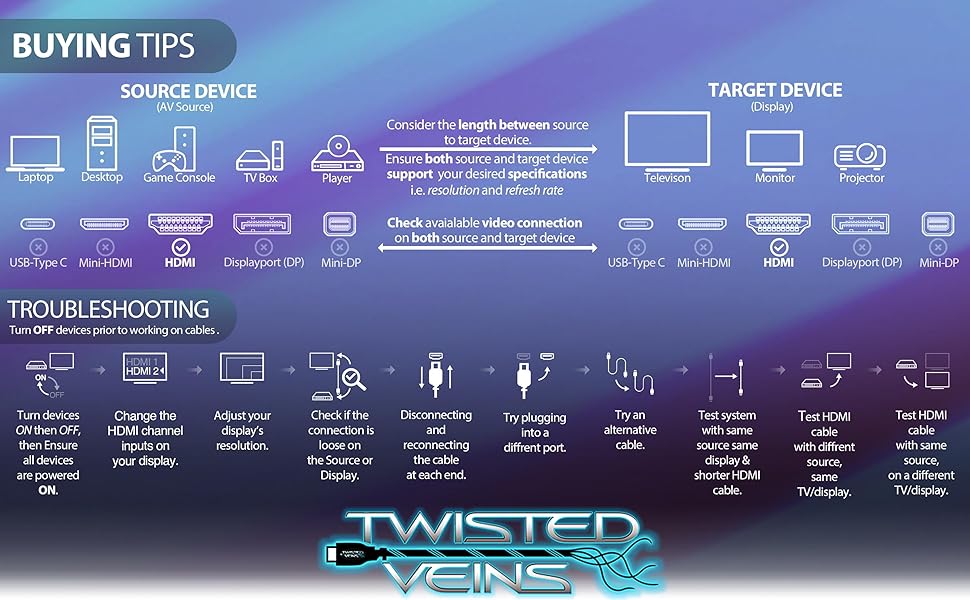
Image: A visual guide illustrating common troubleshooting steps for HDMI connections, including checking power, input channels, connections, and trying alternative cables or ports.
Specifications
| Brand | Twisted Veins |
| Model Number | 2ACHB10 |
| Cable Type | HDMI |
| Connector Type | HDMI |
| Cable Length | 10 feet (per cable) |
| Quantity | 2-Pack |
| Supported HDMI Version | HDMI 2.0b (backward compatible) |
| Max Resolution Support | 4K @ 60Hz |
| Features Supported | Ethernet, HDCP 2.2, HDR10, Dolby Vision, 3D, ARC |
| Special Features | Braided Jacket, Gold-Plated Connectors, Flexible Connector Neck |
| Compatible Devices | DVD Player, Gaming Console, Laptop, Monitor, Television, Set-top Boxes, Blu-ray, Playstation, PS4, PS5, Xbox Series X|S, Wii, Fire, Roku, Apple TV, Computers |
| Product Dimensions | 6.4 x 2.5 x 6.4 inches (packaging); 8.01 ounces |
Warranty Information
Twisted Veins HDMI Cables come with a Lifetime Warranty. This warranty covers defects in materials and workmanship under normal use. For warranty claims or further details, please refer to the official Twisted Veins website or contact customer support.
Customer Support
For any questions, technical assistance, or support regarding your Twisted Veins HDMI cables, please visit the official Twisted Veins website or contact their customer service department. Contact information can typically be found on the product packaging or the brand's online store page.
You can also visit the Twisted Veins Store on Amazon for additional product information and support resources.