
1. Introduction
This manual provides detailed instructions for the assembly, operation, and maintenance of your Kings Brand Furniture HO240 Parsons Desk with Drawer. Please read all instructions carefully before beginning assembly and retain this manual for future reference.
The Kings Brand Furniture HO240 Parsons Desk is a compact and functional piece designed for home office or general use. It features a single drawer for storage and a clean, modern aesthetic.
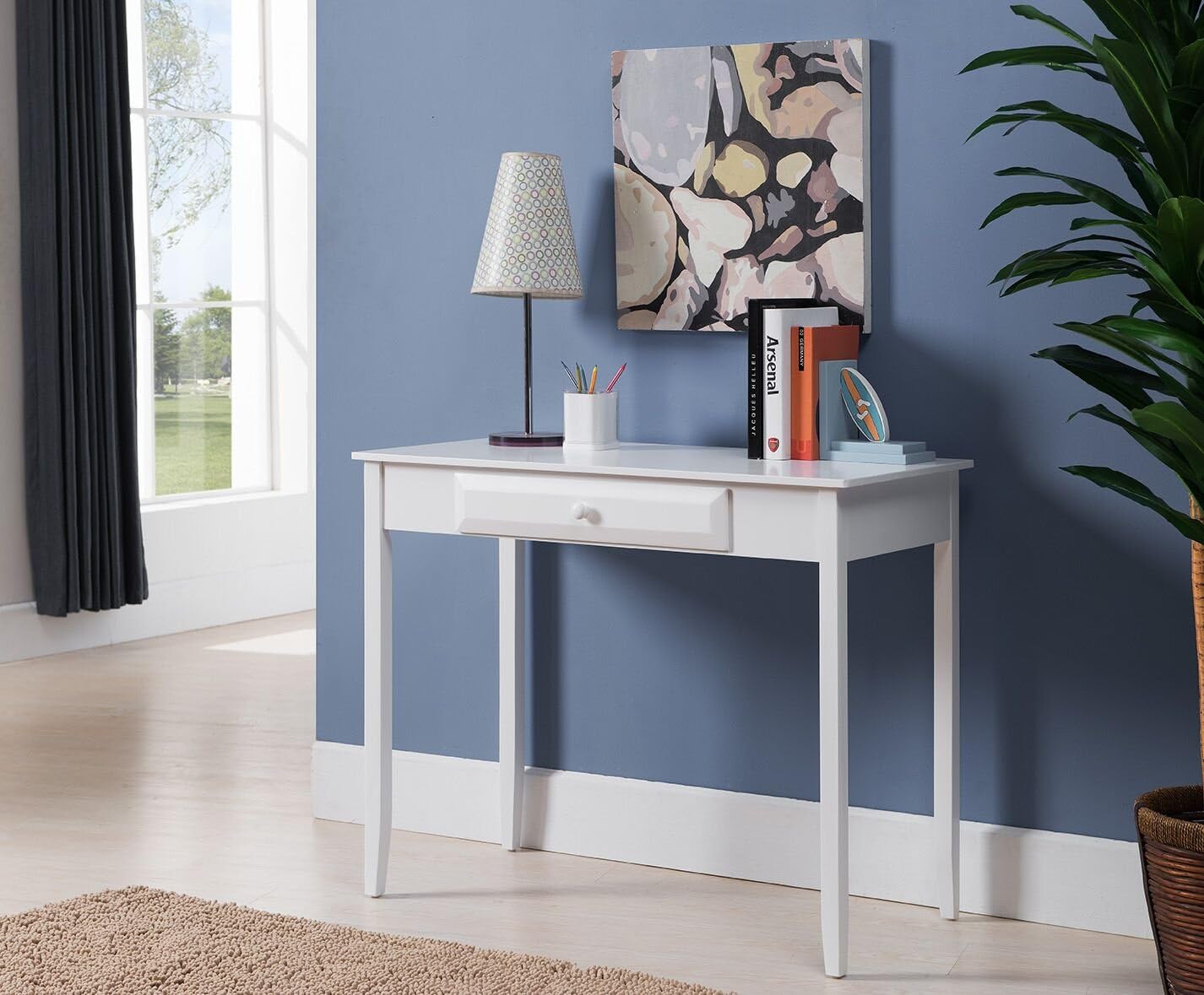
Image 1.1: Fully assembled Kings Brand Furniture HO240 Parsons Desk with Drawer.
2. Safety Information
- Always assemble the desk on a soft, clean surface to prevent scratches.
- Ensure all screws and fasteners are securely tightened before use. Periodically check and retighten as necessary.
- Do not stand or sit on the desk.
- Keep small parts away from children during assembly.
- Distribute weight evenly on the desk surface and inside the drawer.
3. Package Contents
Before beginning assembly, verify that all components are present and undamaged. If any parts are missing or damaged, please contact customer support.

Image 3.1: All components of the Kings Brand Furniture HO240 Parsons Desk, including the desk top, four legs, and the drawer.
List of Components:
- Desk Top (1)
- Desk Legs (4)
- Drawer Assembly (1)
- Hardware Pack (screws, washers, Allen wrench)
4. Setup and Assembly
Assembly of the Kings Brand Furniture HO240 Parsons Desk is designed to be straightforward and typically takes approximately 10 minutes.
Step 1: Attach the Legs to the Desk Top
- Carefully place the desk top upside down on a soft, non-abrasive surface to protect its finish.
- Align each of the four desk legs with the pre-drilled holes at the corners of the desk top's underside.

Image 4.1: Underside of the desk top, illustrating the designated attachment points for the legs.
- Using the provided screws and Allen wrench from the hardware pack, securely fasten each leg to the desk top. Do not overtighten.

Image 4.2: Close-up view of a leg being attached to the desk top using the provided hardware.
Step 2: Insert the Drawer
- Once all legs are securely attached, carefully flip the desk upright.
- Slide the assembled drawer into the designated opening under the desk top. Ensure the drawer knob is facing outwards.

Image 4.3: The desk drawer, showing the front panel and knob, ready for insertion into the desk frame.
Your Kings Brand Furniture HO240 Parsons Desk is now assembled and ready for use.
5. Operating the Drawer
The desk features one pull-out drawer for convenient storage of small items such as pens, stationery, or other office supplies. The drawer operates on a wooden glide mechanism.
- To open the drawer, gently pull the knob located on the front panel.
- To close the drawer, gently push it back into the desk frame until it is flush.
Note:
The drawer is designed with a simple wooden glide system. To ensure smooth operation and prevent the drawer from tilting or falling forward, always pull and push the drawer gently and evenly. Avoid pulling the drawer out with excessive force or beyond its natural stopping point.
6. Maintenance
Cleaning
- Wipe the desk surface with a soft, damp cloth.
- Avoid using harsh chemicals, abrasive cleaners, or polishes that may damage the finish.
- Promptly wipe up any spills to prevent staining.
Care
- Keep the desk away from direct sunlight and heat sources to prevent warping or discoloration.
- Use coasters under beverages to protect the surface.
- Periodically check and tighten all assembly hardware to maintain stability.
7. Troubleshooting
Drawer feels unstable or tilts when opened:
- Ensure the drawer is properly seated within its wooden glides.
- Verify that the desk is on a level surface. Uneven surfaces can affect drawer alignment.
- Avoid pulling the drawer out too far. The wooden glide mechanism does not include a track to prevent over-extension, so careful operation is required.
- Check if any items inside the drawer are obstructing its movement.
Desk wobbles after assembly:
- Ensure all leg attachment screws are fully tightened.
- Verify that the desk is placed on a flat, even floor. If necessary, use furniture pads or shims under the legs to stabilize.
8. Specifications
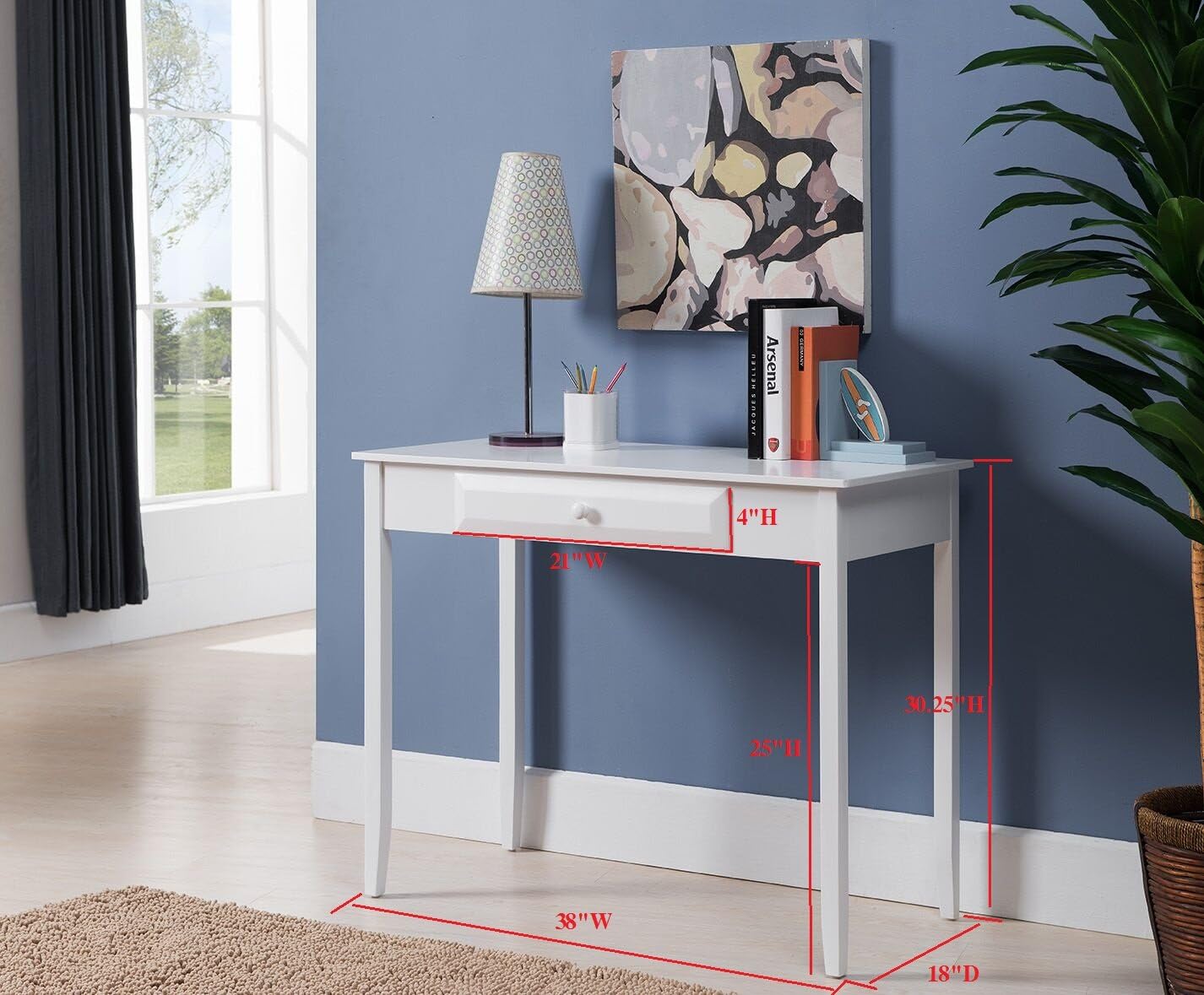
Image 8.1: Kings Brand Furniture HO240 Parsons Desk with key dimensions indicated.
| Feature | Detail |
|---|---|
| Brand | Kings Brand Furniture |
| Model Number | HO240 |
| Product Dimensions (D x W x H) | 18"D x 38"W x 30"H |
| Item Weight | 28 Pounds |
| Color | White |
| Material | Wood |
| Finish Type | Wood, White Finish |
| Number of Drawers | 1 |
| Drawer Glide Mechanism | Wooden glide mechanism |
| Assembly Required | Yes |
| UPC | 802319014200 |
9. Warranty and Support
Kings Brand Furniture stands behind the quality of its products. For specific warranty information, please refer to the documentation included with your purchase or contact Kings Brand Furniture customer service directly. For support regarding assembly, missing parts, or product issues, please reach out to the retailer or manufacturer's customer service department.
Contact information can typically be found on the product packaging or the manufacturer's official website.