Introduction
Thank you for choosing the Philips PerfectCare Elite Steam Generator Iron. This manual provides essential information for the safe and efficient operation, maintenance, and troubleshooting of your appliance. Please read it thoroughly before first use and keep it for future reference.

The Philips PerfectCare Elite Steam Generator Iron, showcasing its sleek design and large water tank.
Important Safety Information
Always follow basic safety precautions when using electrical appliances to reduce the risk of fire, electric shock, and personal injury.
- Do not immerse the appliance in water or any other liquid.
- Ensure the voltage indicated on the appliance corresponds to your local mains voltage before connecting.
- Do not use the appliance if the plug, the mains cord, or the appliance itself shows visible damage.
- Keep the iron and its cord out of reach of children when it is switched on or cooling down.
- Never leave the appliance unattended when it is connected to the mains.
- The iron base can become extremely hot and cause burns if touched.
- Only use the appliance for its intended household use as described in this manual.
Setup
- Unpacking: Carefully remove all packaging materials. Retain the packaging for future storage or transport.
- Positioning: Place the steam generator on a stable, flat, and heat-resistant surface. Ensure there is enough space around the unit for ventilation.
- Filling the Water Tank:
The 1.8L removable water tank allows for easy refilling. Remove the water tank from the base unit. Fill it with tap water up to the 'MAX' indication. For optimal performance and to prolong the life of your appliance, Philips recommends using demineralized or distilled water, especially in areas with hard water.

The removable 1.8L water tank, designed for easy filling and extended ironing sessions.
Reinsert the water tank into the base unit until it clicks into place.
- Connecting to Power: Plug the mains cord into a grounded wall socket.
Operating Instructions
- Powering On: Press the On/Off button. The blue 'Ready' light will start blinking, indicating the appliance is heating up. It will become steady when the iron is ready for use.
- OptimalTEMP Technology: This iron features OptimalTEMP technology, which means you do not need to adjust the temperature setting for different fabrics. It is safe for all ironable garments, from denim to silk, without the risk of burning.
- Ironing:
Press the steam trigger under the handle to release steam. For continuous steam, hold the trigger. For a powerful steam boost (up to 490g), press the steam trigger twice quickly. This is ideal for stubborn creases and vertical steaming.

A user demonstrating the effective ironing of denim fabric with the steam generator iron.
- ECO Mode: To save energy, press the ECO button. In ECO mode, the iron produces less steam but still provides sufficient steam for excellent ironing results.
- Secure Lock System: The iron can be securely locked to its base for safe transport and storage. To lock, place the iron on the base and push the lock slider until it clicks.
- Automatic Shut-off: For safety and energy saving, the appliance will automatically switch off if it has not been used for a few minutes.
Maintenance
Regular maintenance ensures optimal performance and extends the lifespan of your Philips PerfectCare Elite Steam Generator Iron.
- Descaling (Easy De-Calc):
The appliance is equipped with an Easy De-Calc system to remove scale build-up. When the 'De-Calc' light blinks and the appliance beeps, it's time to descale.
- Ensure the appliance is unplugged and has cooled down for at least 2 hours.
- Place the appliance on the edge of a table or sink.
- Unscrew the Easy De-Calc knob and let the water and scale particles flow into a cup or bowl.
- Once empty, screw the Easy De-Calc knob back firmly.
- Cleaning the Soleplate:
To clean the soleplate, wipe it with a damp cloth and a non-abrasive (liquid) cleaner. Avoid using abrasive scouring pads or chemical cleaners as they can damage the soleplate.
- Storage:
After use, unplug the appliance and allow it to cool down completely. Empty the water tank. Lock the iron to its base using the secure lock system. Store the appliance in a dry, safe place.
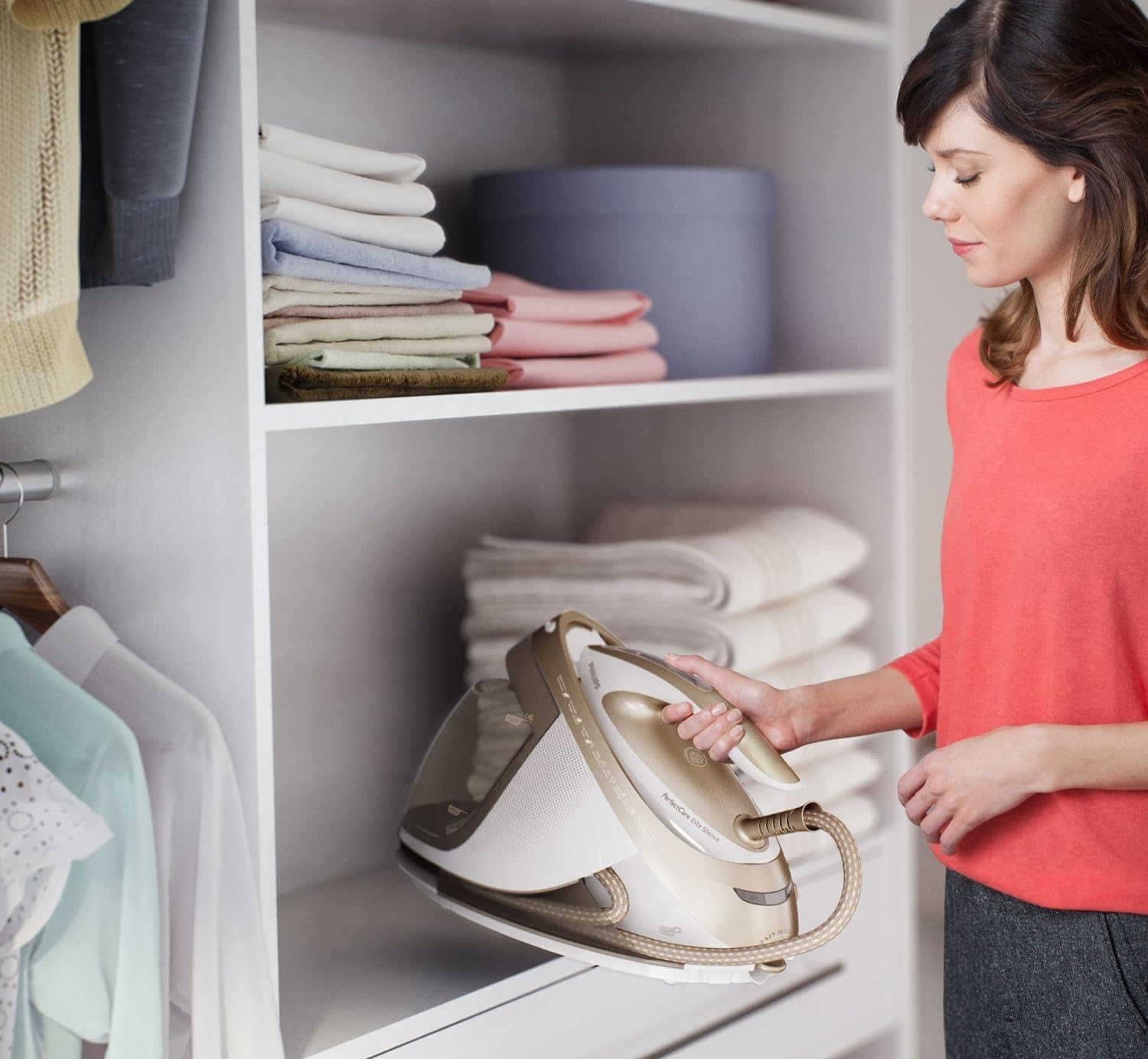
The compact design allows for convenient storage of the steam generator iron.
Troubleshooting
| Problem | Possible Cause | Solution |
|---|---|---|
| No steam is coming out. | Water tank is empty or not properly inserted. | Fill the water tank and ensure it is correctly inserted. |
| The iron is not heating up. | Appliance is not plugged in or power button not pressed. | Check power connection and press the On/Off button. |
| 'De-Calc' light is blinking and appliance beeps. | Appliance needs descaling. | Perform the Easy De-Calc procedure as described in the Maintenance section. |
| Water drips from the soleplate. | Iron is not hot enough for steam, or steam boost used too frequently. | Wait for the 'Ready' light to be steady. Allow a few seconds between steam boosts. |
Specifications
- Model Number: GC9642/60
- Brand: Philips
- Dimensions (L x W x H): 45.3 x 23.3 x 28.5 cm (17.8 x 9.2 x 11.2 inches)
- Weight: 5.33 kg (11.75 lbs)
- Water Tank Capacity: 1.8 Liters
- Max Pressure: 7.2 bar
- Steam Boost: Up to 490 g
- Soleplate Material: T-ionic Glide (Stainless Steel base with Titanium Oxide layer)
- Special Features: OptimalTEMP Technology, Easy De-Calc, Secure Lock System, ECO Mode, Automatic Shut-off
- Included: 1x Steam Generator Iron
- Manufacturing Year: 2015
Warranty and Support
This Philips PerfectCare Elite Steam Generator Iron (Model GC9642/60) comes with a 24-month warranty from the date of purchase. This warranty covers manufacturing defects and material faults under normal household use.
For warranty claims, technical support, or to purchase accessories, please contact Philips Customer Service. You can find contact information on the official Philips website or through your local retailer.
Please retain your proof of purchase for warranty validation.
For more information, visit the official Philips website: www.philips.com