
1. Setup
This section guides you through the initial setup of your Timex Ironman Target Trainer watch.
1.1 Unboxing and Inspection
Carefully remove the watch from its packaging. Inspect the watch for any visible damage. Ensure all components are present, including the watch and any accompanying heart rate sensor (if applicable to your model).
1.2 Initial Power On and Battery
Your watch is powered by a Lithium battery. It should be ready for use upon arrival. If the display is blank, press any button to activate it. If it remains unresponsive, the battery may need replacement (refer to Section 3.2).
1.3 Setting Time and Date
- Press and hold the SET button (typically top-left) until the time display flashes.
- Use the START/STOP (top-right) and LAP/RESET (bottom-right) buttons to adjust the hour.
- Press MODE (bottom-left) to move to the next setting (minutes, year, month, day).
- Repeat step 2 to adjust each value.
- Press SET again to save and exit the setting mode.
1.4 Heart Rate Monitor Pairing (if applicable)
If your model includes a separate heart rate sensor, follow these steps to pair it with your watch:
- Ensure the heart rate sensor is worn correctly on your chest, directly against the skin.
- On the watch, navigate to the Heart Rate mode (refer to Section 2.2).
- The watch will automatically search for the sensor. Keep the watch within close proximity to the sensor.
- Once paired, your heart rate will be displayed on the watch screen.
1.5 Strap Adjustment
The resin strap can be adjusted to fit your wrist comfortably. Use the buckle closure to secure the watch. Ensure it is snug enough for accurate heart rate readings (if applicable) but not uncomfortably tight.
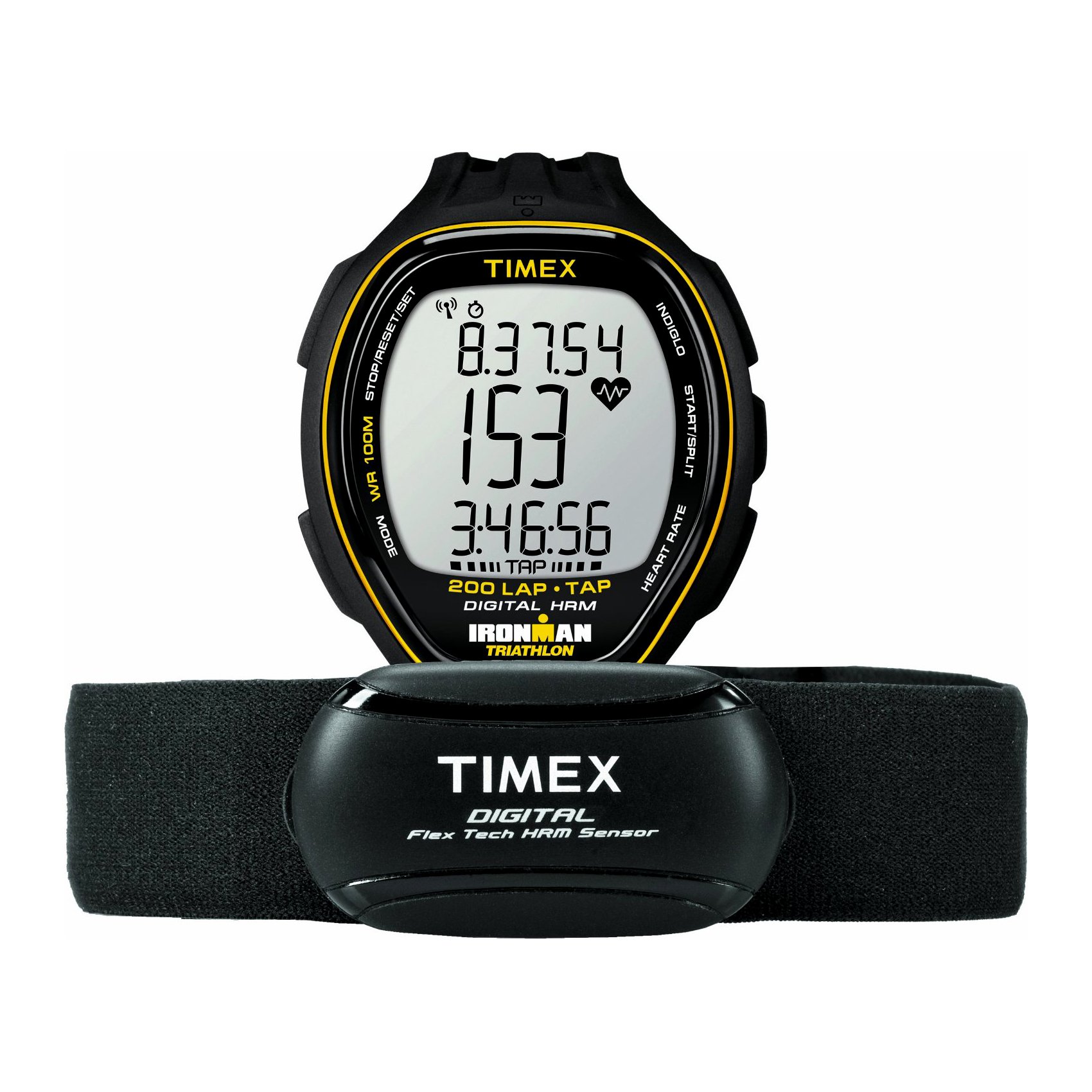
Image 1.1: The Timex Ironman Target Trainer Digital Heart Rate Monitor watch, shown on a wrist, demonstrating its fit and display. This image illustrates the watch's design and how it appears when worn.
2. Operating Instructions
Understand the various functions and modes of your Timex Ironman watch.
2.1 Button Functions
Your watch features five physical buttons for navigation and control:
- SET (Top-Left): Used for entering and exiting setting modes.
- START/STOP (Top-Right): Starts and stops timers, adjusts values upwards in setting modes.
- INDIGLO (Middle-Left): Activates the Indiglo night light.
- MODE (Bottom-Left): Cycles through different watch modes (Time, Chrono, Timer, Alarm, Heart Rate).
- LAP/RESET (Bottom-Right): Records laps, resets timers, adjusts values downwards in setting modes.
2.2 Navigating Modes
Press the MODE button repeatedly to cycle through the following modes:
- Time: Displays current time and date.
- Chronograph: Stopwatch function.
- Timer: Countdown timer.
- Alarm: Set and activate daily alarms.
- Heart Rate: Displays real-time heart rate (requires paired sensor).
2.3 Using the Chronograph (Stopwatch)
- Navigate to the Chronograph mode using the MODE button.
- Press START/STOP to begin timing.
- Press LAP/RESET to record a lap time while the chronograph is running.
- Press START/STOP again to pause the chronograph.
- Press LAP/RESET (while paused) to reset the chronograph to zero.
2.4 Setting and Using the Timer
- Navigate to the Timer mode using the MODE button.
- Press and hold SET until the timer digits flash.
- Use START/STOP and LAP/RESET to set the desired countdown time.
- Press SET to confirm.
- Press START/STOP to begin the countdown.
- An audible alert will sound when the timer reaches zero.
2.5 Activating Indiglo Night Light
Press the INDIGLO button (middle-left) to illuminate the watch display for a few seconds, enhancing visibility in low-light conditions.
2.6 Water Resistance
Your Timex Ironman watch is water-resistant up to 100 meters. This makes it suitable for swimming, showering, and general water activities. However, it is not recommended for scuba diving. Do not press buttons underwater to maintain water resistance integrity.
3. Maintenance
Proper care ensures the longevity and performance of your watch.
3.1 Cleaning Your Watch
Regularly clean your watch with a soft, damp cloth. For the resin strap, mild soap and water can be used. Avoid harsh chemicals or abrasive materials, as these can damage the watch's finish and strap.
3.2 Battery Replacement
The watch uses a Lithium battery. When the display dims or functions become erratic, it may be time for a battery replacement. It is recommended to have the battery replaced by a qualified watch technician to ensure the water resistance seal is properly maintained.
3.3 Storage
When not in use, store your watch in a cool, dry place away from direct sunlight and extreme temperatures. Avoid storing it near strong magnetic fields.
3.4 Water Resistance Care
To maintain the watch's 100-meter water resistance, ensure the crown (if present) is pushed in completely. Avoid exposing the watch to sudden temperature changes, which can compromise seals. Do not operate buttons while the watch is submerged.
4. Troubleshooting
This section addresses common issues you might encounter with your watch.
4.1 Display is Blank or Dim
- Cause: Low battery.
- Solution: Replace the battery (refer to Section 3.2).
4.2 Heart Rate Not Detected
- Cause: Sensor not worn correctly, sensor battery low, or watch not paired.
- Solution: Ensure the sensor is snug against your skin. Check the sensor's battery. Re-attempt pairing as described in Section 1.4.
4.3 Buttons Unresponsive
- Cause: Temporary software glitch or debris under buttons.
- Solution: Try a soft reset by pressing all four corner buttons simultaneously for a few seconds. If the issue persists, ensure buttons are clean and free of obstruction.
4.4 Inaccurate Time
- Cause: Time not set correctly or watch has been exposed to strong magnetic fields.
- Solution: Re-set the time and date (refer to Section 1.3). Keep the watch away from magnets.
5. Specifications
Detailed technical specifications for the Timex Ironman Target Trainer Digital Heart Rate Monitor T5K726F5.
| Brand | Timex |
| Model Name | T5K726F5 |
| Display Type | Digital |
| Display Size | 1.3 Inches |
| Water Resistance Level | 100 Meters |
| Case Material | Resin |
| Strap Material | Resin |
| Battery Type | Lithium |
| Average Battery Life | 1.5 Hours (Note: This might refer to specific HR monitoring usage, typical watch battery life is longer) |
| Dimensions | 20.3 x 4.6 x 1.5 centimeters |
| Special Features | Digital Display, Mineral Crystal, Resin Strap, Indiglo Night Light, Timer, Alarm, Heart Rate Monitor |
| Compatible Devices | Smartphone (for data sync if applicable, though not explicitly detailed in provided data) |
6. Warranty Information
This product is covered by a manufacturer's warranty. For specific details regarding the warranty period, coverage, and terms, please refer to the warranty card included with your purchase or visit the official Timex website. Keep your proof of purchase for warranty claims.
7. Customer Support
If you require further assistance or have questions not covered in this manual, please contact Timex customer support. You can find contact information, FAQs, and additional resources on the official Timex website:


