
1. Safety Information
Please read all instructions before operating the NKOK SpongeBob 2.4GHz Skateboarder R/C Vehicle. Failure to follow these instructions may result in injury or damage to the product.
- Recommended Age: This product is suitable for ages 6 years and older.
- Small Parts Warning: Contains small parts which may pose a choking hazard for young children.
- Battery Safety: Use only the recommended battery types and ensure correct polarity. Do not mix old and new batteries, or different types of batteries. Remove batteries if the product will not be used for an extended period.
- Supervision: Adult supervision is recommended during operation, especially for younger users.
- Operating Environment: Operate the vehicle in open, clear areas, away from obstacles, people, and pets. Avoid operating near water or in wet conditions.
2. Package Contents
Verify that all items listed below are included in your package:
- 1 x Skating SpongeBob R/C Vehicle
- 1 x 2.4GHz Radio Control Transmitter
3. Setup
3.1 Battery Installation
The SpongeBob Skateboarder R/C Vehicle and its controller require AA batteries (not included).
- Vehicle Batteries: Insert 4 AA batteries into the skateboard's battery compartment. Ensure correct polarity (+/-).
- Controller Batteries: Use a Phillips-head screwdriver to open the controller battery compartment. Insert 2 AA batteries, observing correct polarity. Securely close the compartment.
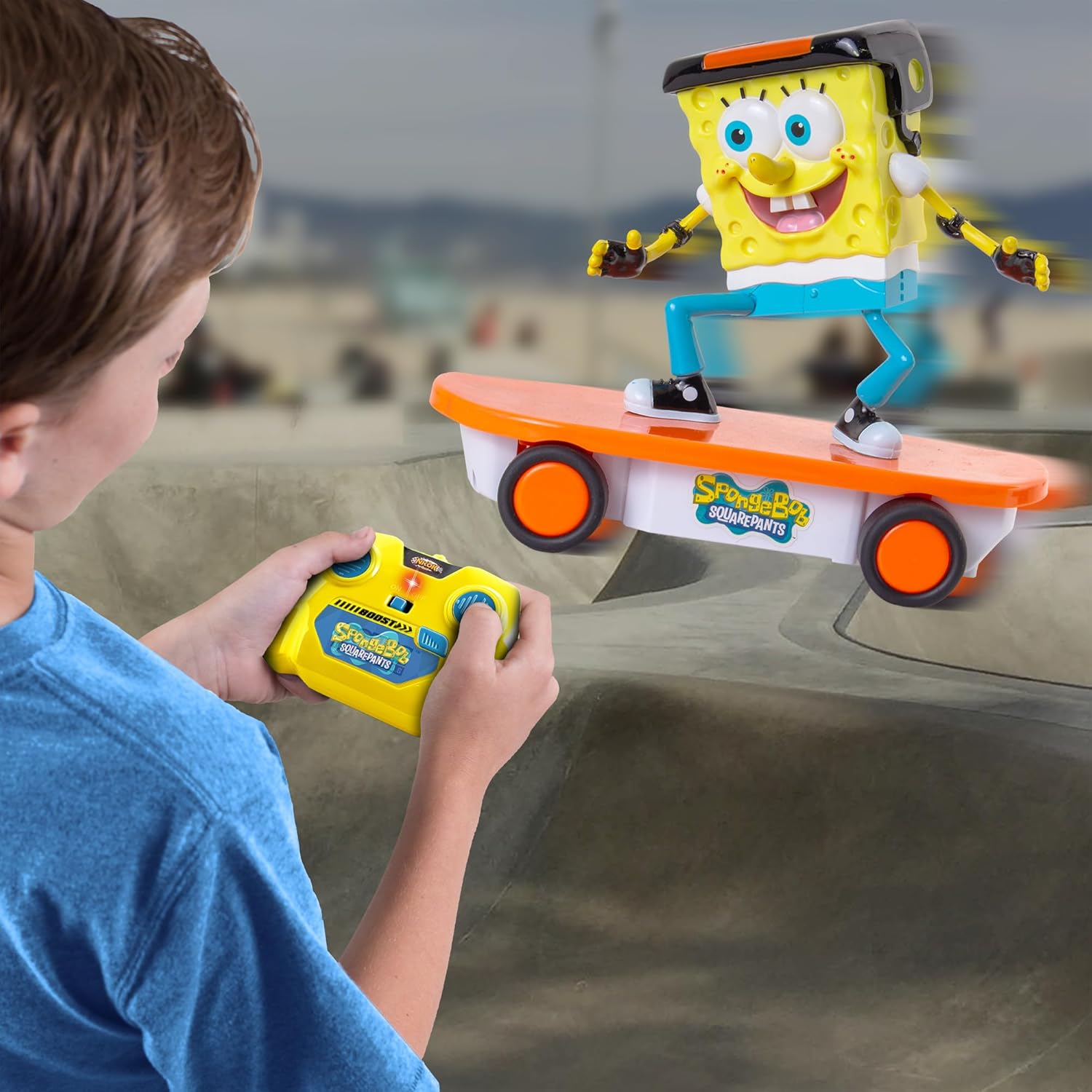
Image: SpongeBob Skateboarder R/C Vehicle and its 2.4GHz controller, ready for use.
3.2 Power On and Pairing
Once batteries are installed:
- Turn on the power switch located on the bottom of the SpongeBob Skateboarder R/C Vehicle.
- Turn on the power switch on the 2.4GHz Radio Control Transmitter. The vehicle and controller should automatically pair.
4. Operating Instructions
The NKOK SpongeBob Skateboarder R/C Vehicle offers full-function radio control for an engaging play experience.
4.1 Basic Controls
Use the joysticks on the 2.4GHz transmitter to control the vehicle's movement:
- Forward/Backward: Push the left joystick forward or backward.
- Turning: Push the right joystick left or right to steer the vehicle.
4.2 Turbo Boost Feature
For an extra burst of speed, press the Turbo Boost button on the controller. This will make SpongeBob go from fast to super-fast instantly.
4.3 Multiple Vehicle Operation
The 2.4GHz frequency allows for multiple SpongeBob Skateboarder R/C Vehicles to be controlled at the same time without interference, enabling exciting races and group play.

Image: The SpongeBob Skateboarder R/C Vehicle performing a maneuver.
4.4 Official Product Videos
Video: SpongeBob at Venice Beach. This video demonstrates the R/C vehicle's movement and features in an outdoor setting.
Video: Spongebob 2.4GHz Skateboarder R/C Vehicle. This video provides an overview of the product and its capabilities.
5. Maintenance
To ensure the longevity and optimal performance of your R/C vehicle, follow these maintenance guidelines:
- Cleaning: Wipe the vehicle and controller with a clean, damp cloth. Do not immerse in water.
- Storage: Store the product in a cool, dry place away from direct sunlight when not in use. Remove batteries before long-term storage.
- Inspection: Periodically check for any loose parts or damage. Do not operate if damaged.
6. Troubleshooting
If you encounter issues with your SpongeBob Skateboarder R/C Vehicle, try the following steps:
- Vehicle not responding:
- Ensure both the vehicle and controller are turned ON.
- Check if batteries are correctly installed and not depleted. Replace with fresh batteries if necessary.
- Ensure the vehicle and controller are within range (up to 100 feet).
- Poor performance:
- Check battery levels in both the vehicle and controller.
- Ensure there are no obstructions to the wheels or moving parts.
- Avoid operating on very rough or uneven surfaces.
7. Specifications
| Brand Name | NKOK |
| Model Name | SpongeBob 2.4GHz Skateboarder R/C Vehicle |
| Model Number | 2515 |
| Age Range Description | 6 yr + |
| Power Source | Battery Powered |
| Number of Batteries Required | 6 AA batteries (4 for vehicle, 2 for controller) |
| Operation Mode | Radio Control (2.4GHz) |
| Item Dimensions (L x W x H) | 7 x 6.75 x 6.37 inches |
| Item Weight | 1.38 Pounds |
| Material Type | Plastic |
| Color | Multicolor |

Image: Side view of the SpongeBob Skateboarder R/C Vehicle, illustrating its approximate dimensions.
8. Warranty and Support
This product is sold without a manufacturer's warranty. For any product-related inquiries or support, please contact NKOK Inc. directly through their official channels or the retailer where the product was purchased.