
1. Introduction
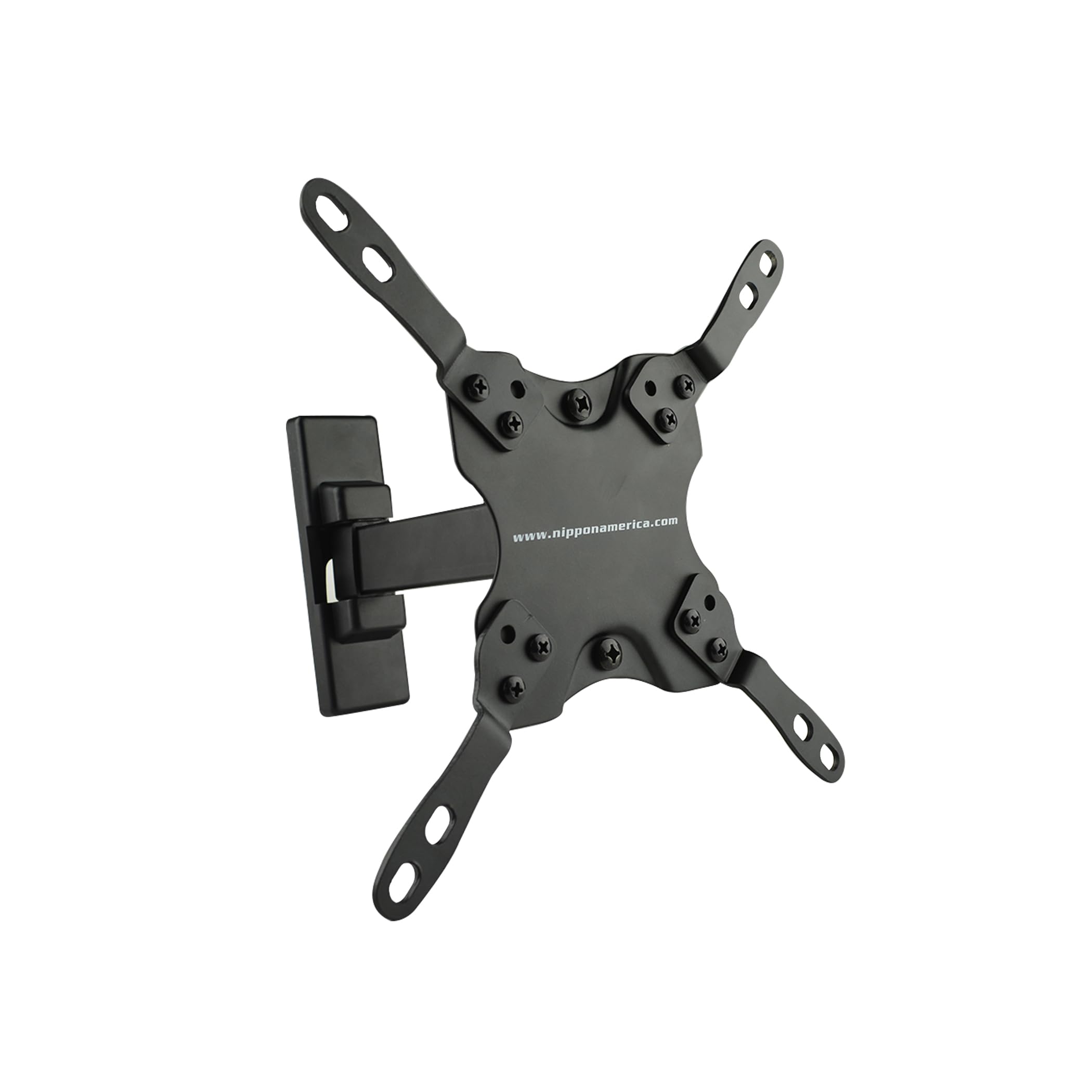
This manual provides detailed instructions for the safe and proper installation, operation, and maintenance of your Nippon America MRE-1343RT Full Motion TV Wall Mount. This articulating wall mount is designed for 13-inch to 42-inch LCD/LED flat-screen televisions and monitors, offering robust construction and flexible viewing options.
The mount supports a maximum weight capacity of 44 lbs (20 kg) and is compatible with VESA patterns of 75x75mm, 100x100mm, and 200x200mm. Its full motion capabilities include 90-degree to 90-degree swivel, 5-degree to 12-degree tilt, and ±3-degree rotation adjustment, allowing for optimal viewing angles. The nested arm design enables the display to be folded flat against the wall when not in use.
2. Safety Information
Please read all instructions carefully before installation. If you do not understand these instructions or have doubts about the safety of the installation, please contact a qualified installer.
- Weight Capacity: Do not exceed the maximum weight capacity of 44 lbs (20 kg). Overloading may result in serious injury or property damage.
- Wall Structure: Ensure the mounting surface can safely support the combined weight of the equipment and all attached hardware. This mount is designed for single stud installation.
- Tools: Use appropriate tools for installation. Always wear safety glasses and use caution when drilling.
- Children: Keep children away from the installation area. Small parts may be a choking hazard.
- Damage: Do not install if the product or hardware is damaged. Contact customer service for replacement parts.
WARNING: This product contains chemicals known to the State of California to cause cancer and birth defects or other reproductive harm.
3. Package Contents
Verify that all components are present and undamaged before beginning installation. If any parts are missing or damaged, do not proceed with installation and contact customer support.

The package typically includes:
- Wall Plate Assembly
- TV Plate Assembly (VESA compatible)
- Mounting Hardware (screws, anchors, washers for wall and TV attachment)
- Instruction Manual (this document)
4. Setup (Installation)
Follow these steps carefully to install your TV wall mount. Professional installation is recommended if you are unsure about any part of the process.
4.1 Tools Required (Not Included)
- Drill
- Stud Finder
- Level
- Phillips Head Screwdriver
- Socket Wrench (appropriate size for lag bolts)
- Pencil
4.2 Pre-Installation Checks
- Check TV VESA Pattern: Measure the horizontal and vertical distance between the screw holes on the back of your TV. This mount supports VESA patterns of 75x75mm, 100x100mm, and 200x200mm.
- Check TV Weight: Ensure your TV weighs less than 44 lbs (20 kg).
- Identify Mounting Location: Use a stud finder to locate a wooden stud in your desired mounting location. This mount is designed for single stud installation. Mark the center of the stud.
4.3 Attaching the TV Plate to Your TV
- Carefully place your TV face down on a soft, clean surface to prevent screen damage.
- Align the TV plate assembly with the mounting holes on the back of your TV.
- Select the appropriate screws and washers from the hardware kit that fit your TV's mounting holes. Secure the TV plate to the TV, ensuring a snug but not overtightened fit.
4.4 Mounting the Wall Plate to the Wall
- Hold the wall plate assembly against the wall at your desired height, centered on the marked stud. Use a level to ensure it is perfectly horizontal.
- Mark the pilot hole locations through the wall plate onto the wall.
- Drill pilot holes into the stud at the marked locations. The size of the drill bit will depend on the lag bolts provided; refer to the hardware guide in your package.
- Attach the wall plate assembly to the wall using the lag bolts and washers. Tighten securely, but do not overtighten.
4.5 Attaching the TV to the Wall Mount
- With assistance, carefully lift the TV (with the TV plate attached) and align the TV plate with the arm on the wall plate assembly.
- Hook the TV plate onto the arm. Ensure it is securely seated.
- Secure the TV to the mount using the provided locking screws or mechanisms to prevent accidental dislodgement.
4.6 Installation Video
For a visual guide on the installation process, please refer to the video below:
5. Operating the Mount
Once installed, your full motion TV wall mount allows for various adjustments to achieve the best viewing experience.
- Swivel: Gently push or pull the TV to the left or right to adjust the swivel angle (up to 90 degrees in each direction, depending on TV size and wall clearance).
- Tilt: Loosen the tilt adjustment knobs (if present) on the TV plate, adjust the screen to your desired vertical angle (5 to 12 degrees), and then re-tighten the knobs to secure the position.
- Rotation: The mount allows for ±3 degrees of rotation adjustment to ensure the TV is perfectly level after installation. Loosen the rotation screws, adjust, and re-tighten.
- Extension/Retraction: Extend the TV away from the wall or push it back to sit flat against the wall. Ensure cables are not pinched during movement.
6. Maintenance
Regular maintenance helps ensure the longevity and safe operation of your TV wall mount.
- Periodic Inspection: Every few months, check all screws and connections to ensure they are secure. Re-tighten if necessary.
- Cleaning: Wipe the mount with a soft, dry cloth. Do not use abrasive cleaners or solvents, as they may damage the finish.
- Lubrication: Moving parts are designed for smooth operation and generally do not require lubrication. If movement becomes stiff, consult customer support.
7. Troubleshooting
If you encounter issues with your TV wall mount, refer to the following common problems and solutions:
- TV is not level: Use the ±3-degree rotation adjustment feature. Loosen the rotation screws, adjust the TV until level, and then re-tighten the screws.
- Mount feels loose on the wall: Immediately remove the TV from the mount. Check all wall mounting screws and ensure they are securely tightened into the wall stud. If the stud is damaged, consult a professional.
- TV does not fit the mount: Verify your TV's VESA pattern and weight against the mount's specifications (75x75mm, 100x100mm, 200x200mm, max 44 lbs). If your TV falls outside these specifications, this mount is not compatible.
- Difficulty adjusting tilt/swivel: Check for any overtightened bolts that might restrict movement. Loosen them slightly to allow for adjustment, then re-tighten to a secure but movable state. Ensure no cables are obstructing movement.
If problems persist, contact Nippon America customer support.
8. Specifications
| Feature | Specification |
|---|---|
| Model Number | MRE-1343RT |
| Compatible TV Sizes | 13" - 42" |
| Maximum Weight Capacity | 44 lbs (20 kg) |
| VESA Compatibility | 75x75mm, 100x100mm, 200x200mm |
| Movement Type | Articulating, Fixed, Rotate, Swivel, Tilt |
| Swivel Range | 90° to 90° |
| Tilt Range | 5° to 12° |
| Rotation Adjustment | ±3° |
| Mounting Type | Wall Mount (Single Stud Installation) |
| Product Dimensions | 2 x 5.5 x 2 inches (approximate, folded) |
| Item Weight | 2.44 pounds |
| Color | Black |
| UPC | 784644750285 |
9. Warranty & Support
Nippon America products are designed for quality and reliability. For specific warranty information, please refer to the documentation included with your purchase or visit the official Nippon America website.
If you require technical assistance, have questions about installation, or need to report a missing/damaged part, please contact Nippon America customer support. You can find more information about Nippon America products and support on their official store page: Nippon America Store.


