
Introduction
Thank you for choosing the PlayGo Pretend Play Gourmet Kitchen Appliance Set. This set includes a realistic single-serve coffee maker, a versatile mixer, and a fun pop-up toaster. Designed to introduce children to kitchen role-play, these appliances encourage imaginative play and help develop early vocabulary and creative thinking skills.
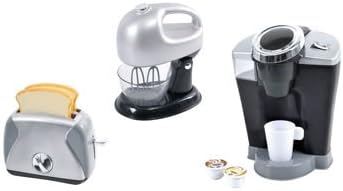
Image: The complete PlayGo Pretend Play Gourmet Kitchen Appliance Set, featuring the coffee maker, mixer, and toaster.
Safety Information
- This product is intended for pretend play. It is not a functional kitchen appliance and should not be used with real food, liquids, or heat.
- Adult supervision is recommended during play.
- Battery Safety: Requires 4 AA batteries (not included). Ensure batteries are inserted with correct polarity (+ and -). Do not mix old and new batteries, or alkaline, standard (carbon-zinc), or rechargeable (nickel-cadmium) batteries. Remove batteries if the product is not used for an extended period. Dispose of used batteries responsibly.
- Keep small parts away from young children to prevent choking hazards.
Package Contents
Verify that all items are present in the package:
- 1 x Pretend Single-Serve Coffee Maker
- 1 x Pretend Mixer (with detachable hand mixer and bowl)
- 1 x Pretend Toaster
- Assorted pretend play accessories (e.g., coffee pods, toast slices, cup)
Setup
Battery Installation
- Locate the battery compartment on the underside or back of each appliance.
- Using a screwdriver (not included), open the battery compartment cover.
- Insert 4 AA batteries (not included) into the designated slots, ensuring correct polarity.
- Replace the battery compartment cover and secure it with the screw.
Initial Placement
Place the appliances on a flat, stable surface suitable for play. Ensure there is enough space around each item for safe and enjoyable interaction.
Operating Instructions
Pretend Single-Serve Coffee Maker
This coffee maker features realistic sound effects for an immersive play experience.
- Prepare: Open the top lid of the coffee maker.
- Insert Pod: Place a pretend coffee pod into the designated slot.
- Close Lid: Close the top lid securely.
- Place Cup: Position the pretend coffee cup on the drip tray below the dispenser.
- Brew: Press the brew button. The coffee maker will emit realistic brewing sounds, and pretend coffee will appear to dispense into the cup.

Image: A sequence of images demonstrating the operation of the pretend coffee maker, from inserting a pod to dispensing into a cup.
Pretend Mixer
This mixer functions as both a stand mixer and a portable hand mixer, complete with realistic sound effects.
- Stand Mixer Mode: Place the mixer onto its stand. Ensure it is securely attached.
- Hand Mixer Mode: To use as a hand mixer, detach the mixer from its stand by pressing the release button (if applicable) or lifting it off.
- Activate: Press the power button or lever on the mixer to activate its realistic mixing sounds.
- Pretend Mixing: Use the mixer with the included bowl and pretend ingredients for imaginative baking play.

Image: The PlayGo pretend mixer positioned on its stand with a clear mixing bowl.

Image: The PlayGo pretend mixer separated from its base, illustrating its use as a handheld mixer.
Pretend Toaster
This toaster features a working timer and pop-up action for realistic play.
- Insert Toast: Place one or two slices of pretend toast into the toaster slots.
- Lower Lever: Push down the lever on the side of the toaster. The toast will lower into the slots.
- Set Timer: Turn the pretend timer dial to simulate setting the toasting level.
- Pop Up: After a short period, the toast will pop up automatically, mimicking real toaster action.
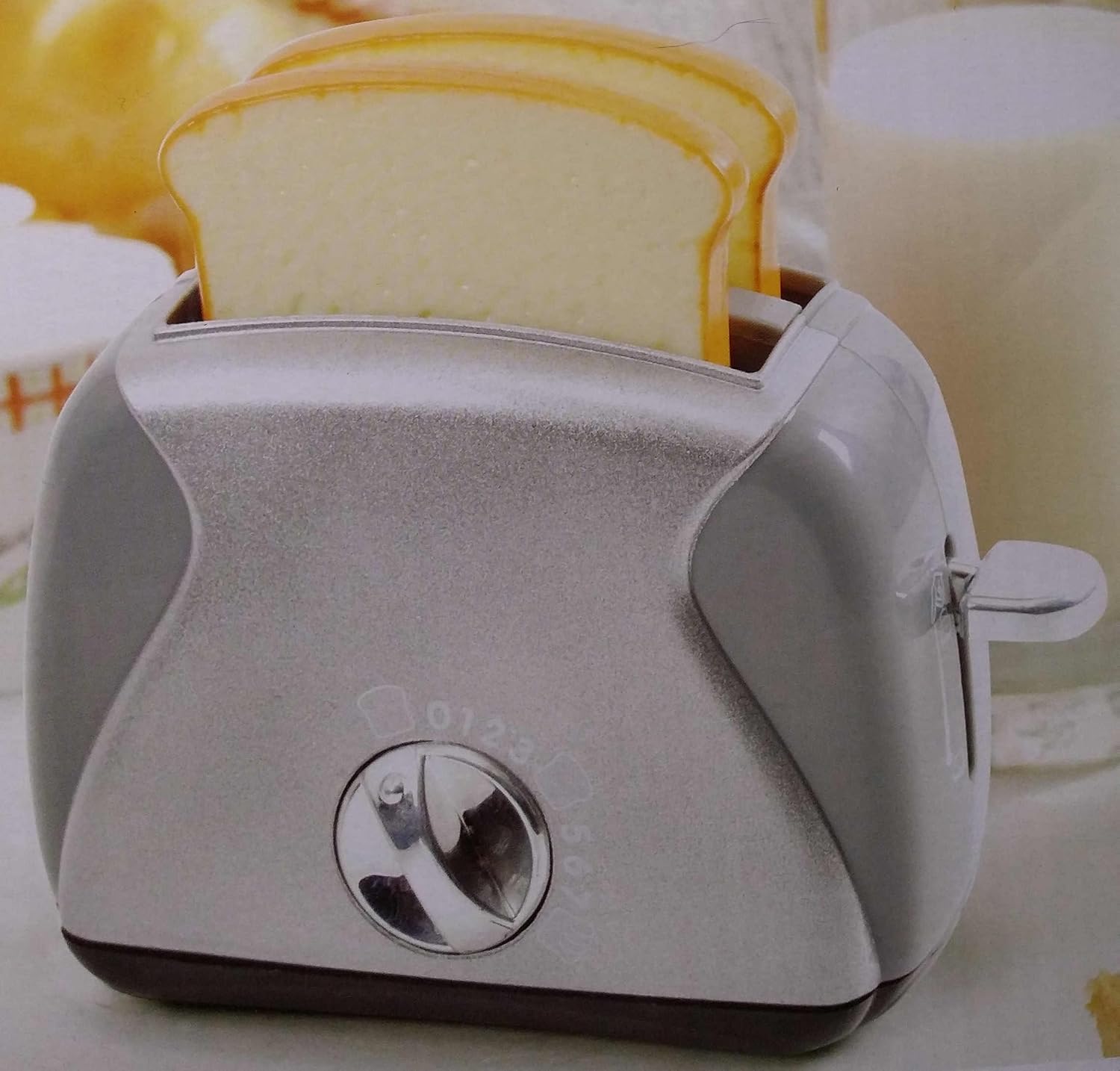
Image: The PlayGo pretend toaster with two slices of pretend bread ready for toasting.
Maintenance
- Cleaning: Wipe the surfaces of the appliances with a soft, damp cloth. Do not immerse any part of the appliances in water. Do not use harsh chemicals or abrasive cleaners.
- Storage: Store the appliances in a clean, dry place away from direct sunlight and extreme temperatures when not in use.
- Battery Replacement: If sounds or actions become weak or stop functioning, replace all batteries with new ones, following the battery installation instructions.
Troubleshooting
| Problem | Possible Cause | Solution |
|---|---|---|
| Appliance does not make sounds or move. | Batteries are low or incorrectly installed. | Check battery polarity. Replace all batteries with fresh AA batteries. |
| Toaster lever does not stay down or toast does not pop up. | Obstruction in the toaster slot or mechanism. | Ensure no foreign objects are blocking the lever or toast slots. |
| Mixer attachments do not spin. | Batteries are low or mechanism is jammed. | Replace batteries. Check for any obstructions around the mixer attachments. |
Specifications
- Brand: PlayGo
- Model Number: 399202
- Material: Plastic
- Power Source: 4 x AA batteries (not included)
- Item Weight: Approximately 3.35 Pounds (1.52 kg)
- Item Dimensions: Approximately 23 x 11.1 x 5.7 inches (58.4 x 28.2 x 14.5 cm)
- Educational Objective: Creative Thinking
- Operation Mode: Manual (for play actions)
Warranty and Support
For any questions, concerns, or support regarding your PlayGo Pretend Play Gourmet Kitchen Appliance Set, please refer to the contact information provided on the product packaging or visit the official PlayGo website. Specific warranty details may vary and are typically included with the product at the time of purchase.