
1. Introduction
This manual provides comprehensive instructions for the setup, operation, and maintenance of your Xiaomi Redmi Buds 4 Active Wireless Earbuds. Please read this manual carefully before use to ensure optimal performance and longevity of your device. These earbuds offer advanced features such as Bluetooth 5.3 connectivity, a 12mm dynamic driver for powerful bass, IPX4 water resistance, and long battery life.
2. Product Overview
The Xiaomi Redmi Buds 4 Active are designed for a comfortable fit and high-quality audio experience. Below are images illustrating the product and its components.

Figure 2.1: Xiaomi Redmi Buds 4 Active earbuds in their open charging case.

Figure 2.2: Top view of the earbuds securely placed within their charging case.

Figure 2.3: Front view of the product packaging for Xiaomi Redmi Buds 4 Active.
3. Setup
3.1 Unboxing and Components
Upon opening the package, ensure all components are present:
- Xiaomi Redmi Buds 4 Active Earbuds (Left and Right)
- Charging Case
- USB Type-C Charging Cable
- User Manual (this document)
- Ear tips (various sizes)
3.2 Charging
Before first use, fully charge the earbuds and the charging case to ensure optimal battery performance.
- Place the earbuds into the charging case. Ensure they are correctly seated in their respective slots.
- Connect the USB Type-C cable to the charging port on the case and the other end to a power source (e.g., wall adapter, computer USB port).
- The indicator light on the case will illuminate to show charging status. It will turn off or change color when fully charged.
A quick 10-minute charge can provide approximately 110 minutes of listening time.

Figure 3.1: The charging case connected to a USB-C cable for charging.
3.3 Pairing
To connect your Redmi Buds 4 Active to a device:
- Open the charging case. The earbuds will automatically power on and enter pairing mode.
- On your device (smartphone, tablet, laptop), enable Bluetooth.
- Search for 'Redmi Buds 4 Active' in the list of available Bluetooth devices and select it to connect.
- For Android devices, the earbuds support Google Fast Pair, allowing for quick and effortless connection simply by opening the case near your device.
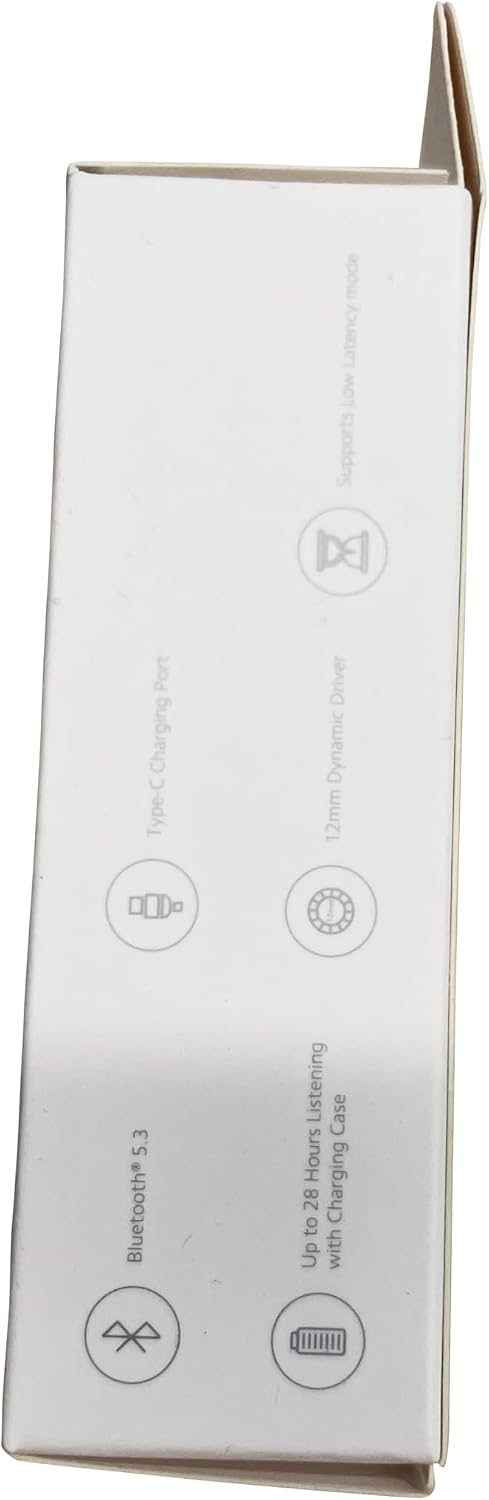
Figure 3.2: The product box illustrating the Fast Pair feature for quick Android device connection.
4. Operating Instructions
4.1 Wearing the Earbuds
Gently insert the earbuds into your ear canal. Rotate them slightly to find a comfortable and secure fit. Ensure the microphone is facing downwards for optimal call quality.
4.2 Touch Controls
The Redmi Buds 4 Active feature intuitive touch controls on each earbud:
- Double Tap: Play/Pause music, Answer/End calls.
- Triple Tap: Skip to the next track, Reject/End a call.
- Press and Hold (either earbud): Enable/Disable low-latency mode.

Figure 4.1: Visual guide to the touch control gestures on the earbuds.
4.3 Low Latency Mode
This mode is designed to reduce audio delay, providing a more synchronized experience for gaming or watching videos. To activate or deactivate, simply press and hold either earbud.

Figure 4.2: Low latency mode provides a more immersive audio experience for gaming and video.
4.4 Xiaomi Earbuds App
Enhance your experience by downloading the 'Xiaomi Earbuds' app. The app allows you to customize settings, check battery levels for both earbuds and the charging case, and access additional features. It is available on both Google Play Store and Apple App Store.

Figure 4.3: Screenshot of the Xiaomi Earbuds app, showing battery status and settings.
5. Maintenance
5.1 Cleaning
Regularly clean the earbuds and charging case with a soft, dry, lint-free cloth. Do not use abrasive cleaners or solvents, as these can damage the device. Pay special attention to cleaning the charging contacts on both the earbuds and the case to ensure proper charging and connectivity.
5.2 Water Resistance (IPX4)
The Redmi Buds 4 Active earbuds are rated IPX4 for water resistance. This means they are protected against splashing water from any direction, making them suitable for workouts and light rain. However, they are not designed for submersion in water or exposure to heavy rain or extreme moisture. Always ensure the earbuds are completely dry before placing them back into the charging case to prevent damage.

Figure 5.1: The earbuds are designed to withstand splashes, ideal for active use.
6. Troubleshooting
If you encounter issues with your Redmi Buds 4 Active, refer to the following common solutions:
- No Sound/Connectivity Issues:
- Ensure both earbuds and the charging case are sufficiently charged.
- Verify that Bluetooth is enabled on your device and the earbuds are selected as the audio output.
- Try unpairing the earbuds from your device's Bluetooth settings and then re-pairing them.
- If issues persist, consider resetting the earbuds. Refer to the Xiaomi Earbuds app or the official Xiaomi support website for specific reset instructions.
- Charging Issues:
- Ensure the USB Type-C charging cable is securely connected to both the case and the power source.
- Check if the charging contacts on both the earbuds and inside the case are clean and free of debris.
- Try using a different charging cable or power adapter to rule out faulty accessories.
- Touch Controls Not Responding:
- Ensure your fingers are clean and dry when using the touch controls.
- Try restarting the earbuds by placing them in the charging case, closing the lid for a few seconds, and then reopening it.
7. Specifications
Detailed technical specifications for the Xiaomi Redmi Buds 4 Active:
| Feature | Value |
|---|---|
| Control Type | Google Assistant |
| Cable Function | Wireless |
| Water Resistance Level | IPX4 (Splash-proof) |
| Frequency Range | 20 Hz - 20,000 Hz |
| Connections | Wireless Bluetooth |
| Special Features | Echo Cancellation |
| Rechargeable Battery | Yes |
| Model Number | Xiaomi Redmi Buds 4 Active |
| ASIN | B015CJ0U4E |
| Release Date | August 11, 2023 |
| Battery Type | 3 Lithium-ion batteries required |
| Manufacturer | Xiaomi |
| Brand | XIAOMI |
| Color | Black |
| Ear Placement | In-ear |
| Form Factor | In-ear |
| Model Name | Redmi Buds 4 Active |
| Connectivity Technology | Wireless |
| Wireless Communication Technology | Bluetooth |
| Included Components | Earbud, Charging Case |
| Age Range (Description) | Adult |
| Compatible Devices | Devices with Bluetooth |
8. Warranty and Support
For detailed warranty information, product registration, and technical support, please visit the official Xiaomi website or contact your local Xiaomi customer service center. It is recommended to keep your proof of purchase for any warranty claims.
You can find more information and support at the official Xiaomi website: mi.com/global/service/support


