
Product Overview
The Telemecanique XB4-BG41 is a robust key-operated selector switch designed for industrial control applications. This device allows for secure control of machinery and processes, requiring a key for operation. It is typically used in control panels and electrical enclosures to provide a reliable interface for system activation or mode selection.
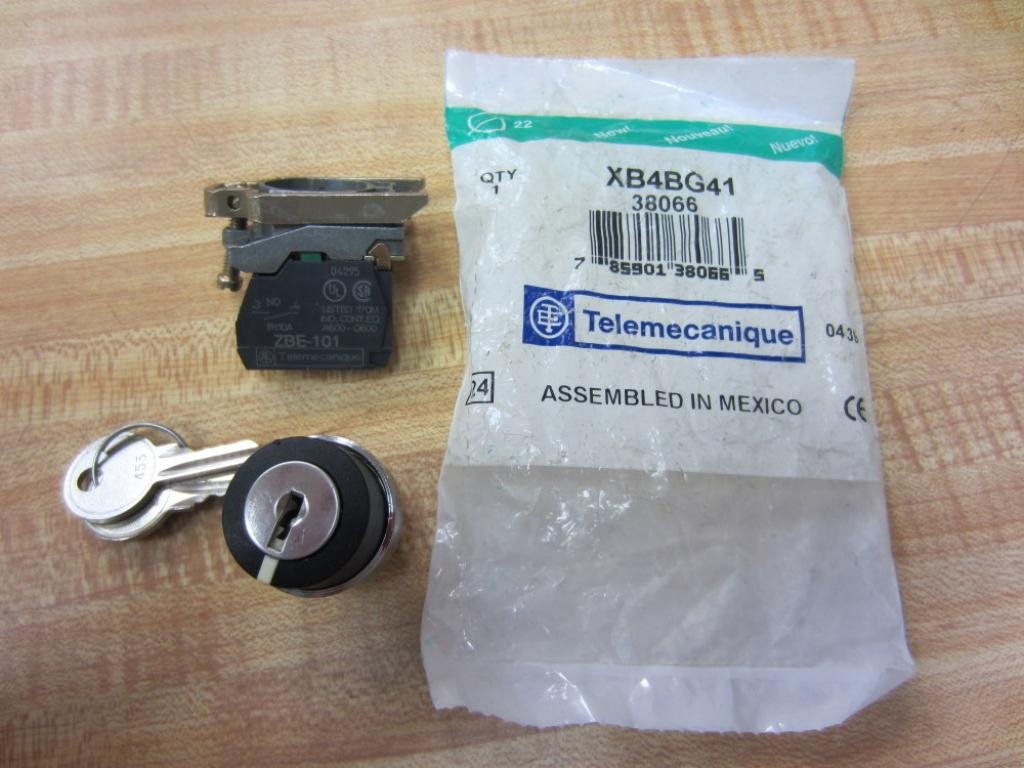
Image showing the Telemecanique XB4-BG41 selector switch components, including the key-operated head, contact block, keys, and original packaging.
The package includes the key-operated selector switch head, a contact block (ZBE-101), and two keys. The contact block provides the electrical switching function, while the key ensures authorized access to the control function.

Close-up view of the Telemecanique XB4BG41 packaging, displaying the model number and barcode.

Detailed view of the product barcode on the packaging, showing model XB4BG41 and UPC 0785901380665.
Setup and Installation
Proper installation of the XB4-BG41 selector switch is crucial for safe and reliable operation. Ensure all power is disconnected before beginning installation.
- Panel Preparation: Drill a suitable mounting hole in the control panel according to the switch's specifications. Ensure the hole is clean and free of burrs.
- Mounting the Head: Insert the key-operated switch head through the prepared hole from the front of the panel. Secure it in place using the provided locking nut from the rear.
- Attaching the Contact Block: Align the ZBE-101 contact block with the rear of the switch head. The contact block typically snaps or screws into place. Ensure it is firmly seated and properly oriented.
- Wiring: Connect the electrical wires to the terminals on the contact block. Refer to the wiring diagram for correct connections. Ensure all connections are secure and properly insulated. The ZBE-101 contact block is rated for specific voltage and current applications.
- Testing: After installation and wiring, carefully test the switch's functionality with the key to ensure it operates as expected before fully restoring power to the system.

Disassembled view of the selector switch, showing the key-operated head, contact block, and keys.
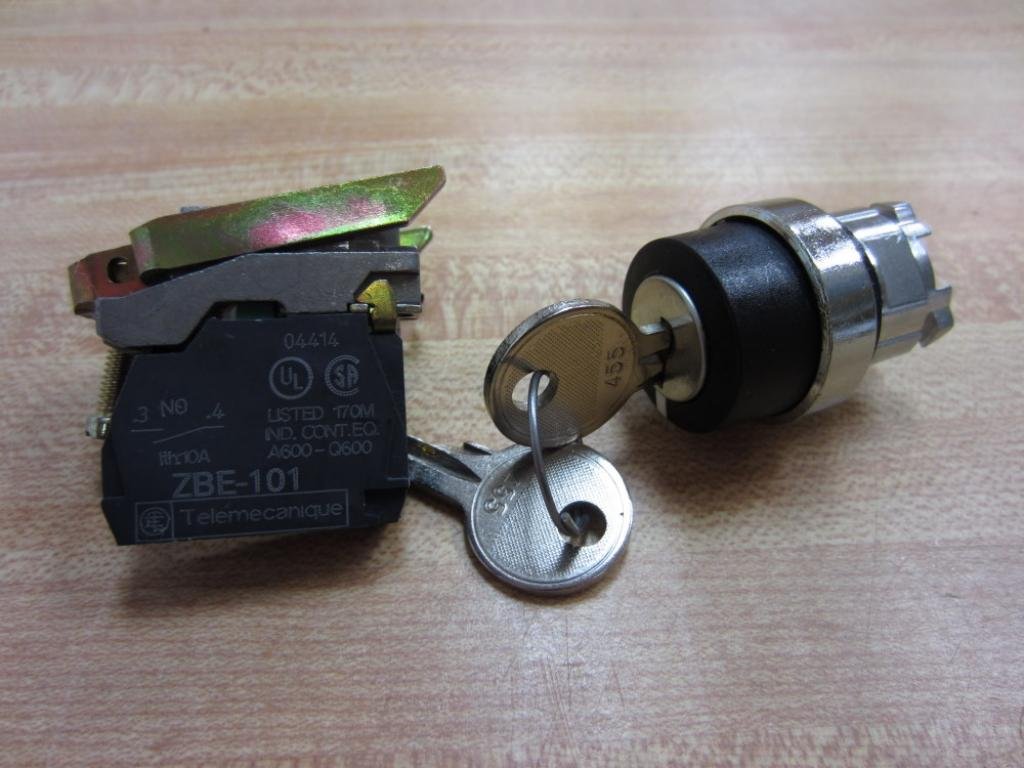
Close-up of the ZBE-101 contact block and one of the keys, highlighting the electrical ratings and Telemecanique branding.
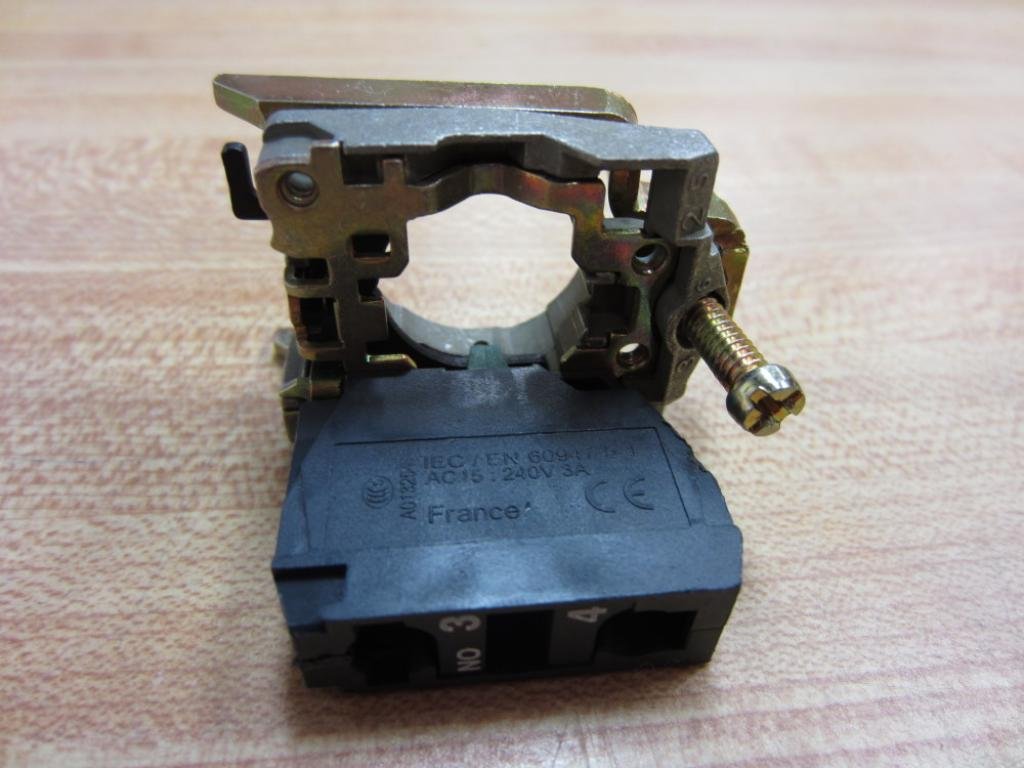
Rear view of the contact block, showing connection terminals and manufacturing details.
Operation
The Telemecanique XB4-BG41 selector switch is operated using the provided key. Insert the key into the switch head and turn it to the desired position. The switch typically has two or three positions, allowing for different control states (e.g., ON/OFF, Manual/Auto). The key can usually be removed in one or more positions, depending on the specific model configuration.
- Key Insertion: Insert the key fully into the keyway.
- Turning the Switch: Rotate the key to the desired operational position. The switch will provide tactile feedback as it clicks into each position.
- Key Removal: Remove the key if the design allows for it in the current position. This prevents unauthorized changes to the switch state.
Maintenance
The Telemecanique XB4-BG41 selector switch is designed for long-term reliability with minimal maintenance. Regular inspection is recommended to ensure optimal performance.
- Cleaning: Keep the switch head and surrounding panel area clean and free of dust, dirt, and debris. Use a soft, dry cloth for cleaning. Avoid abrasive cleaners or solvents.
- Connection Check: Periodically inspect electrical connections at the contact block to ensure they remain tight and free from corrosion.
- Functionality Test: Occasionally operate the switch with the key to confirm smooth mechanical action and proper electrical switching.
- Key Care: Store spare keys securely. Avoid excessive force when turning the key, as this can damage the key or the switch mechanism.
Troubleshooting
If you encounter issues with your XB4-BG41 selector switch, consider the following common troubleshooting steps:
- Switch Not Operating:
- Ensure the key is fully inserted and turned to a valid position.
- Check for any physical obstructions preventing the switch from turning.
- No Electrical Response:
- Verify that the contact block is securely attached to the switch head.
- Inspect all wiring connections for looseness or damage.
- Confirm that power is supplied to the circuit.
- Test the continuity of the contact block using a multimeter (with power disconnected).
- Key Difficult to Turn or Remove:
- Ensure the key is the correct one for the switch.
- Check for debris in the keyway.
- Do not force the key; if resistance is significant, the switch mechanism may be damaged or misaligned.
For persistent issues, contact Telemecanique technical support or a qualified electrician.
Technical Specifications
| Specification | Value |
|---|---|
| Brand | Telemecanique |
| Model | XB4-BG41 |
| ASIN | B015CBZ7BI |
| Mounting Type | Panel Mount |
| International Protection Rating | IP54 |
| Connectivity Protocol | Wi-Fi (Note: This specification may refer to broader product line capabilities or a miscategorization, as a mechanical switch typically does not have Wi-Fi.) |
| Unit Count | 1.0 Count |
| Number of Items | 1 |
| Manufacturer | Telemecanique |
| Date First Available | September 14, 2015 |
Warranty Information
Telemecanique products are manufactured to high-quality standards. For specific warranty terms and conditions applicable to the XB4-BG41 selector switch, please refer to the official warranty documentation provided with your purchase or visit the official Telemecanique website. Warranty coverage typically includes defects in materials and workmanship under normal use.
Support and Contact Information
For technical assistance, product inquiries, or support, please contact Telemecanique customer service. You can find more information and contact details on the official Telemecanique website or through their authorized distributors.
Visit the Telemecanique Store on Amazon for additional products and resources.